
WRF PC
101 ГУРМЭ
گیم لوپ ایمولیٹر کے ساتھ PC پر WRF ڈاؤن لوڈ کریں۔
پی سی پر WRF
WRF، جو ڈویلپر 101 ГУРМЭ سے آرہا ہے، ماضی میں اینڈرائیڈ سسٹم پر چل رہا ہے۔
اب، آپ پی سی پر WRF آسانی سے GameLoop کے ساتھ چلا سکتے ہیں۔
اسے GameLoop لائبریری یا تلاش کے نتائج میں ڈاؤن لوڈ کریں۔ مزید غلط وقت پر بیٹری یا مایوس کن کالوں پر نظر نہیں ڈالی جائے گی۔
بس بڑی سکرین پر WRF PC کا مفت میں لطف اٹھائیں!
WRF تعارف
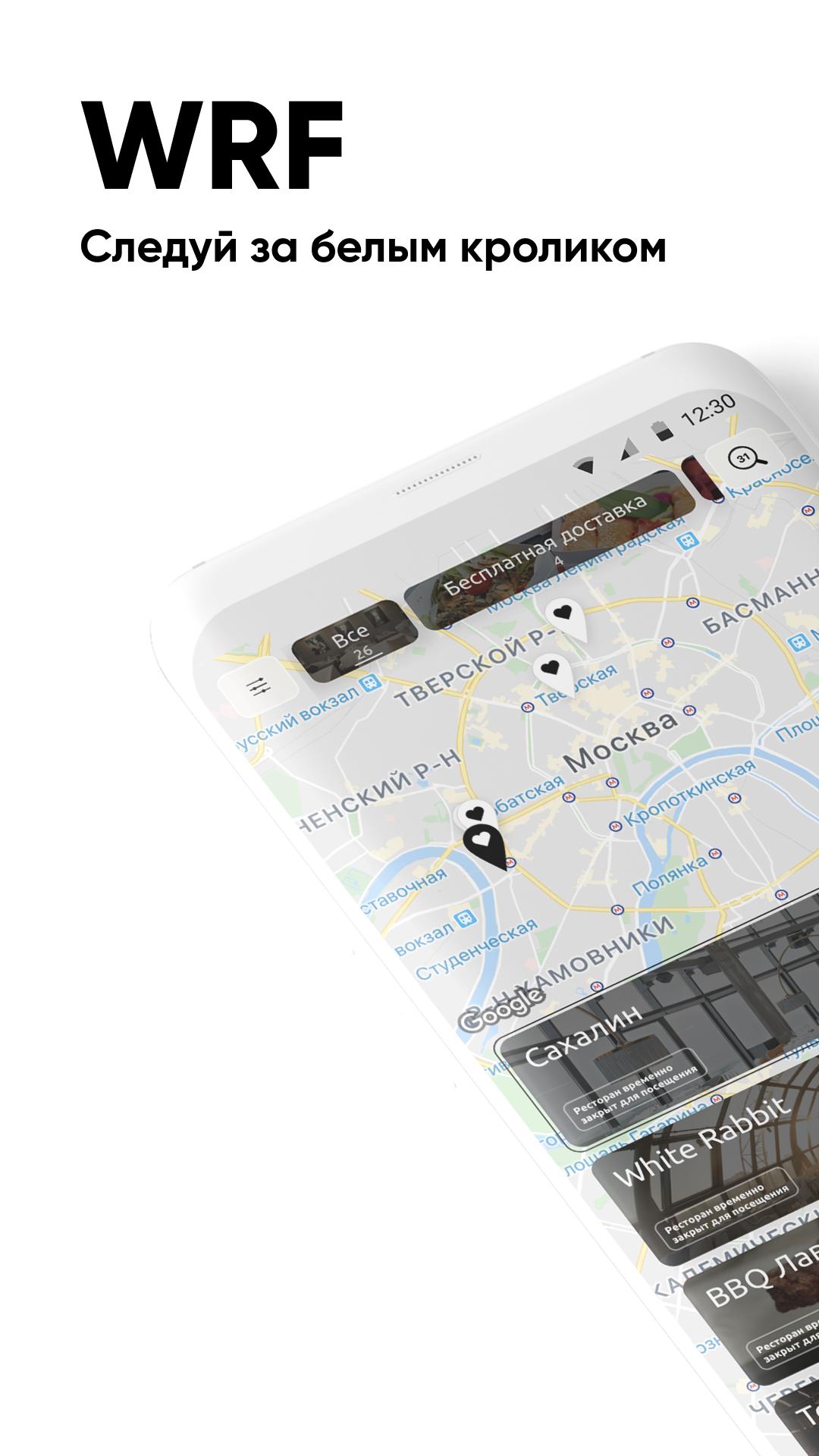
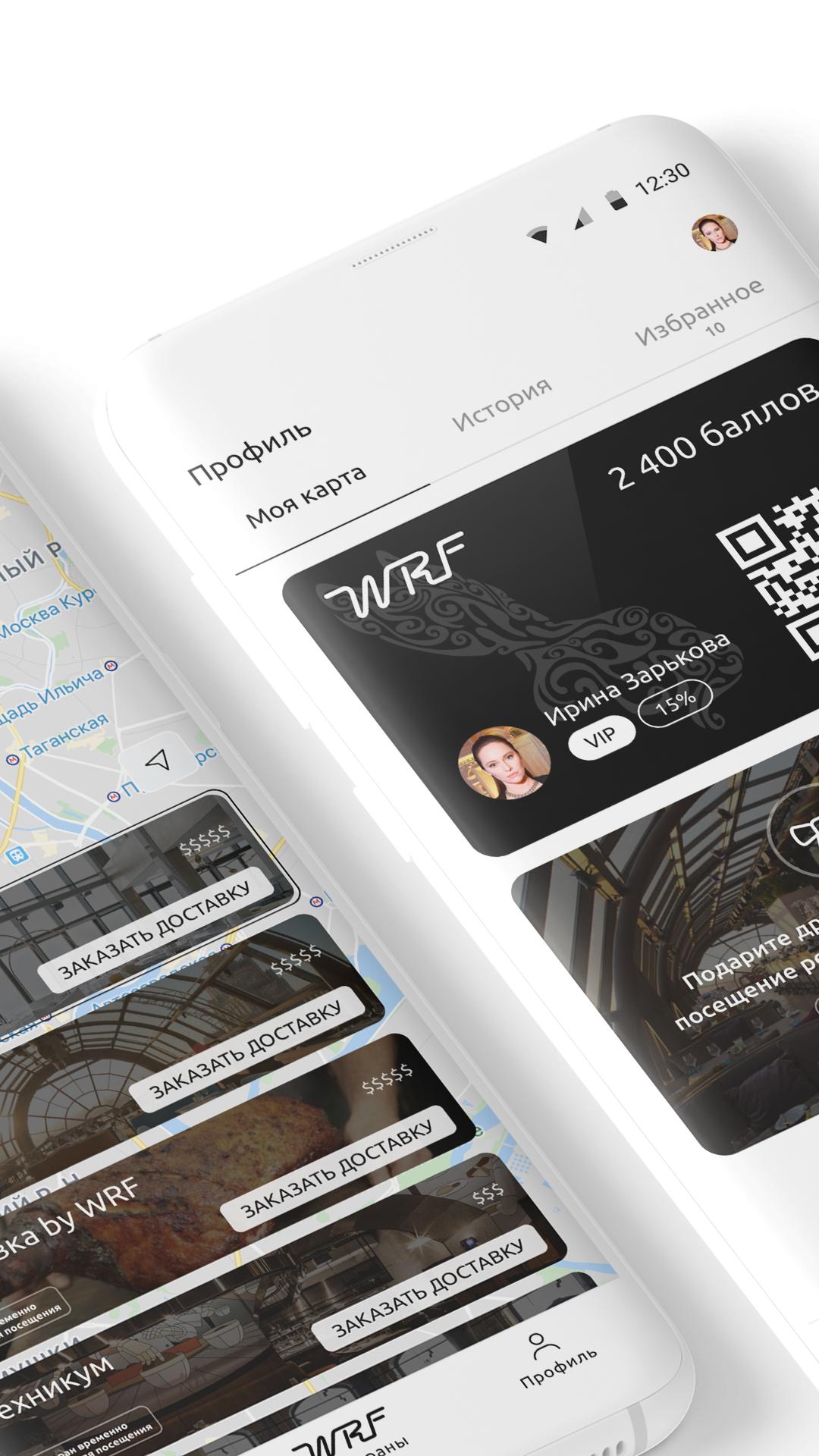
WRF loyalty program - favorite White Rabbit Family restaurants are always at hand!
Special offers, news and promotions, home delivery, table reservations and banquets are waiting for you.
Show the waiter the QR code from the app when paying the bill to get bonus WRF points - you can pay with them on your next visit!
The WRF application opens up the possibilities:
Instantly book the desired table;
Get points and pay with them up to 50% of the invoice amount;
Order delivery of your favorite dishes;
Easy to find restaurants on the map;
View the current menu;
Choose a restaurant according to your preferences;
Keep abreast of major events and activities;
Get special offers from Partners.
All this is available in WRF restaurants:
White Rabbit;
selfies;
Sakhalin;
Chef's Table;
Gorynych;
Guidon;
Mushrooms;
She;
Technical College;
Ikra;
Zodiac;
boxes;
Benedict;
Rocket;
Weeping willow;
red fox;
Light;
What? Kharcho!;
Chicha Bar;
Noodle;
Sausage Club.
پیش نظارہ
ٹیگز
Food-&معلومات
ڈویلپر
101 ГУРМЭ
تازہ ترین ورژن
0.24.20
آخری تازہ کاری
2022-03-11
قسم
Food-drink
پر دستیاب ہے۔
Google Play
مزید دکھائیں
پی سی پر گیم لوپ کے ساتھ WRF کیسے کھیلا جائے۔
1. آفیشل ویب سائٹ سے گیم لوپ ڈاؤن لوڈ کریں، پھر گیم لوپ انسٹال کرنے کے لیے exe فائل چلائیں۔
2. گیم لوپ کھولیں اور "WRF" تلاش کریں، تلاش کے نتائج میں WRF تلاش کریں اور "انسٹال کریں" پر کلک کریں۔
3. گیم لوپ پر WRF کھیلنے کا لطف اٹھائیں۔
Minimum requirements
OS
Windows 8.1 64-bit or Windows 10 64-bit
GPU
GTX 1050
CPU
i3-8300
Memory
8GB RAM
Storage
1GB available space
Recommended requirements
OS
Windows 8.1 64-bit or Windows 10 64-bit
GPU
GTX 1050
CPU
i3-9320
Memory
16GB RAM
Storage
1GB available space