MenuEz PC
Moskalti Tech
گیم لوپ ایمولیٹر کے ساتھ PC پر MenuEz ڈاؤن لوڈ کریں۔
پی سی پر MenuEz
MenuEz، جو ڈویلپر Moskalti Tech سے آرہا ہے، ماضی میں اینڈرائیڈ سسٹم پر چل رہا ہے۔
اب، آپ پی سی پر MenuEz آسانی سے GameLoop کے ساتھ چلا سکتے ہیں۔
اسے GameLoop لائبریری یا تلاش کے نتائج میں ڈاؤن لوڈ کریں۔ مزید غلط وقت پر بیٹری یا مایوس کن کالوں پر نظر نہیں ڈالی جائے گی۔
بس بڑی سکرین پر MenuEz PC کا مفت میں لطف اٹھائیں!
MenuEz تعارف
Turn Your Menu Into Your Best Salesperson! 🚀
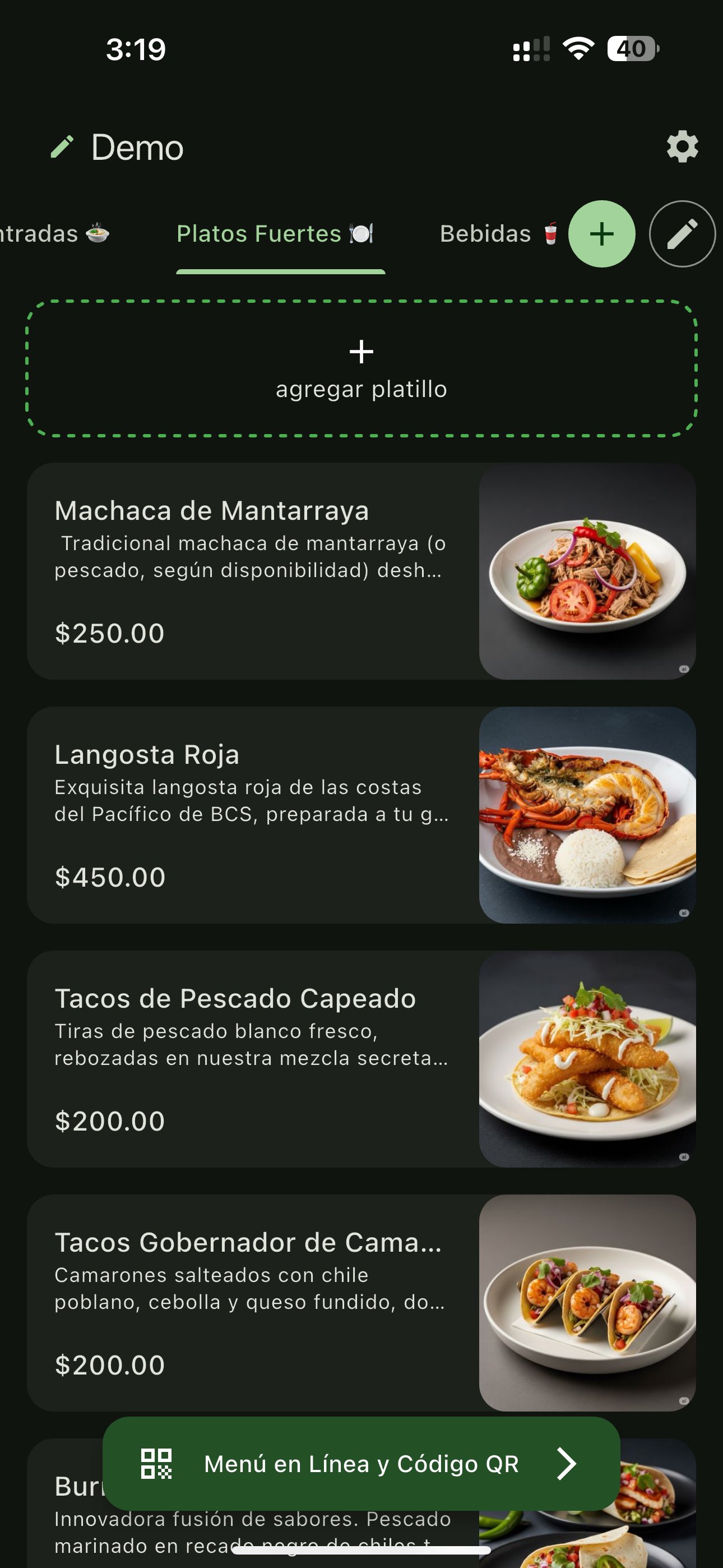
Stop using clunky PDF files or outdated paper menus. With MenuEz, you create a stunning, professional, and intelligent digital menu that your customers will love and that helps you sell more.
MenuEz is more than just a QR menu; it's your restaurant's assistant, designed to optimize your operations and boost your sales, all from your phone.
✨ WHY CHOOSE MENUEZ? ✨
🤖 ARTIFICIAL INTELLIGENCE SUITE This is our star feature. Not a writer or a photographer? No problem!
AI Descriptions: Just type the name of your dish (e.g., "Tacos al pastor"), and our AI will write an irresistible, mouth-watering description in seconds.
AI Images: Don't have professional photos? Describe your dish (e.g., "Cheeseburger with fries"), and our AI will generate a spectacular, high-quality image for your menu.
📲 ORDERS STRAIGHT TO YOUR WHATSAPP Activate the PRO shopping cart and let your customers order directly from the menu. You'll receive every order neatly organized in your WhatsApp, ready to be prepared. It's perfect for deliveries, pickups, or even ordering from the table.
📱 100% MOBILE MANAGEMENT Run your restaurant from anywhere. Update prices instantly, mark items as "sold out," add new dishes, or change your hours—all from the palm of your hand with our easy-to-use app. If you can use WhatsApp, you can use MenuEz.
🎨 CUSTOMIZATION & BRANDING Make the menu 100% yours. Customize the colors to match your brand. With our PRO plan, you can add your own logo and remove all MenuEz branding for a completely professional, white-label look.
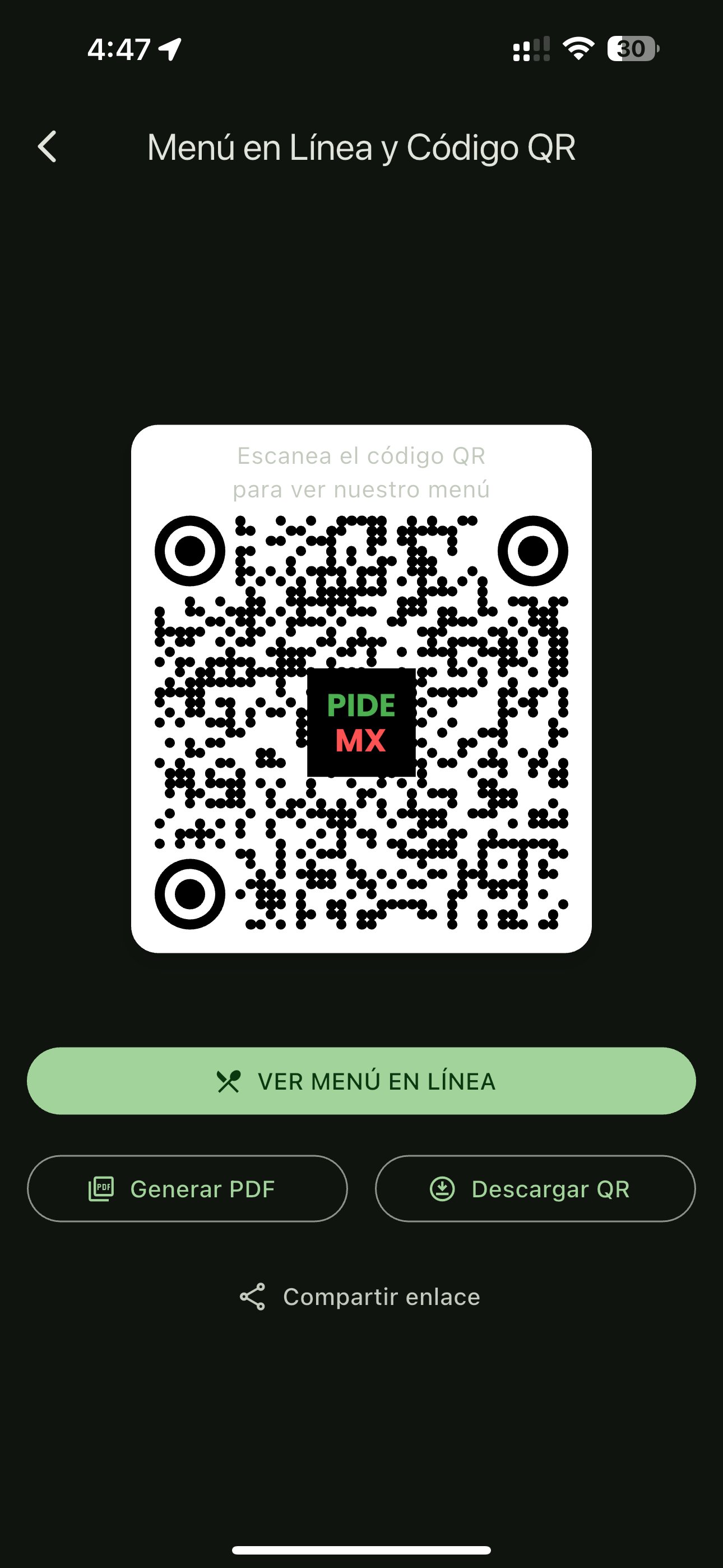
📄 QR & PDF READY Generate your unique, high-resolution QR code to print and place on tables. Need a physical copy? MenuEz also generates a print-ready PDF version of your menu (with your branding on the PRO plan).
🚀 GET STARTED IN 3 EASY STEPS:
Download the MenuEz app.
Add Your Dishes: Type the names and let our AI do the heavy lifting for descriptions and images.
Share Your QR: Place your QR code on tables, your storefront, or social media and start impressing customers!
❤️ YOUR CUSTOMERS WILL LOVE IT
No App to Download: Customers just scan the QR with their phone's camera, and the menu opens instantly in their browser.
Fast & Easy: A clean, beautiful, and easy-to-navigate interface.
Always Up-to-Date: They'll always see the latest prices and item availability, with no surprises.
💰 A PLAN FOR EVERY BUSINESS
FREE Plan: Perfect to get started at no cost! Includes your digital QR menu, AI trial, PDF generation, and up to 15 items.
PRO Plan: The ultimate tool to operate and sell. Get everything in Free, PLUS:
Unlimited Menu Items
WhatsApp Orders (Shopping Cart)
Unlimited AI Suite (Images & Text)
Customizable QR with your Logo
Ad-Free & No Branding
Join the thousands of restaurants that are digitizing, optimizing, and growing their business.
Download MenuEz today and discover the power of an intelligent menu!
پیش نظارہ
ٹیگز
Food-&معلومات
ڈویلپر
Moskalti Tech
تازہ ترین ورژن
1.0.0
آخری تازہ کاری
2026-03-05
قسم
Food-drink
پر دستیاب ہے۔
Google Play
مزید دکھائیں
پی سی پر گیم لوپ کے ساتھ MenuEz کیسے کھیلا جائے۔
1. آفیشل ویب سائٹ سے گیم لوپ ڈاؤن لوڈ کریں، پھر گیم لوپ انسٹال کرنے کے لیے exe فائل چلائیں۔
2. گیم لوپ کھولیں اور "MenuEz" تلاش کریں، تلاش کے نتائج میں MenuEz تلاش کریں اور "انسٹال کریں" پر کلک کریں۔
3. گیم لوپ پر MenuEz کھیلنے کا لطف اٹھائیں۔
Minimum requirements
OS
Windows 8.1 64-bit or Windows 10 64-bit
GPU
GTX 1050
CPU
i3-8300
Memory
8GB RAM
Storage
1GB available space
Recommended requirements
OS
Windows 8.1 64-bit or Windows 10 64-bit
GPU
GTX 1050
CPU
i3-9320
Memory
16GB RAM
Storage
1GB available space