
BCU Mobile Banking PC
BCU
گیم لوپ ایمولیٹر کے ساتھ PC پر BCU Mobile Banking ڈاؤن لوڈ کریں۔
پی سی پر BCU Mobile Banking
BCU Mobile Banking، جو ڈویلپر BCU سے آرہا ہے، ماضی میں اینڈرائیڈ سسٹم پر چل رہا ہے۔
اب، آپ پی سی پر BCU Mobile Banking آسانی سے GameLoop کے ساتھ چلا سکتے ہیں۔
اسے GameLoop لائبریری یا تلاش کے نتائج میں ڈاؤن لوڈ کریں۔ مزید غلط وقت پر بیٹری یا مایوس کن کالوں پر نظر نہیں ڈالی جائے گی۔
بس بڑی سکرین پر BCU Mobile Banking PC کا مفت میں لطف اٹھائیں!
BCU Mobile Banking تعارف
Our next generation Mobile Banking app provides a modern and friendly banking experience, with an innovative look and feel, smooth navigation, and the security you expect.
With the Credit Union’s anytime, anywhere mobile banking tools, you’re empowered to discover financial freedom no matter where life takes you! With the BCU Mobile Banking app, you get:
• Quick & Secure Logins – Access your accounts through fingerprint and set your preferences for account security.
• Financial Well-Being Resources – Stay on course with personal financial health tools, including free credit score reporting and monitoring, savings goals, spending analysis, financial health checkup, and access to our Financial Learning Center. Plus, enjoy the ability to link account balances and activity from other financial institutions.
• Flexible Payments – Pay for purchases and bills when and how you choose with Mobile Payments and Bill Pay.
• Remote Deposits – Easily make deposits at home or on the go with our convenient Deposit Anywhere tool.
• Card Controls & Alerts – Lock and unlock credit and debit cards, set up transaction alerts, travel notifications, and more.
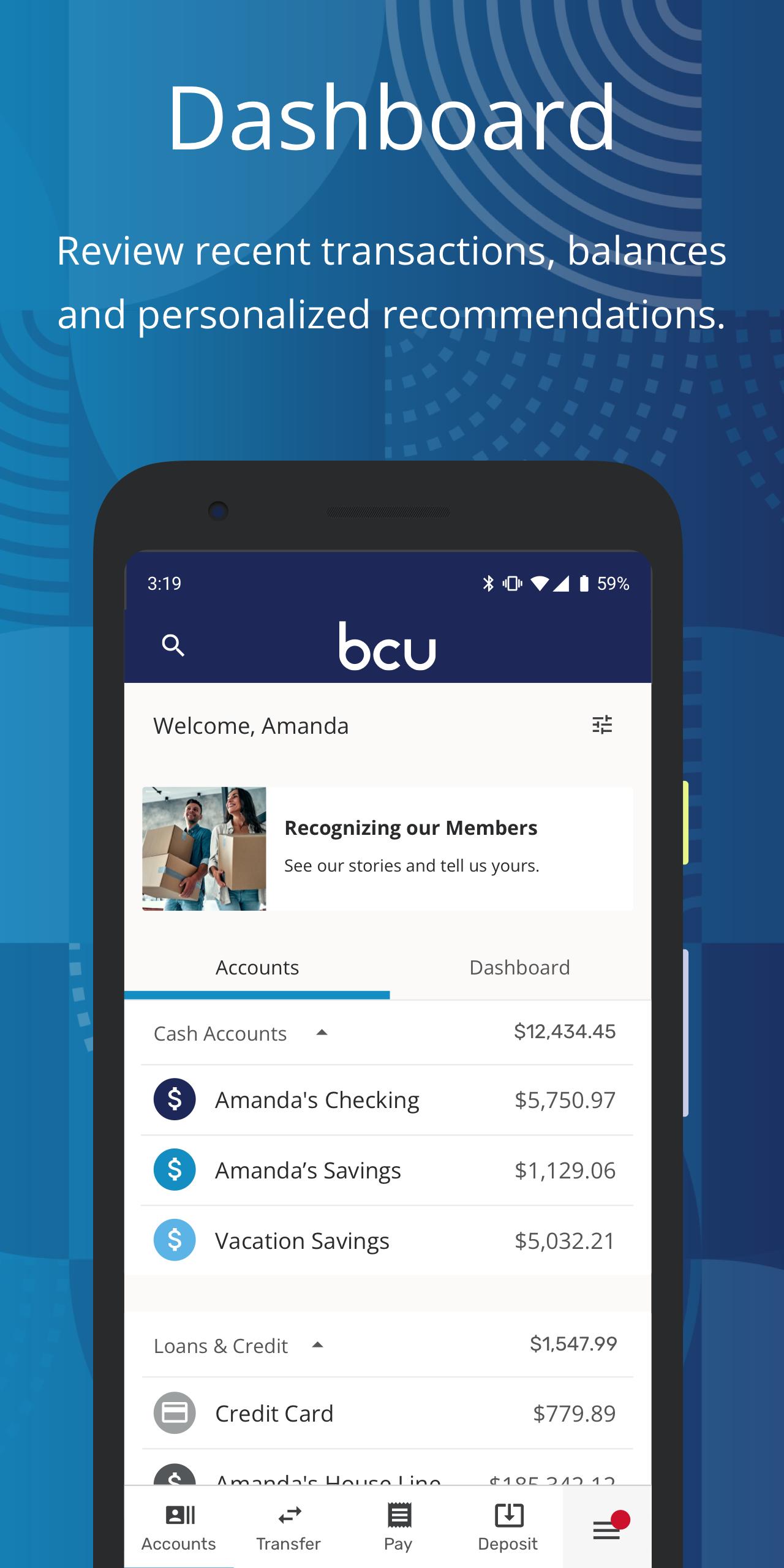
• Dashboard Personalization – Customize what you see to personalize your experience, including turning tiles on or off and reordering and hiding accounts.
• Easy Account Opening – Become a member or add additional products right from your device.
For Upgrade Support, visit https://BCU.org/Elevate
FEDERALLY INSURED BY NCUA
پیش نظارہ
ٹیگز
مالیاتمعلومات
ڈویلپر
BCU
تازہ ترین ورژن
6.18.4
آخری تازہ کاری
2023-09-06
قسم
مالیات
پر دستیاب ہے۔
Google Play
مزید دکھائیں
پی سی پر گیم لوپ کے ساتھ BCU Mobile Banking کیسے کھیلا جائے۔
1. آفیشل ویب سائٹ سے گیم لوپ ڈاؤن لوڈ کریں، پھر گیم لوپ انسٹال کرنے کے لیے exe فائل چلائیں۔
2. گیم لوپ کھولیں اور "BCU Mobile Banking" تلاش کریں، تلاش کے نتائج میں BCU Mobile Banking تلاش کریں اور "انسٹال کریں" پر کلک کریں۔
3. گیم لوپ پر BCU Mobile Banking کھیلنے کا لطف اٹھائیں۔
Minimum requirements
OS
Windows 8.1 64-bit or Windows 10 64-bit
GPU
GTX 1050
CPU
i3-8300
Memory
8GB RAM
Storage
1GB available space
Recommended requirements
OS
Windows 8.1 64-bit or Windows 10 64-bit
GPU
GTX 1050
CPU
i3-9320
Memory
16GB RAM
Storage
1GB available space