
台新證券 行動達人 PC
元富證券
گیم لوپ ایمولیٹر کے ساتھ PC پر 台新證券 行動達人 ڈاؤن لوڈ کریں۔
پی سی پر 台新證券 行動達人
台新證券 行動達人، جو ڈویلپر 元富證券 سے آرہا ہے، ماضی میں اینڈرائیڈ سسٹم پر چل رہا ہے۔
اب، آپ پی سی پر 台新證券 行動達人 آسانی سے GameLoop کے ساتھ چلا سکتے ہیں۔
اسے GameLoop لائبریری یا تلاش کے نتائج میں ڈاؤن لوڈ کریں۔ مزید غلط وقت پر بیٹری یا مایوس کن کالوں پر نظر نہیں ڈالی جائے گی۔
بس بڑی سکرین پر 台新證券 行動達人 PC کا مفت میں لطف اٹھائیں!
台新證券 行動達人 تعارف
Taishin Securities has launched its next-generation GPhone mobile trading software, "Mobile Master." "Mobile Master" boasts a smooth user interface, integrates comprehensive domestic and international stock, futures, and foreign exchange market quotes, offers a more intuitive and faster order placement process, and provides real-time account and historical profit and loss information, allowing you to quickly grasp market trends anytime, anywhere, making you a mobile investment expert.
"Mobile Master" Features:
1. Comprehensive market monitoring and order placement for securities, futures, warrants, emerging market stocks, overseas futures, and Hong Kong and US stocks.
2. Cloud-based account management for real-time profit and loss.
3. Integrated stock lending and securities borrowing.
4. Exclusive and convenient fast order settings.
5. Quick switching between technical analysis charts.
6. Detailed and complete after-hours analysis data.
7. Dedicated warrant trading zone featuring the hottest market trends.
8. Comprehensive international stock and foreign exchange market quotes.
9. e-counter account opening and signing without in-person visits.
10. Intelligent stock selection, a smart investment assistant.
"Mobile Master" Functions:
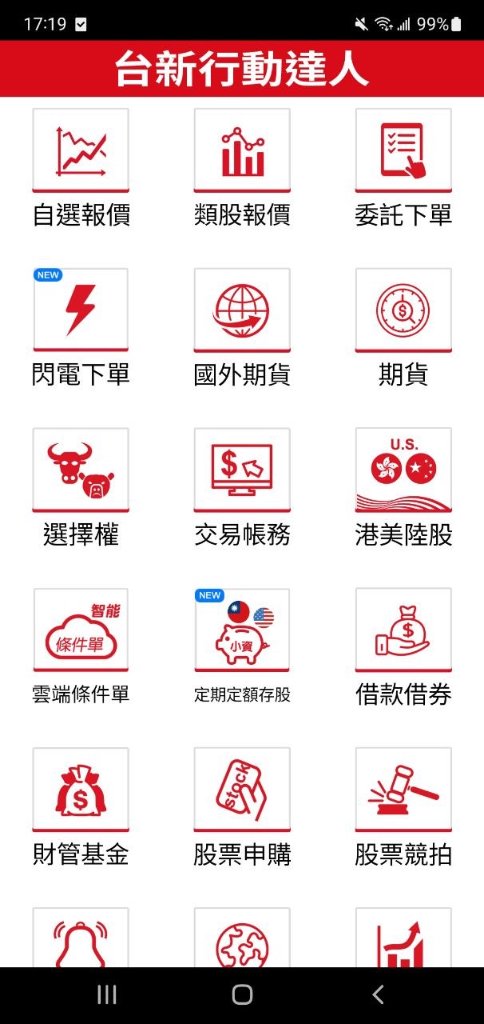
- Taishin Homepage: All function shortcuts are clearly displayed.
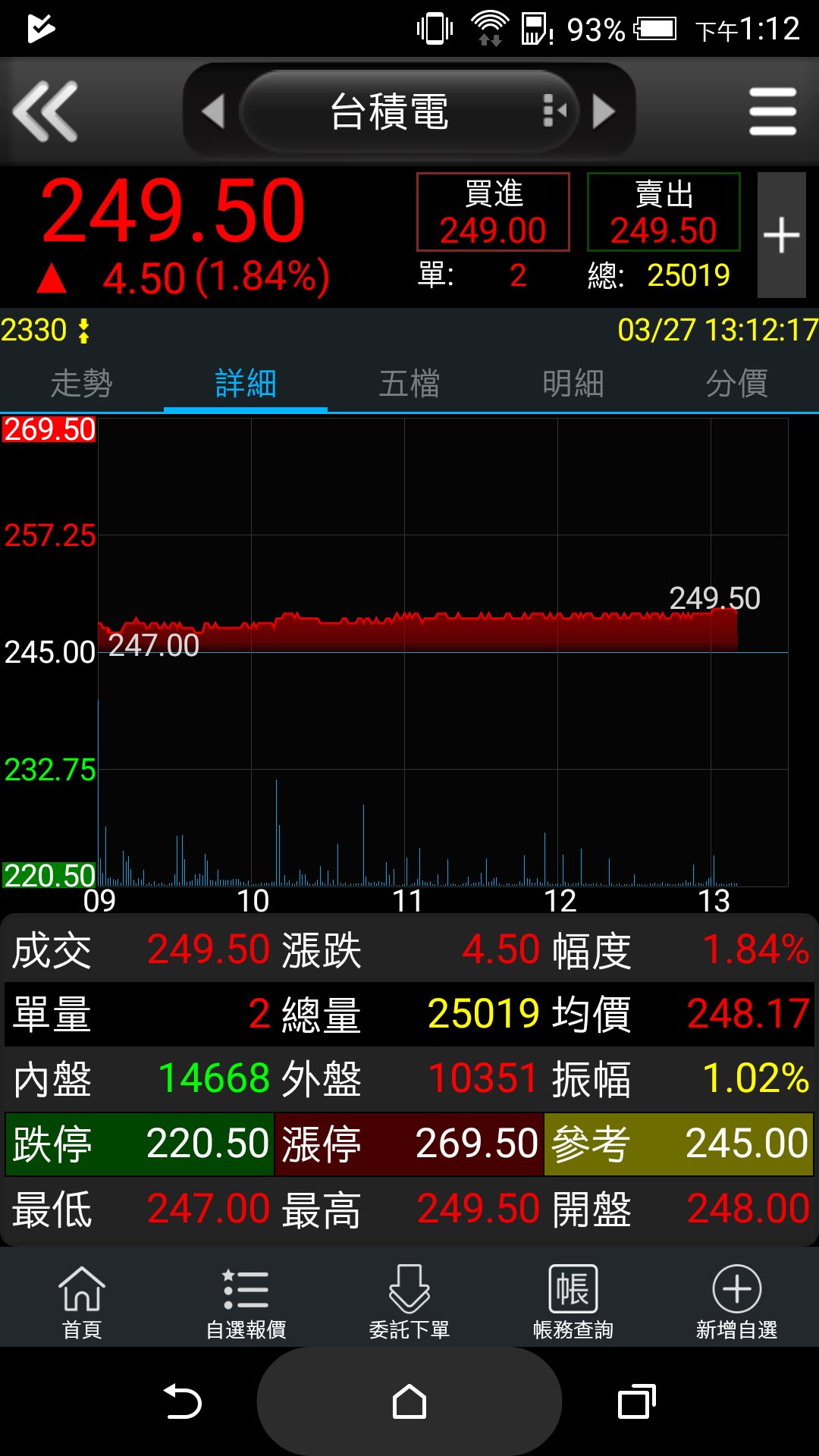
- Customizable Quotes: Supports voice quotes, single/double page display, and landscape orientation switching.
- Trading Functions: Securities, futures, options, emerging market orders, stock subscriptions, overseas futures, and foreign securities.
- Cloud Accounting: Provides the most accurate and real-time securities, futures, and options account information, such as unrealized profit/loss, realized profit/loss for the day, realized profit/loss for the day, historical realized profit/loss, etc.
- International Finance: Provides quotes for major global stock indices, international foreign exchange markets, and selected US stocks.
- Technical Analysis: Supports 1-minute, 5-minute, 15-minute, 30-minute, 60-minute, daily, weekly, and monthly charts. Touch indicators can be used to switch between volume, KD, RSI, MACD, PSY, and other technical indicators, and landscape orientation can be switched.
- Warrant Information: Allows searching for warrants by "Issuing Broker" and "Spot Underlying Asset." Also provides warrant popularity rankings, custom filter criteria, and warrant calculation functions. - After-hours data: Access real-time financial news and complete after-hours data anytime, giving you access to crucial first-hand information.
- Stock Market Guru: Offers real-time stock selection functions for "Decision-Making Stock Selection" and "Financial Stock Selection."
- Customization features: Exclusive order box settings, quote column sorting, background logout time, etc.
- Small-scale stock investment: Accumulate small amounts of stock to build a large portfolio.
- e-Counter: Online account opening and signing, 24/7 service, easily managed with e-finger access.
- Intelligent stock selection: Select stocks regardless of market conditions; trade with the trend, whether bullish or bearish.
Disclaimer:
- Information sources for this service include (but are not limited to) the Taiwan Stock Exchange, Taiwan Futures Exchange, and the Taiwan OTC Exchange. This service is for informational purposes only. This service assumes no responsibility for the accuracy or applicability of any information transmitted through this service, does not guarantee the accuracy of all information, and shall not be liable for any loss arising from any inaccuracies or omissions. - All information and related functions provided by this service are for informational purposes only and are not intended for trading or investment. Information obtained through this service is for reference only and is not investment advice. Users are solely responsible for any trading or investment decisions made based on the aforementioned information, and this service assumes no liability whatsoever.
- This service does not guarantee its accuracy or uninterrupted operation. This service shall not be liable for any inconvenience, inability to use, data loss, errors, tampering, or other economic losses caused by transmission interruptions or malfunctions.
Notes:
1. Requires Android 5.0 or higher.
2. It is recommended that users install the latest operating system version.
پیش نظارہ
ٹیگز
مالیاتمعلومات
ڈویلپر
元富證券
تازہ ترین ورژن
3.4.4.55
آخری تازہ کاری
2026-03-22
قسم
مالیات
پر دستیاب ہے۔
Google Play
مزید دکھائیں
پی سی پر گیم لوپ کے ساتھ 台新證券 行動達人 کیسے کھیلا جائے۔
1. آفیشل ویب سائٹ سے گیم لوپ ڈاؤن لوڈ کریں، پھر گیم لوپ انسٹال کرنے کے لیے exe فائل چلائیں۔
2. گیم لوپ کھولیں اور "台新證券 行動達人" تلاش کریں، تلاش کے نتائج میں 台新證券 行動達人 تلاش کریں اور "انسٹال کریں" پر کلک کریں۔
3. گیم لوپ پر 台新證券 行動達人 کھیلنے کا لطف اٹھائیں۔
Minimum requirements
OS
Windows 8.1 64-bit or Windows 10 64-bit
GPU
GTX 1050
CPU
i3-8300
Memory
8GB RAM
Storage
1GB available space
Recommended requirements
OS
Windows 8.1 64-bit or Windows 10 64-bit
GPU
GTX 1050
CPU
i3-9320
Memory
16GB RAM
Storage
1GB available space