TV Remote Control - All TV PC
ImsaTools
گیم لوپ ایمولیٹر کے ساتھ PC پر TV Remote Control - All TV ڈاؤن لوڈ کریں۔
پی سی پر TV Remote Control - All TV
TV Remote Control - All TV، جو ڈویلپر ImsaTools سے آرہا ہے، ماضی میں اینڈرائیڈ سسٹم پر چل رہا ہے۔
اب، آپ پی سی پر TV Remote Control - All TV آسانی سے GameLoop کے ساتھ چلا سکتے ہیں۔
اسے GameLoop لائبریری یا تلاش کے نتائج میں ڈاؤن لوڈ کریں۔ مزید غلط وقت پر بیٹری یا مایوس کن کالوں پر نظر نہیں ڈالی جائے گی۔
بس بڑی سکرین پر TV Remote Control - All TV PC کا مفت میں لطف اٹھائیں!
TV Remote Control - All TV تعارف
Try this amazing app to convert your android device into a universal TV remote. It allows you to experience a real TV remote like experience while using the app.
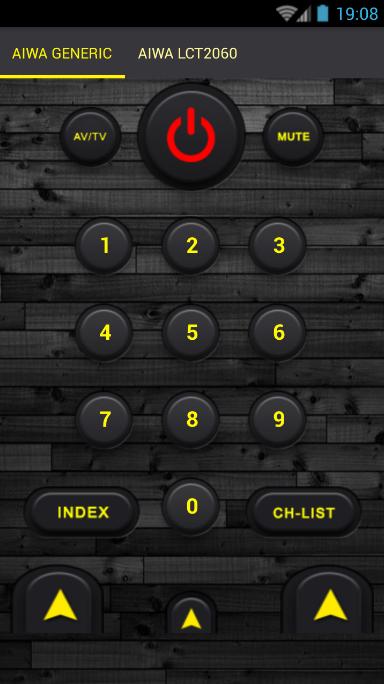
Remote Control for TV is an universal remote control which supports almost all kinds of Smart TV Models. In addition, our TV Remote provides comprehensive functions for controlling smart TVs and nice user interface.
Remote Control For All TV is a free application to control your Television functions through easy functionality of this app.
Currently world’s leading television brands (SAMSUNG, LG, FUJITSU, Panasonic, SHARP, PHILIPS and SONY Remote controls) have been included in this application. We are working continuously to include maximum TV brands.
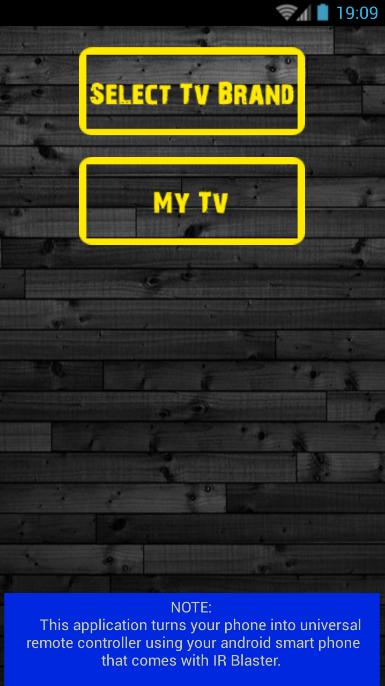
The RemoteControl works best on smartphones equipped with an Infra-Red (IR) blaster. For phones with no IR, such as Samsung Galaxy S7 and Note 5, you can use Broadlink WiFi-to-IR converter for the full functionality.
The difference between "Remote Control television" and other similar apps on Google Play, is that our application supports nearly 90% of the television market.
DISCLAIMER:
The application uses the IR port of the mobile device, so if your device has not IR port, the application does not work. Not all TVs are supported.
پیش نظارہ
معلومات
ڈویلپر
ImsaTools
تازہ ترین ورژن
1.0.0
آخری تازہ کاری
2017-02-05
قسم
تفریح
پر دستیاب ہے۔
Google Play
مزید دکھائیں
پی سی پر گیم لوپ کے ساتھ TV Remote Control - All TV کیسے کھیلا جائے۔
1. آفیشل ویب سائٹ سے گیم لوپ ڈاؤن لوڈ کریں، پھر گیم لوپ انسٹال کرنے کے لیے exe فائل چلائیں۔
2. گیم لوپ کھولیں اور "TV Remote Control - All TV" تلاش کریں، تلاش کے نتائج میں TV Remote Control - All TV تلاش کریں اور "انسٹال کریں" پر کلک کریں۔
3. گیم لوپ پر TV Remote Control - All TV کھیلنے کا لطف اٹھائیں۔
Minimum requirements
OS
Windows 8.1 64-bit or Windows 10 64-bit
GPU
GTX 1050
CPU
i3-8300
Memory
8GB RAM
Storage
1GB available space
Recommended requirements
OS
Windows 8.1 64-bit or Windows 10 64-bit
GPU
GTX 1050
CPU
i3-9320
Memory
16GB RAM
Storage
1GB available space