
Jennie Blackpink Video Call PC
Macida Developer
گیم لوپ ایمولیٹر کے ساتھ PC پر Jennie Blackpink Video Call ڈاؤن لوڈ کریں۔
پی سی پر Jennie Blackpink Video Call
Jennie Blackpink Video Call، جو ڈویلپر Macida Developer سے آرہا ہے، ماضی میں اینڈرائیڈ سسٹم پر چل رہا ہے۔
اب، آپ پی سی پر Jennie Blackpink Video Call آسانی سے GameLoop کے ساتھ چلا سکتے ہیں۔
اسے GameLoop لائبریری یا تلاش کے نتائج میں ڈاؤن لوڈ کریں۔ مزید غلط وقت پر بیٹری یا مایوس کن کالوں پر نظر نہیں ڈالی جائے گی۔
بس بڑی سکرین پر Jennie Blackpink Video Call PC کا مفت میں لطف اٹھائیں!
Jennie Blackpink Video Call تعارف
Jennie Blackpink Video Call app is an application that help you to make fake video call with Jennie BLACKPINK. By using this app you can prank your friends as if you were on the call to Jennie BLACKPINK. This Jennie Blackpink Video Call app is designed with high quality definition and completely free to download. No worry since this app is offline and easy to use.
How to use:
1. Open Jennie Blackpink Video Call app
2. Choose your beloved idol photo of Jennie Blackpink
3. Choose voice or video call
4. Choose WhatsApp, Facebook, or telegram video call display
5. Choose the time to run
6. Wait for a second, a call is being made
7. Then press the “answer” button to start the app
8. Enjoy the magic and feel happy when you see Jennie Blackpink calling you
Feel free to download this Jennie Blackpink Video Call app and prank your friends by making Kim Jennie Blackpink live video call like a real. Even you can screenshot during video call and then sharing them on your social media such as Instagram, Facebook, WhatsApp, Twitter, and others.
Enjoy!
Disclaimer:
This Jennie Blackpink Video Call app is not an official app and only a prank app. This app is intended for entertainment purpose only so this app is 100% fake.
پیش نظارہ
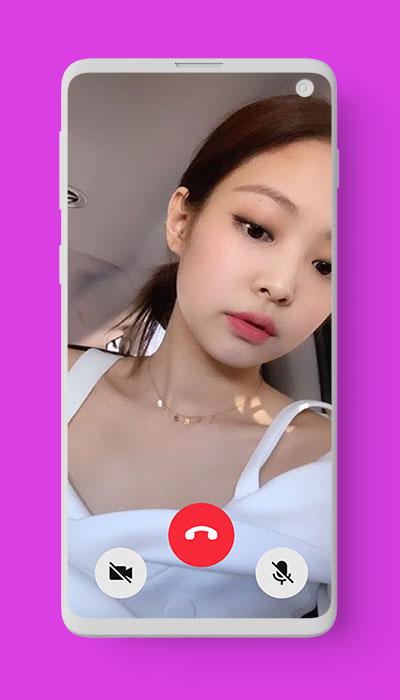
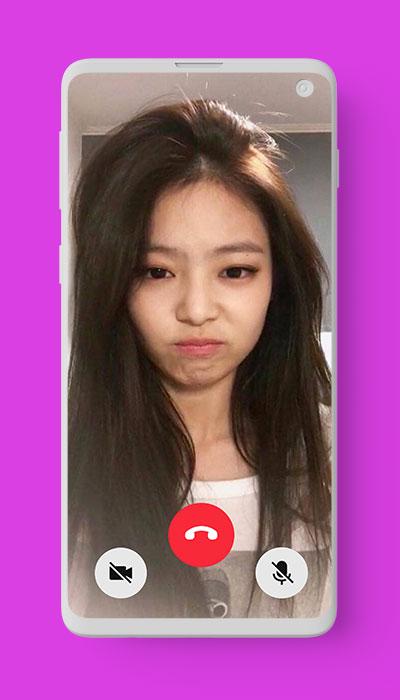
ٹیگز
تفریحمعلومات
ڈویلپر
Macida Developer
تازہ ترین ورژن
1.0
آخری تازہ کاری
2021-08-29
قسم
تفریح
پر دستیاب ہے۔
Google Play
مزید دکھائیں
پی سی پر گیم لوپ کے ساتھ Jennie Blackpink Video Call کیسے کھیلا جائے۔
1. آفیشل ویب سائٹ سے گیم لوپ ڈاؤن لوڈ کریں، پھر گیم لوپ انسٹال کرنے کے لیے exe فائل چلائیں۔
2. گیم لوپ کھولیں اور "Jennie Blackpink Video Call" تلاش کریں، تلاش کے نتائج میں Jennie Blackpink Video Call تلاش کریں اور "انسٹال کریں" پر کلک کریں۔
3. گیم لوپ پر Jennie Blackpink Video Call کھیلنے کا لطف اٹھائیں۔
Minimum requirements
OS
Windows 8.1 64-bit or Windows 10 64-bit
GPU
GTX 1050
CPU
i3-8300
Memory
8GB RAM
Storage
1GB available space
Recommended requirements
OS
Windows 8.1 64-bit or Windows 10 64-bit
GPU
GTX 1050
CPU
i3-9320
Memory
16GB RAM
Storage
1GB available space