
Baby Sounds Game PC
Miniclub by Bubadu
گیم لوپ ایمولیٹر کے ساتھ PC پر Baby Sounds Game ڈاؤن لوڈ کریں۔
پی سی پر Baby Sounds Game
Baby Sounds Game، جو ڈویلپر Miniclub by Bubadu سے آرہا ہے، ماضی میں اینڈرائیڈ سسٹم پر چل رہا ہے۔
اب، آپ پی سی پر Baby Sounds Game آسانی سے GameLoop کے ساتھ چلا سکتے ہیں۔
اسے GameLoop لائبریری یا تلاش کے نتائج میں ڈاؤن لوڈ کریں۔ مزید غلط وقت پر بیٹری یا مایوس کن کالوں پر نظر نہیں ڈالی جائے گی۔
بس بڑی سکرین پر Baby Sounds Game PC کا مفت میں لطف اٹھائیں!
Baby Sounds Game تعارف
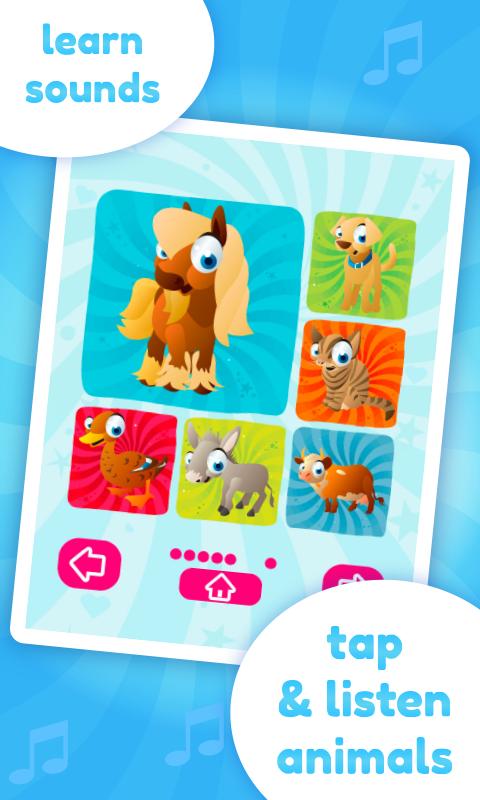
Cute sounds game for babies and toddlers to learn and play.
Baby Sounds Game is an educational application for your child to play and learn about animal and other sounds. Teach your baby or toddler to recognize different characters and connect them with related sounds. The application is childproof, which means your device will be set into a lock mode to avoid exiting from the game during the play. The app allows two playing modes: SOUNDS and GAME.
Within the "SOUNDS" mode the kids can tap icons and listen to related sounds. This mode is great for learning and discovering how different characters sound.
Within the "GAME" mode the children develop and improve their memory skills by matching sound with related characters.
Features:
★ beautiful graphics
★ high-quality sounds
★ easy to use
★ intuitive user interface
★ two playing modes
★ lock mode to avoid exit from application
★ 36 different characters and sounds
پیش نظارہ

معلومات
ڈویلپر
Miniclub by Bubadu
تازہ ترین ورژن
1.26
آخری تازہ کاری
2018-09-06
قسم
تعلیمی
پر دستیاب ہے۔
Google Play
مزید دکھائیں
پی سی پر گیم لوپ کے ساتھ Baby Sounds Game کیسے کھیلا جائے۔
1. آفیشل ویب سائٹ سے گیم لوپ ڈاؤن لوڈ کریں، پھر گیم لوپ انسٹال کرنے کے لیے exe فائل چلائیں۔
2. گیم لوپ کھولیں اور "Baby Sounds Game" تلاش کریں، تلاش کے نتائج میں Baby Sounds Game تلاش کریں اور "انسٹال کریں" پر کلک کریں۔
3. گیم لوپ پر Baby Sounds Game کھیلنے کا لطف اٹھائیں۔
Minimum requirements
OS
Windows 8.1 64-bit or Windows 10 64-bit
GPU
GTX 1050
CPU
i3-8300
Memory
8GB RAM
Storage
1GB available space
Recommended requirements
OS
Windows 8.1 64-bit or Windows 10 64-bit
GPU
GTX 1050
CPU
i3-9320
Memory
16GB RAM
Storage
1GB available space