
Write Kannada Alphabets PC
Sathish Shanmugam
گیم لوپ ایمولیٹر کے ساتھ PC پر Write Kannada Alphabets ڈاؤن لوڈ کریں۔
پی سی پر Write Kannada Alphabets
Write Kannada Alphabets، جو ڈویلپر Sathish Shanmugam سے آرہا ہے، ماضی میں اینڈرائیڈ سسٹم پر چل رہا ہے۔
اب، آپ پی سی پر Write Kannada Alphabets آسانی سے GameLoop کے ساتھ چلا سکتے ہیں۔
اسے GameLoop لائبریری یا تلاش کے نتائج میں ڈاؤن لوڈ کریں۔ مزید غلط وقت پر بیٹری یا مایوس کن کالوں پر نظر نہیں ڈالی جائے گی۔
بس بڑی سکرین پر Write Kannada Alphabets PC کا مفت میں لطف اٹھائیں!
Write Kannada Alphabets تعارف
Write Kannada Alphabets – Learn to Write & Speak Kannada (Offline Supported)
Learn to read, write, and pronounce Kannada – the complete offline learning app.
Write Kannada Alphabets is a free app who want to master Kannada script, pronunciation and number systems at their own pace. Whether you're starting fresh or revisiting your roots, this app provides an intuitive way to practice Kannada letters — all offline and at no cost.
No internet required after installation.
What You’ll Learn:
1. Vowels - (Svaragalu)
2. Consonants - (Vyanjanagalu)
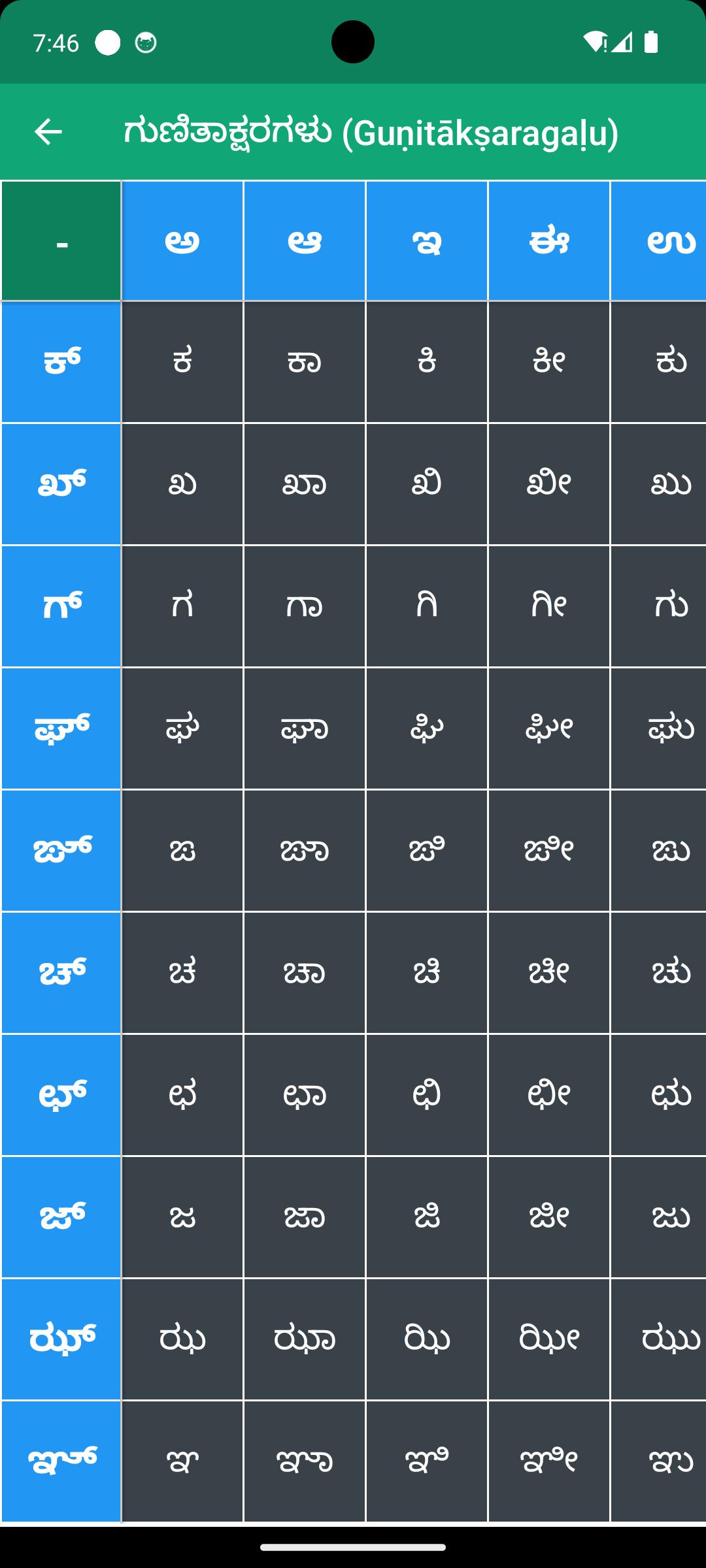
3. Composite Letters - (Gunitaksaragalu)
4. Numbers - (Sankhyegalu)
5. Remember and Match Game – Practice through interactive learning
Key Features:
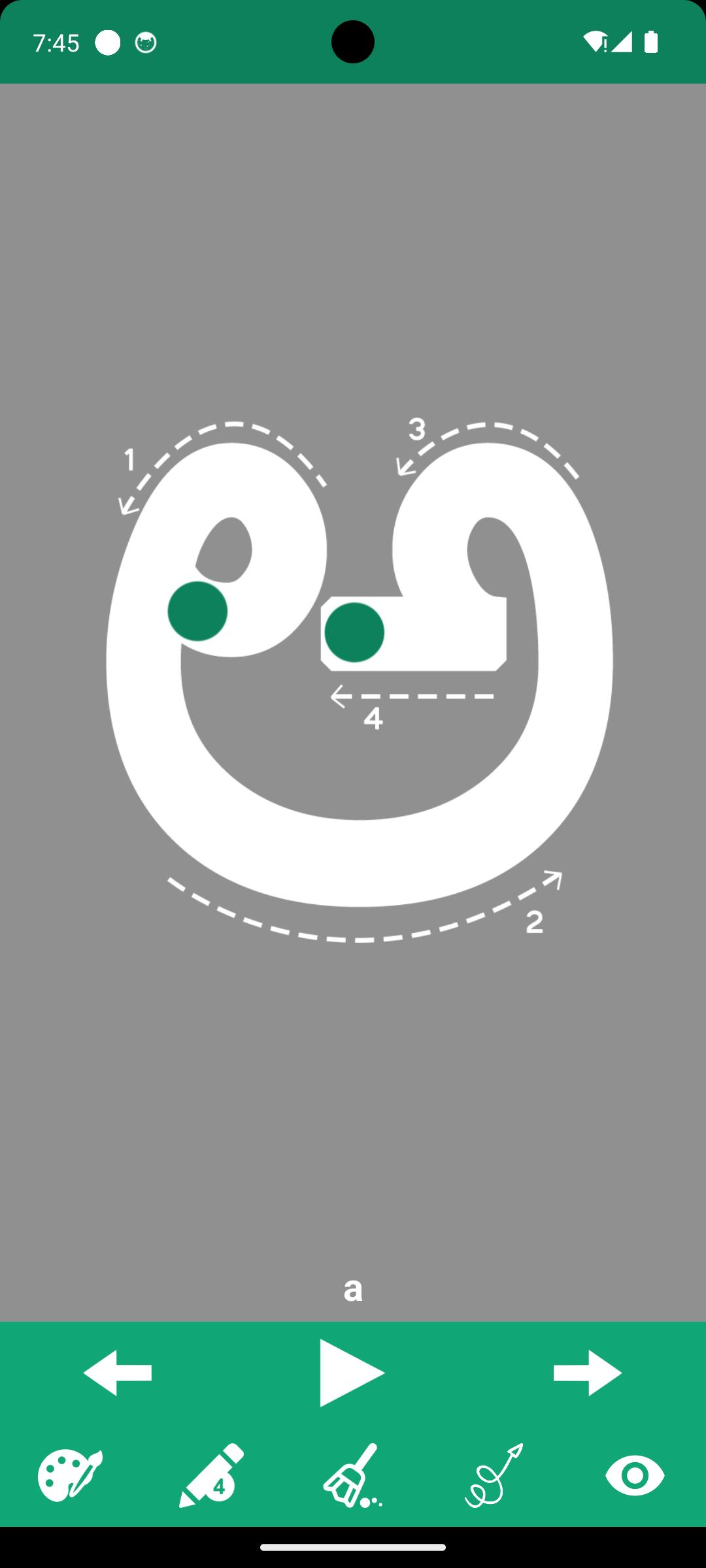
- Trace and practice writing each Kannada letter.
- Audio support for correct pronunciation of all letters.
- Choose your favorite color and from 5 pencil sizes.
- Easy-to-use erase tool for corrections.
- Tap Play to hear the pronunciation of any letter.
- Use Next / Previous buttons for quick navigation.
- Fully usable offline after first install — no data needed.
Who Is It For?
- Learners seeking to read and write Kannada.
- Learners who prefer offline, self-paced education.
Learn Kannada easily — anytime, anywhere. No internet required!
Your feedback and comments are always welcome.
پیش نظارہ
ٹیگز
تعلیممعلومات
ڈویلپر
Sathish Shanmugam
تازہ ترین ورژن
2.5
آخری تازہ کاری
2025-10-16
قسم
تعلیم
پر دستیاب ہے۔
Google Play
مزید دکھائیں
پی سی پر گیم لوپ کے ساتھ Write Kannada Alphabets کیسے کھیلا جائے۔
1. آفیشل ویب سائٹ سے گیم لوپ ڈاؤن لوڈ کریں، پھر گیم لوپ انسٹال کرنے کے لیے exe فائل چلائیں۔
2. گیم لوپ کھولیں اور "Write Kannada Alphabets" تلاش کریں، تلاش کے نتائج میں Write Kannada Alphabets تلاش کریں اور "انسٹال کریں" پر کلک کریں۔
3. گیم لوپ پر Write Kannada Alphabets کھیلنے کا لطف اٹھائیں۔
Minimum requirements
OS
Windows 8.1 64-bit or Windows 10 64-bit
GPU
GTX 1050
CPU
i3-8300
Memory
8GB RAM
Storage
1GB available space
Recommended requirements
OS
Windows 8.1 64-bit or Windows 10 64-bit
GPU
GTX 1050
CPU
i3-9320
Memory
16GB RAM
Storage
1GB available space