
VSmart Ebook Reader PC
Vibal Group
گیم لوپ ایمولیٹر کے ساتھ PC پر VSmart Ebook Reader ڈاؤن لوڈ کریں۔
پی سی پر VSmart Ebook Reader
VSmart Ebook Reader، جو ڈویلپر Vibal Group سے آرہا ہے، ماضی میں اینڈرائیڈ سسٹم پر چل رہا ہے۔
اب، آپ پی سی پر VSmart Ebook Reader آسانی سے GameLoop کے ساتھ چلا سکتے ہیں۔
اسے GameLoop لائبریری یا تلاش کے نتائج میں ڈاؤن لوڈ کریں۔ مزید غلط وقت پر بیٹری یا مایوس کن کالوں پر نظر نہیں ڈالی جائے گی۔
بس بڑی سکرین پر VSmart Ebook Reader PC کا مفت میں لطف اٹھائیں!
VSmart Ebook Reader تعارف
V-Smart is an integrated learning management system for the mobile age, engineered by Filipinos. It has been developed in partnership with education experts to give teachers and school administrators all the tools they need to create a 21st-century digital classroom.
This app features an interactive e-textbook reader, gradebooks, social streams, a quiz creator, learning analytics tools, and gamified learning. When used in conjunction with the V-Smart School Server, it can connect devices even with low bandwidth or no internet access.
Students can:
• Read e-textbooks, measure lesson mastery performance, and win medals based on scores
• Answer quizzes deployed by the teacher in Test Guru
• Exchange ideas though Social Stream
• Be up to date with the latest school events and announcements through School Stream
Teachers can:
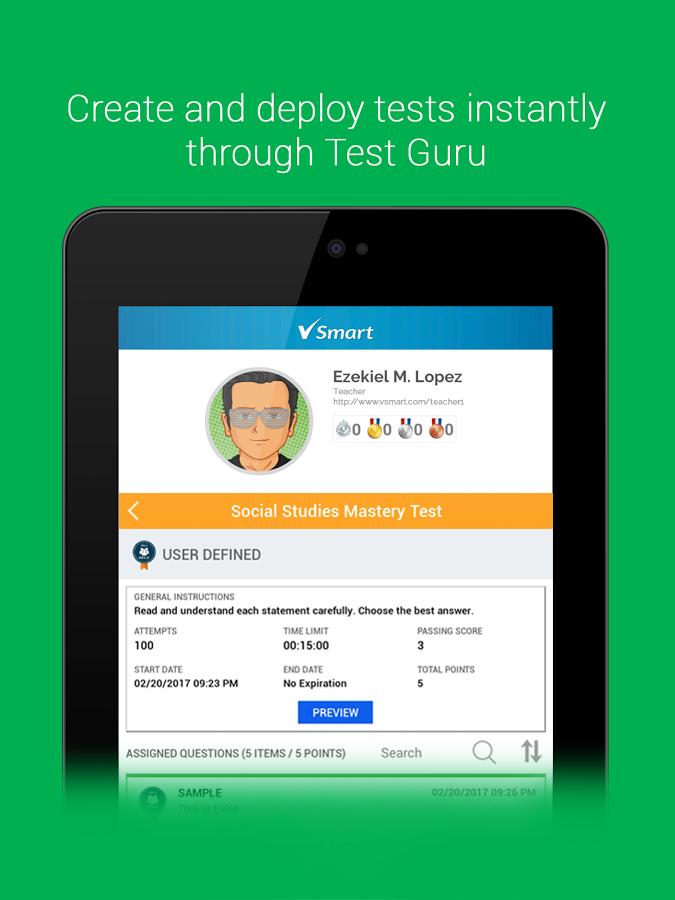
• Create and deploy tests instantly through Test Guru
• Record scores automatically in the Teacher's Gradebook
• Create their own lesson plan template
School admins can:
• Organize their school, classes, teachers, and students through the V-Smart Admin Panel
• Create their school's curriculum and map this to classes and teachers' lesson plans
• Be guided on the Philippine K to 12 Curriculum Standard through the Curriculum Guide
V-Smart also allows you to:
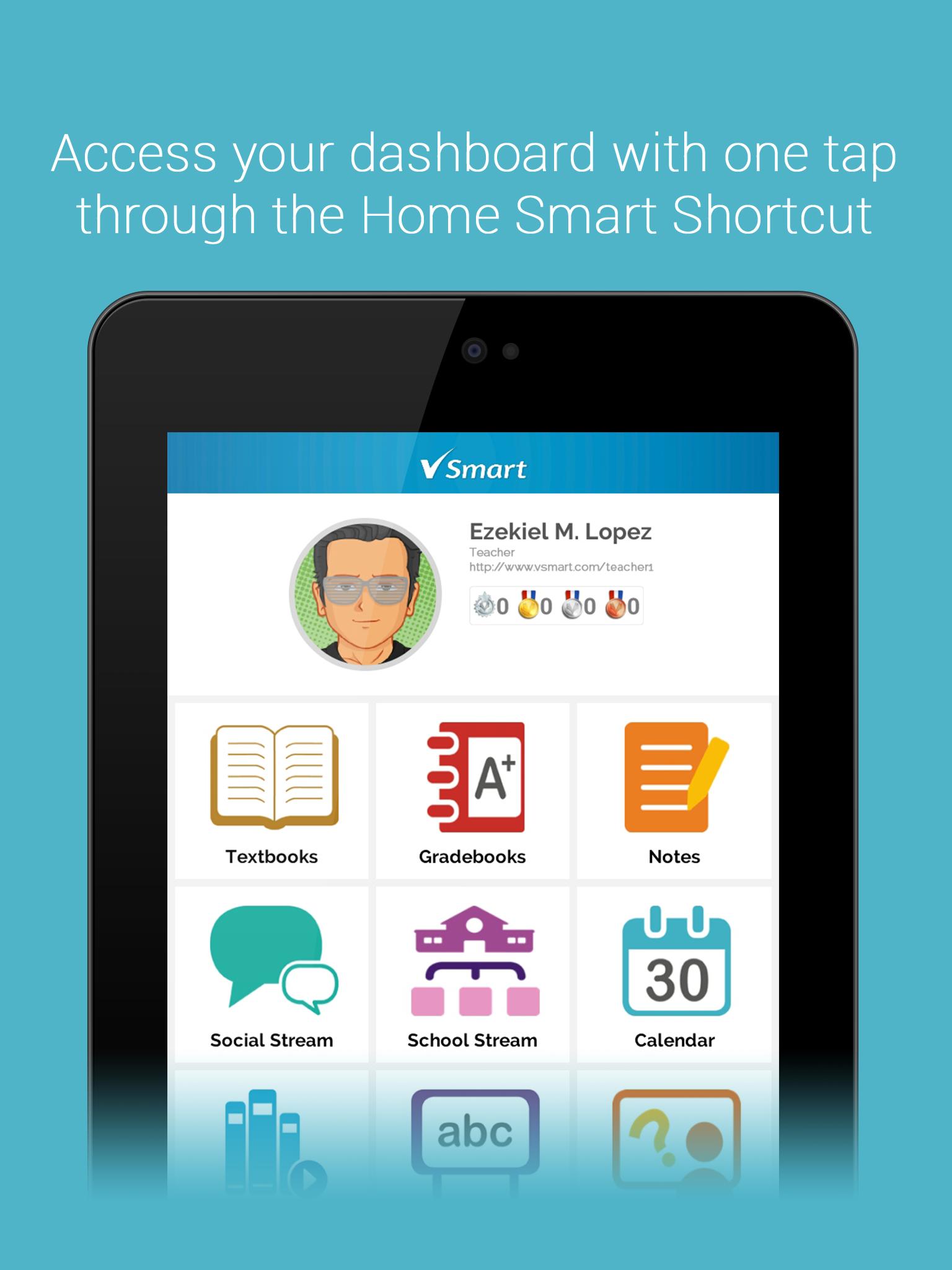
• Access your dashboard with one tap through the Home Smart Shortcut
• Instantly check your schedule with the Calendar Smart Shortcut
• Check out profiles through the People Smart Shortcut
• Record all important events in your own personalized Calendar
• Create and classify notes through Notes module
• Jot down ideas instantly with the Idea Pad
• Report issues through the Vibal Support site
• Download pre-purchased interactive e-textbooks via the V-Smart Storefront
پیش نظارہ
ٹیگز
تعلیممعلومات
ڈویلپر
Vibal Group
تازہ ترین ورژن
4.2.0
آخری تازہ کاری
2020-10-22
قسم
تعلیم
پر دستیاب ہے۔
Google Play
مزید دکھائیں
پی سی پر گیم لوپ کے ساتھ VSmart Ebook Reader کیسے کھیلا جائے۔
1. آفیشل ویب سائٹ سے گیم لوپ ڈاؤن لوڈ کریں، پھر گیم لوپ انسٹال کرنے کے لیے exe فائل چلائیں۔
2. گیم لوپ کھولیں اور "VSmart Ebook Reader" تلاش کریں، تلاش کے نتائج میں VSmart Ebook Reader تلاش کریں اور "انسٹال کریں" پر کلک کریں۔
3. گیم لوپ پر VSmart Ebook Reader کھیلنے کا لطف اٹھائیں۔
Minimum requirements
OS
Windows 8.1 64-bit or Windows 10 64-bit
GPU
GTX 1050
CPU
i3-8300
Memory
8GB RAM
Storage
1GB available space
Recommended requirements
OS
Windows 8.1 64-bit or Windows 10 64-bit
GPU
GTX 1050
CPU
i3-9320
Memory
16GB RAM
Storage
1GB available space