Bnext Genz : Building next Gen PC
Education Pen Media
گیم لوپ ایمولیٹر کے ساتھ PC پر Bnext Genz : Building next Gen ڈاؤن لوڈ کریں۔
پی سی پر Bnext Genz : Building next Gen
Bnext Genz : Building next Gen، جو ڈویلپر Education Pen Media سے آرہا ہے، ماضی میں اینڈرائیڈ سسٹم پر چل رہا ہے۔
اب، آپ پی سی پر Bnext Genz : Building next Gen آسانی سے GameLoop کے ساتھ چلا سکتے ہیں۔
اسے GameLoop لائبریری یا تلاش کے نتائج میں ڈاؤن لوڈ کریں۔ مزید غلط وقت پر بیٹری یا مایوس کن کالوں پر نظر نہیں ڈالی جائے گی۔
بس بڑی سکرین پر Bnext Genz : Building next Gen PC کا مفت میں لطف اٹھائیں!
Bnext Genz : Building next Gen تعارف
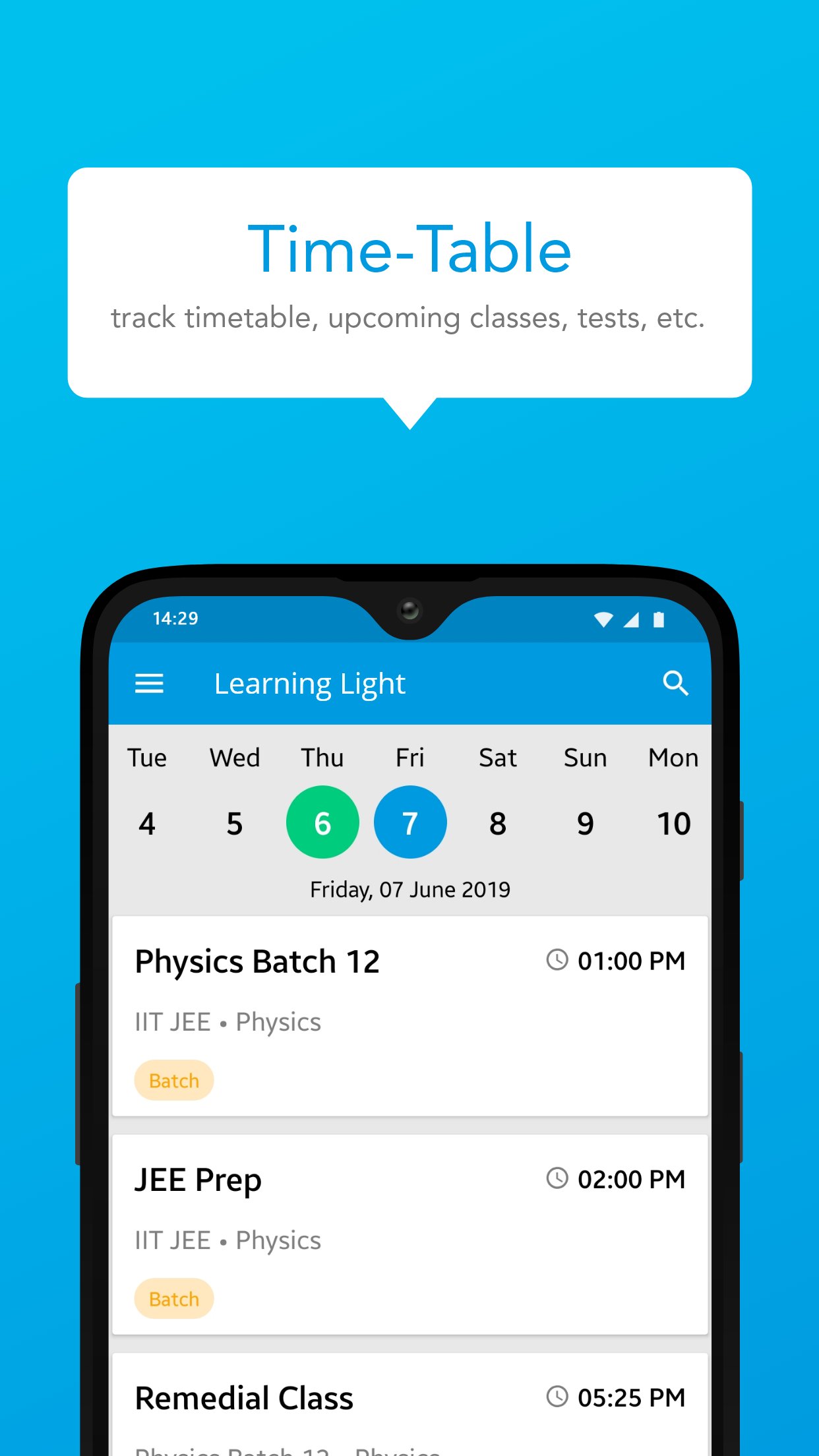
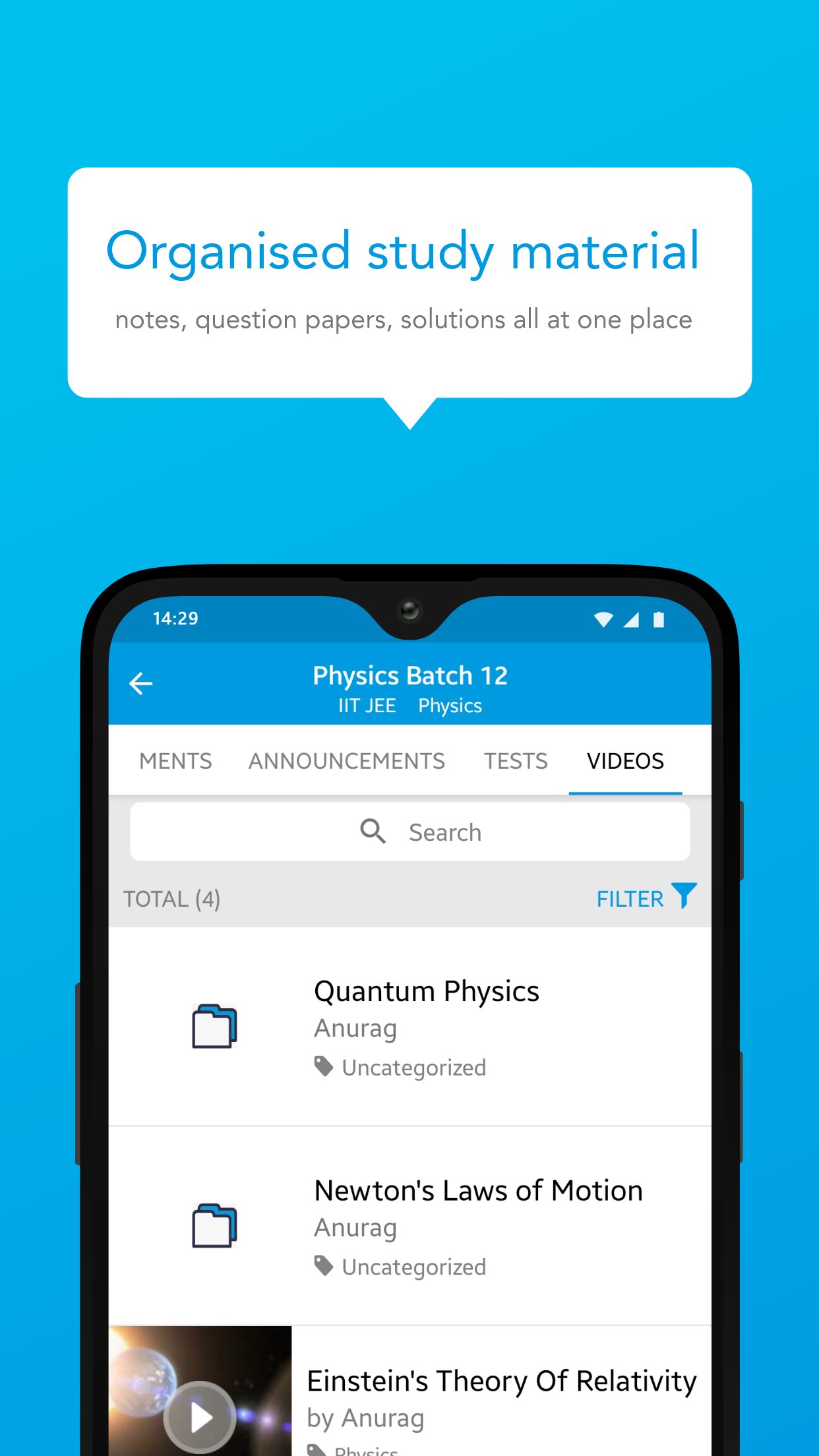
Bnext Genz: Building Next Gen is a dynamic learning platform crafted to empower students with the skills and knowledge they need to thrive in today’s fast-paced academic environment. The app offers a blend of structured learning content, interactive practice tools, and performance insights — all in one easy-to-use platform.
Designed to make learning efficient and enjoyable, Bnext Genz supports learners at various stages with expertly developed materials and self-paced progress tracking.
Key Features:
Concept-based video lessons and tutorials
Well-organized notes and reference materials
Interactive quizzes to reinforce learning
Personalized dashboards to monitor performance
Seamless learning experience across subjects and levels
Whether you're building foundational knowledge or aiming to enhance your skills, Bnext Genz helps you move forward with confidence and clarity.
پیش نظارہ
ٹیگز
تعلیممعلومات
ڈویلپر
Education Pen Media
تازہ ترین ورژن
1.16.1.1
آخری تازہ کاری
2026-07-24
قسم
تعلیم
پر دستیاب ہے۔
Google Play
مزید دکھائیں
پی سی پر گیم لوپ کے ساتھ Bnext Genz : Building next Gen کیسے کھیلا جائے۔
1. آفیشل ویب سائٹ سے گیم لوپ ڈاؤن لوڈ کریں، پھر گیم لوپ انسٹال کرنے کے لیے exe فائل چلائیں۔
2. گیم لوپ کھولیں اور "Bnext Genz : Building next Gen" تلاش کریں، تلاش کے نتائج میں Bnext Genz : Building next Gen تلاش کریں اور "انسٹال کریں" پر کلک کریں۔
3. گیم لوپ پر Bnext Genz : Building next Gen کھیلنے کا لطف اٹھائیں۔
Minimum requirements
OS
Windows 8.1 64-bit or Windows 10 64-bit
GPU
GTX 1050
CPU
i3-8300
Memory
8GB RAM
Storage
1GB available space
Recommended requirements
OS
Windows 8.1 64-bit or Windows 10 64-bit
GPU
GTX 1050
CPU
i3-9320
Memory
16GB RAM
Storage
1GB available space