
Test Maker: Quiz & MCQ Builder PC
SergeyV Apps
گیم لوپ ایمولیٹر کے ساتھ PC پر Test Maker: Quiz & MCQ Builder ڈاؤن لوڈ کریں۔
پی سی پر Test Maker: Quiz & MCQ Builder
Test Maker: Quiz & MCQ Builder، جو ڈویلپر SergeyV Apps سے آرہا ہے، ماضی میں اینڈرائیڈ سسٹم پر چل رہا ہے۔
اب، آپ پی سی پر Test Maker: Quiz & MCQ Builder آسانی سے GameLoop کے ساتھ چلا سکتے ہیں۔
اسے GameLoop لائبریری یا تلاش کے نتائج میں ڈاؤن لوڈ کریں۔ مزید غلط وقت پر بیٹری یا مایوس کن کالوں پر نظر نہیں ڈالی جائے گی۔
بس بڑی سکرین پر Test Maker: Quiz & MCQ Builder PC کا مفت میں لطف اٹھائیں!
Test Maker: Quiz & MCQ Builder تعارف
Make and share tests, quizzes, and study tools. Perfect for exam revision.
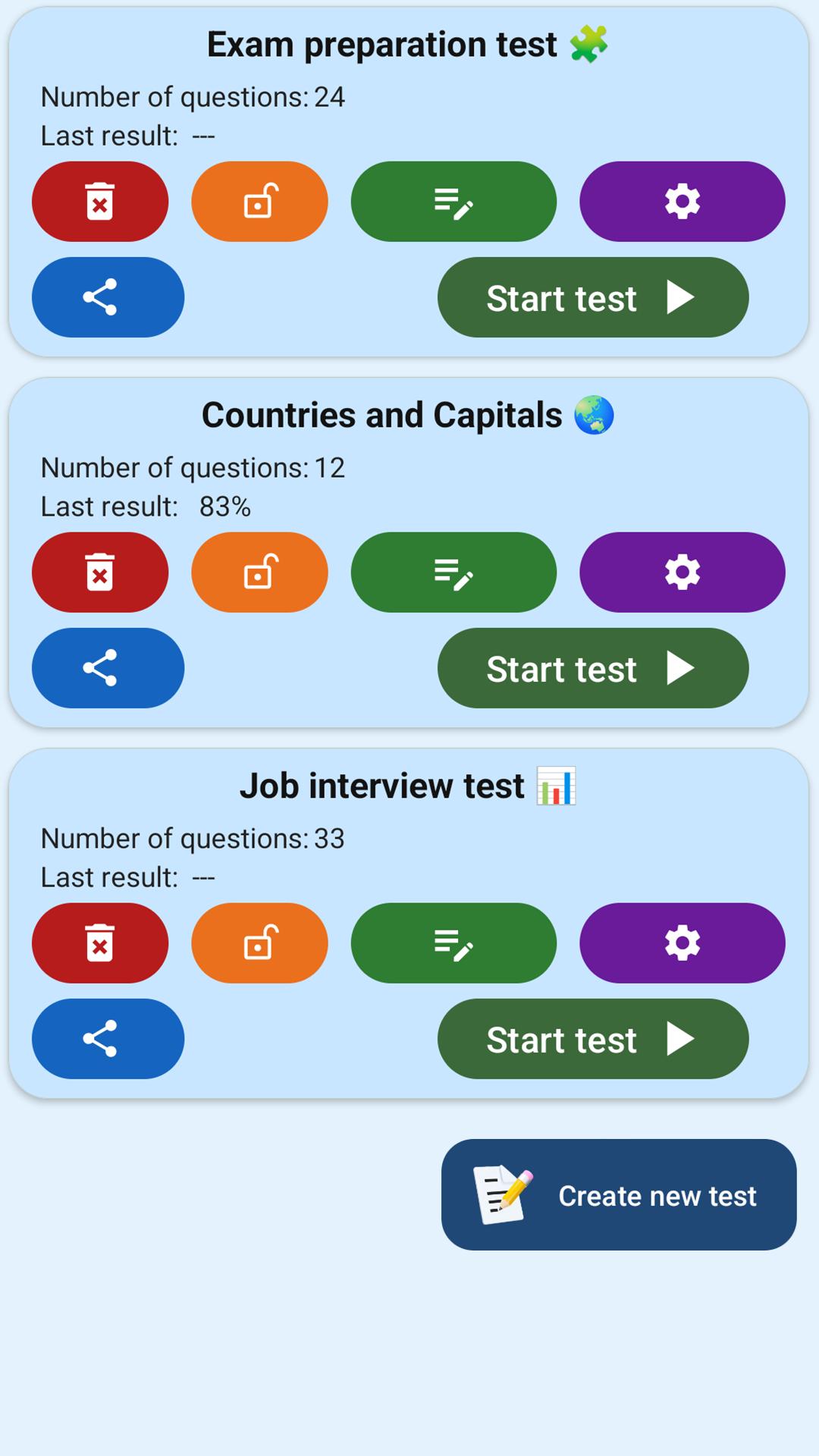
Test Maker is a simple yet powerful app for creating custom quizzes and tests. With just a few taps, you can build your own question sets and share them instantly. It's ideal for students, teachers, and anyone looking to study smarter. 📝📱
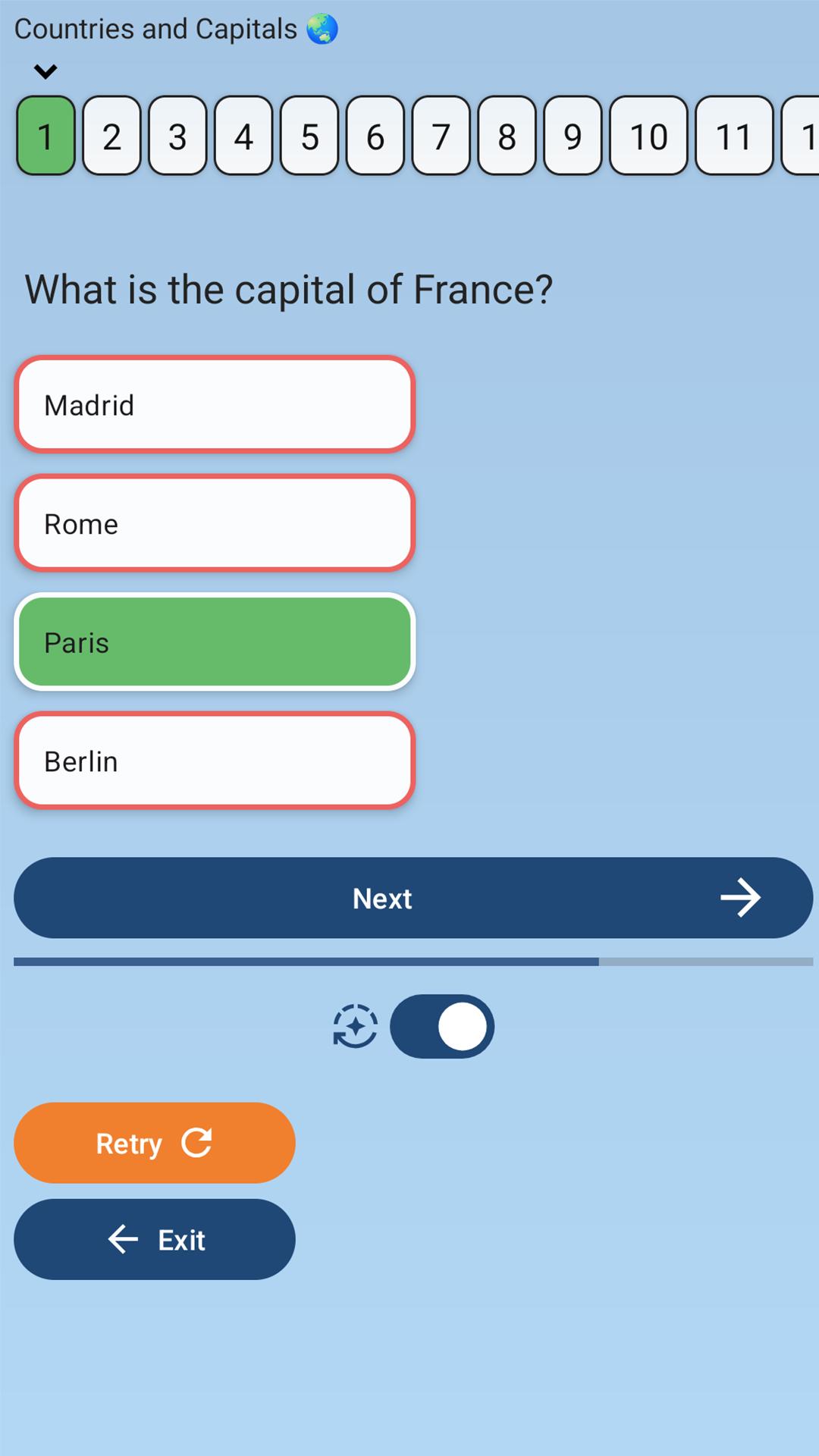
You can create tests with up to 7 answer choices per question, using the classic MCQ (Multiple Choice Question) format. Just enter a title, add your questions, and start learning.
Whether you're preparing for exams, reviewing knowledge, or building educational games — Test Maker helps you stay focused and organized.
🧩 Key features:
— Create unlimited tests and quizzes
— Up to 7 answer options per question
— Single or multiple correct answers
— Open-ended questions with manual input
— Instant link generation and easy sharing
— Offline mode — works without internet
Fast, clean, and user-friendly interface
🎓 Who it's for:
— Students preparing for school exams, university tests, or final assessments
— Teachers creating custom exercises, quizzes, or practice tests
— Self-learners studying history, geography, languages, and more
— Anyone building a fun quiz to challenge friends
— People training memory and focus through test-based learning
Prepare for exams, review key topics, and learn with confidence — with Test Maker.
Join thousands of users and make your studying more effective and interactive today! 📲
پیش نظارہ
ٹیگز
تعلیممعلومات
ڈویلپر
SergeyV Apps
تازہ ترین ورژن
4.0.0
آخری تازہ کاری
2025-10-15
قسم
تعلیم
پر دستیاب ہے۔
Google Play
مزید دکھائیں
پی سی پر گیم لوپ کے ساتھ Test Maker: Quiz & MCQ Builder کیسے کھیلا جائے۔
1. آفیشل ویب سائٹ سے گیم لوپ ڈاؤن لوڈ کریں، پھر گیم لوپ انسٹال کرنے کے لیے exe فائل چلائیں۔
2. گیم لوپ کھولیں اور "Test Maker: Quiz & MCQ Builder" تلاش کریں، تلاش کے نتائج میں Test Maker: Quiz & MCQ Builder تلاش کریں اور "انسٹال کریں" پر کلک کریں۔
3. گیم لوپ پر Test Maker: Quiz & MCQ Builder کھیلنے کا لطف اٹھائیں۔
Minimum requirements
OS
Windows 8.1 64-bit or Windows 10 64-bit
GPU
GTX 1050
CPU
i3-8300
Memory
8GB RAM
Storage
1GB available space
Recommended requirements
OS
Windows 8.1 64-bit or Windows 10 64-bit
GPU
GTX 1050
CPU
i3-9320
Memory
16GB RAM
Storage
1GB available space