
Sun Valley International Schoo PC
Edunext Technologies
گیم لوپ ایمولیٹر کے ساتھ PC پر Sun Valley International Schoo ڈاؤن لوڈ کریں۔
پی سی پر Sun Valley International Schoo
Sun Valley International Schoo، جو ڈویلپر Edunext Technologies سے آرہا ہے، ماضی میں اینڈرائیڈ سسٹم پر چل رہا ہے۔
اب، آپ پی سی پر Sun Valley International Schoo آسانی سے GameLoop کے ساتھ چلا سکتے ہیں۔
اسے GameLoop لائبریری یا تلاش کے نتائج میں ڈاؤن لوڈ کریں۔ مزید غلط وقت پر بیٹری یا مایوس کن کالوں پر نظر نہیں ڈالی جائے گی۔
بس بڑی سکرین پر Sun Valley International Schoo PC کا مفت میں لطف اٹھائیں!
Sun Valley International Schoo تعارف
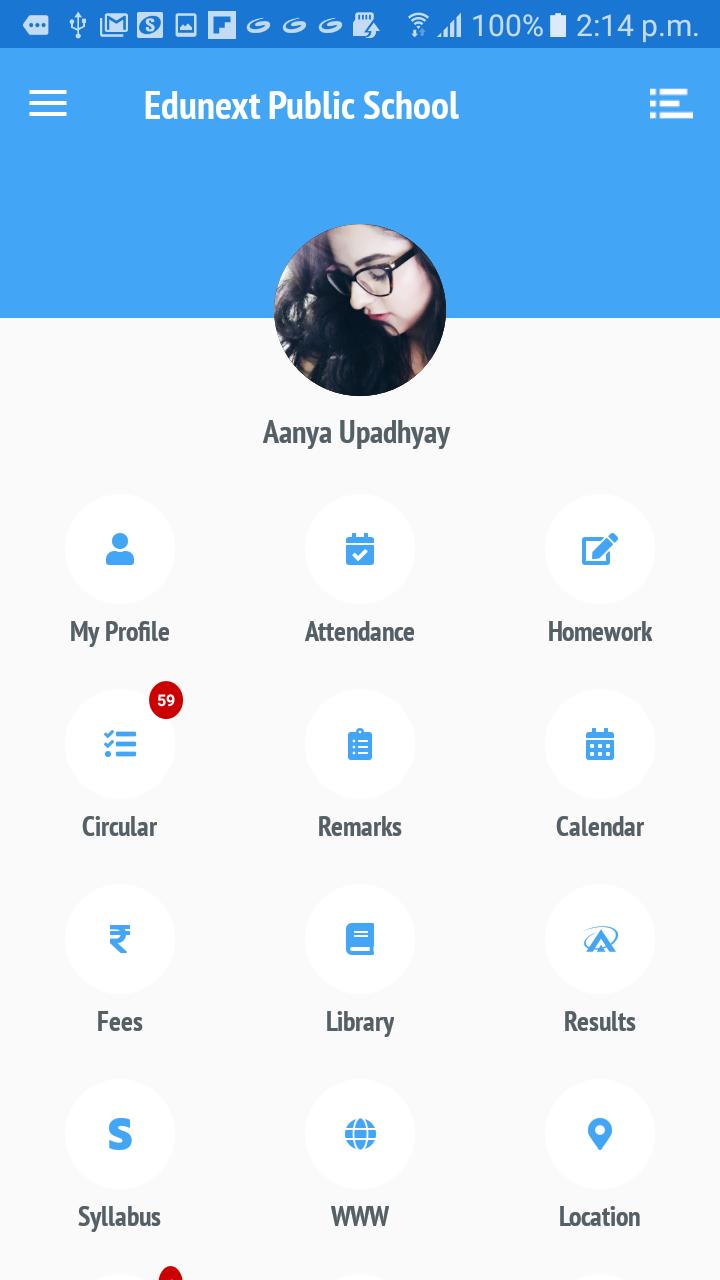
Sun Valley International School in association with Edunext Technologies Pvt. Ltd. (http://www.edunexttechnologies.com) launched India's first ever Mobile app for schools on 18th May, 2015. Very helpful app for parents to get update about their kids. Once the app is installed on the mobile phone, student/parent starts getting notifications for student attendance, homework, results, circulars, calendar, fee dues, library transactions, daily remarks, etc. The best part of App is that, it frees schools from mobile sms gateways which most of the times get choked or barred in case of emergency. Another interesting feature of the app is that the information till the last update can be viewed even if there is no internet connectivity on the mobile.
پیش نظارہ

ٹیگز
تعلیممعلومات
ڈویلپر
Edunext Technologies
تازہ ترین ورژن
9.1.32
آخری تازہ کاری
2020-10-07
قسم
تعلیم
پر دستیاب ہے۔
Google Play
مزید دکھائیں
پی سی پر گیم لوپ کے ساتھ Sun Valley International Schoo کیسے کھیلا جائے۔
1. آفیشل ویب سائٹ سے گیم لوپ ڈاؤن لوڈ کریں، پھر گیم لوپ انسٹال کرنے کے لیے exe فائل چلائیں۔
2. گیم لوپ کھولیں اور "Sun Valley International Schoo" تلاش کریں، تلاش کے نتائج میں Sun Valley International Schoo تلاش کریں اور "انسٹال کریں" پر کلک کریں۔
3. گیم لوپ پر Sun Valley International Schoo کھیلنے کا لطف اٹھائیں۔
Minimum requirements
OS
Windows 8.1 64-bit or Windows 10 64-bit
GPU
GTX 1050
CPU
i3-8300
Memory
8GB RAM
Storage
1GB available space
Recommended requirements
OS
Windows 8.1 64-bit or Windows 10 64-bit
GPU
GTX 1050
CPU
i3-9320
Memory
16GB RAM
Storage
1GB available space