SOS Explorer PC
Eric Hackathorn
گیم لوپ ایمولیٹر کے ساتھ PC پر SOS Explorer ڈاؤن لوڈ کریں۔
پی سی پر SOS Explorer
SOS Explorer، جو ڈویلپر Eric Hackathorn سے آرہا ہے، ماضی میں اینڈرائیڈ سسٹم پر چل رہا ہے۔
اب، آپ پی سی پر SOS Explorer آسانی سے GameLoop کے ساتھ چلا سکتے ہیں۔
اسے GameLoop لائبریری یا تلاش کے نتائج میں ڈاؤن لوڈ کریں۔ مزید غلط وقت پر بیٹری یا مایوس کن کالوں پر نظر نہیں ڈالی جائے گی۔
بس بڑی سکرین پر SOS Explorer PC کا مفت میں لطف اٹھائیں!
SOS Explorer تعارف
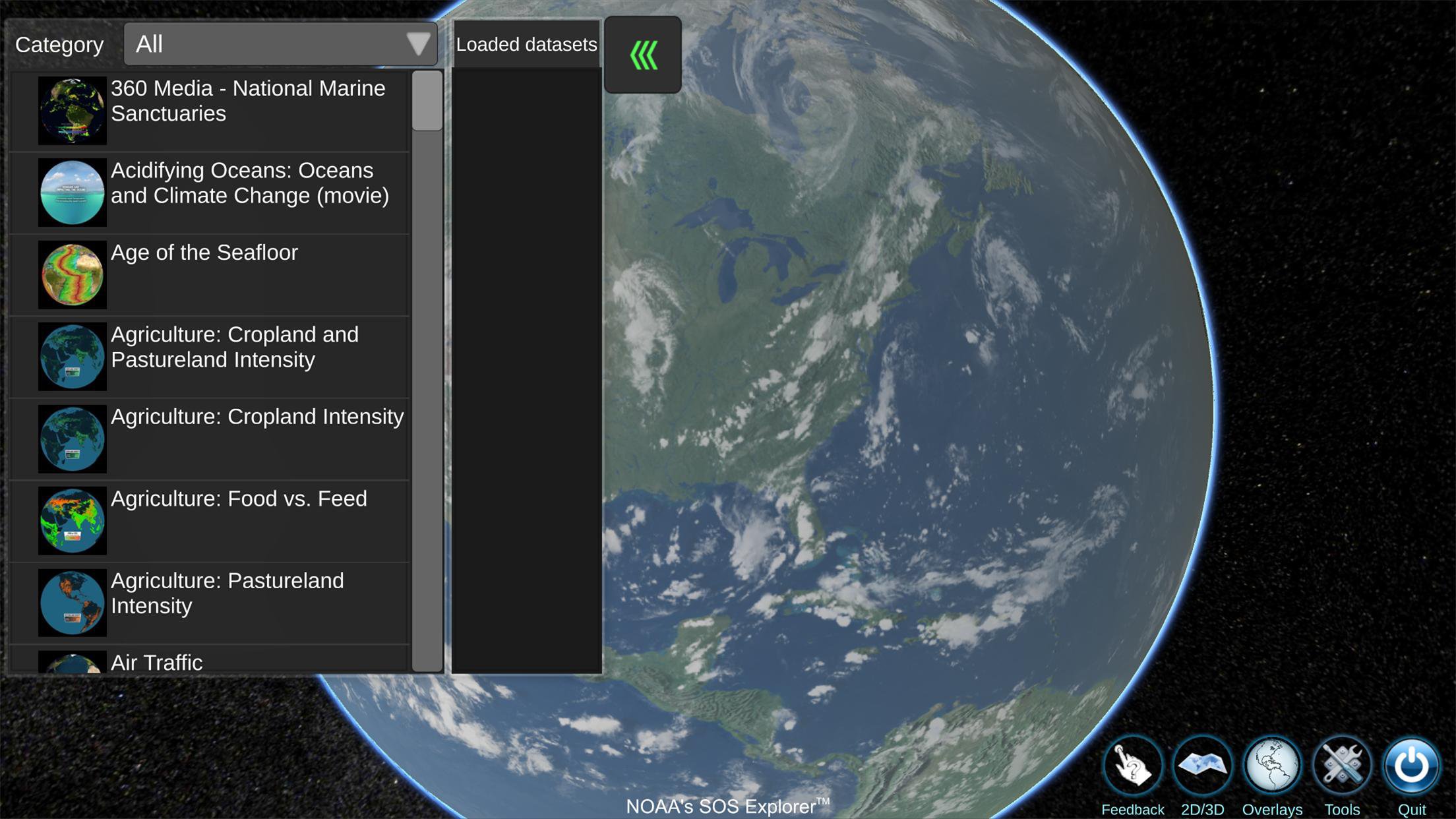
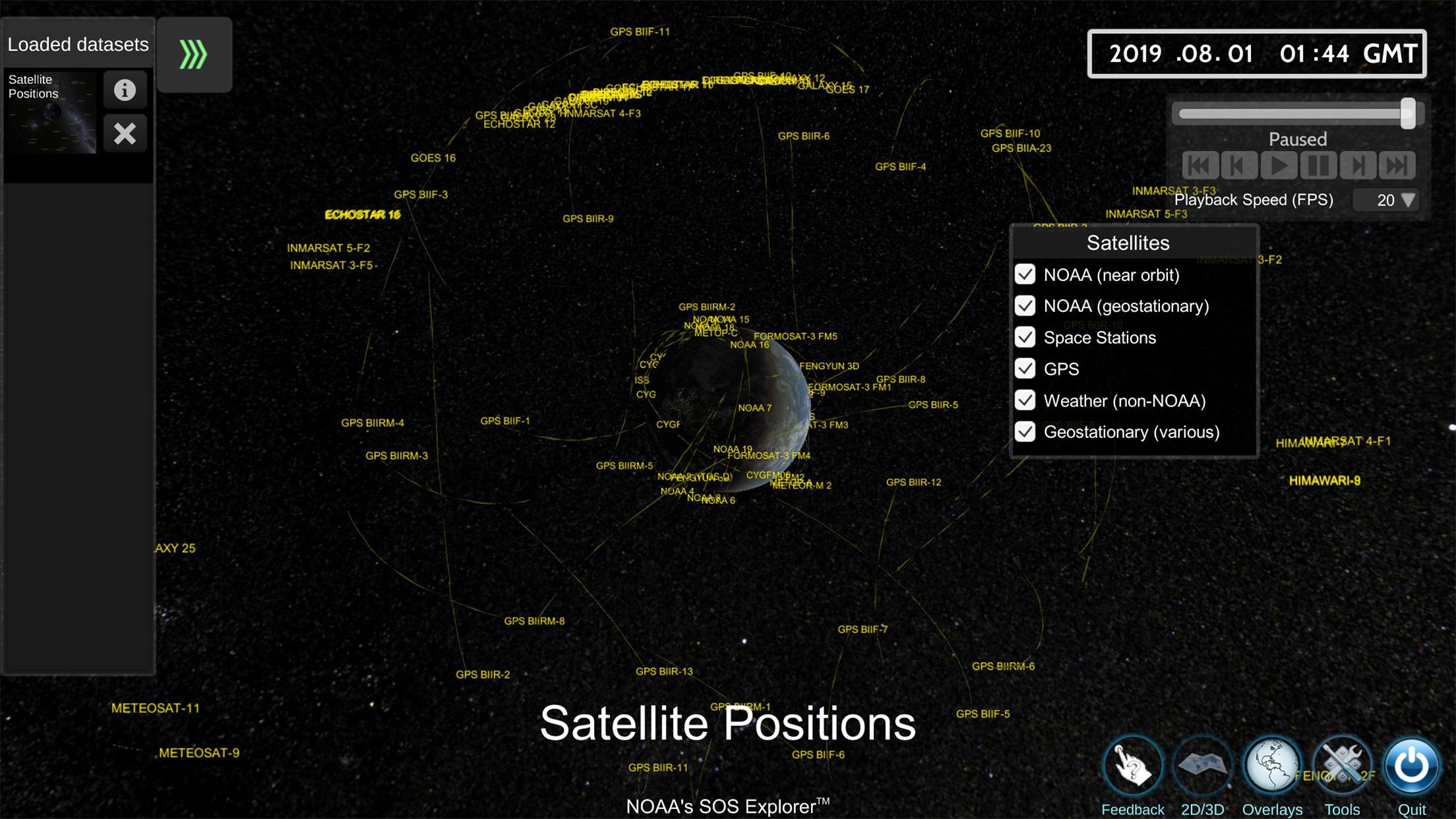
SOS Explorer (SOSx) Mobile is a free, flat screen mobile app version of the popular NOAA Science On a Sphere (SOS). This revolutionary software takes SOS datasets, usually only seen on a 6-foot sphere in large museum spaces, and makes them accessible, portable, and interactive anywhere. SOSx Mobile can immerse the user in animated images such as Saturn’s rings, atmospheric storms, climate change, and ocean temperatures to help explain sometimes complex environmental processes in a way that is intuitive, captivating, interactive, and entertaining. A desktop version, called SOS Explorer, is also available.
Features include:
• Streaming, high-resolution datasets
• Educational videos
• User-guided tours
• Analysis tools
• 100+ datasets
• Global and flat map views
Sample datasets:
• Recent Hurricane Seasons
• Bird Migration
• Earthquake Activity
• Snow and Ice
• Ocean Currents
• Historical Tsunamis
• Facebook Friendships
• Air Traffic
• Planets of the Solar System
• Climate Change Models
• 360 Underwater Imagery
• Narrated Movies
• ...and so much more!
What's New
Upgrade to Unity 2021.3: Experience improved performance and visual fidelity thanks to the latest version of the Unity engine.
Initial support for WMTS (Web Map Tile Service) data sets: Enjoy more efficient loading and visualization of high resolution data sets.
Expanded language support: We have added support for Spanish and Chinese languages, making our application more accessible to users worldwide.
Extended device compatibility: We're excited to announce support for Chromebook via the Google Play Store and for newer Samsung devices.
Automatic rotation of the globe and toggle for legends: Enhance your interaction with better controls of how information is presented on the screen.
Improved rendering for real-time satellite positions: Get a more accurate and visually pleasing representation of satellite data.
New video playback library: Enjoy a smoother video playback experience with AVPro 2.0.
Enhancements to analysis tools: Delve deeper into datasets with our improved and more accurate analysis tools.
Improved navigation controls: Explore the world more easily with our refined navigation controls in both globe and map modes.
Transition to UnityWebRequest for content downloading: Experience more efficient and reliable content delivery.
Updated UI for different device display safe zones: We've improved our user interface to respect the display safe zones for various devices.
Known Issues
We acknowledge a few known issues and are actively working towards their resolution:
Tour content display: Tour content may appear stretched on certain devices due to variations in screen aspect ratios.
Help screen timing: On slower devices, the help screen may appear prematurely.
Visual artifacts when unloading data sets: Users may notice temporary visual artifacts when unloading data sets.
Infinite scrolling in map view: Infinite horizontal scrolling is currently disabled in map view.
Average area analysis tool: This is currently disabled while we work on an improved UI experience.
For more information check out the FAQ.
پیش نظارہ
ٹیگز
تعلیممعلومات
ڈویلپر
Eric Hackathorn
تازہ ترین ورژن
1.2.3
آخری تازہ کاری
2025-10-27
قسم
تعلیم
پر دستیاب ہے۔
Google Play
مزید دکھائیں
پی سی پر گیم لوپ کے ساتھ SOS Explorer کیسے کھیلا جائے۔
1. آفیشل ویب سائٹ سے گیم لوپ ڈاؤن لوڈ کریں، پھر گیم لوپ انسٹال کرنے کے لیے exe فائل چلائیں۔
2. گیم لوپ کھولیں اور "SOS Explorer" تلاش کریں، تلاش کے نتائج میں SOS Explorer تلاش کریں اور "انسٹال کریں" پر کلک کریں۔
3. گیم لوپ پر SOS Explorer کھیلنے کا لطف اٹھائیں۔
Minimum requirements
OS
Windows 8.1 64-bit or Windows 10 64-bit
GPU
GTX 1050
CPU
i3-8300
Memory
8GB RAM
Storage
1GB available space
Recommended requirements
OS
Windows 8.1 64-bit or Windows 10 64-bit
GPU
GTX 1050
CPU
i3-9320
Memory
16GB RAM
Storage
1GB available space