
Life Together Fellowship PC
Subsplash Inc
گیم لوپ ایمولیٹر کے ساتھ PC پر Life Together Fellowship ڈاؤن لوڈ کریں۔
پی سی پر Life Together Fellowship
Life Together Fellowship، جو ڈویلپر Subsplash Inc سے آرہا ہے، ماضی میں اینڈرائیڈ سسٹم پر چل رہا ہے۔
اب، آپ پی سی پر Life Together Fellowship آسانی سے GameLoop کے ساتھ چلا سکتے ہیں۔
اسے GameLoop لائبریری یا تلاش کے نتائج میں ڈاؤن لوڈ کریں۔ مزید غلط وقت پر بیٹری یا مایوس کن کالوں پر نظر نہیں ڈالی جائے گی۔
بس بڑی سکرین پر Life Together Fellowship PC کا مفت میں لطف اٹھائیں!
Life Together Fellowship تعارف
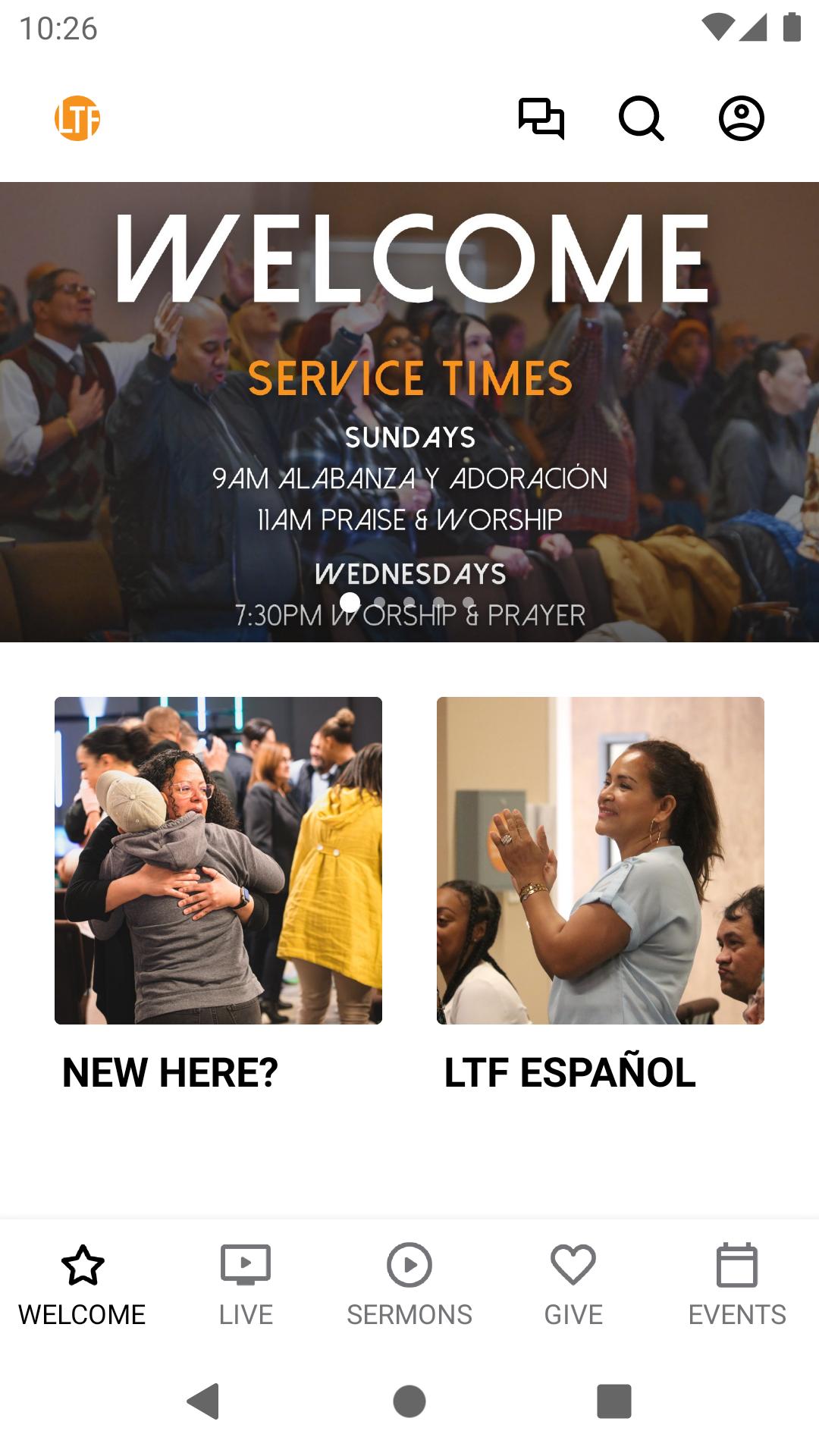
Our app is packed with powerful content and resources to help you grow and stay connected. With this app you can:
- Watch Sermons which are updated weekly
- Tune in weekly for our Sunday & Tuesday services via Live Stream
- Connect with us
- Sign up for: Water Baptism, Child Dedication, Pre-Marital Counseling, and Home or Hospital Visits
- Stay up to date with our calendar of events
- Share your favorite messages via Twitter, Facebook, Instagram, text or email
- Download messages for offline listening
- Home bound, and unable to make it to church? No problem! Join us on our Live Stream link.
- Missed one of our sermons? Again, no problem! You can either view our sermons in our video archives or listen to our audio messages in our mp3 archives.
- Have a Prayer Request or a Praise Report? We would love to pray with you and/or rejoice with you.
- Prayerfully consider supporting our ministry through our online giving link.
- Join us as we go beyond our four walls and partner together to spread the gospel through missions.
- Cultivate, learn and build relationship through our Life Groups.
- Hungry to grow? Join our Bible Studies.
- LTF KIDZ ministry is a fun and safe environment for kids to experience and grow in the love of Christ.
- YOUTH MINISTRY (Ages 13-18) helps engage our community‘s youth in a relationship with God; to equip them to grow in their faith in Jesus Christ; and to enjoy and share God’s love.
- YOUNG ADULTS MINISTRY (Ages 19-30), exists to help young adults develop a deeper personal relationship with our Lord and Savior, to expand our knowledge of God through deep Bible study, to cultivate a servant’s heart in each member, and to integrate young adults into the larger community of Life Together Fellowship.
- Explore LTF Growth Track:
stepONE — Church 101 BECOME A MEMBER
Explore the ministry of Life Together Fellowship and find out how to connect with our
church. Step One takes place the first Sunday of every month.
stepTWO — Discovery 201 DISCOVER MY DESIGN
Dive into the details of your personality, discover your gifts, and see how your design reveals your purpose in life and your best fit in ministry. Step Two takes place the second Sunday of every month.
stepTHREE — Leadership 301 DEVELOP MY LEADERSHIP
Find out what it means to be a leader at Life Together Fellowship and learn how you can strengthen your character and gifting to fulfill your leadership potential. Step Three takes place the third Sunday of every month.
stepFOUR — Dream Team 401 JOIN A TEAM
Connect to the opportunities available at Life Together Fellowship to live out your purpose and serve others by using your God-given gifts. Step Four takes place the fourth Sunday of every month.
For more information and a better understanding of Life Together Fellowship, please download our app now.
پیش نظارہ

ٹیگز
تعلیممعلومات
ڈویلپر
Subsplash Inc
تازہ ترین ورژن
6.14.1
آخری تازہ کاری
2025-05-06
قسم
تعلیم
پر دستیاب ہے۔
Google Play
مزید دکھائیں
پی سی پر گیم لوپ کے ساتھ Life Together Fellowship کیسے کھیلا جائے۔
1. آفیشل ویب سائٹ سے گیم لوپ ڈاؤن لوڈ کریں، پھر گیم لوپ انسٹال کرنے کے لیے exe فائل چلائیں۔
2. گیم لوپ کھولیں اور "Life Together Fellowship" تلاش کریں، تلاش کے نتائج میں Life Together Fellowship تلاش کریں اور "انسٹال کریں" پر کلک کریں۔
3. گیم لوپ پر Life Together Fellowship کھیلنے کا لطف اٹھائیں۔
Minimum requirements
OS
Windows 8.1 64-bit or Windows 10 64-bit
GPU
GTX 1050
CPU
i3-8300
Memory
8GB RAM
Storage
1GB available space
Recommended requirements
OS
Windows 8.1 64-bit or Windows 10 64-bit
GPU
GTX 1050
CPU
i3-9320
Memory
16GB RAM
Storage
1GB available space