
iBCU PC
Birmingham City University
گیم لوپ ایمولیٹر کے ساتھ PC پر iBCU ڈاؤن لوڈ کریں۔
پی سی پر iBCU
iBCU، جو ڈویلپر Birmingham City University سے آرہا ہے، ماضی میں اینڈرائیڈ سسٹم پر چل رہا ہے۔
اب، آپ پی سی پر iBCU آسانی سے GameLoop کے ساتھ چلا سکتے ہیں۔
اسے GameLoop لائبریری یا تلاش کے نتائج میں ڈاؤن لوڈ کریں۔ مزید غلط وقت پر بیٹری یا مایوس کن کالوں پر نظر نہیں ڈالی جائے گی۔
بس بڑی سکرین پر iBCU PC کا مفت میں لطف اٹھائیں!
iBCU تعارف
‘The University in your pocket’
iBCU is the app for staff, students and guests at Birmingham City University that provides real time on-the-go info to support you day to day. The app ties in with iCity and has a variety of features to help you stay organised and up to date with news and events.
Features:
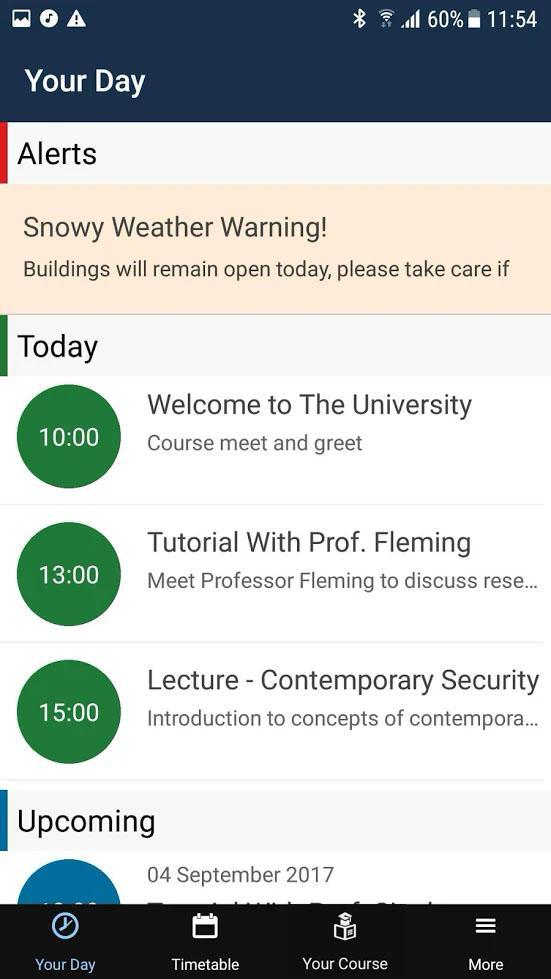
YourDay - see your day at a glance, with combined timetable, important alerts and more
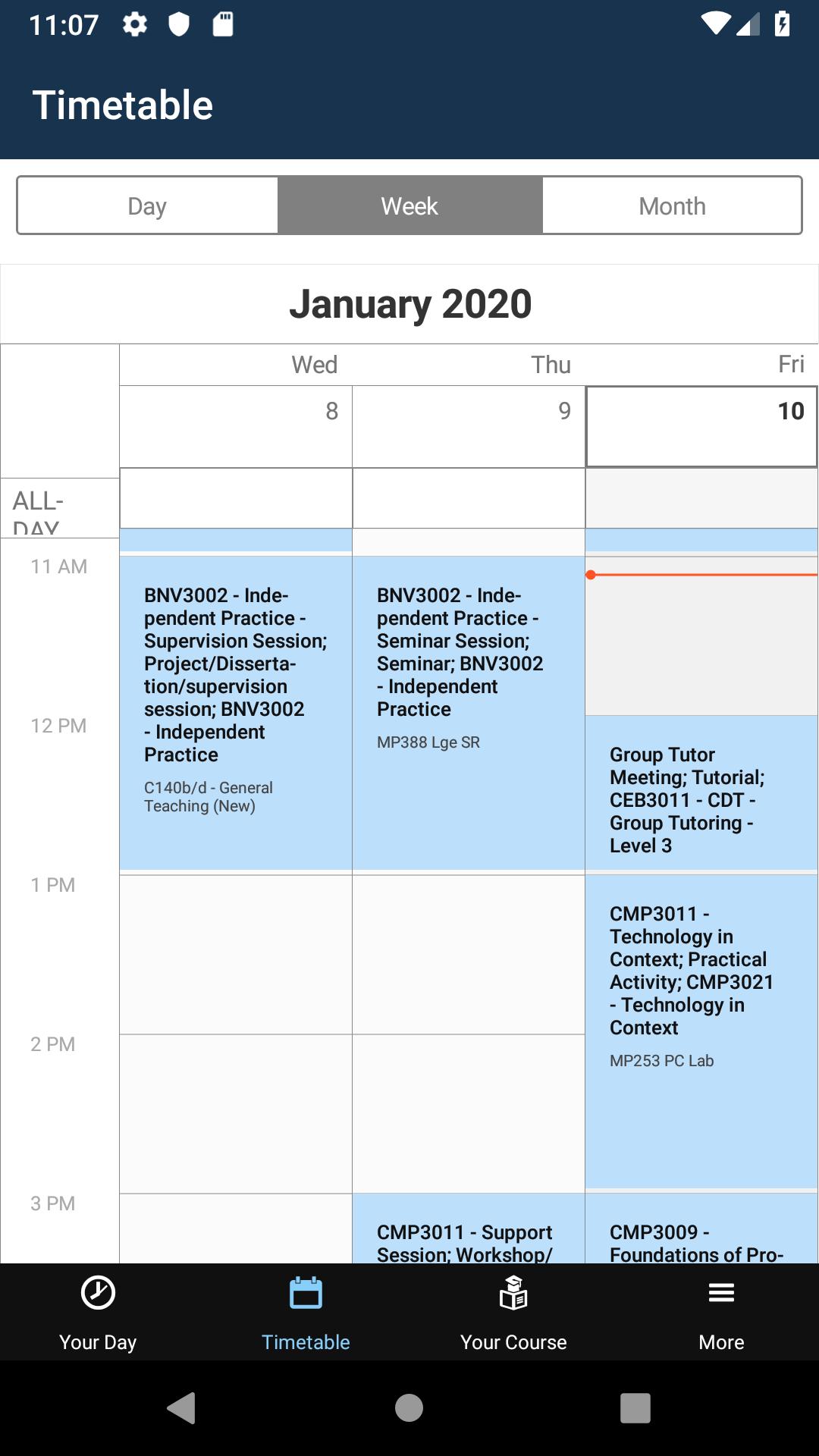
Timetable - always know where you need to be
Noticeboard – view all your notices, news, events and subscribed feeds on the go
Maps – find your way around each campus, with links to local car parks and bus stops
Directory - build a personalised contact list that syncs through iCity
PC Finder – find available PCs across campus, including handy colour coded maps
Printing – keep track of your printing history and credit
SAMS Attendance Monitoring – staff can take attendance, quicker and easier
پیش نظارہ
ٹیگز
تعلیممعلومات
ڈویلپر
Birmingham City University
تازہ ترین ورژن
9.7.3
آخری تازہ کاری
2025-08-07
قسم
تعلیم
پر دستیاب ہے۔
Google Play
مزید دکھائیں
پی سی پر گیم لوپ کے ساتھ iBCU کیسے کھیلا جائے۔
1. آفیشل ویب سائٹ سے گیم لوپ ڈاؤن لوڈ کریں، پھر گیم لوپ انسٹال کرنے کے لیے exe فائل چلائیں۔
2. گیم لوپ کھولیں اور "iBCU" تلاش کریں، تلاش کے نتائج میں iBCU تلاش کریں اور "انسٹال کریں" پر کلک کریں۔
3. گیم لوپ پر iBCU کھیلنے کا لطف اٹھائیں۔
Minimum requirements
OS
Windows 8.1 64-bit or Windows 10 64-bit
GPU
GTX 1050
CPU
i3-8300
Memory
8GB RAM
Storage
1GB available space
Recommended requirements
OS
Windows 8.1 64-bit or Windows 10 64-bit
GPU
GTX 1050
CPU
i3-9320
Memory
16GB RAM
Storage
1GB available space