
HTML Editor PC
Code Play
گیم لوپ ایمولیٹر کے ساتھ PC پر HTML Editor ڈاؤن لوڈ کریں۔
پی سی پر HTML Editor
HTML Editor، جو ڈویلپر Code Play سے آرہا ہے، ماضی میں اینڈرائیڈ سسٹم پر چل رہا ہے۔
اب، آپ پی سی پر HTML Editor آسانی سے GameLoop کے ساتھ چلا سکتے ہیں۔
اسے GameLoop لائبریری یا تلاش کے نتائج میں ڈاؤن لوڈ کریں۔ مزید غلط وقت پر بیٹری یا مایوس کن کالوں پر نظر نہیں ڈالی جائے گی۔
بس بڑی سکرین پر HTML Editor PC کا مفت میں لطف اٹھائیں!
HTML Editor تعارف
HTML Editor – Code, Preview & Share with AI Assistant
Transform your mobile device into a professional web development environment with HTML Editor, the most complete and user-friendly HTML, CSS, and JavaScript editor available for iOS. Whether you're a beginner learning web design or an experienced developer building mini projects, this app is designed to meet all your coding needs.
🌟 All-in-One Web Development Tool
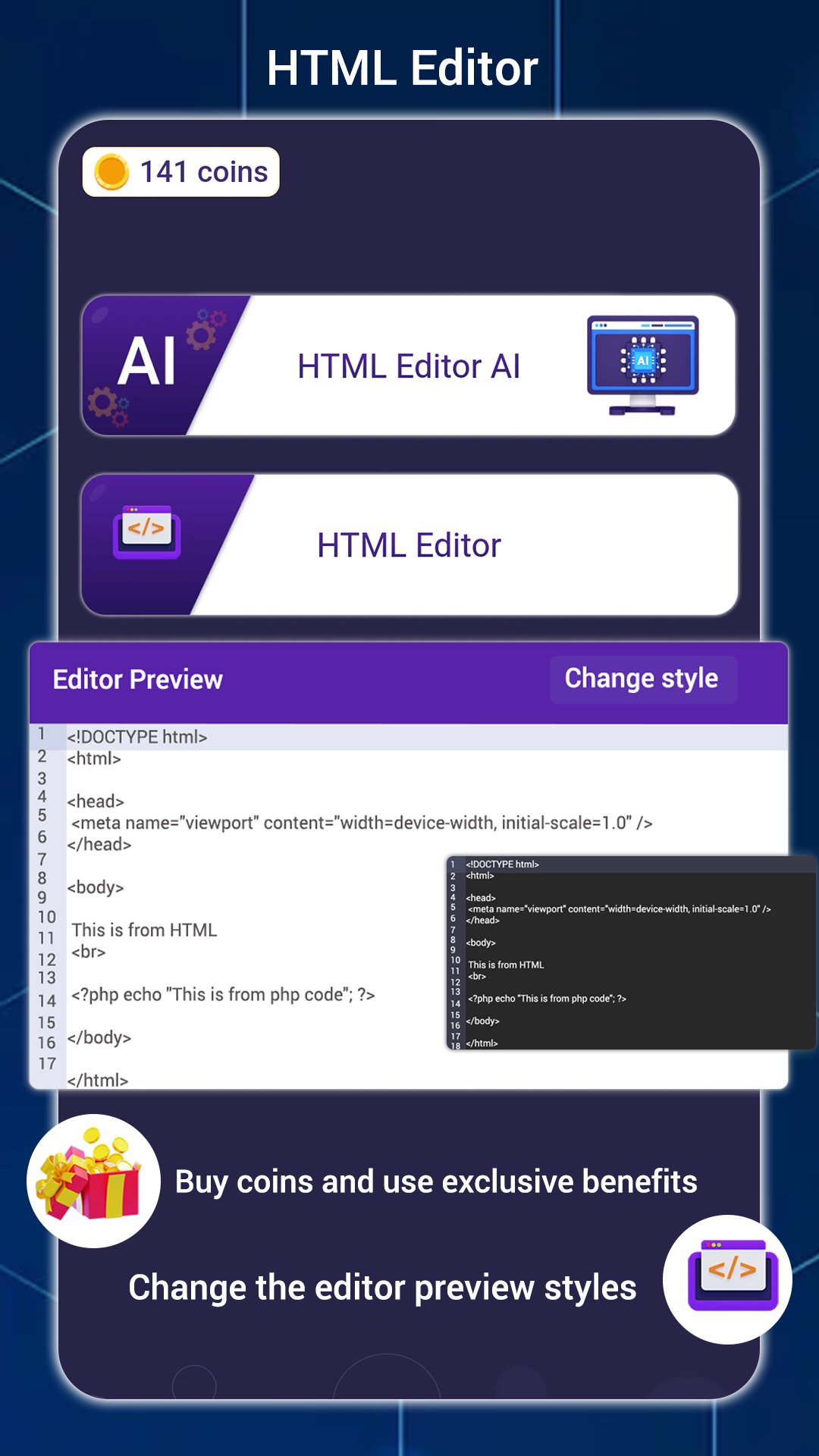
Write, test, and preview your code offline or online with ease. HTML Editor is more than a text editor – it's a complete HTML playground in your pocket. Use AI to generate and explain code, preview your layout in full screen, and share or transfer code between devices.
🔑 Key Features
⚡ AI-Powered Coding Assistant
Generate HTML, CSS, and JavaScript instantly
Explain complex code or tags using AI
Create website structures, components, and documentation
Ask AI to write meta tags or SEO snippets
📴 Offline HTML/CSS/JS Editor
Code without an internet connection
Full support for HTML5, CSS3, and JavaScript ES6
Works seamlessly offline, perfect for learning and prototyping
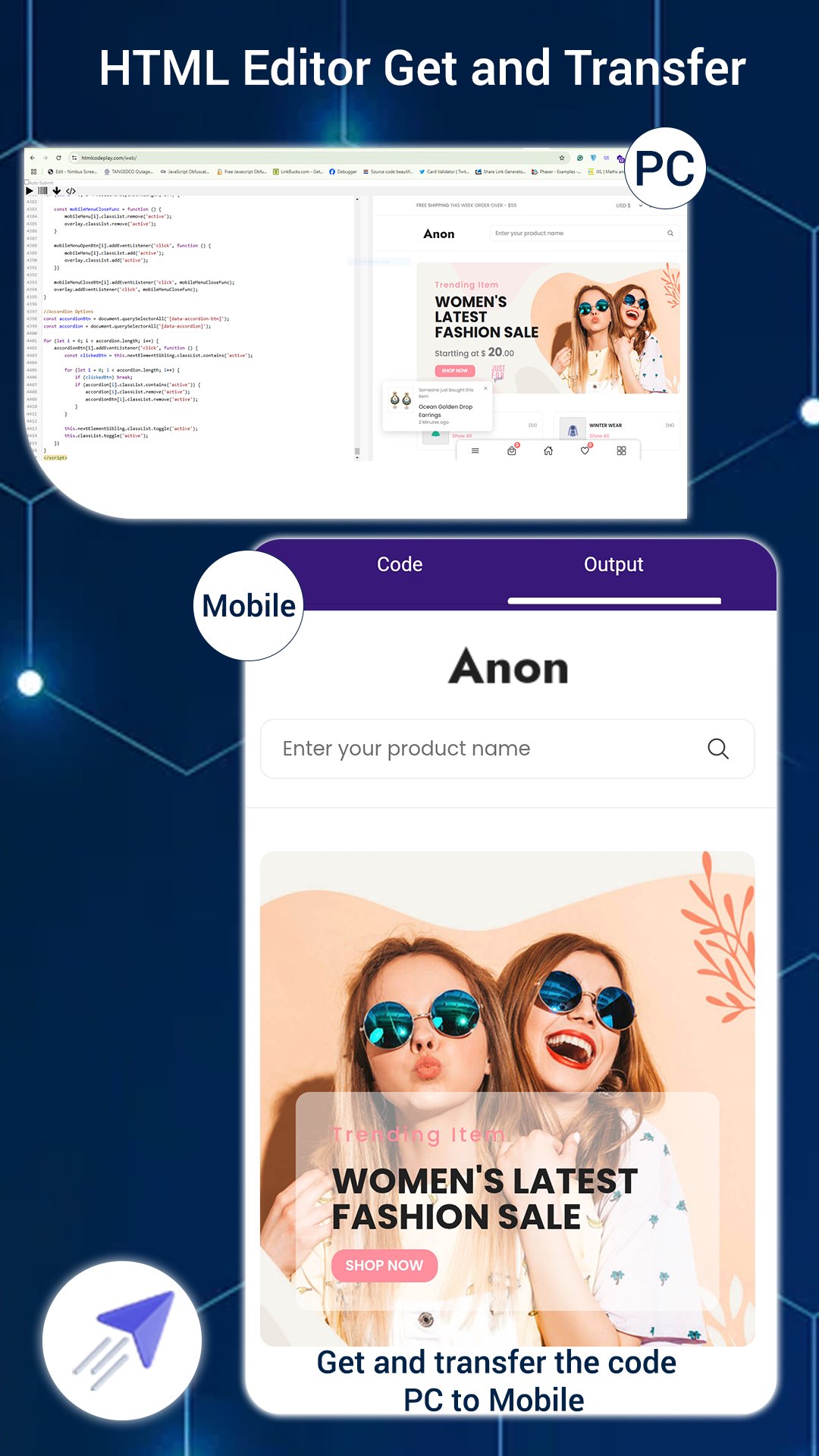
🔁 Transfer Code Between PC & Mobile
PC to Mobile:
Go to htmlcodeplay.com/web
Type code, generate a barcode, scan in the app
Mobile to PC:
Tap "TRANSFER", get a code, enter on the website
Instantly fetch your mobile HTML on desktop
📂 Open Local HTML Files
Open and edit .html files from device storage
Browse default folder (Internal Storage/HTML Editor) or pick any folder
External resources must use online URLs (e.g., CSS/CDN)
💾 Save Files to Mobile Storage
Save your code with a custom filename
Manage and organize saved files from within the app
🔍 Full-Screen Output Preview
See how your site looks in fullscreen
Responsive preview for better visualization
🔗 Code Sharing Made Easy
Share .html files via email, messaging, or cloud apps
Supports file sharing with custom or default names
🔐 Auto Backup System
Real-time auto-save to avoid accidental data loss
Continue from where you left off without reloading code
🎓 Ideal For:
Web development learners and students
Frontend developers and UI designers
Teachers and coding tutors
Developers building responsive web layouts
Anyone practicing HTML, CSS, or JavaScript offline
🧠 Use Cases:
Practice web design offline
Generate code snippets using AI
Learn HTML structure and syntax
Build mini web apps or test ideas on the go
Transfer code between mobile and desktop
Share code projects with clients or friends
🔄 What’s New in the Latest Version:
🤖 AI-powered code generation and explanation
📁 Improved file manager with better saving options
🖥️ Full-screen layout preview enhancements
🚀 Performance and interface upgrades
📱 Why HTML Editor Stands Out:
All-in-one HTML, CSS, and JavaScript support
Code editor with AI assistant for smart development
Fast, lightweight, and mobile-optimized
Works offline and online – anywhere, anytime
Transfer code easily between phone and PC
Ideal for beginners, students, and professionals
✨ Build your own websites, learn HTML/CSS/JS, and explore web design – all from your phone.
📥 Download HTML Editor now and start coding smarter, faster, and offline!
پیش نظارہ
ٹیگز
تعلیممعلومات
ڈویلپر
Code Play
تازہ ترین ورژن
5.5
آخری تازہ کاری
2026-08-13
قسم
تعلیم
پر دستیاب ہے۔
Google Play
مزید دکھائیں
پی سی پر گیم لوپ کے ساتھ HTML Editor کیسے کھیلا جائے۔
1. آفیشل ویب سائٹ سے گیم لوپ ڈاؤن لوڈ کریں، پھر گیم لوپ انسٹال کرنے کے لیے exe فائل چلائیں۔
2. گیم لوپ کھولیں اور "HTML Editor" تلاش کریں، تلاش کے نتائج میں HTML Editor تلاش کریں اور "انسٹال کریں" پر کلک کریں۔
3. گیم لوپ پر HTML Editor کھیلنے کا لطف اٹھائیں۔
Minimum requirements
OS
Windows 8.1 64-bit or Windows 10 64-bit
GPU
GTX 1050
CPU
i3-8300
Memory
8GB RAM
Storage
1GB available space
Recommended requirements
OS
Windows 8.1 64-bit or Windows 10 64-bit
GPU
GTX 1050
CPU
i3-9320
Memory
16GB RAM
Storage
1GB available space