Voice Typing Keyboard PC
Learning Easy
گیم لوپ ایمولیٹر کے ساتھ PC پر Voice Typing Keyboard ڈاؤن لوڈ کریں۔
پی سی پر Voice Typing Keyboard
Voice Typing Keyboard، جو ڈویلپر Learning Easy سے آرہا ہے، ماضی میں اینڈرائیڈ سسٹم پر چل رہا ہے۔
اب، آپ پی سی پر Voice Typing Keyboard آسانی سے GameLoop کے ساتھ چلا سکتے ہیں۔
اسے GameLoop لائبریری یا تلاش کے نتائج میں ڈاؤن لوڈ کریں۔ مزید غلط وقت پر بیٹری یا مایوس کن کالوں پر نظر نہیں ڈالی جائے گی۔
بس بڑی سکرین پر Voice Typing Keyboard PC کا مفت میں لطف اٹھائیں!
Voice Typing Keyboard تعارف
Designed for professionals, students, and travelers, our app transforms your voice into accurate text in real-time. Whether you need to send a quick message, draft a long email, or translate a conversation, our voice keyboard makes it effortless.
Experience the future of mobile input with our premium Glassmorphism UI—a sleek, modern, and translucent design that makes typing a visual delight.
✨ Transform the Way You Type
Stop struggling with small keys. With Voice Typing Keyboard, you can simply speak naturally, and our powerful AI dictation engine will handle the rest. It is the perfect hands-free typing tool for when you are on the move, cooking, or multitasking.
🚀 Key Features You’ll Love:
* Smart Speech to Text: Powered by the latest recognition technology, our talk to text feature understands different accents and languages with incredible precision.
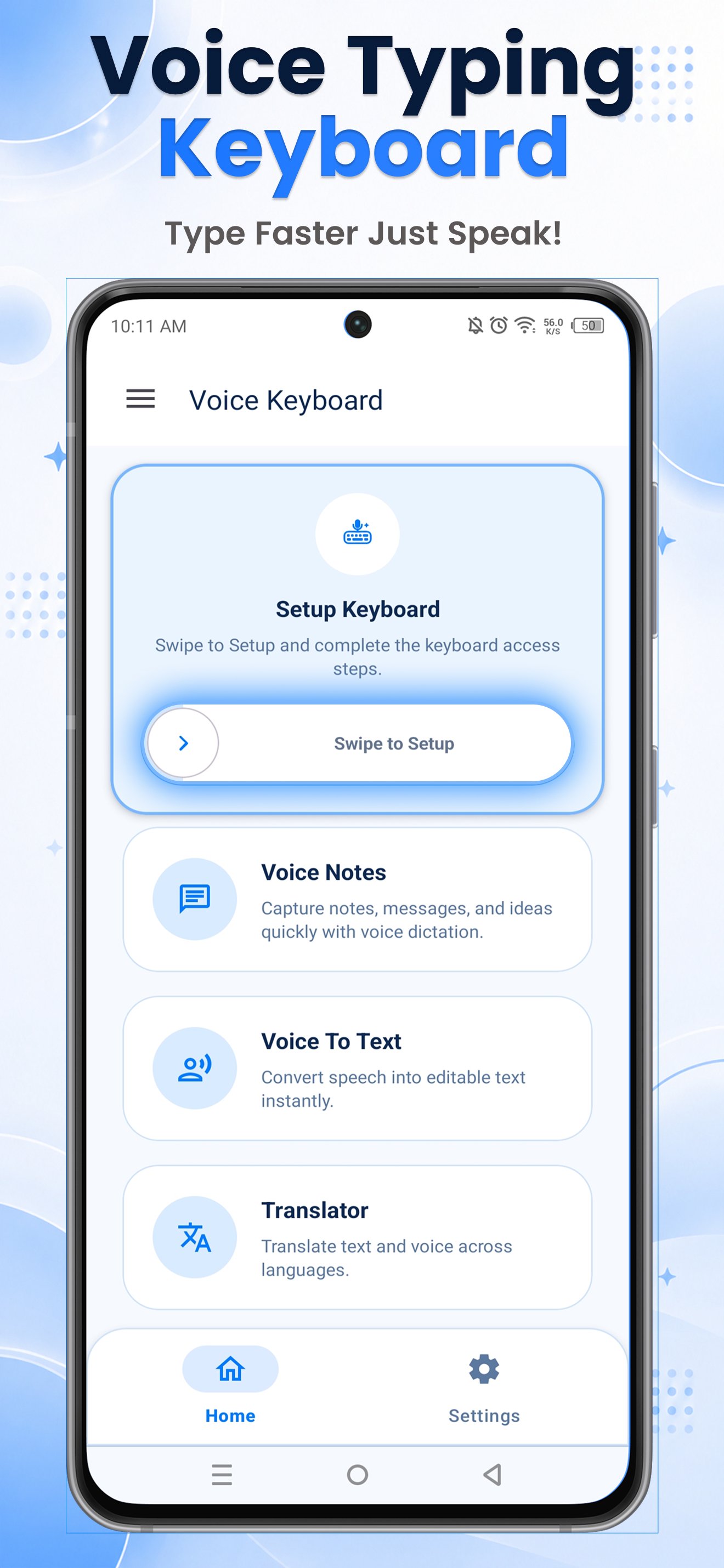
* Offline Translation Mode: Travel the world with confidence. Translate between languages even without an internet connection. Your offline translator is always ready.
* Pro Audio Recorder: More than just a keyboard! Use the built-in high-quality sound recorder to capture lectures, meetings, and voice notes.
* Modern Glassmorphism UI: Upgrade your phone's look with our elegant glass keyboard themes. It’s the most stylish and premium interface on the Play Store.
* Voice Search Anywhere: Quickly search on Reddit, Amazon, YouTube, and Google using just your voice. No more manual typing in search bars!
* Advanced Text Editing: Includes dedicated Undo/Redo buttons and a unique touch-zoom feature to help you edit long texts with ease.
🌍 Multilingual & Global Support
Our voice typing app is built for a global audience, supporting 40+ major languages and regional accents:
• English (US, UK, India, AU)
• Hindi (हिंदी वॉयस टाइपिंग)
• Arabic (لوحة مفاتيح الكتابة بالصوت)
• French (Saisie vocale)
• Spanish (Escritura por voz)
• Portuguese (Digitação por voz)
• German (Sprache zu Text)
• Japanese (音声入力キーボード)
• Bengali (বাংলা ভয়েস টাইপিং)
• Urdu (اردو وائس ٹائپنگ)
• Russian (Голосовой ввод)
• Indonesian (Pengetikan Suara)
• Italian (Dettatura vocale)
• Turkish (Sesli Yazma)
• Korean (음성 입력)
• Marathi (मराठी व्हॉइस टायपिंग)
• Telugu (తెలుగు వాయిస్ టైపింగ్)
• Tamil (தமிழ் குரల్ தட்டச்சு)
• Gujarati (ગુજરાતી વૉઇસ ટાઇપિંગ)
• Kannada (ಕನ್ನಡ ಧ್ವನಿ ಟೈಪಿంగ్)
• Malayalam (മലയാളം വോയ്സ് ടൈപ്പിംഗ്)
• Punjabi (ਪੰਜਾਬੀ ਵੌਇస్ ਟਾਈਪਿੰਗ)
• Chinese (Mandarin/Cantonese)
• Vietnamese (Nhập liệu bằng giọng名)
• Thai (การพิมพ์ด้วยเสียง)
• Dutch (Spraakgestuurd typen)
• Polish (Pisanie głosowe)
• Filipino (Pagtatype gamit ang boses)
• Greek (Φωνητική πληκτρολόγηση)
• Persian (تایپ صوتی)
• Swedish (Röstinmatning)
• Hebrew (הקלדה קולית)
• Romanian (Tastare vocală)
• Hungarian (Hangalapú gépelés)
• Czech (Hlasové zadávání)
• Finnish (Äänikirjoitus)
• Norwegian (Stemmeskriving)
• Danish (Stemmestyret skrivning)
🛡️ Privacy-First Typing
We believe your voice is personal. Our offline mode ensures that your translations and notes stay on your device. We use secure on-device processing to provide a fast, secure, and private vocal typing experience.
How to get started:
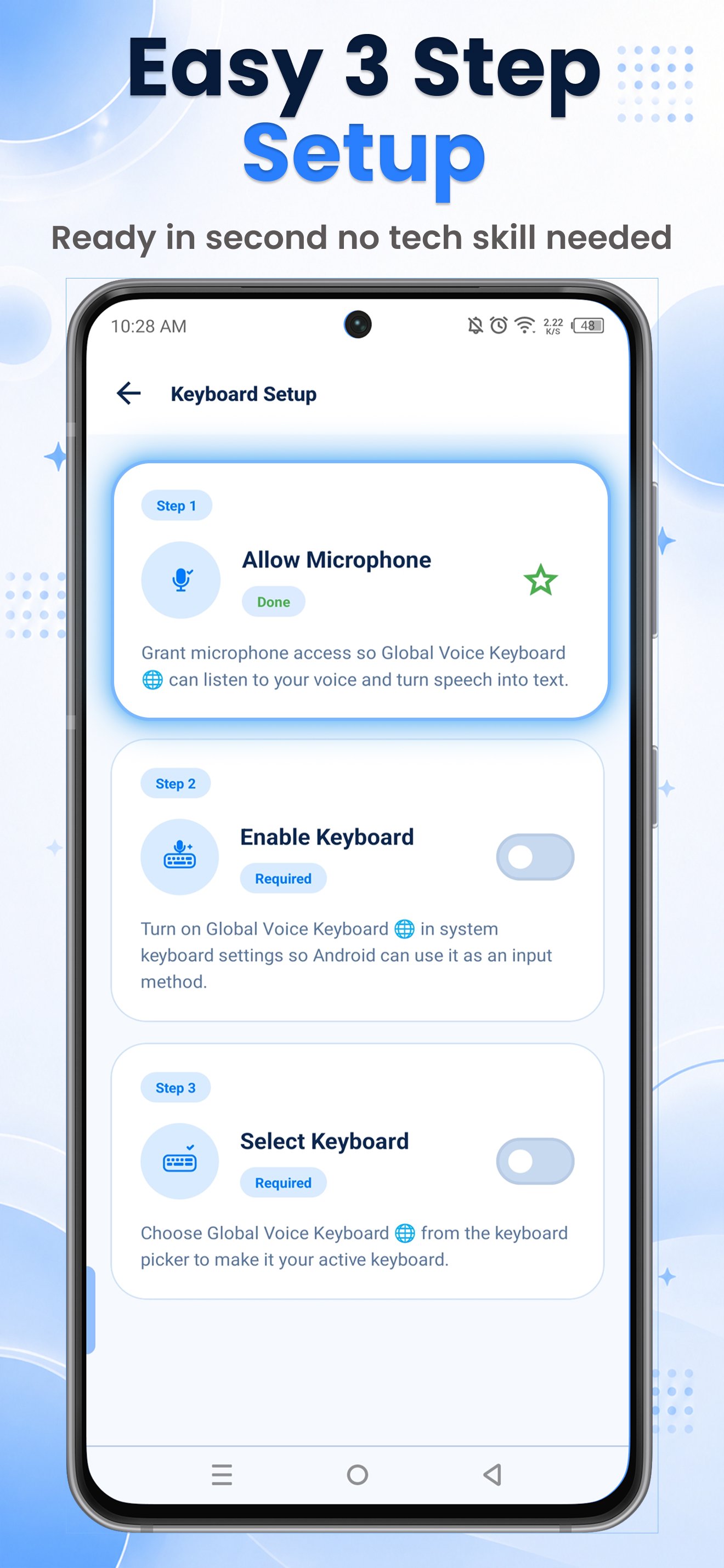
1. Enable Voice Typing Keyboard in your Settings.
2. Select it as your default keyboard.
3. Tap the microphone icon and start speaking!
Download Voice Typing Keyboard today and experience the ultimate combination of speed, style, and smart AI technology!
پیش نظارہ
ٹیگز
تعلیمپیداواری صلاحیتمعلومات
ڈویلپر
Learning Easy
تازہ ترین ورژن
2.3.0
آخری تازہ کاری
2026-05-20
قسم
تعلیم
پر دستیاب ہے۔
Google Play
مزید دکھائیں
پی سی پر گیم لوپ کے ساتھ Voice Typing Keyboard کیسے کھیلا جائے۔
1. آفیشل ویب سائٹ سے گیم لوپ ڈاؤن لوڈ کریں، پھر گیم لوپ انسٹال کرنے کے لیے exe فائل چلائیں۔
2. گیم لوپ کھولیں اور "Voice Typing Keyboard" تلاش کریں، تلاش کے نتائج میں Voice Typing Keyboard تلاش کریں اور "انسٹال کریں" پر کلک کریں۔
3. گیم لوپ پر Voice Typing Keyboard کھیلنے کا لطف اٹھائیں۔
Minimum requirements
OS
Windows 8.1 64-bit or Windows 10 64-bit
GPU
GTX 1050
CPU
i3-8300
Memory
8GB RAM
Storage
1GB available space
Recommended requirements
OS
Windows 8.1 64-bit or Windows 10 64-bit
GPU
GTX 1050
CPU
i3-9320
Memory
16GB RAM
Storage
1GB available space