
UE Online Campus PC
Datenlotsen Informationssysteme GmbH
گیم لوپ ایمولیٹر کے ساتھ PC پر UE Online Campus ڈاؤن لوڈ کریں۔
پی سی پر UE Online Campus
UE Online Campus، جو ڈویلپر Datenlotsen Informationssysteme GmbH سے آرہا ہے، ماضی میں اینڈرائیڈ سسٹم پر چل رہا ہے۔
اب، آپ پی سی پر UE Online Campus آسانی سے GameLoop کے ساتھ چلا سکتے ہیں۔
اسے GameLoop لائبریری یا تلاش کے نتائج میں ڈاؤن لوڈ کریں۔ مزید غلط وقت پر بیٹری یا مایوس کن کالوں پر نظر نہیں ڈالی جائے گی۔
بس بڑی سکرین پر UE Online Campus PC کا مفت میں لطف اٹھائیں!
UE Online Campus تعارف
UE Online Campus is the mobile application for the campus management software from Datenlotsen Informationssysteme GmbH at the University of Europe for Applied Sciences.
This app enables students and teachers at the University of Europe for Applied Sciences to use certain functions of CampusNet® easily and easily, even on the go. Have the grades from the last exam already been published? In which room will my colloquium take place today? Has the professor already provided the new exercise sheets? Students and teachers can now answer all of these questions on the go using their smartphone.
The app gives students direct, personalized access to information about their studies and teachers to their data in the area of teaching.
The app offers, among other things:
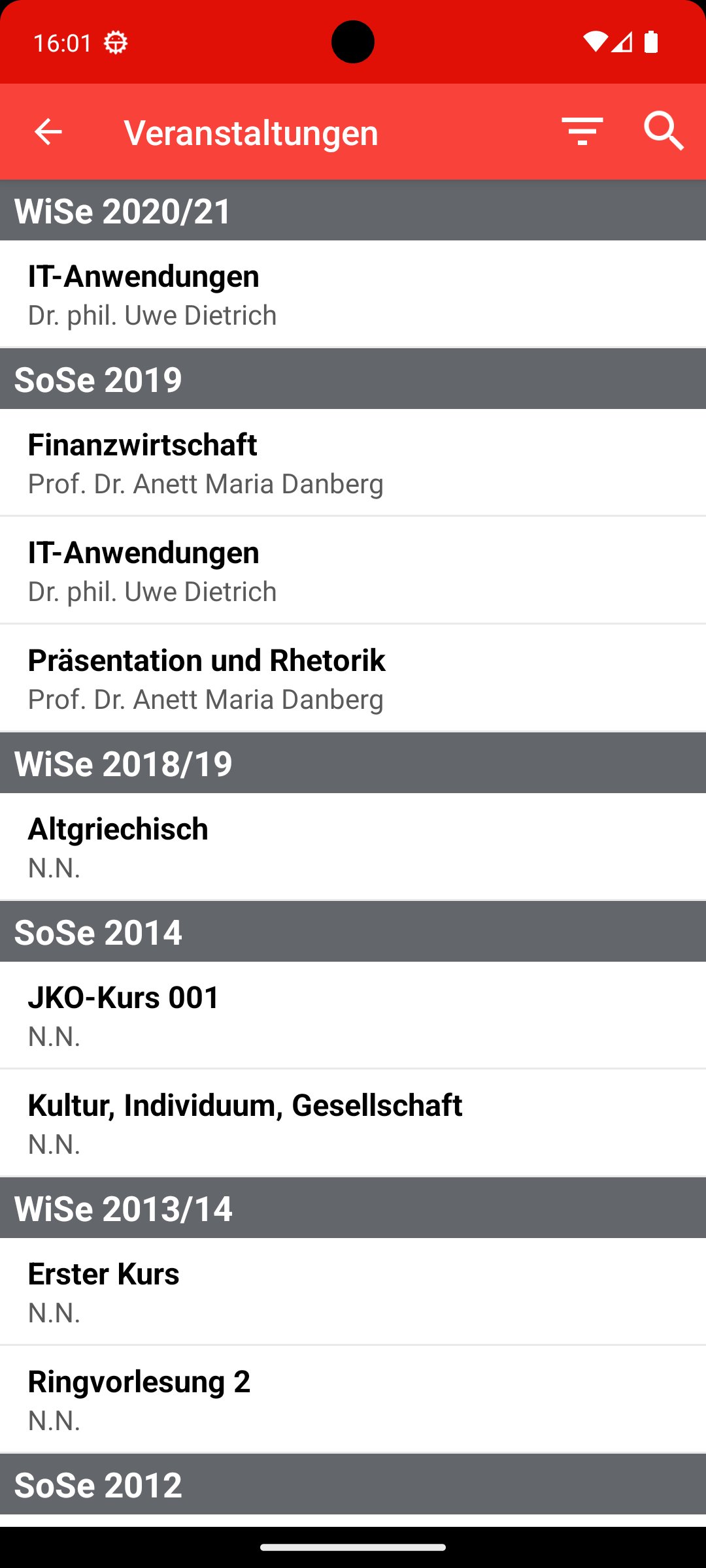
* Event overview
* View/download materials
* Exam list
* Receiving and sending messages
* Appointment calendar
پیش نظارہ

ٹیگز
تعلیممعلومات
ڈویلپر
Datenlotsen Informationssysteme GmbH
تازہ ترین ورژن
1.7.29
آخری تازہ کاری
2025-08-29
قسم
تعلیم
پر دستیاب ہے۔
Google Play
مزید دکھائیں
پی سی پر گیم لوپ کے ساتھ UE Online Campus کیسے کھیلا جائے۔
1. آفیشل ویب سائٹ سے گیم لوپ ڈاؤن لوڈ کریں، پھر گیم لوپ انسٹال کرنے کے لیے exe فائل چلائیں۔
2. گیم لوپ کھولیں اور "UE Online Campus" تلاش کریں، تلاش کے نتائج میں UE Online Campus تلاش کریں اور "انسٹال کریں" پر کلک کریں۔
3. گیم لوپ پر UE Online Campus کھیلنے کا لطف اٹھائیں۔
Minimum requirements
OS
Windows 8.1 64-bit or Windows 10 64-bit
GPU
GTX 1050
CPU
i3-8300
Memory
8GB RAM
Storage
1GB available space
Recommended requirements
OS
Windows 8.1 64-bit or Windows 10 64-bit
GPU
GTX 1050
CPU
i3-9320
Memory
16GB RAM
Storage
1GB available space