Apptive Practice PC
Ratna Sagar
گیم لوپ ایمولیٹر کے ساتھ PC پر Apptive Practice ڈاؤن لوڈ کریں۔
پی سی پر Apptive Practice
Apptive Practice، جو ڈویلپر Ratna Sagar سے آرہا ہے، ماضی میں اینڈرائیڈ سسٹم پر چل رہا ہے۔
اب، آپ پی سی پر Apptive Practice آسانی سے GameLoop کے ساتھ چلا سکتے ہیں۔
اسے GameLoop لائبریری یا تلاش کے نتائج میں ڈاؤن لوڈ کریں۔ مزید غلط وقت پر بیٹری یا مایوس کن کالوں پر نظر نہیں ڈالی جائے گی۔
بس بڑی سکرین پر Apptive Practice PC کا مفت میں لطف اٹھائیں!
Apptive Practice تعارف
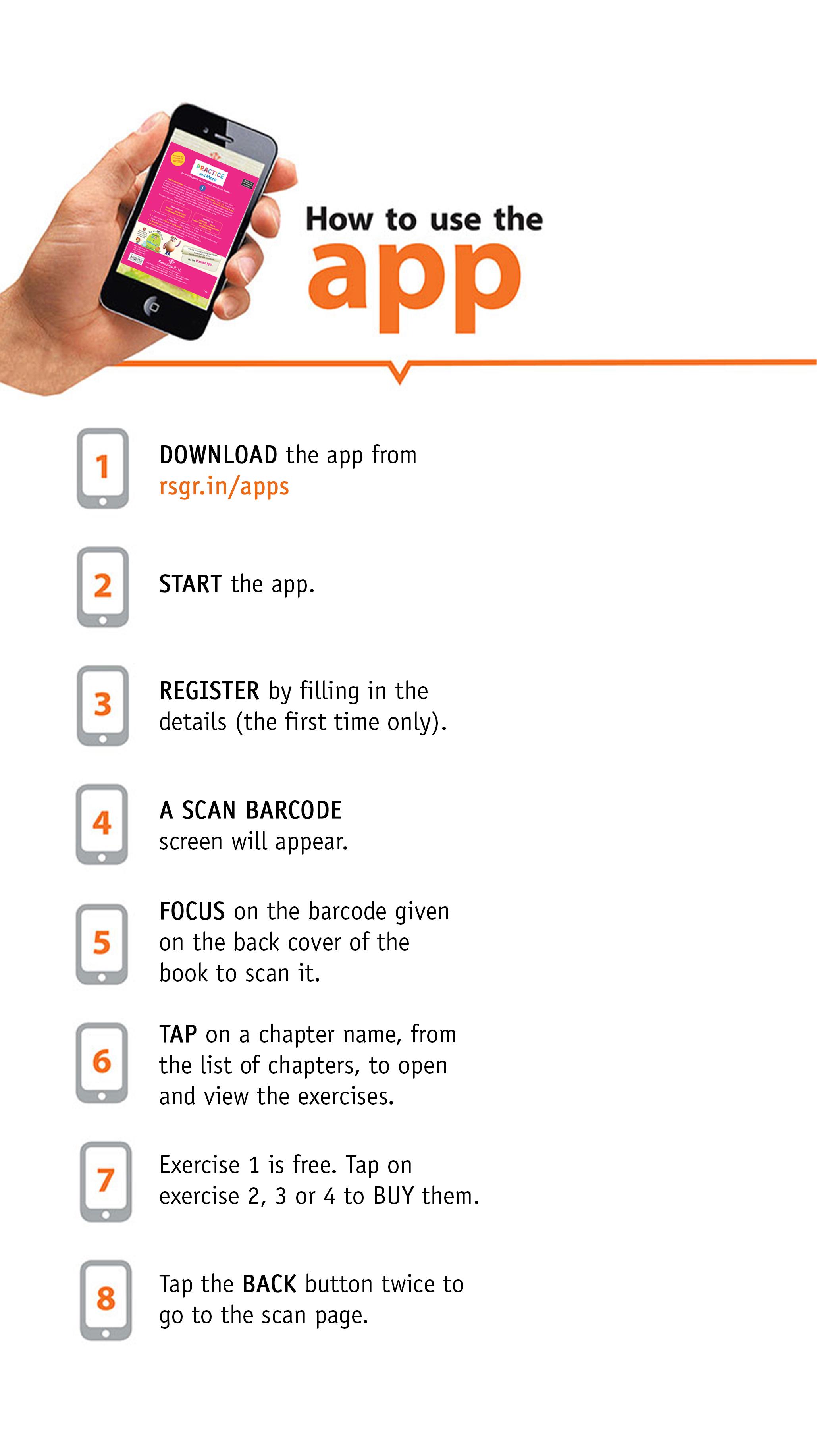
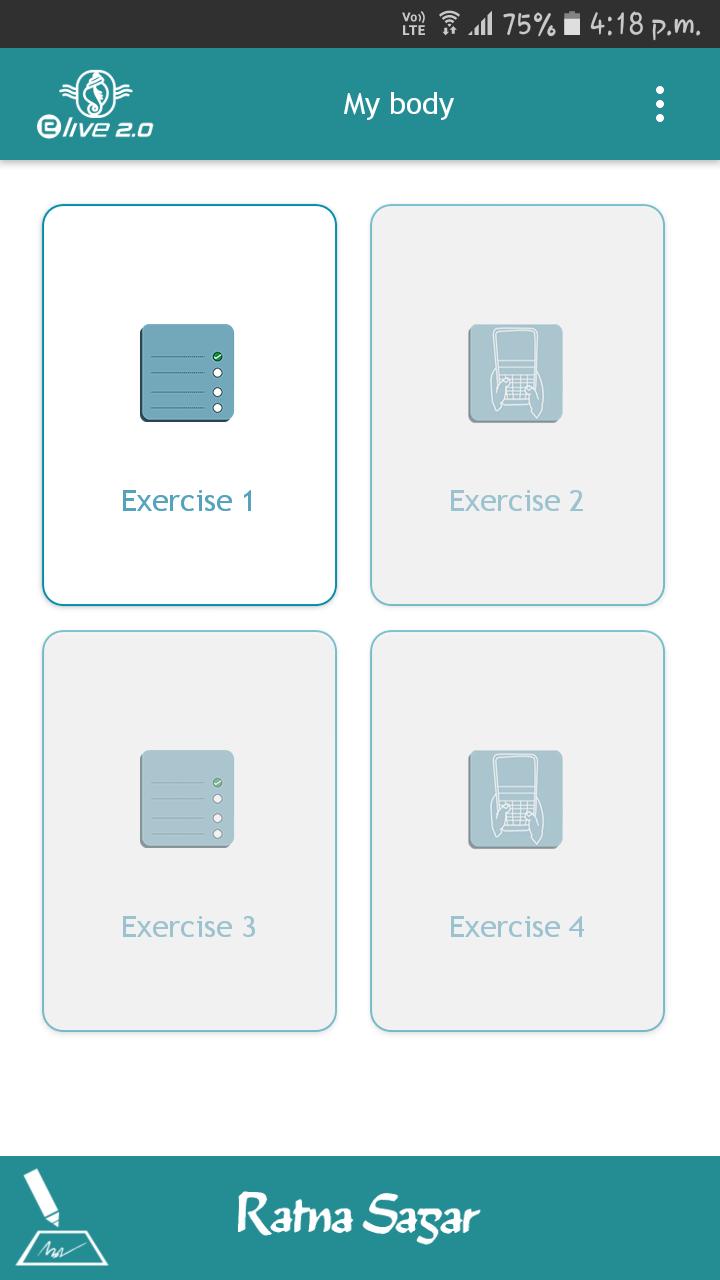
Ratna Sagar’s Practice App comprises a set of four exercises for each chapter. Each exercise consists of questions covering all the topics of the chapter. There are two types of Exercises: Click and choose and Typing. Exercises 1 and 3 are ‘click and choose’ exercises and Exercises 2 and 4 are ‘typing’ exercises. The first exercise is free of cost and accessible to all. However, Exercises 2, 3 and 4 are purchasable and include one ‘click and choose’ and two ‘typing’ exercises.
You get a feedback on attempting each question in Exercises 1 and 3. At the end of each exercise, you get to know your score as well as the correct and incorrect answers. On completion of the Exercises 2 and 4, you can view a list of correct and incorrect answers. This helps you assess your performance and know which chapters to focus on while revising.
Exercises include questions based on concepts taught in the book as well as composition and comprehension-based questions. In order to strengthen the concepts, you can attempt the exercises as many times as you please.
Use Ratna Sagar’s Apptive Practice App for an engaging and enriching experience.
List of series in the Practice App:
1. A Happy World (Grades 1-2)
2. New Grammar & More (Grades 1-8)
3. GK Magic (Grades 1-8)
4. Grammar Plus (Grades 1-8)
5. Around the World (Grades 6-8)
6. Living Science (According to the ICSE curriculum) – Physics, Chemistry, Biology (Grades 6-8)
7. Integrated Social Science – History, Geography, Social and Political Life (Grades 6-8)
8. Past and Present (Grades 6-8)
9. Right Click (Grades 1-8)
10. Rivers (Grades 1-5)
11. Splash (Grades 1-5)
12. Revised Social Science – History, Geography, Social and Political Life (Grades 6-8)
13. Yes We Can (Grades 1-8)
14. Rapid Fire (Grades 1-8)
15. Practice and More (Grades 1-5)
16. My Book of Integrated Learning (Grades 1-8)
Here is the link to help you see what the app has in store for you-
https://youtu.be/MNyd_0uMSPE
پیش نظارہ
ٹیگز
تعلیممعلومات
ڈویلپر
Ratna Sagar
تازہ ترین ورژن
3.1
آخری تازہ کاری
2023-07-27
قسم
تعلیم
پر دستیاب ہے۔
Google Play
مزید دکھائیں
پی سی پر گیم لوپ کے ساتھ Apptive Practice کیسے کھیلا جائے۔
1. آفیشل ویب سائٹ سے گیم لوپ ڈاؤن لوڈ کریں، پھر گیم لوپ انسٹال کرنے کے لیے exe فائل چلائیں۔
2. گیم لوپ کھولیں اور "Apptive Practice" تلاش کریں، تلاش کے نتائج میں Apptive Practice تلاش کریں اور "انسٹال کریں" پر کلک کریں۔
3. گیم لوپ پر Apptive Practice کھیلنے کا لطف اٹھائیں۔
Minimum requirements
OS
Windows 8.1 64-bit or Windows 10 64-bit
GPU
GTX 1050
CPU
i3-8300
Memory
8GB RAM
Storage
1GB available space
Recommended requirements
OS
Windows 8.1 64-bit or Windows 10 64-bit
GPU
GTX 1050
CPU
i3-9320
Memory
16GB RAM
Storage
1GB available space