
東進Listening PC
株式会社ナガセ(東進ハイスクール)
گیم لوپ ایمولیٹر کے ساتھ PC پر 東進Listening ڈاؤن لوڈ کریں۔
پی سی پر 東進Listening
東進Listening، جو ڈویلپر 株式会社ナガセ(東進ハイスクール) سے آرہا ہے، ماضی میں اینڈرائیڈ سسٹم پر چل رہا ہے۔
اب، آپ پی سی پر 東進Listening آسانی سے GameLoop کے ساتھ چلا سکتے ہیں۔
اسے GameLoop لائبریری یا تلاش کے نتائج میں ڈاؤن لوڈ کریں۔ مزید غلط وقت پر بیٹری یا مایوس کن کالوں پر نظر نہیں ڈالی جائے گی۔
بس بڑی سکرین پر 東進Listening PC کا مفت میں لطف اٹھائیں!
東進Listening تعارف
This app is Japan's first epoch-making listening training app newly developed by Toshin as a preparation for the English listening test.
Many students are worried about their English listening comprehension. To alleviate that anxiety and worries, Toshin has developed it as a training content that thoroughly trains English listening skills.
* This application is a dedicated application for those who applied for a course at Toshin. Please note that this service is not available to those who have not applied for the course at Toshin.
[Main functions of the app]
-Classify English sentences such as "illustration type" and "graph type" by genre. Intensive training for genres that you are not good at.
-The playback speed of English voice can be changed to "fast (CNN level)", "normal (common test level)", and "slow (Eiken level 3)".
-The text display can be switched according to the level, such as "No display", "Display only English", "Display both English and Japanese".
・ By highlighting in English, you can understand where you are reading aloud. It is also possible to repeatedly listen to the parts that are difficult to hear.
-The utterance / recording / playback function allows you to not only listen to the voice, but also to speak, record, and play back according to the voice read out for each sentence / phrase.
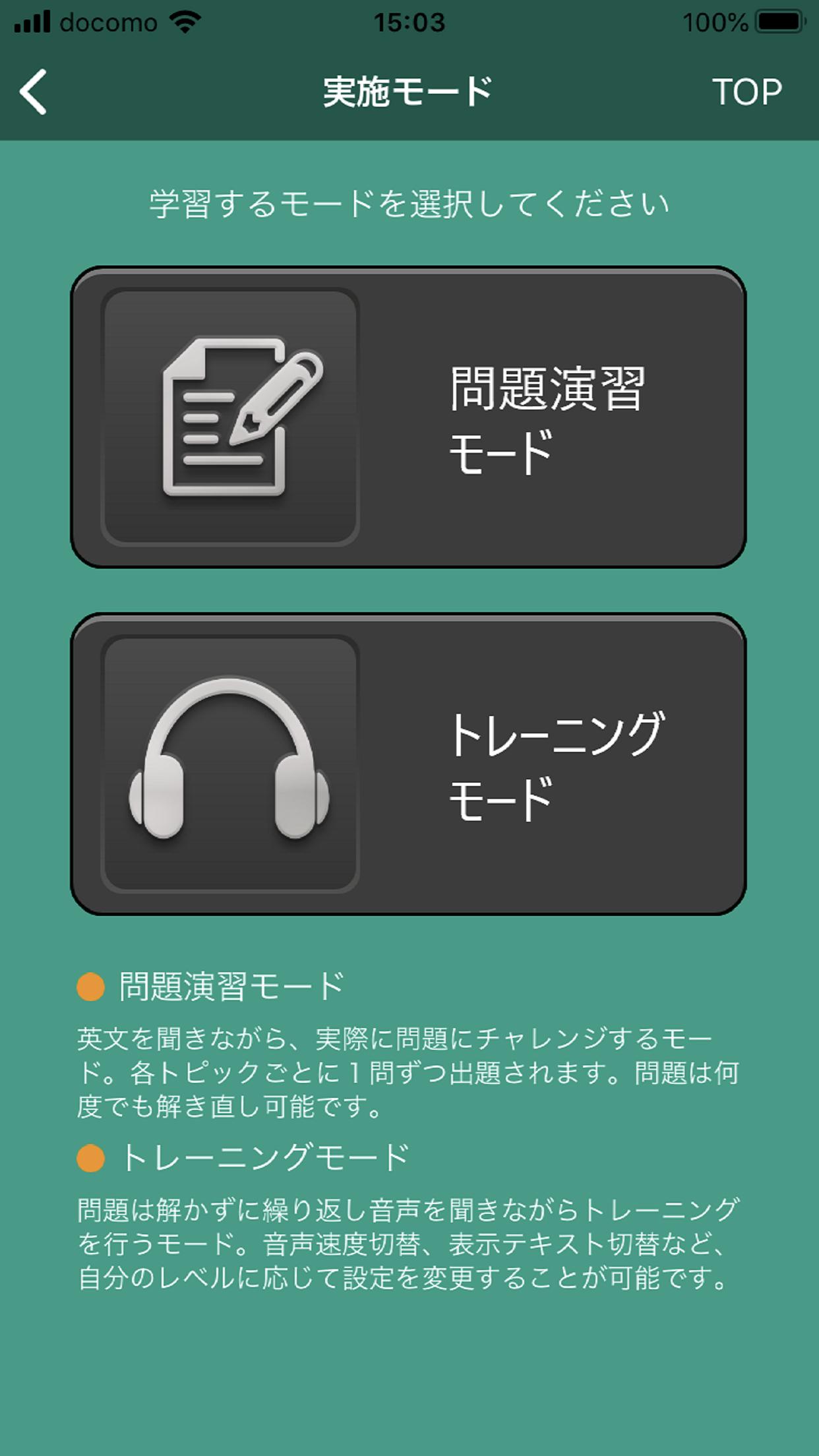
・ In the "question exercise mode", challenge the questions corresponding to each English sentence as in the actual performance.
پیش نظارہ

ٹیگز
تعلیممعلومات
ڈویلپر
株式会社ナガセ(東進ハイスクール)
تازہ ترین ورژن
0.0.25
آخری تازہ کاری
2024-03-21
قسم
تعلیم
پر دستیاب ہے۔
Google Play
مزید دکھائیں
پی سی پر گیم لوپ کے ساتھ 東進Listening کیسے کھیلا جائے۔
1. آفیشل ویب سائٹ سے گیم لوپ ڈاؤن لوڈ کریں، پھر گیم لوپ انسٹال کرنے کے لیے exe فائل چلائیں۔
2. گیم لوپ کھولیں اور "東進Listening" تلاش کریں، تلاش کے نتائج میں 東進Listening تلاش کریں اور "انسٹال کریں" پر کلک کریں۔
3. گیم لوپ پر 東進Listening کھیلنے کا لطف اٹھائیں۔
Minimum requirements
OS
Windows 8.1 64-bit or Windows 10 64-bit
GPU
GTX 1050
CPU
i3-8300
Memory
8GB RAM
Storage
1GB available space
Recommended requirements
OS
Windows 8.1 64-bit or Windows 10 64-bit
GPU
GTX 1050
CPU
i3-9320
Memory
16GB RAM
Storage
1GB available space