
Lenovoice PC
STARTUP 2
گیم لوپ ایمولیٹر کے ساتھ PC پر Lenovoice ڈاؤن لوڈ کریں۔
پی سی پر Lenovoice
Lenovoice، جو ڈویلپر STARTUP 2 سے آرہا ہے، ماضی میں اینڈرائیڈ سسٹم پر چل رہا ہے۔
اب، آپ پی سی پر Lenovoice آسانی سے GameLoop کے ساتھ چلا سکتے ہیں۔
اسے GameLoop لائبریری یا تلاش کے نتائج میں ڈاؤن لوڈ کریں۔ مزید غلط وقت پر بیٹری یا مایوس کن کالوں پر نظر نہیں ڈالی جائے گی۔
بس بڑی سکرین پر Lenovoice PC کا مفت میں لطف اٹھائیں!
Lenovoice تعارف
With its simple and intuitive user interface, Lenovoice is the solution to making high quality calls for a fraction of the cost. Utilizing the latest advances in VoIP technology, you can be ensured that all your communications are secure and affordable.
• Lenovoice is a SIP-based soft phone. You can call your friends and family from Lenovoice with lowest international call rates! And very good quality.
Features
• SIP-based Softphone with exceptional voice quality
• Works from Wi-Fi/3G/4G/GSM
• Support for DTMF
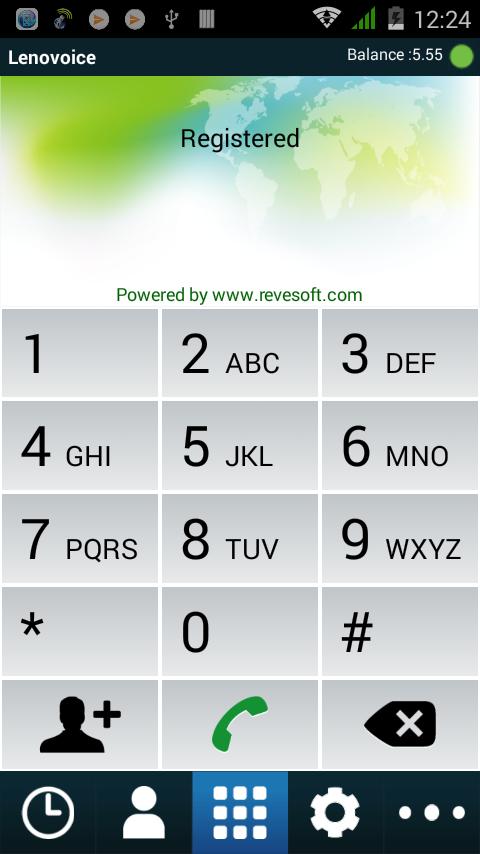
• Easy contact book, call history.
In addition to your cost savings, we offers:
• Secure and reliable communication
• Compatible with VOIP switches supporting standard SIP
• Unique anti-block solution
• Option to brand own dialer
• Advance Echo Cancellation
• Flexible integration with your phone book contacts
• Screen display for your call history, call timer and balance
پیش نظارہ
ٹیگز
مواصلاتمعلومات
ڈویلپر
STARTUP 2
تازہ ترین ورژن
4.1.3
آخری تازہ کاری
2020-11-03
قسم
مواصلات
پر دستیاب ہے۔
Google Play
مزید دکھائیں
پی سی پر گیم لوپ کے ساتھ Lenovoice کیسے کھیلا جائے۔
1. آفیشل ویب سائٹ سے گیم لوپ ڈاؤن لوڈ کریں، پھر گیم لوپ انسٹال کرنے کے لیے exe فائل چلائیں۔
2. گیم لوپ کھولیں اور "Lenovoice" تلاش کریں، تلاش کے نتائج میں Lenovoice تلاش کریں اور "انسٹال کریں" پر کلک کریں۔
3. گیم لوپ پر Lenovoice کھیلنے کا لطف اٹھائیں۔
Minimum requirements
OS
Windows 8.1 64-bit or Windows 10 64-bit
GPU
GTX 1050
CPU
i3-8300
Memory
8GB RAM
Storage
1GB available space
Recommended requirements
OS
Windows 8.1 64-bit or Windows 10 64-bit
GPU
GTX 1050
CPU
i3-9320
Memory
16GB RAM
Storage
1GB available space