
Easy Touch - HomeTouch & Assistive Touch PC
Audiophiles - Music Player
گیم لوپ ایمولیٹر کے ساتھ PC پر Easy Touch - HomeTouch & Assistive Touch ڈاؤن لوڈ کریں۔
پی سی پر Easy Touch - HomeTouch & Assistive Touch
Easy Touch - HomeTouch & Assistive Touch، جو ڈویلپر Audiophiles - Music Player سے آرہا ہے، ماضی میں اینڈرائیڈ سسٹم پر چل رہا ہے۔
اب، آپ پی سی پر Easy Touch - HomeTouch & Assistive Touch آسانی سے GameLoop کے ساتھ چلا سکتے ہیں۔
اسے GameLoop لائبریری یا تلاش کے نتائج میں ڈاؤن لوڈ کریں۔ مزید غلط وقت پر بیٹری یا مایوس کن کالوں پر نظر نہیں ڈالی جائے گی۔
بس بڑی سکرین پر Easy Touch - HomeTouch & Assistive Touch PC کا مفت میں لطف اٹھائیں!
Easy Touch - HomeTouch & Assistive Touch تعارف
🚀AssistiveTouch & HomeTouch & Easy Touch also allows you to perform tasks that would normally require you to press one of the device’s physical buttons such as going back to the ‘Home’ screen, quick open apps, contact , adjusting the volume or opening the multitasking window.
🚀AssistiveTouch & HomeTouch & Easy Touch helps you adapt your androis device if you have difficulty touching the screen or you use an adaptive device. You can perform gestures, such as pinches and multi-finger swipes using a single tap.
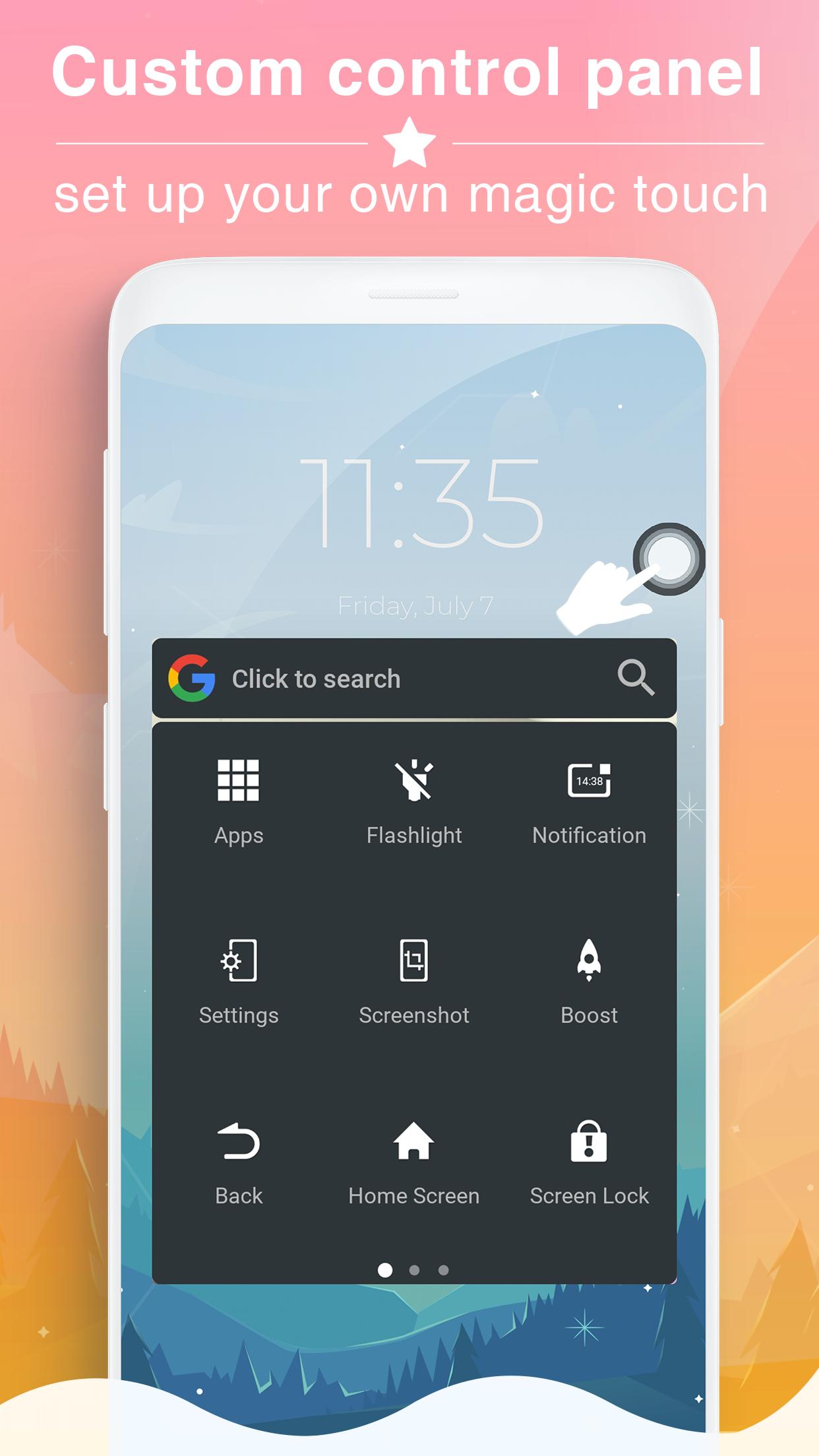
🚀When AssistiveTouch & HomeTouch is enabled, a small icon appears on the screen. You can position the icon anywhere around the outer edge of the screen. When the ‘AssistiveTouch & HomeTouch’ icon is tapped an overlay menu appears onscreen showing the actions that can be performed
🚀You can use Assistive Touch to find and adjust certain settings on your device like Volume, Rotate Screen, Lock Screen, and more. Tap the Assistive Touch menu and tap the setting you want to change. You can also use Assistive Touch, EasyTouch to access your Home screen. To access your Notifications, open the Assistive Touch menu and tap Notification Center. To get to the Control Center, open the AssistiveTouch & HomeTouch menu and tap Control Center. From here, you'll be able to do things like turn Bluetooth on and off, take photos, and more.
💡Highlight Features EasyTouch, Assistive Touch for Android:
★ Quick touch setting: Set your smartphone quick with your favorite options: on off wifi, Bluetooth, Location, on off Flashlight Bright, GPS, Volume up & down...
★ Virtual Home button: easy touch to lock screen and open recent task
★ Virtual Back button
★ Notification Center: Brings up Notification Center so you don't have to swipe top from the down.
★ Capture Screenshot: Take screenshots & create your own Screenshot style.
★ Quick access to all the apps: Access quickly to your favorite games, apps and settings with just one touch
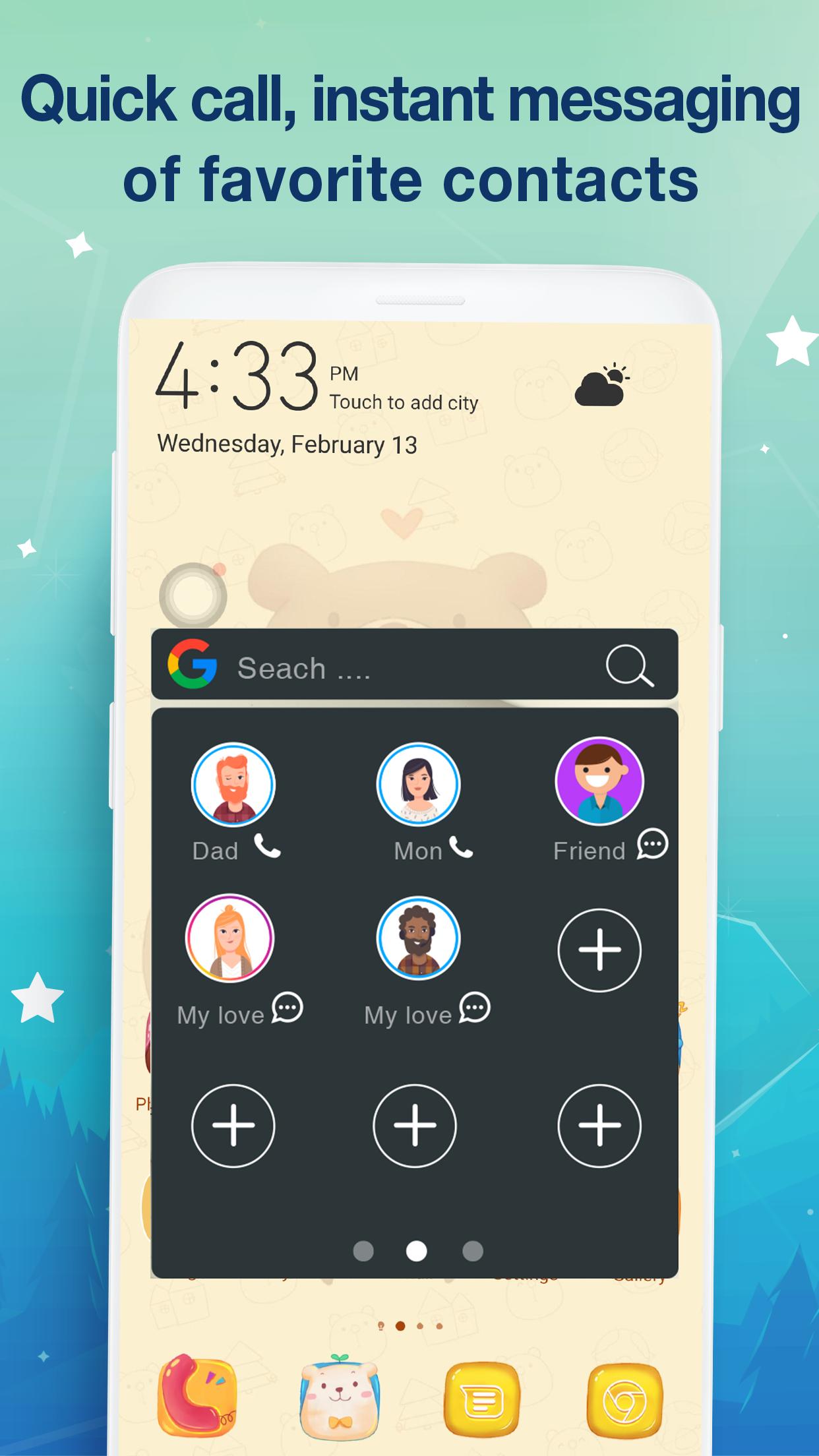
★ Quick access to all the contacts: Access quickly to your favorite contact and settings with just one touch
★ Small & Light: Fast download and installation & it doesn't take too much capacity
★ Customization: You can resize Touch, order the tabs easily and quickly
Permission
This app uses the Device Administrator permission.
- Permission android.permission.CAMERA to turn on Flashlight, not take a photo.
- Permission android.permission.BIND_DEVICE_ADMIN (only "force-lock"): only use for lock the screen function. App does not use the permission for any other purpose.
- Permission android.permission.BIND_NOTIFICATION_LISTENER_SERVICE: It is convenient to get update notifications.
- Permission android.permission.WRITE_SETTINGS: change system settings, create quick installation shortcuts, make it easy for users
- Permission android.permission.PACKAGE_USAGE_STATS: Keep the application running smoothly, restricting conflicts with other applications
- Permission android.permission.ACCESS_NOTIFICATION_POLICY: phone ring status (bell - vibrate - silence)
- We never publicly disclose any personal or sensitive user data related to financial or payment activities or any government identification numbers, photos and contacts, etc
پیش نظارہ
معلومات
ڈویلپر
Audiophiles - Music Player
تازہ ترین ورژن
1.2.0
آخری تازہ کاری
2019-02-17
قسم
مواصلات
پر دستیاب ہے۔
Google Play
مزید دکھائیں
پی سی پر گیم لوپ کے ساتھ Easy Touch - HomeTouch & Assistive Touch کیسے کھیلا جائے۔
1. آفیشل ویب سائٹ سے گیم لوپ ڈاؤن لوڈ کریں، پھر گیم لوپ انسٹال کرنے کے لیے exe فائل چلائیں۔
2. گیم لوپ کھولیں اور "Easy Touch - HomeTouch & Assistive Touch" تلاش کریں، تلاش کے نتائج میں Easy Touch - HomeTouch & Assistive Touch تلاش کریں اور "انسٹال کریں" پر کلک کریں۔
3. گیم لوپ پر Easy Touch - HomeTouch & Assistive Touch کھیلنے کا لطف اٹھائیں۔
Minimum requirements
OS
Windows 8.1 64-bit or Windows 10 64-bit
GPU
GTX 1050
CPU
i3-8300
Memory
8GB RAM
Storage
1GB available space
Recommended requirements
OS
Windows 8.1 64-bit or Windows 10 64-bit
GPU
GTX 1050
CPU
i3-9320
Memory
16GB RAM
Storage
1GB available space