Admin Hands: SSH & SFTP Client PC
ARPAPLUS
گیم لوپ ایمولیٹر کے ساتھ PC پر Admin Hands: SSH & SFTP Client ڈاؤن لوڈ کریں۔
پی سی پر Admin Hands: SSH & SFTP Client
Admin Hands: SSH & SFTP Client، جو ڈویلپر ARPAPLUS سے آرہا ہے، ماضی میں اینڈرائیڈ سسٹم پر چل رہا ہے۔
اب، آپ پی سی پر Admin Hands: SSH & SFTP Client آسانی سے GameLoop کے ساتھ چلا سکتے ہیں۔
اسے GameLoop لائبریری یا تلاش کے نتائج میں ڈاؤن لوڈ کریں۔ مزید غلط وقت پر بیٹری یا مایوس کن کالوں پر نظر نہیں ڈالی جائے گی۔
بس بڑی سکرین پر Admin Hands: SSH & SFTP Client PC کا مفت میں لطف اٹھائیں!
Admin Hands: SSH & SFTP Client تعارف
Admin Hands is an all-in-one SSH client, SFTP/FTP/FTPS client, terminal and powerful remote server administration toolkit for Android. Connect to Linux, Unix and Windows servers, manage remote files, run commands, monitor system resources and work with multiple hosts — all from one app.
Built for system administrators, developers, DevOps engineers and anyone who needs reliable remote server access on the go.
★ PORT FORWARDING, PROXIES & HOST CHAINS ★
• Local port forwarding with background mode
• SOCKS5, HTTP CONNECT and SSH proxy support
• SSH Jump Host / Bastion Host
• Connection Route (Host Chains) for multi-hop access
• Biometric App Lock
★ SSH CLIENT & TERMINAL ★
Connect to your servers and work from a full-featured mobile terminal.
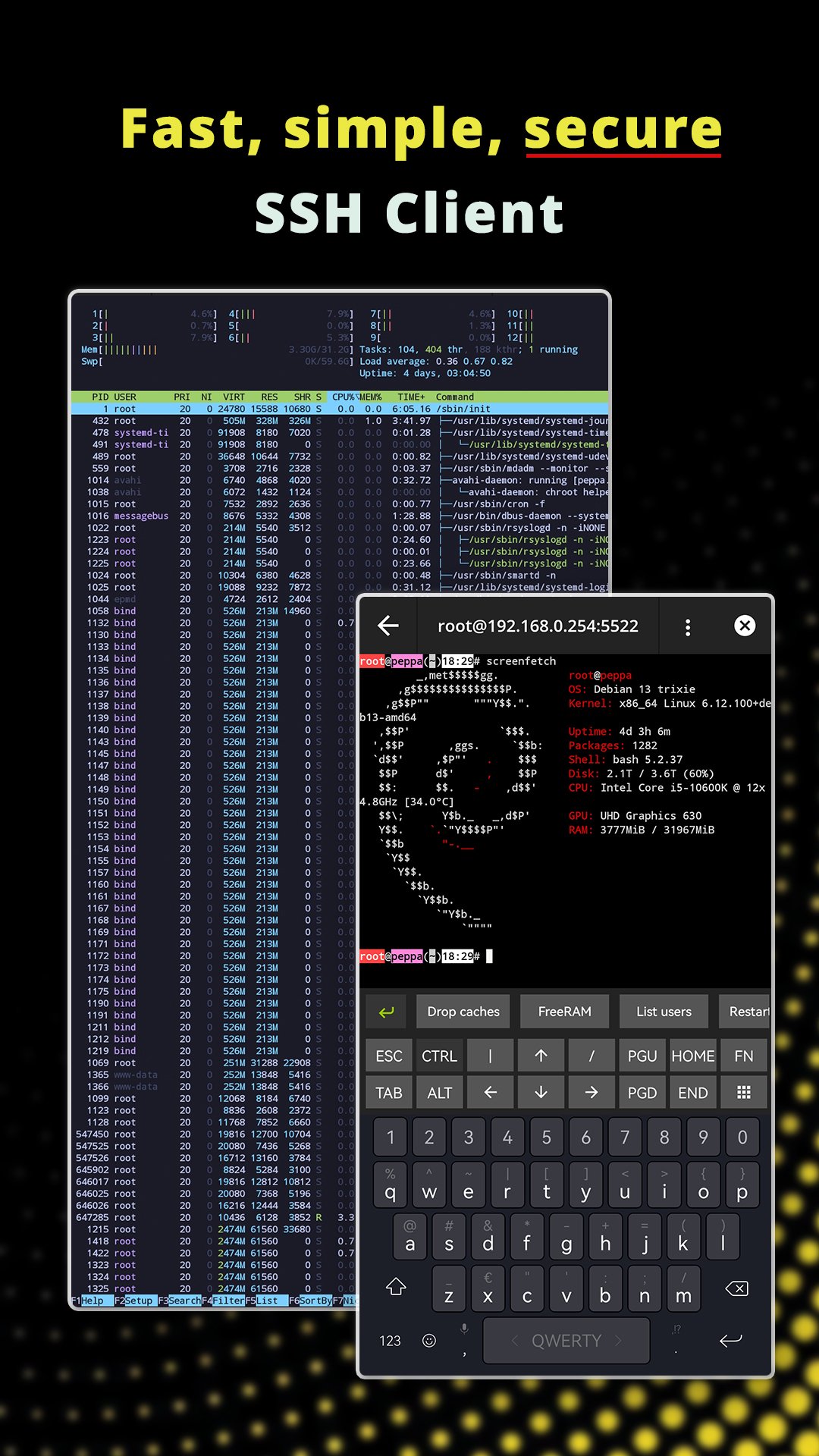
• SSH client with a color terminal
• Telnet support
• Multiple simultaneous SSH, SFTP, FTP and Telnet sessions
• Extra terminal keyboard with arrows, function keys and special characters
• Modern terminal color themes
• Session management and session duration tracking
• SSH Snippets for frequently used commands and scripts
★ SFTP, FTP & FTPS FILE MANAGER ★
Manage remote files directly from your Android device.
• SFTP client
• FTP client
• FTPS Explicit mode
• FTPS Implicit mode
• Upload and download files
• Navigate and manage remote directories
• Create empty files via FTP and SFTP
• Open and edit remote files
• Built-in text editor with syntax highlighting
• HTTP upload and download tools
★ SSH KEYS & AUTHENTICATION ★
Use passwords or SSH keys to securely access your servers. Admin Hands supports SSH key generation and multiple key types:
RSA, ED25519, ECDSA, DSA
Yes, even that old one DSA (connect to them ancient instances, buddy)!
Generate SSH keys directly on your device, securely store identities and reuse them across your server configurations.
★ SECURE PASSWORD GENERATOR ★
Create strong random passwords directly inside Admin Hands. The built-in secure password generator helps you create credentials without relying on external websites or services.
★ HOST & SERVER MANAGEMENT ★
Keep your infrastructure organized in one place.
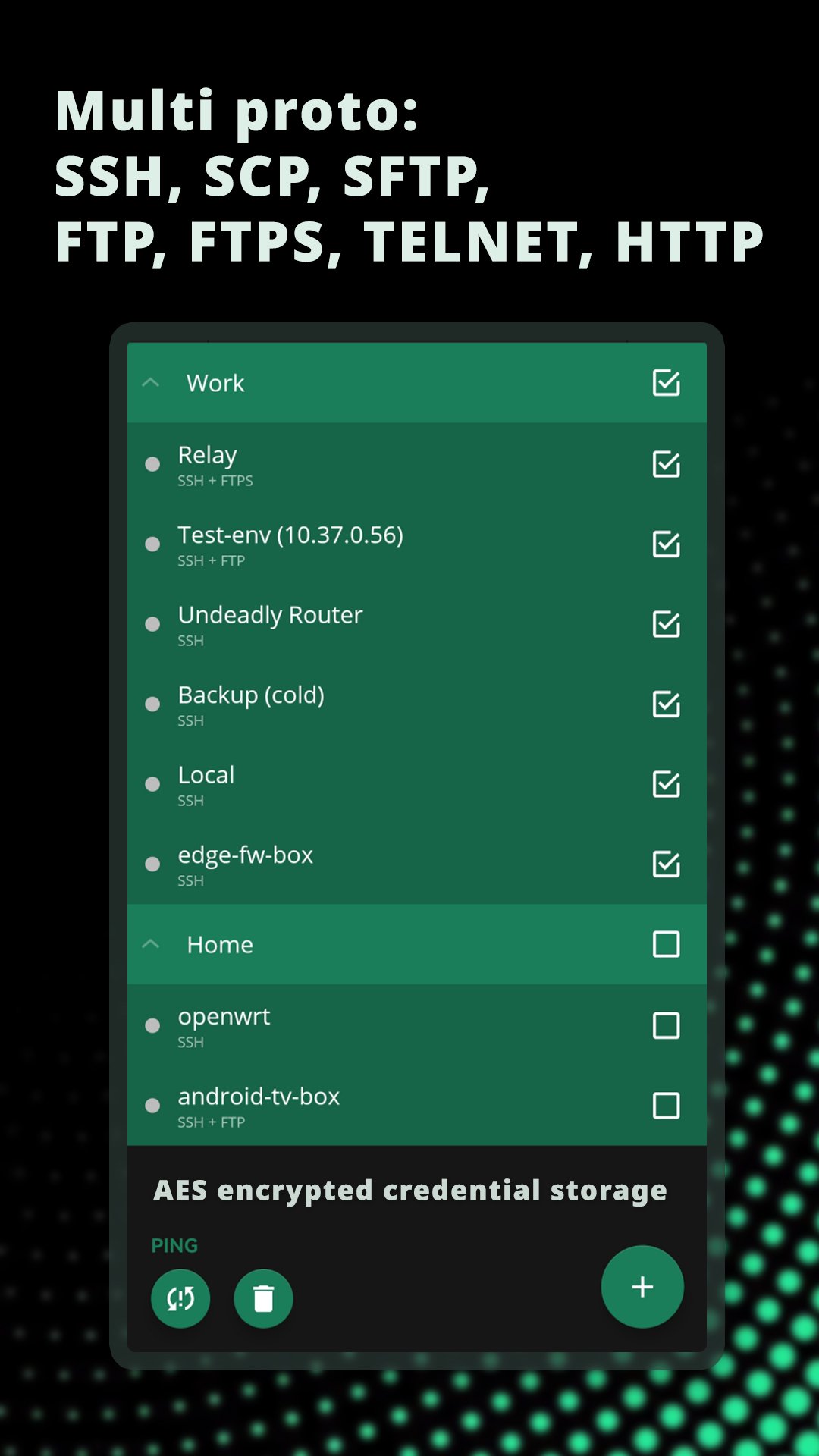
• Save and manage multiple servers
• Create server groups
• Create reusable user profiles
• Assign identities and credentials to hosts
• Copy and organize hosts
• Quickly switch between servers and active sessions
• Import and export server data
• Export host information in CSV, XML and HTML formats
★ BATCH OPERATIONS (ACTIONS) ★
Admin Hands can perform remote operations across multiple servers, saving time when administering larger infrastructures.
• Execute commands on multiple hosts
• Upload files to multiple servers
• Download files
• Batch ping hosts
★ SERVER MONITORING ★
Check important server statistics directly from your phone.
• CPU usage
• RAM usage
• Disk usage
• Network statistics
• Real-time system information over SSH
• Android home screen widget for server monitoring
★ SSH SNIPPETS ★
Save frequently used commands and scripts as Snippets, quickly insert them into your SSH terminal. Snippets are useful for service management, Docker commands, diagnostics, log inspection, deployment tasks, maintenance scripts and other commands you use regularly.
★ PRIVACY & SECURITY ★
Server credentials are sensitive, so Admin Hands is designed to keep them under your control.
• Credentials stored in the app are protected with AES-256 encryption
• No advertising
• No analytics
• No telemetry
• No third-party tracking SDKs
Admin Hands does not send your credentials or usage statistics to our servers and does not include advertising or analytics libraries that can collect your activity.
Your remote connections go to the servers and destinations you configure. You decide where your traffic goes.
پیش نظارہ
ٹیگز
مواصلاتمعلومات
ڈویلپر
ARPAPLUS
تازہ ترین ورژن
3.5
آخری تازہ کاری
2026-09-09
قسم
مواصلات
پر دستیاب ہے۔
Google Play
مزید دکھائیں
پی سی پر گیم لوپ کے ساتھ Admin Hands: SSH & SFTP Client کیسے کھیلا جائے۔
1. آفیشل ویب سائٹ سے گیم لوپ ڈاؤن لوڈ کریں، پھر گیم لوپ انسٹال کرنے کے لیے exe فائل چلائیں۔
2. گیم لوپ کھولیں اور "Admin Hands: SSH & SFTP Client" تلاش کریں، تلاش کے نتائج میں Admin Hands: SSH & SFTP Client تلاش کریں اور "انسٹال کریں" پر کلک کریں۔
3. گیم لوپ پر Admin Hands: SSH & SFTP Client کھیلنے کا لطف اٹھائیں۔
Minimum requirements
OS
Windows 8.1 64-bit or Windows 10 64-bit
GPU
GTX 1050
CPU
i3-8300
Memory
8GB RAM
Storage
1GB available space
Recommended requirements
OS
Windows 8.1 64-bit or Windows 10 64-bit
GPU
GTX 1050
CPU
i3-9320
Memory
16GB RAM
Storage
1GB available space