
Vemos - Venue Management PC
Vemos
گیم لوپ ایمولیٹر کے ساتھ PC پر Vemos - Venue Management ڈاؤن لوڈ کریں۔
پی سی پر Vemos - Venue Management
Vemos - Venue Management، جو ڈویلپر Vemos سے آرہا ہے، ماضی میں اینڈرائیڈ سسٹم پر چل رہا ہے۔
اب، آپ پی سی پر Vemos - Venue Management آسانی سے GameLoop کے ساتھ چلا سکتے ہیں۔
اسے GameLoop لائبریری یا تلاش کے نتائج میں ڈاؤن لوڈ کریں۔ مزید غلط وقت پر بیٹری یا مایوس کن کالوں پر نظر نہیں ڈالی جائے گی۔
بس بڑی سکرین پر Vemos - Venue Management PC کا مفت میں لطف اٹھائیں!
Vemos - Venue Management تعارف
Introducing a truly comprehensive solution to manage your entire venue. Built specifically for nightclubs, bars, and concert venues, you can easily handle every type of entrance for a smoother door. You also get access to in-depth guest profiles to better serve every guest with a personalized experience. It’s easy to get up and running - simply download the app and get started within minutes. Subscription plans start at $50/month, which includes a free two-week trial.
Sections in the app include:
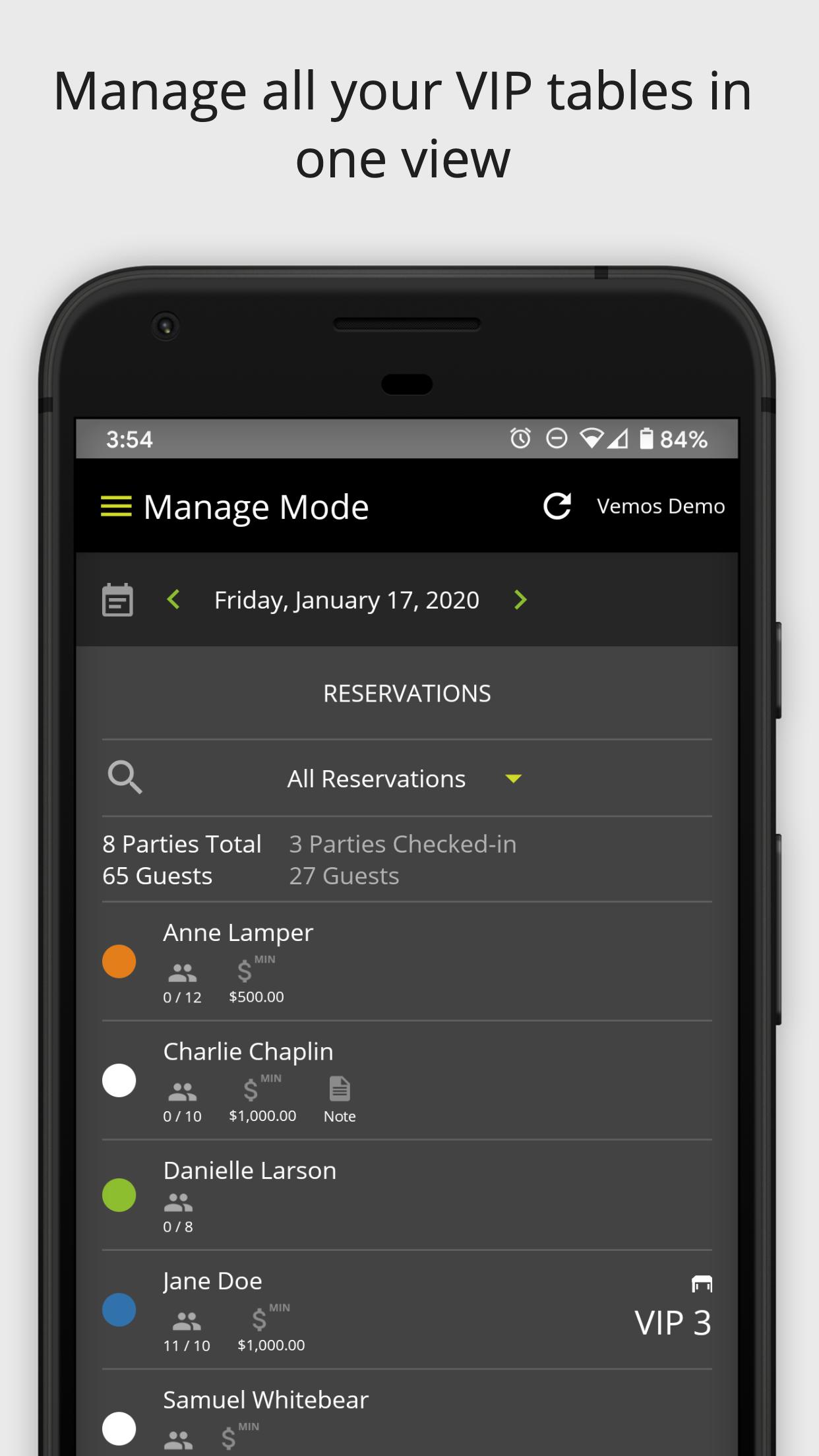
VIP Reservation Management
Upgrade your VIP. Easily manage all your tables in one view, allow staff to sell tables without texting, and even take table deposits to reduce no-shows. See full guest details to provide a personalized experience as soon as they arrive.
• Add new reservations
• Edit existing reservation parties
• Search for reservations
• Assign reservations to servers and tables
• Take table deposits
• See guest’s past reservations & spend history
• Track referrer of the reservation party
Guestlist Management
Never flip through another piece of paper again. Your guestlist is now digital and always up-to-date. Whether guests are added from promoters, ticket sales, your website, or staff, it all funnels instantly to one place, making check-in a breeze.
• Add new guestlist party
• Keep high-profile guests on an all-time guest list for no hassle
• Edit existing guestlist party
• Search and swipe guests as arrived for easy check-in
• Scan QR code as a mobile ticket scanner for fast check-in
• Accept cover charge payments at the door
• Automate cover pricing schedule by date and time
• Track referrer of the guestlist party
General Admission Cover Charge Management
True accountability at your door. Collect cover payment from general admission guests, know who’s getting in for free or at a discount, and track which promoters are bringing them in for easy payouts.
• Track number of guys and girls for a given night
• Accept cover charge payments at the door
• Manage and track general admission promotions
• Automate cover pricing schedule by date and time
• Attach a promoter to a walk-up party for easy payouts
Cover Charge Payments with Cashier Mode
Your door will never run smoother. Easily toggle between Reservations, General Admission and Gueslist screens to accommodate every guest. You can even accept payment for both a guestlist party and walk-up guests in the same transaction.
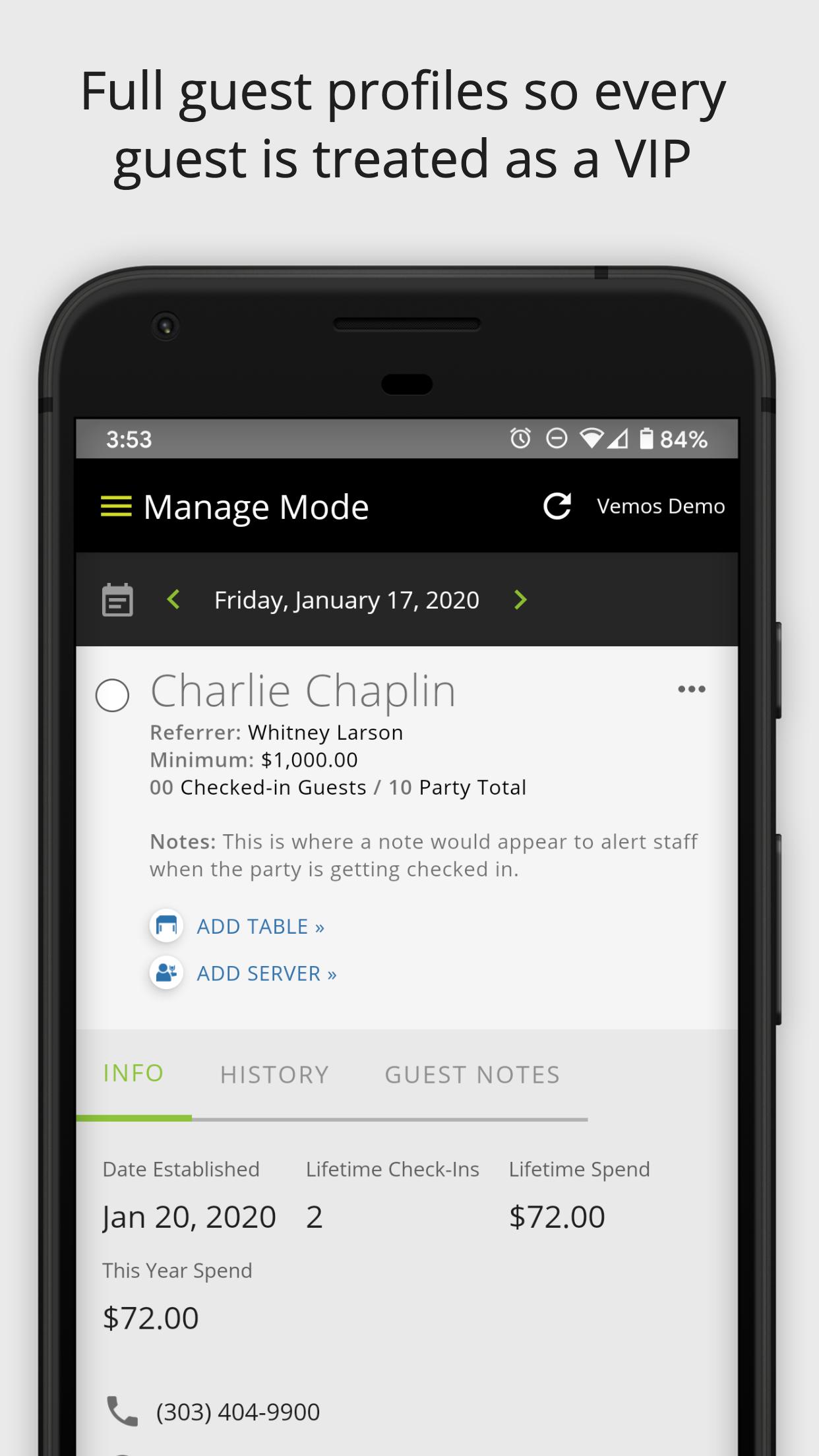
Guest Profiles
All your guest details in your pocket. See each guest’s unique profile from their last visit to what they’ve spent at your venue. Read notes from your staff, and see how to connect with them all at your fingertips.
• Contact information
• Date established at your venue
• Number of lifetime visits to your venue
• Lifetime spend at your venue
• This year’s spend at your venue
• Past party sizes while at your venue
• Staff notes about the guest
Deep Insights
Get insight only Vemos can give you. This app is designed to work alongside Vemos - ID Scan app for even richer guest profiles. Connect your POS to track individual guest spend to unlock insights about every guest that walks through your door. Other systems only track your VIP guests. With Vemos, you get insight on all your guests so you can make smart decisions that drive profitability.
پیش نظارہ
ٹیگز
کاروبارمعلومات
ڈویلپر
Vemos
تازہ ترین ورژن
5.0.5
آخری تازہ کاری
2023-07-30
قسم
کاروبار
پر دستیاب ہے۔
Google Play
مزید دکھائیں
پی سی پر گیم لوپ کے ساتھ Vemos - Venue Management کیسے کھیلا جائے۔
1. آفیشل ویب سائٹ سے گیم لوپ ڈاؤن لوڈ کریں، پھر گیم لوپ انسٹال کرنے کے لیے exe فائل چلائیں۔
2. گیم لوپ کھولیں اور "Vemos - Venue Management" تلاش کریں، تلاش کے نتائج میں Vemos - Venue Management تلاش کریں اور "انسٹال کریں" پر کلک کریں۔
3. گیم لوپ پر Vemos - Venue Management کھیلنے کا لطف اٹھائیں۔
Minimum requirements
OS
Windows 8.1 64-bit or Windows 10 64-bit
GPU
GTX 1050
CPU
i3-8300
Memory
8GB RAM
Storage
1GB available space
Recommended requirements
OS
Windows 8.1 64-bit or Windows 10 64-bit
GPU
GTX 1050
CPU
i3-9320
Memory
16GB RAM
Storage
1GB available space