
USANA Hub PC
USANA Health Sciences
گیم لوپ ایمولیٹر کے ساتھ PC پر USANA Hub ڈاؤن لوڈ کریں۔
پی سی پر USANA Hub
USANA Hub، جو ڈویلپر USANA Health Sciences سے آرہا ہے، ماضی میں اینڈرائیڈ سسٹم پر چل رہا ہے۔
اب، آپ پی سی پر USANA Hub آسانی سے GameLoop کے ساتھ چلا سکتے ہیں۔
اسے GameLoop لائبریری یا تلاش کے نتائج میں ڈاؤن لوڈ کریں۔ مزید غلط وقت پر بیٹری یا مایوس کن کالوں پر نظر نہیں ڈالی جائے گی۔
بس بڑی سکرین پر USANA Hub PC کا مفت میں لطف اٹھائیں!
USANA Hub تعارف
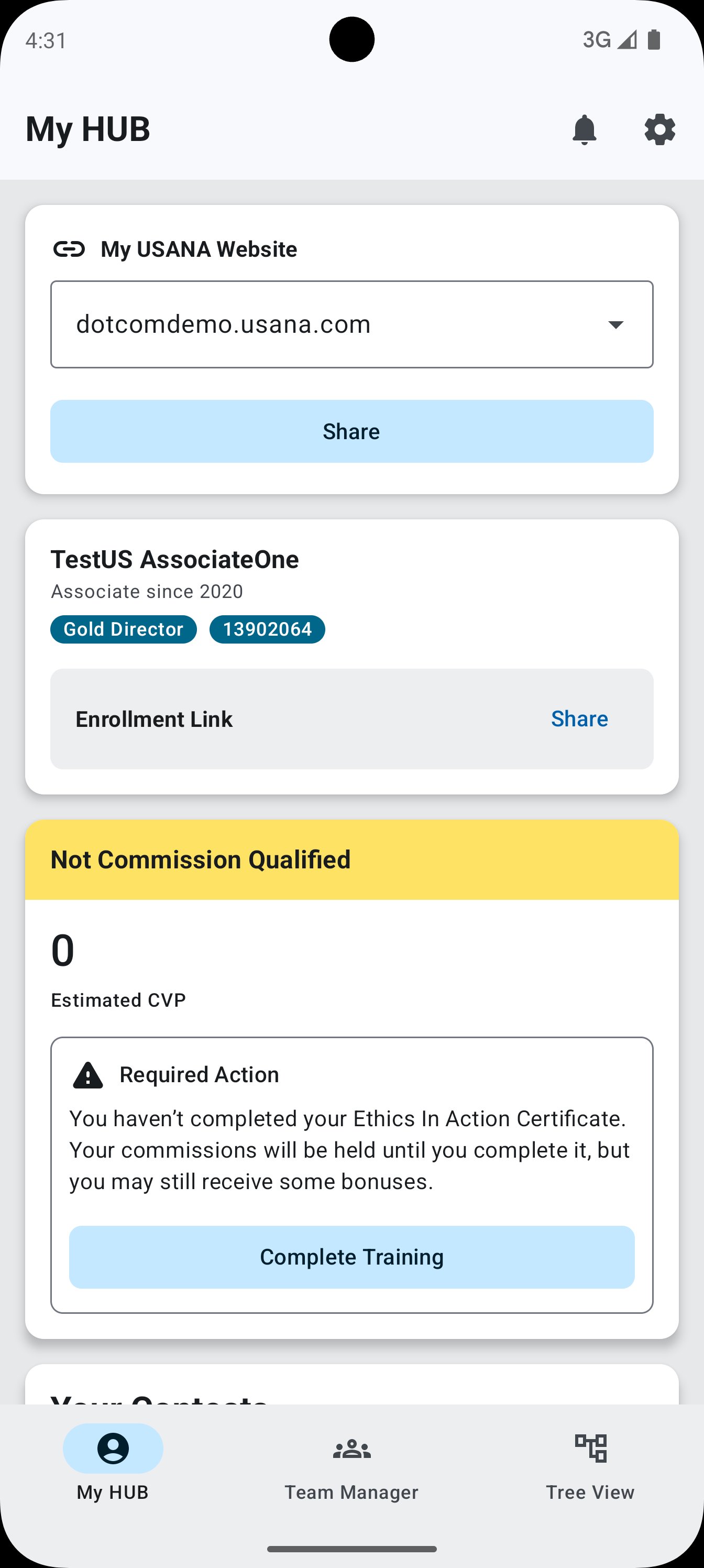
The USANA Hub Mobile App is the essential tool for USANA Distributors who want to manage their business on the go. With a professional, intuitive design and powerful insights at your fingertips, it’s easier than ever to track performance, follow up with customers, and grow your business.
What’s Inside:
• Real-time commission tracking
• Smart follow-up suggestions to boost your earnings
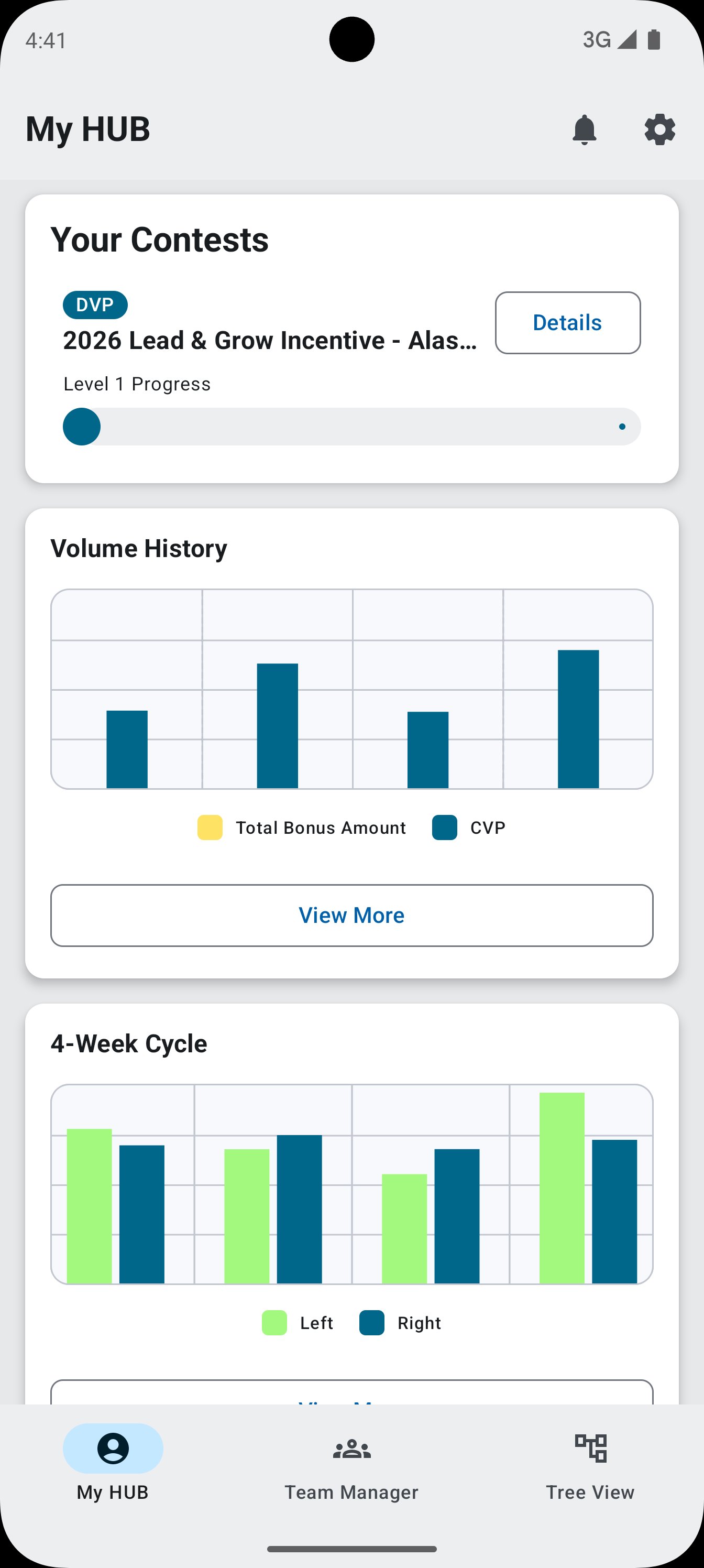
• Visual dashboards for incentive trips and Pacesetter goals
• All-new reports, charts, and graphs—easier to understand than ever
• Fan-favorite Tree View to help you visualize and manage your team
Whether you’re checking progress, planning your next step, or staying connected to your team, the USANA Hub App keeps your business moving—anytime, anywhere.
Ready to grow? Download the USANA Hub App today and take your business to the next level.
پیش نظارہ
ٹیگز
کاروبارمعلومات
ڈویلپر
USANA Health Sciences
تازہ ترین ورژن
25.11.19
آخری تازہ کاری
2025-11-19
قسم
کاروبار
پر دستیاب ہے۔
Google Play
مزید دکھائیں
پی سی پر گیم لوپ کے ساتھ USANA Hub کیسے کھیلا جائے۔
1. آفیشل ویب سائٹ سے گیم لوپ ڈاؤن لوڈ کریں، پھر گیم لوپ انسٹال کرنے کے لیے exe فائل چلائیں۔
2. گیم لوپ کھولیں اور "USANA Hub" تلاش کریں، تلاش کے نتائج میں USANA Hub تلاش کریں اور "انسٹال کریں" پر کلک کریں۔
3. گیم لوپ پر USANA Hub کھیلنے کا لطف اٹھائیں۔
Minimum requirements
OS
Windows 8.1 64-bit or Windows 10 64-bit
GPU
GTX 1050
CPU
i3-8300
Memory
8GB RAM
Storage
1GB available space
Recommended requirements
OS
Windows 8.1 64-bit or Windows 10 64-bit
GPU
GTX 1050
CPU
i3-9320
Memory
16GB RAM
Storage
1GB available space