
Nexchar POS : Sales & Billing PC
Nexchar Tech
گیم لوپ ایمولیٹر کے ساتھ PC پر Nexchar POS : Sales & Billing ڈاؤن لوڈ کریں۔
پی سی پر Nexchar POS : Sales & Billing
Nexchar POS : Sales & Billing، جو ڈویلپر Nexchar Tech سے آرہا ہے، ماضی میں اینڈرائیڈ سسٹم پر چل رہا ہے۔
اب، آپ پی سی پر Nexchar POS : Sales & Billing آسانی سے GameLoop کے ساتھ چلا سکتے ہیں۔
اسے GameLoop لائبریری یا تلاش کے نتائج میں ڈاؤن لوڈ کریں۔ مزید غلط وقت پر بیٹری یا مایوس کن کالوں پر نظر نہیں ڈالی جائے گی۔
بس بڑی سکرین پر Nexchar POS : Sales & Billing PC کا مفت میں لطف اٹھائیں!
Nexchar POS : Sales & Billing تعارف
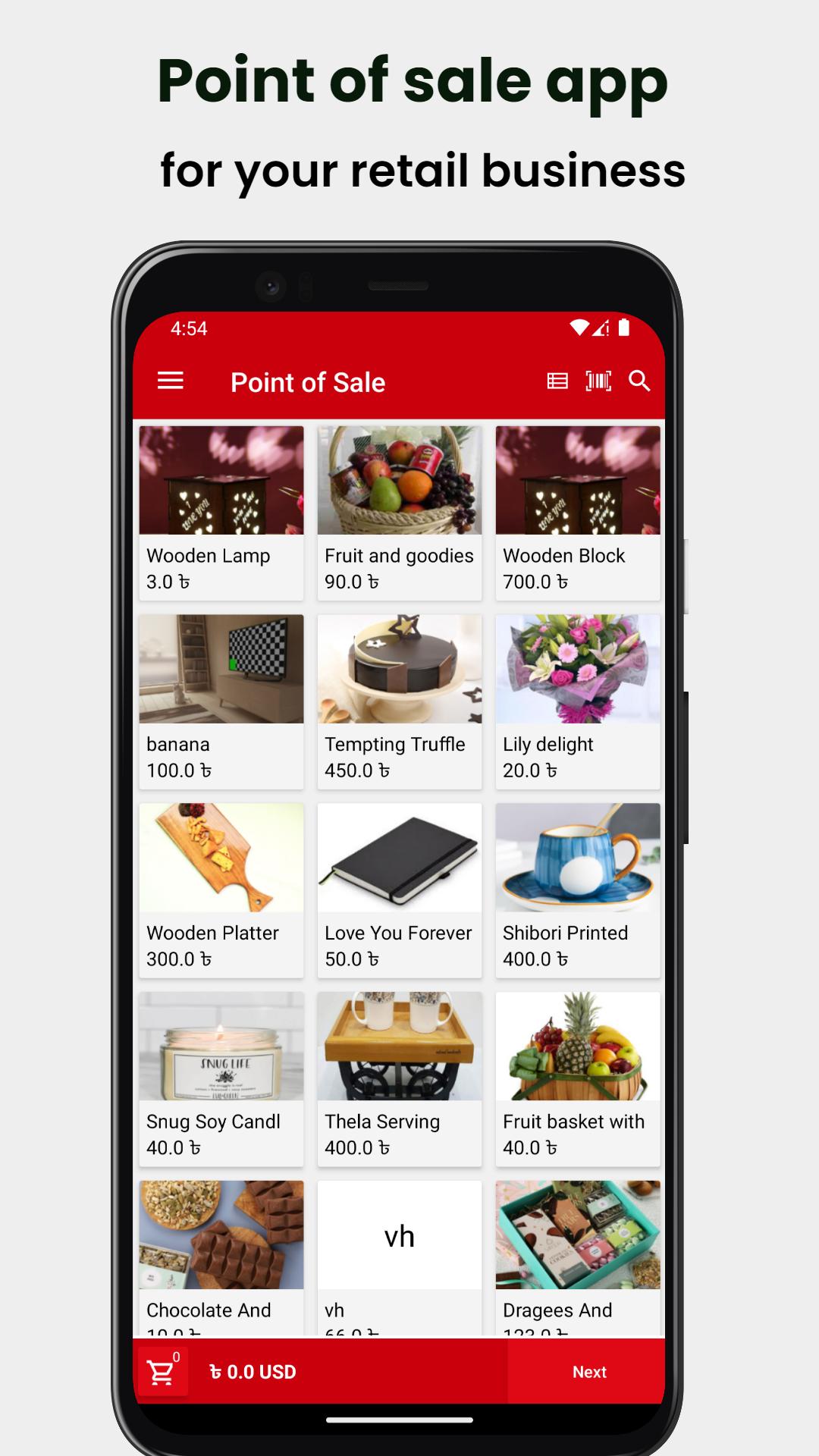
Nexchar POS is the free POS (point of sale) software perfect for your retail store, cafe & restaurant, bakery, food truck, pharmacy, grocery, clothing store, salon, spa, and more.
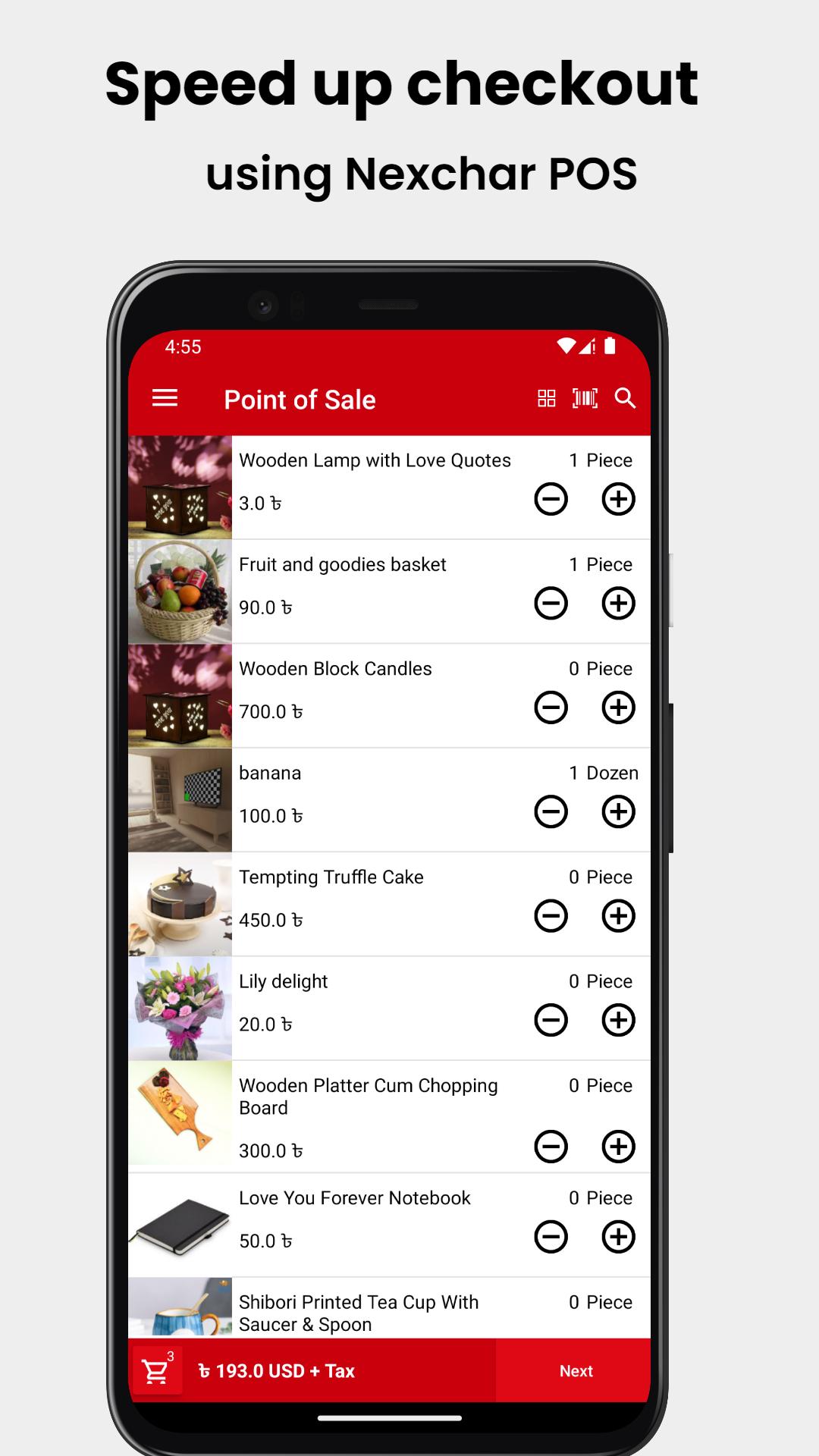
Transform your smartphone into a reliable point-of-sale system (a cash register), manage sales, inventory, and employees easily, and run your business smoothly.
The powerful back-office web-based system allows you to manage the entire business operation online.
Use the Nexchar POS point of sale system instead of a cash register to track sales and inventory in real-time, manage employees and stores, engage customers, and increase your revenue.
Whether you have a single business or multiple businesses, online or offline, you can manage and track them wherever you are.
Mobile POS System
- Sell from a smartphone
- Issue printed or electronic receipts
- Support 80mm and 57mm POS printer
- Accept multiple payment methods
- Apply discounts and issue refunds
- Track cash movements
- Scan barcodes with the built-in camera
- Keep recording sales even while offline
- Connect a receipt printer, barcode scanner, and cash drawer
Inventory Management
- Track inventory in real time
- Set stock levels and receive automatic low stock alerts
- Bulk import and export inventory from/to a CSV file
- Manage items that have different sizes, colors, and other options
- Raise Purchase Orders and accept Goods Received based on PO
- View/ adjust stock levels through Stock Adjustments. Rectify difference.
Sales Analytics
- View profit loss statement real time.
- Determine best-selling items and categories
- View complete sales history
- Browse reports on payment types, modifiers, discounts and taxes
- Export sales data to the csv
CRM and Customer Loyalty Program
- Build a customer base
- Keep track of customer data, purchase history, and feedback
- Run loyalty program to reward customers for their recurring purchases.
- Instantly identify customers during a sale by scanning loyalty card barcodes.
- Print customer address on receipt.
Online Selling:
- Create your own store website or create direct checkout link and start selling online
- Get instant order notification.
- Manage your delivery status
Check out all our plans (Free, Start-up, Standard, and Essential) and see which one is best for your store.
Sign in to the Nexchar back office, then set up your store and products and add the suitable features. You can easily view the real-time dashboard report, which comes up with powerful analytics that will help you improve your business.
پیش نظارہ
ٹیگز
کاروبارمعلومات
ڈویلپر
Nexchar Tech
تازہ ترین ورژن
2.5.1
آخری تازہ کاری
2025-10-01
قسم
کاروبار
پر دستیاب ہے۔
Google Play
مزید دکھائیں
پی سی پر گیم لوپ کے ساتھ Nexchar POS : Sales & Billing کیسے کھیلا جائے۔
1. آفیشل ویب سائٹ سے گیم لوپ ڈاؤن لوڈ کریں، پھر گیم لوپ انسٹال کرنے کے لیے exe فائل چلائیں۔
2. گیم لوپ کھولیں اور "Nexchar POS : Sales & Billing" تلاش کریں، تلاش کے نتائج میں Nexchar POS : Sales & Billing تلاش کریں اور "انسٹال کریں" پر کلک کریں۔
3. گیم لوپ پر Nexchar POS : Sales & Billing کھیلنے کا لطف اٹھائیں۔
Minimum requirements
OS
Windows 8.1 64-bit or Windows 10 64-bit
GPU
GTX 1050
CPU
i3-8300
Memory
8GB RAM
Storage
1GB available space
Recommended requirements
OS
Windows 8.1 64-bit or Windows 10 64-bit
GPU
GTX 1050
CPU
i3-9320
Memory
16GB RAM
Storage
1GB available space