
Logitech ConferenceCam Soft Remote PC
Logitech Europe S.A.
گیم لوپ ایمولیٹر کے ساتھ PC پر Logitech ConferenceCam Soft Remote ڈاؤن لوڈ کریں۔
پی سی پر Logitech ConferenceCam Soft Remote
Logitech ConferenceCam Soft Remote، جو ڈویلپر Logitech Europe S.A. سے آرہا ہے، ماضی میں اینڈرائیڈ سسٹم پر چل رہا ہے۔
اب، آپ پی سی پر Logitech ConferenceCam Soft Remote آسانی سے GameLoop کے ساتھ چلا سکتے ہیں۔
اسے GameLoop لائبریری یا تلاش کے نتائج میں ڈاؤن لوڈ کریں۔ مزید غلط وقت پر بیٹری یا مایوس کن کالوں پر نظر نہیں ڈالی جائے گی۔
بس بڑی سکرین پر Logitech ConferenceCam Soft Remote PC کا مفت میں لطف اٹھائیں!
Logitech ConferenceCam Soft Remote تعارف
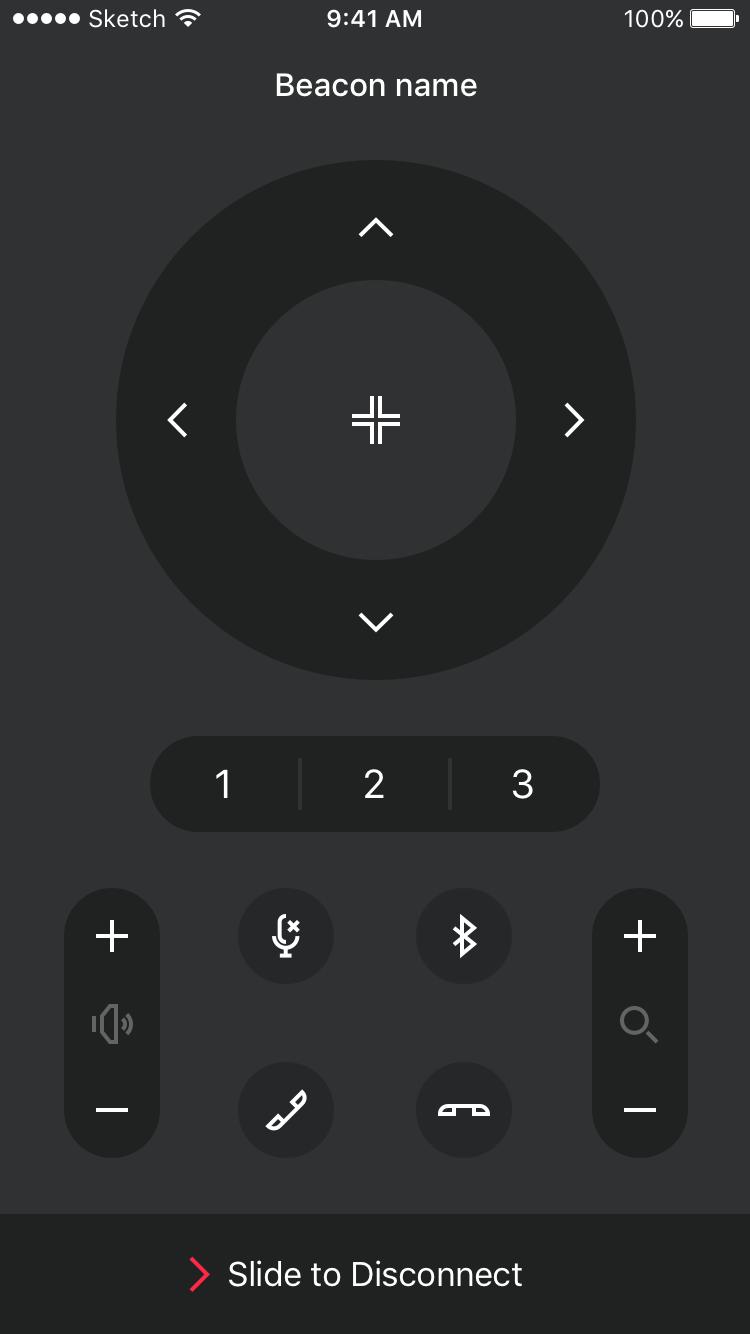
Control your Logitech ConferenceCam from a smartphone or tablet.
The ConferenceCam Soft Remote provides all the control of a physical remote with the versatility of a touchscreen interface. Users have the flexibility to install this app on a touchscreen interface dedicated to the meeting room or to download the app to their mobile device. Now everyone can have a ConferenceCam remote in their pocket!
This app is the perfect replacement if your physical ConferenceCam remote if it is ever lost or if your organization does not deploy hard remotes.
Product Features
- Instantly find, select, and connect to available nearby ConferenceCams
- Allows only one Soft Remote to be connected at a time
- Add notes to easily recognize your devices
- Change the device name and Bluetooth settings via the Logitech Bluetooth Low Energy (BLE) Admin Tool (available on PC and Mac)
ConferenceCam Controls
- Pan, tilt, and zoom your camera to capture different areas of the meeting room.
- Recall presets to move directly between different viewing angles
- Access call controls like volume up, volume down, mute, call answer, and call end
- Enable bluetooth pairing to connect the ConferenceCam to your mobile device
Compatible with:
- Logitech MeetUp
Visit our support site to get assistance or to find documentation, downloads, and access to user forums at www.logitech.com/support
پیش نظارہ

معلومات
ڈویلپر
Logitech Europe S.A.
تازہ ترین ورژن
1.0
آخری تازہ کاری
2017-07-05
قسم
کاروبار
پر دستیاب ہے۔
Google Play
مزید دکھائیں
پی سی پر گیم لوپ کے ساتھ Logitech ConferenceCam Soft Remote کیسے کھیلا جائے۔
1. آفیشل ویب سائٹ سے گیم لوپ ڈاؤن لوڈ کریں، پھر گیم لوپ انسٹال کرنے کے لیے exe فائل چلائیں۔
2. گیم لوپ کھولیں اور "Logitech ConferenceCam Soft Remote" تلاش کریں، تلاش کے نتائج میں Logitech ConferenceCam Soft Remote تلاش کریں اور "انسٹال کریں" پر کلک کریں۔
3. گیم لوپ پر Logitech ConferenceCam Soft Remote کھیلنے کا لطف اٹھائیں۔
Minimum requirements
OS
Windows 8.1 64-bit or Windows 10 64-bit
GPU
GTX 1050
CPU
i3-8300
Memory
8GB RAM
Storage
1GB available space
Recommended requirements
OS
Windows 8.1 64-bit or Windows 10 64-bit
GPU
GTX 1050
CPU
i3-9320
Memory
16GB RAM
Storage
1GB available space