
Crunchbase Browser - Business PC
Josh Robert Nay
گیم لوپ ایمولیٹر کے ساتھ PC پر Crunchbase Browser - Business ڈاؤن لوڈ کریں۔
پی سی پر Crunchbase Browser - Business
Crunchbase Browser - Business ، جو ڈویلپر Josh Robert Nay سے آرہا ہے، ماضی میں اینڈرائیڈ سسٹم پر چل رہا ہے۔
اب، آپ پی سی پر Crunchbase Browser - Business آسانی سے GameLoop کے ساتھ چلا سکتے ہیں۔
اسے GameLoop لائبریری یا تلاش کے نتائج میں ڈاؤن لوڈ کریں۔ مزید غلط وقت پر بیٹری یا مایوس کن کالوں پر نظر نہیں ڈالی جائے گی۔
بس بڑی سکرین پر Crunchbase Browser - Business PC کا مفت میں لطف اٹھائیں!
Crunchbase Browser - Business تعارف
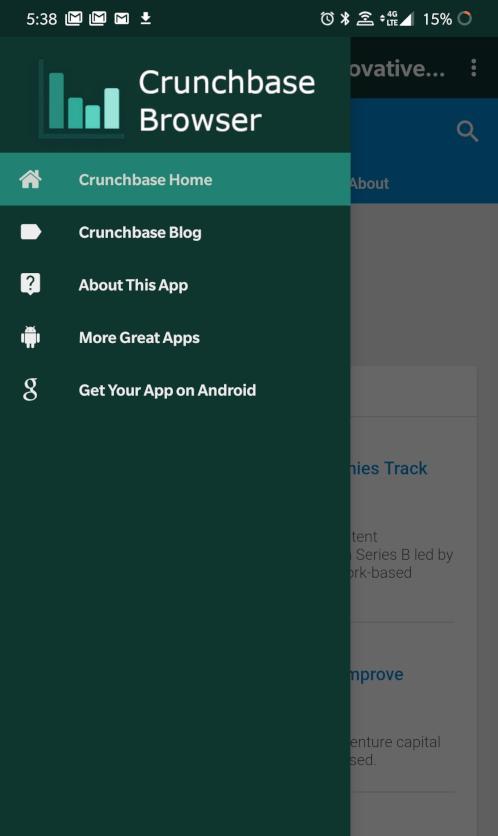
Crunchbase Browser is an -unofficial- Crunchbase Progressive Web Application (PWA) for Android smartphones and tablets. We utilize existing PWA functionality found in the Crunchbase website and enhance it with our application with basic browsing features.
Crunchbase Browser lets you discover industry trends, news, and more about companies all over the world. This application is useful for investors, employees, and company leaders in a variety of ways:
- Browse Crunchbase data
- Securely Log In to Crunchbase Account
- Update Company Information
- Manage Crunchbase Pro Subscriptions
- View Latest News & Industry Trends
Features Include:
- Real-time Alerts for News & Analysis
- Real-time Blog Updates with Easy Access to Posts
- Share Posts on Your Favorite Apps
- Translate Posts to Your Preferred Language
… and more!
Disclaimers: This application and its developer are not affiliated with Crunchbase Inc. or its affiliated companies in any way. Crunchbase Browser was created to increase the accessibility of Crunchbase and its content. The content found on Crunchbase Browser comes from the Crunchbase website and does not reflect the opinions of Josh Robert Nay or associated applications or websites. All content herein is owned by its respective owners.
پیش نظارہ

ٹیگز
کاروبارمعلومات
ڈویلپر
Josh Robert Nay
تازہ ترین ورژن
1.5
آخری تازہ کاری
2020-02-10
قسم
کاروبار
پر دستیاب ہے۔
Google Play
مزید دکھائیں
پی سی پر گیم لوپ کے ساتھ Crunchbase Browser - Business کیسے کھیلا جائے۔
1. آفیشل ویب سائٹ سے گیم لوپ ڈاؤن لوڈ کریں، پھر گیم لوپ انسٹال کرنے کے لیے exe فائل چلائیں۔
2. گیم لوپ کھولیں اور "Crunchbase Browser - Business " تلاش کریں، تلاش کے نتائج میں Crunchbase Browser - Business تلاش کریں اور "انسٹال کریں" پر کلک کریں۔
3. گیم لوپ پر Crunchbase Browser - Business کھیلنے کا لطف اٹھائیں۔
Minimum requirements
OS
Windows 8.1 64-bit or Windows 10 64-bit
GPU
GTX 1050
CPU
i3-8300
Memory
8GB RAM
Storage
1GB available space
Recommended requirements
OS
Windows 8.1 64-bit or Windows 10 64-bit
GPU
GTX 1050
CPU
i3-9320
Memory
16GB RAM
Storage
1GB available space