
Eptura Engage PC
Condeco Limited
گیم لوپ ایمولیٹر کے ساتھ PC پر Eptura Engage ڈاؤن لوڈ کریں۔
پی سی پر Eptura Engage
Eptura Engage، جو ڈویلپر Condeco Limited سے آرہا ہے، ماضی میں اینڈرائیڈ سسٹم پر چل رہا ہے۔
اب، آپ پی سی پر Eptura Engage آسانی سے GameLoop کے ساتھ چلا سکتے ہیں۔
اسے GameLoop لائبریری یا تلاش کے نتائج میں ڈاؤن لوڈ کریں۔ مزید غلط وقت پر بیٹری یا مایوس کن کالوں پر نظر نہیں ڈالی جائے گی۔
بس بڑی سکرین پر Eptura Engage PC کا مفت میں لطف اٹھائیں!
Eptura Engage تعارف
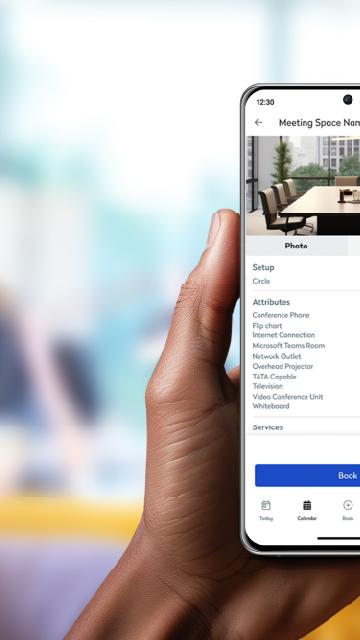
A simple to use app that allows you to book spaces in seconds. With a few taps you can book a workstation or a meeting room, along with other areas like parking, lockers, quiet spaces, breakout zones and more. One screen in the palm of your hand keeps you in control of your daily schedule. See all your bookings, find booked workspaces on a floor plan, and make changes or cancellations to bookings as required. It’s never been faster to check in to a workspace, through a simple tap of a button, or automatically through proximity-based check in. When you need to collaborate with a co-worker, Eptura Engage helps make it happen. You can search in the app to find where they’re working, book an available workspace nearby and start collaborating in minutes.
Requires Condeco Cloud subscription. Types of spaces that can be booked within the app depend on your organization's configuration.
پیش نظارہ

ٹیگز
کاروبارمعلومات
ڈویلپر
Condeco Limited
تازہ ترین ورژن
4.13.0
آخری تازہ کاری
2025-08-09
قسم
کاروبار
پر دستیاب ہے۔
Google Play
مزید دکھائیں
پی سی پر گیم لوپ کے ساتھ Eptura Engage کیسے کھیلا جائے۔
1. آفیشل ویب سائٹ سے گیم لوپ ڈاؤن لوڈ کریں، پھر گیم لوپ انسٹال کرنے کے لیے exe فائل چلائیں۔
2. گیم لوپ کھولیں اور "Eptura Engage" تلاش کریں، تلاش کے نتائج میں Eptura Engage تلاش کریں اور "انسٹال کریں" پر کلک کریں۔
3. گیم لوپ پر Eptura Engage کھیلنے کا لطف اٹھائیں۔
Minimum requirements
OS
Windows 8.1 64-bit or Windows 10 64-bit
GPU
GTX 1050
CPU
i3-8300
Memory
8GB RAM
Storage
1GB available space
Recommended requirements
OS
Windows 8.1 64-bit or Windows 10 64-bit
GPU
GTX 1050
CPU
i3-9320
Memory
16GB RAM
Storage
1GB available space