ARO PC
Ingersoll Rand
گیم لوپ ایمولیٹر کے ساتھ PC پر ARO ڈاؤن لوڈ کریں۔
پی سی پر ARO
ARO، جو ڈویلپر Ingersoll Rand سے آرہا ہے، ماضی میں اینڈرائیڈ سسٹم پر چل رہا ہے۔
اب، آپ پی سی پر ARO آسانی سے GameLoop کے ساتھ چلا سکتے ہیں۔
اسے GameLoop لائبریری یا تلاش کے نتائج میں ڈاؤن لوڈ کریں۔ مزید غلط وقت پر بیٹری یا مایوس کن کالوں پر نظر نہیں ڈالی جائے گی۔
بس بڑی سکرین پر ARO PC کا مفت میں لطف اٹھائیں!
ARO تعارف
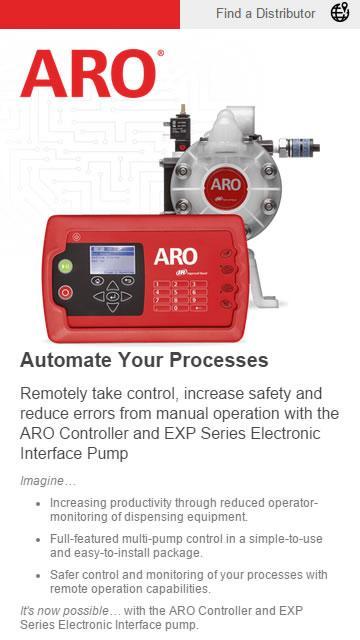
ARO is fluid intelligence—the smart choice in fluid management products for industrial operations. We take pride in our passion to develop products that allow success to flow freely in our customers’ businesses—likewise, we want to make it easy to show you how—that’s the idea behind the ARO Digital App.
The app is being launched to support for our new Fluid Management Solutions, which include the new ARO Controller and Electronic Interface Pumps. Look for additional content around the full suite of ARO products as we continue to expand our app capability.
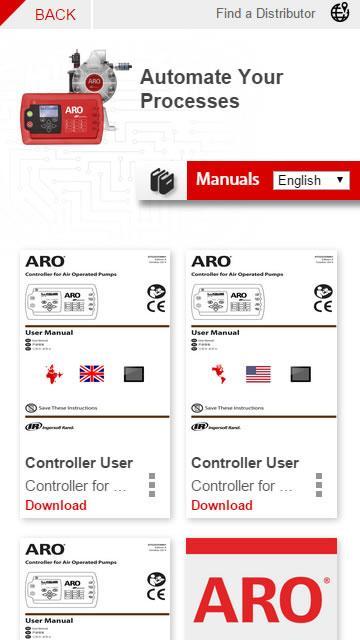
We’ve designed the app to be easy to navigate so you can always find the information you’re looking for. Content is structured into Solutions that speak to end customer needs, like Fluid Management, with supporting Product Pages for each. Product pages are where you’ll find all the necessary support information for engineering, tech, parts, etc. Key files will be embedded in the app so you always have the remote support you need even without an internet connection.
Below is a summary of the content and functionality you’ll find in the app.
Technical resources could include:
• Sales & Engineering Data
• Ops Manuals
• Spec Sheets
• 2D/3D Drawings
Marketing tools could include:
• Product Tours with Features and Benefits
• Videos
• Sales Materials
Additional Features
• Contact Us by phone or email right from the app
• Share App with others
For more information please visit AROzone.com.
ARO® is a brand of Ingersoll Rand.
پیش نظارہ
معلومات
ڈویلپر
Ingersoll Rand
تازہ ترین ورژن
1.0.3
آخری تازہ کاری
2015-06-15
قسم
کاروبار
پر دستیاب ہے۔
Google Play
مزید دکھائیں
پی سی پر گیم لوپ کے ساتھ ARO کیسے کھیلا جائے۔
1. آفیشل ویب سائٹ سے گیم لوپ ڈاؤن لوڈ کریں، پھر گیم لوپ انسٹال کرنے کے لیے exe فائل چلائیں۔
2. گیم لوپ کھولیں اور "ARO" تلاش کریں، تلاش کے نتائج میں ARO تلاش کریں اور "انسٹال کریں" پر کلک کریں۔
3. گیم لوپ پر ARO کھیلنے کا لطف اٹھائیں۔
Minimum requirements
OS
Windows 8.1 64-bit or Windows 10 64-bit
GPU
GTX 1050
CPU
i3-8300
Memory
8GB RAM
Storage
1GB available space
Recommended requirements
OS
Windows 8.1 64-bit or Windows 10 64-bit
GPU
GTX 1050
CPU
i3-9320
Memory
16GB RAM
Storage
1GB available space