
Realme Buds Q Guide PC
onlinecamdev
گیم لوپ ایمولیٹر کے ساتھ PC پر Realme Buds Q Guide ڈاؤن لوڈ کریں۔
پی سی پر Realme Buds Q Guide
Realme Buds Q Guide، جو ڈویلپر onlinecamdev سے آرہا ہے، ماضی میں اینڈرائیڈ سسٹم پر چل رہا ہے۔
اب، آپ پی سی پر Realme Buds Q Guide آسانی سے GameLoop کے ساتھ چلا سکتے ہیں۔
اسے GameLoop لائبریری یا تلاش کے نتائج میں ڈاؤن لوڈ کریں۔ مزید غلط وقت پر بیٹری یا مایوس کن کالوں پر نظر نہیں ڈالی جائے گی۔
بس بڑی سکرین پر Realme Buds Q Guide PC کا مفت میں لطف اٹھائیں!
Realme Buds Q Guide تعارف
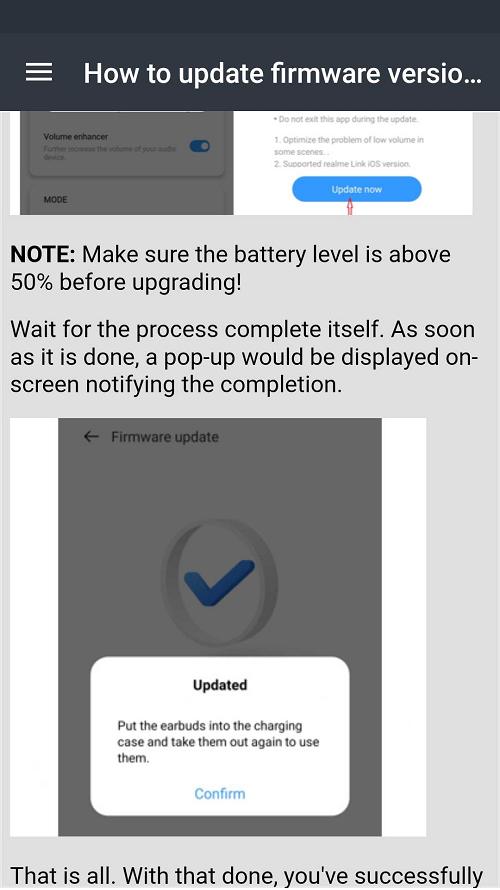
You can find out what you wonder about Realme Buds Q from our mobile application. General features of the device, how it is installed and charged, Oppo realme buds q software update, earplugs wearing and touch controls etc.
The powerful chip of Realme Buds Q supports dual-channel real-time transmission technology, while greatly reducing latency with game mode.
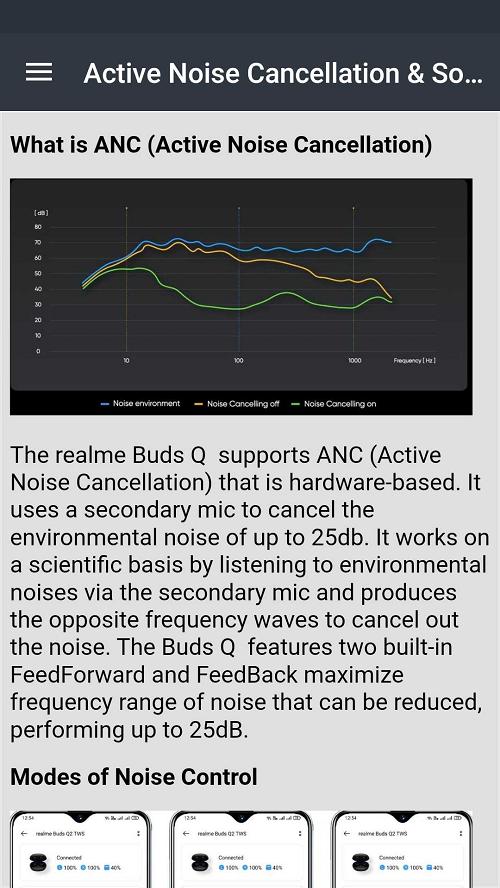
Realme buds q2 has active noise canceling and transparency modes. Bass quality is high and you can adjust its level via realme buds q2 app. Audio delay is minimized for online games. Pairing with Realme buds q2 bluetooth app is automatic very quickly.
The fully charged device takes one day to charge while active. When you use the Realme air buds 2 earbuds in one way, the charge lasts longer. Realme q2 air buds neo is fully charged in two hours as fast charging.
This app is a guide that should be at hand for anyone with oppo realme buds q. It does not belong to an official brand.
پیش نظارہ
ٹیگز
Books-&معلومات
ڈویلپر
onlinecamdev
تازہ ترین ورژن
3.44.0.6
آخری تازہ کاری
2024-12-05
قسم
Books-reference
پر دستیاب ہے۔
Google Play
مزید دکھائیں
پی سی پر گیم لوپ کے ساتھ Realme Buds Q Guide کیسے کھیلا جائے۔
1. آفیشل ویب سائٹ سے گیم لوپ ڈاؤن لوڈ کریں، پھر گیم لوپ انسٹال کرنے کے لیے exe فائل چلائیں۔
2. گیم لوپ کھولیں اور "Realme Buds Q Guide" تلاش کریں، تلاش کے نتائج میں Realme Buds Q Guide تلاش کریں اور "انسٹال کریں" پر کلک کریں۔
3. گیم لوپ پر Realme Buds Q Guide کھیلنے کا لطف اٹھائیں۔
Minimum requirements
OS
Windows 8.1 64-bit or Windows 10 64-bit
GPU
GTX 1050
CPU
i3-8300
Memory
8GB RAM
Storage
1GB available space
Recommended requirements
OS
Windows 8.1 64-bit or Windows 10 64-bit
GPU
GTX 1050
CPU
i3-9320
Memory
16GB RAM
Storage
1GB available space