Dice rolling - 3D dice roller PC
Demonish Inc
گیم لوپ ایمولیٹر کے ساتھ PC پر Dice rolling - 3D dice roller ڈاؤن لوڈ کریں۔
پی سی پر Dice rolling - 3D dice roller
Dice rolling - 3D dice roller، جو ڈویلپر Demonish Inc سے آرہا ہے، ماضی میں اینڈرائیڈ سسٹم پر چل رہا ہے۔
اب، آپ پی سی پر Dice rolling - 3D dice roller آسانی سے GameLoop کے ساتھ چلا سکتے ہیں۔
اسے GameLoop لائبریری یا تلاش کے نتائج میں ڈاؤن لوڈ کریں۔ مزید غلط وقت پر بیٹری یا مایوس کن کالوں پر نظر نہیں ڈالی جائے گی۔
بس بڑی سکرین پر Dice rolling - 3D dice roller PC کا مفت میں لطف اٹھائیں!
Dice rolling - 3D dice roller تعارف
🎲 Download the Simple Virtual 3D Dice Roller App Now! 🎲
Lightweight, Convenient, and Perfect for Any Board Game!
Are you tired of misplaced or missing physical dice while playing your favorite board games like Ludo, Monopoly, or Snakes and Ladders? Say hello to the Simple 3D Dice Roller App, your ultimate solution for dice rolling! This lightweight, easy-to-use app ensures you always have dice at your fingertips, wherever you go.
🌟 Key Features of the 3D Dice Roller App:
1. Roll Multiple Dice Simultaneously
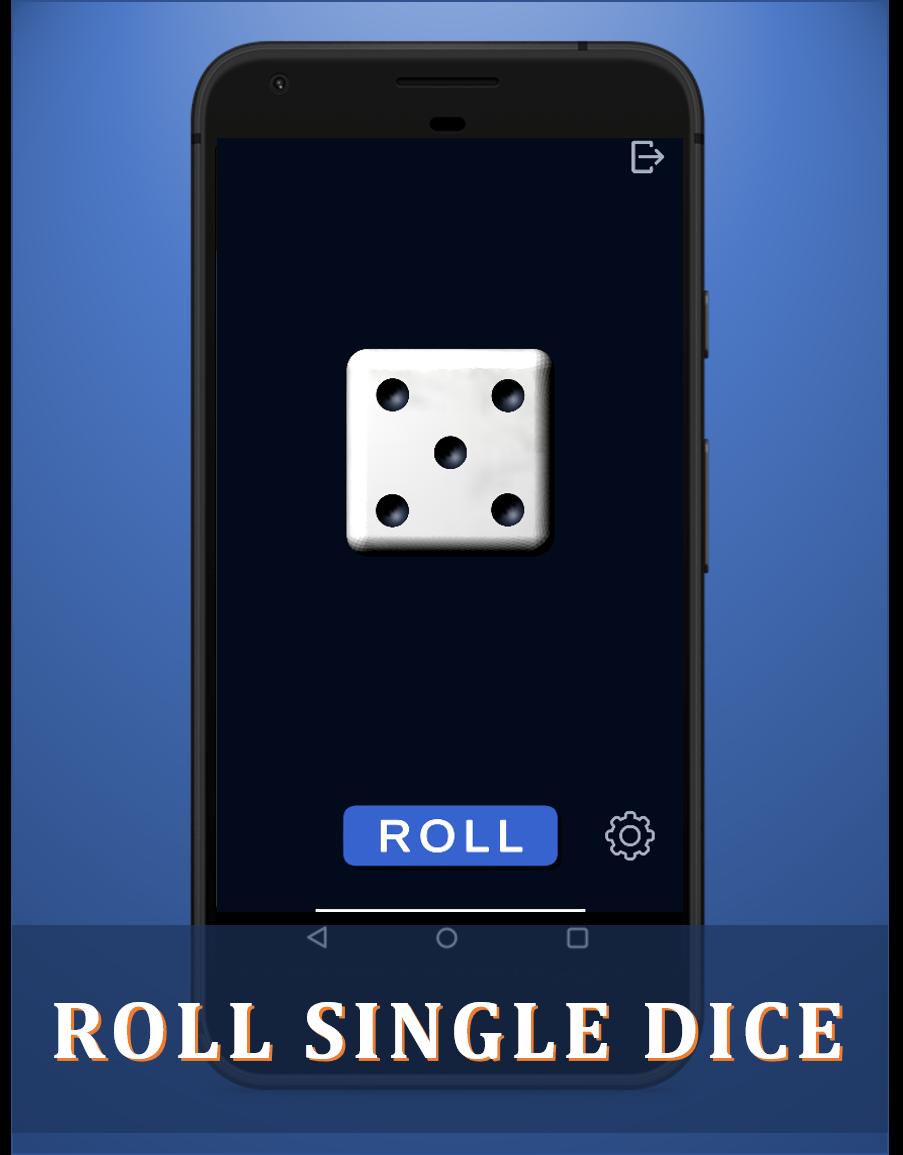
Roll up to six dice at once—ideal for games requiring multiple dice rolls.
Smooth and realistic 3D animations make every roll visually stunning.
2. Choose Your Dice Colors
Personalize your experience by selecting from a variety of 3D dice colors to match your style or game theme.
3. Activate or Deactivate Dice Rolling Sound
Enhance the realism of your rolls with optional dice rolling sounds.
Mute the sound when you need a quiet gaming session.
4. Instant Sum Display
See the total of your dice rolls instantly on the screen, saving you time during gameplay.
5. Virtual Dice Anytime, Anywhere
Lost or forgotten your physical dice? No problem! This 3D dice rolling app is always ready.
Lightweight and works on the go for all your board gaming needs.
🎮 Use It for Any Board Game!
The Simple 3D Dice Roller App is perfect for popular board games such as:
Ludo
Monopoly
Snakes and Ladders
And many other dice-based games!
🚀 Exciting Features Coming Soon:
The current version is just the beginning! Our upcoming updates will include:
D12 and D20 Dice Rolling: Great for RPGs like Dungeons & Dragons.
Enhanced 3D Graphics: Enjoy even smoother and more immersive dice-rolling animations.
More Customization Options: Add unique patterns, effects, and new dice colors.
✨ Why Choose the Simple 3D Dice Roller App?
Simplicity: Easy for anyone to use, with a clean and intuitive interface.
3D Realism: High-quality 3D dice animations add excitement to every roll.
Portability: A lightweight app, always ready to roll wherever you are.
Reliability: No more searching for misplaced physical dice!
🎯 How to Use the App:
Open the 3D Dice Roller App.
Select the number of dice to roll (up to six dice simultaneously).
Choose your preferred dice color.
Tap the screen to roll and watch the 3D animation bring your dice to life.
Check the total of your rolls instantly on-screen.
🌟 Customer Feedback:
“This app has been a game-changer! I love how smooth the 3D rolling animations are, and it’s so handy for board games.”
⭐⭐⭐⭐⭐
“Perfect for game nights! The ability to roll up to six dice at once is fantastic, and the customizable colors are a nice touch.”
⭐⭐⭐⭐⭐
Roll Dice! Throw Dice! Keep Rolling Dice Again and Again!
Whether it’s a casual board game night or an intense RPG session, this virtual 3D dice roller app guarantees you’ll never miss a roll.
Download Now and Roll Away!
پیش نظارہ

ٹیگز
بورڈمعلومات
ڈویلپر
Demonish Inc
تازہ ترین ورژن
4.0
آخری تازہ کاری
2024-06-17
قسم
بورڈ
پر دستیاب ہے۔
Google Play
مزید دکھائیں
پی سی پر گیم لوپ کے ساتھ Dice rolling - 3D dice roller کیسے کھیلا جائے۔
1. آفیشل ویب سائٹ سے گیم لوپ ڈاؤن لوڈ کریں، پھر گیم لوپ انسٹال کرنے کے لیے exe فائل چلائیں۔
2. گیم لوپ کھولیں اور "Dice rolling - 3D dice roller" تلاش کریں، تلاش کے نتائج میں Dice rolling - 3D dice roller تلاش کریں اور "انسٹال کریں" پر کلک کریں۔
3. گیم لوپ پر Dice rolling - 3D dice roller کھیلنے کا لطف اٹھائیں۔
Minimum requirements
OS
Windows 8.1 64-bit or Windows 10 64-bit
GPU
GTX 1050
CPU
i3-8300
Memory
8GB RAM
Storage
1GB available space
Recommended requirements
OS
Windows 8.1 64-bit or Windows 10 64-bit
GPU
GTX 1050
CPU
i3-9320
Memory
16GB RAM
Storage
1GB available space