
X Ball Jump PC
Yuser Al Bardan
گیم لوپ ایمولیٹر کے ساتھ PC پر X Ball Jump ڈاؤن لوڈ کریں۔
پی سی پر X Ball Jump
X Ball Jump، جو ڈویلپر Yuser Al Bardan سے آرہا ہے، ماضی میں اینڈرائیڈ سسٹم پر چل رہا ہے۔
اب، آپ پی سی پر X Ball Jump آسانی سے GameLoop کے ساتھ چلا سکتے ہیں۔
اسے GameLoop لائبریری یا تلاش کے نتائج میں ڈاؤن لوڈ کریں۔ مزید غلط وقت پر بیٹری یا مایوس کن کالوں پر نظر نہیں ڈالی جائے گی۔
بس بڑی سکرین پر X Ball Jump PC کا مفت میں لطف اٹھائیں!
X Ball Jump تعارف
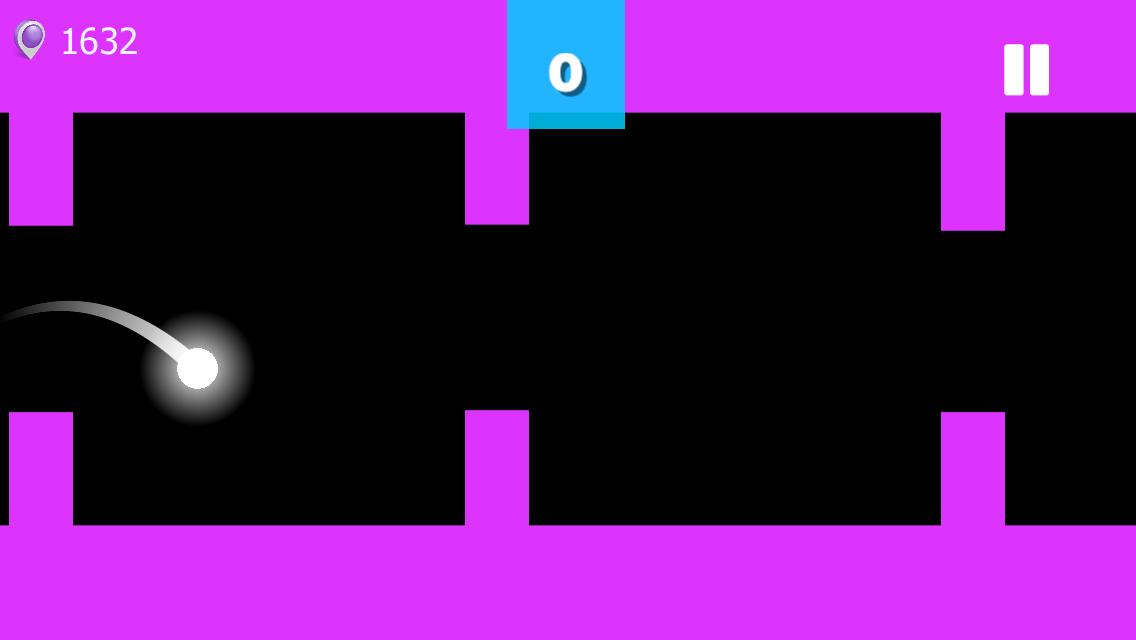
Game X Ball Jump amusing and suitable for all ages
Try to overcome obstacles and reach the highest level
Never give up and be first
Game control is simple
Just press forward or backward
Collect stars to unlock many templates
-Simple control
-Nice UI
-Multiple levels (20 stages)
-The style of play is endless
-Many obstacles and barriers
Join now and try the adventure
• ⤴️ Share score with your friends.
☀️ Remember that we're always reading your feedback and are hard at work creating new levels. So, we'd really appreciate if you'd report what you like or dislike
Follow us on :
Youtube : https://www.youtube.com/channel/UCqMaI5fkZobGUa-FxA3bLVg
Facebook https://www.facebook.com/YuserDV
Google Play https://play.google.com/store/apps/dev?id=7110022064241778830
پیش نظارہ

ٹیگز
آرکیڈمعلومات
ڈویلپر
Yuser Al Bardan
تازہ ترین ورژن
1.0.5
آخری تازہ کاری
2022-01-09
قسم
آرکیڈ
پر دستیاب ہے۔
Google Play
مزید دکھائیں
پی سی پر گیم لوپ کے ساتھ X Ball Jump کیسے کھیلا جائے۔
1. آفیشل ویب سائٹ سے گیم لوپ ڈاؤن لوڈ کریں، پھر گیم لوپ انسٹال کرنے کے لیے exe فائل چلائیں۔
2. گیم لوپ کھولیں اور "X Ball Jump" تلاش کریں، تلاش کے نتائج میں X Ball Jump تلاش کریں اور "انسٹال کریں" پر کلک کریں۔
3. گیم لوپ پر X Ball Jump کھیلنے کا لطف اٹھائیں۔
Minimum requirements
OS
Windows 8.1 64-bit or Windows 10 64-bit
GPU
GTX 1050
CPU
i3-8300
Memory
8GB RAM
Storage
1GB available space
Recommended requirements
OS
Windows 8.1 64-bit or Windows 10 64-bit
GPU
GTX 1050
CPU
i3-9320
Memory
16GB RAM
Storage
1GB available space