Typing Master Word Typing Game PC
TechArts Games
Download Typing Master Word Typing Game on PC With GameLoop Emulator
Typing Master Word Typing Game sa PC
Ang Typing Master Word Typing Game, na nagmumula sa developer na TechArts Games, ay tumatakbo sa Android systerm sa nakaraan.
Ngayon, maaari mong laruin ang Typing Master Word Typing Game sa PC gamit ang GameLoop nang maayos.
I-download ito sa GameLoop library o mga resulta ng paghahanap. Hindi na tumitingin sa baterya o nakakadismaya na mga tawag sa maling oras.
I-enjoy lang ang Typing Master Word Typing Game PC sa malaking screen nang libre!
Typing Master Word Typing Game Panimula
⚡ Typing Master – Fast Typing & Word Games
Improve your typing speed, accuracy, spelling, and vocabulary with Typing Master – Fast Typing & Word Games. This fun and educational typing game combines fast typing practice with exciting word puzzles to help you learn typing while enjoying challenging gameplay.
Whether you are a student, professional, or beginner, this game helps you practice typing, increase your words per minute (WPM), and sharpen your brain with multiple word puzzle modes.
With 200,000+ words and several unique game modes, Typing Master provides endless typing practice and vocabulary challenges.
💎 Exciting Game Modes
=====================
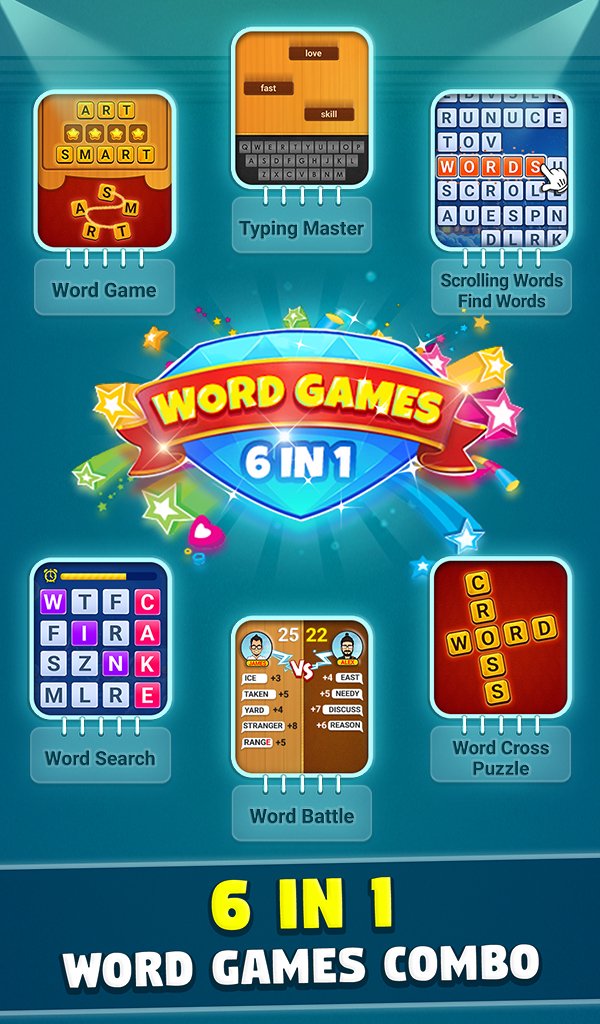
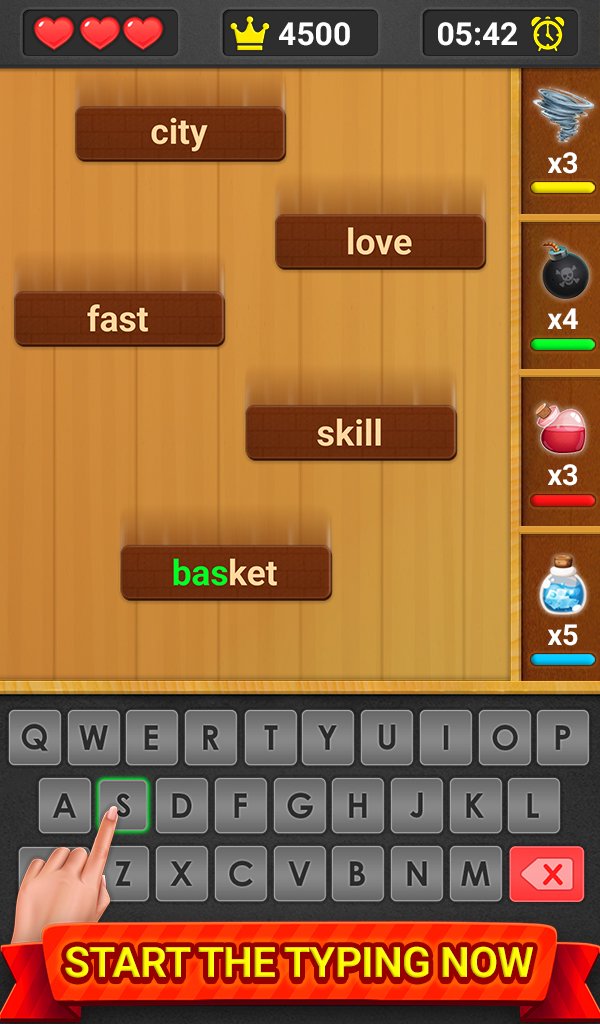
🎮 Typing Master
Test your typing speed by typing the falling words before they reach the bottom. Improve your speed, accuracy, and reaction time while scoring higher points.
🎮 Word Battle
Challenge AI opponents in a word chain battle. Create a new word using the last letter of the previous word and reach the target score before your opponent.
🎮 Word Connect
Connect letters to form hidden words and solve relaxing puzzles. Unlock thousands of levels and expand your vocabulary.
🎮 Word Crossword
Solve crossword puzzles using the given letters. Discover hidden words and complete challenging puzzles.
🎮 Word Search
Find hidden words from different categories such as animals, fruits, countries, science, technology, food, sports, and more.
🎮 Word Scrolling
Quickly identify the correct word from rolling letters before time runs out. A fun challenge for your brain and typing skills.
🎮 Word Pair
Match correct word pairs such as synonyms, antonyms, and related words to test your vocabulary knowledge.
🎮 Word Pearls Mode
Solve exciting word puzzles and progress through hundreds of unique levels.
✨ Key Features
⭐ 200,000+ English words database
⭐ Multiple typing and word puzzle game modes
⭐ Improve typing speed and keyboard accuracy
⭐ Train your brain with fun word challenges
⭐ Boost English vocabulary and spelling skills
⭐ Smooth controls and easy gameplay
⭐ Beautiful graphics, animations, and sound effects
⭐ Relaxing and educational gameplay
⭐ Suitable for kids, students, and adults
⭐ Play anytime and practice typing daily
📚 Improve Your Typing Skills
Typing Master is designed to help you learn typing in a fun way. Regular practice helps improve:
✔ Typing speed (WPM)
✔ Typing accuracy
✔ English vocabulary
✔ Spelling skills
✔ Brain focus and memory
Instead of boring typing lessons, this game makes learning typing fun, interactive, and addictive.
🎯 Perfect For
👨🎓 Students learning keyboard typing
👨💻 Professionals improving typing speed
🔍 Puzzle lovers and word game fans
📚 Anyone who wants to improve vocabulary
🎮 Players who enjoy brain training games
🚀 Download Now
Download Typing Master – Fast Typing & Word Games and start improving your typing speed today. Train your brain, expand your vocabulary, and enjoy hours of fun word challenges.
Practice daily, beat your high score, and become a true typing master. ✏️
Preview
Tags
CasualSingle playerOfflineInformation
Developer
TechArts Games
Latest Version
3.7
Last Updated
2026-08-24
Category
Word
Available on
Google Play
Show More
How to play Typing Master Word Typing Game with GameLoop on PC
1. Download GameLoop from the official website, then run the exe file to install GameLoop
2. Open GameLoop and search for “Typing Master Word Typing Game” , find Typing Master Word Typing Game in the search results and click “Install”
3. Enjoy playing Typing Master Word Typing Game on GameLoop
Minimum requirements
OS
Windows 8.1 64-bit or Windows 10 64-bit
GPU
GTX 1050
CPU
i3-8300
Memory
8GB RAM
Storage
1GB available space
Recommended requirements
OS
Windows 8.1 64-bit or Windows 10 64-bit
GPU
GTX 1050
CPU
i3-9320
Memory
16GB RAM
Storage
1GB available space