Earthquake App: Alerts & Map PC
trinitytech.com.tr
Download Earthquake App: Alerts & Map on PC With GameLoop Emulator
Earthquake App: Alerts & Map sa PC
Ang Earthquake App: Alerts & Map, na nagmumula sa developer na trinitytech.com.tr, ay tumatakbo sa Android systerm sa nakaraan.
Ngayon, maaari mong laruin ang Earthquake App: Alerts & Map sa PC gamit ang GameLoop nang maayos.
I-download ito sa GameLoop library o mga resulta ng paghahanap. Hindi na tumitingin sa baterya o nakakadismaya na mga tawag sa maling oras.
I-enjoy lang ang Earthquake App: Alerts & Map PC sa malaking screen nang libre!
Earthquake App: Alerts & Map Panimula
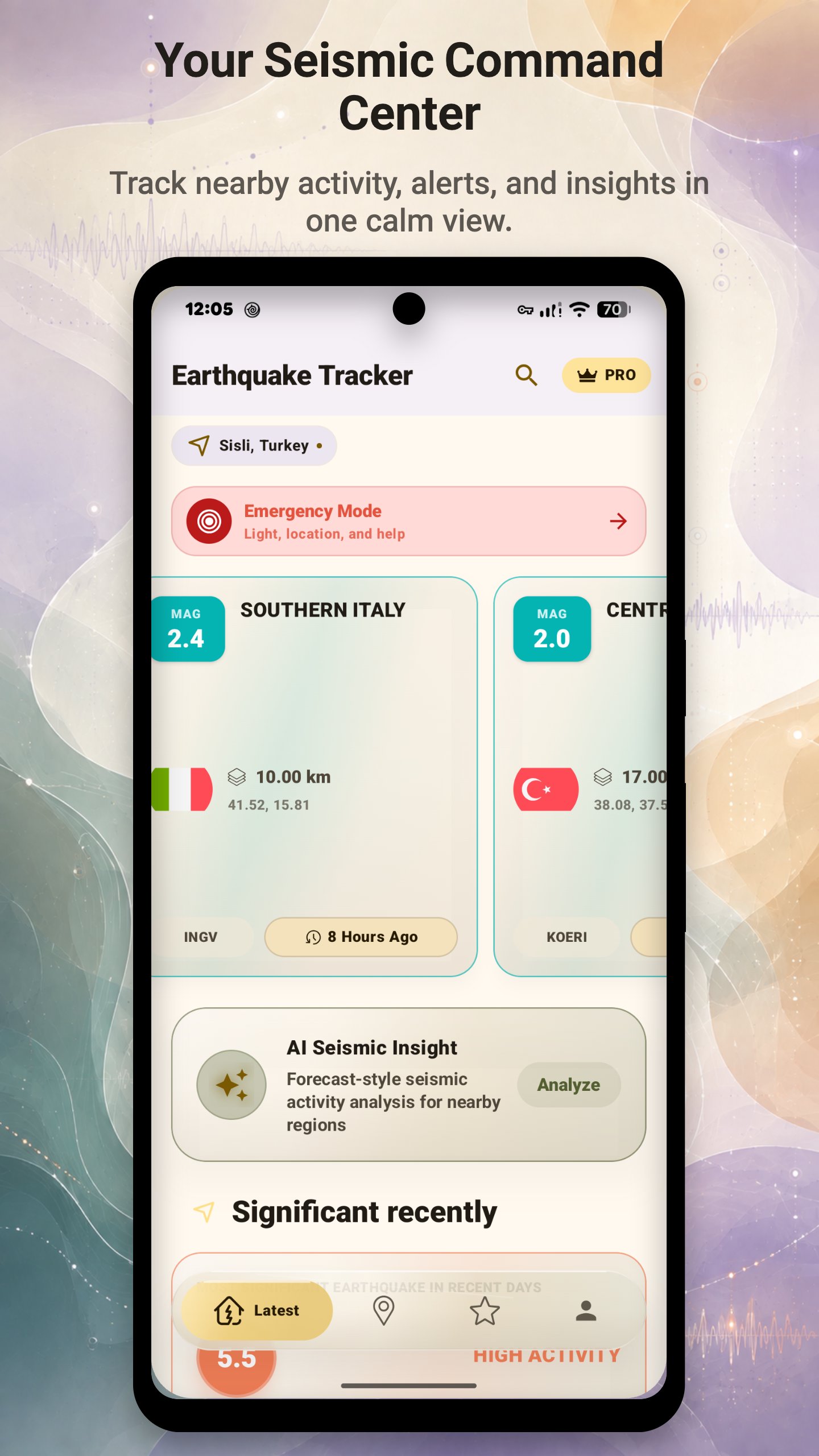
Track recent earthquakes near you and around the world with fast notifications, a live earthquake map, active fault lines and clear AI-powered insights. Earthquake App combines reports from USGS, EMSC, GFZ and other trusted global and regional seismic agencies, then intelligently merges duplicate reports for a cleaner, more reliable view.
Whether you want to check earthquakes today, monitor seismic activity near home or explore global events, the app makes complex earthquake data easier to understand.
Fast, smarter earthquake alerts
• Receive location-based notifications using your chosen magnitude and distance settings.
• Get clearer nearby earthquake information with accurate distance calculations.
• Smarter duplicate detection helps prevent repeated event notifications.
• Alert timing depends on agency publication, your connection and device settings.
Live earthquake map and active fault lines
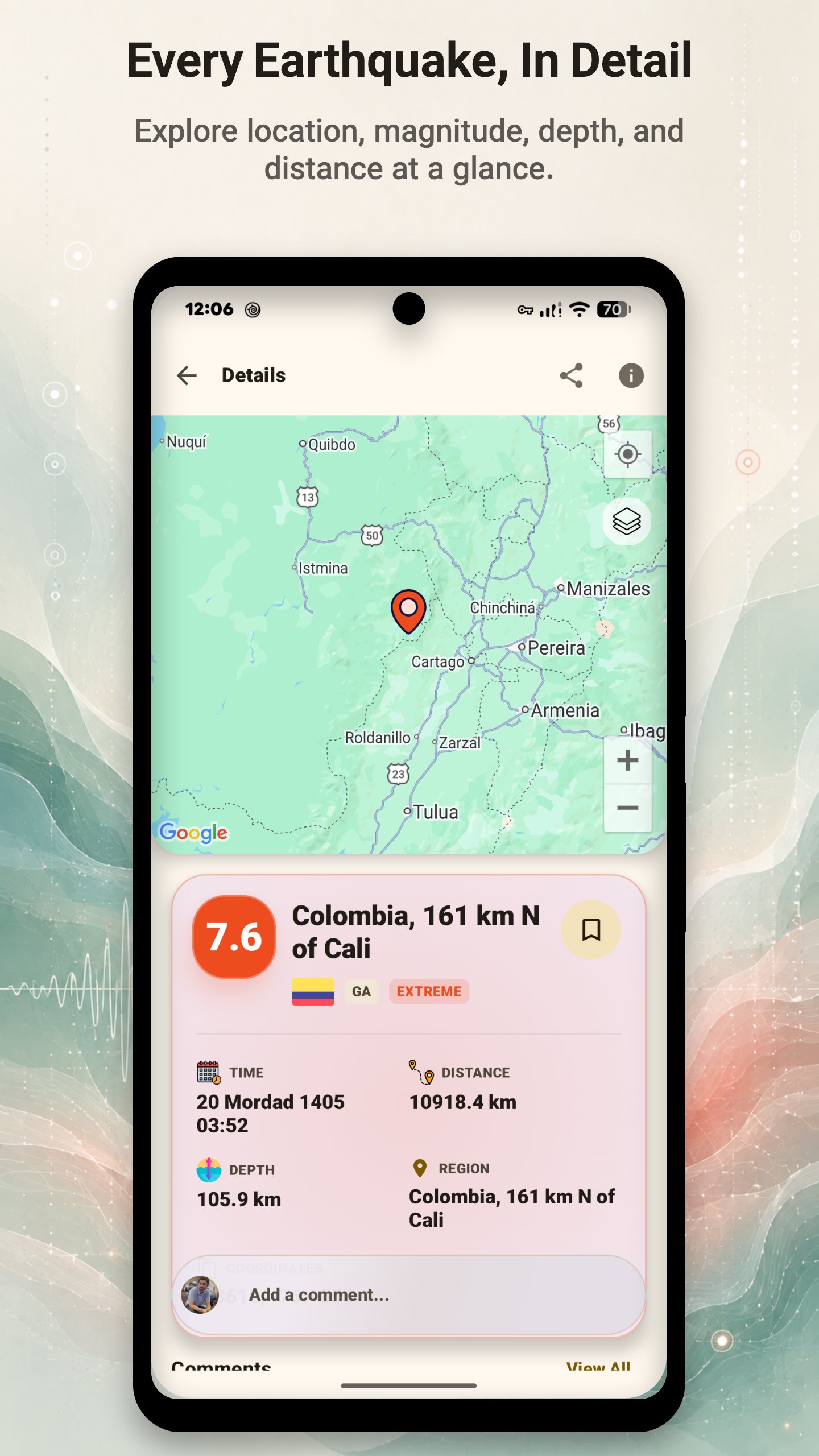
• Explore recent earthquakes on a smooth, interactive map.
• View active fault lines from USGS and European fault datasets.
• Zoom in to load more detailed fault information without slowing down the map.
• Filter events by magnitude, depth, time, distance and source.
• Use clear markers and map layers to understand regional seismic activity.
AI-powered earthquake insights
• Read plain-language AI summaries of recent earthquakes and regional activity.
• Explore experimental probability-based forecasts built from recent seismic patterns.
• Identify unusual regional activity without having to interpret complex raw data.
• AI insights may be incomplete and do not predict individual earthquakes or replace official safety guidance.
Detailed and nearby earthquake tracking
• See magnitude, depth, location, local distance, time and reporting source.
• Find nearby earthquakes across broader coverage areas.
• Search and filter recent and historical earthquake activity.
• Review cleaner event pages with the most important details first.
Sign in and join the conversation
• Sign in to add a comment to an earthquake event.
• Read community comments and discuss what happened with other users.
• Comments are community content and are not verified seismic reports.
Designed for reliable everyday monitoring
• Access recently viewed earthquakes and important cached map data offline.
• Enjoy a modern interface, faster startup and smoother navigation.
• Benefit from improved loading times, stability and battery-aware background updates.
• Use light and dark themes for comfortable viewing.
Data sources and important information
Earthquake data is published by sources including the U.S. Geological Survey (USGS), European-Mediterranean Seismological Centre (EMSC), GFZ and other regional agencies. Availability and event details vary by source.
This is an independent informational app and is not affiliated with or endorsed by these agencies. It is not an earthquake early-warning system. For emergencies, follow instructions from local authorities and official warning services. Experimental forecasts show probabilities based on recent patterns; they cannot determine the exact time, place or magnitude of a future earthquake.
Location access is optional and is used for nearby earthquakes and alert-distance settings. An account is required only when you choose to post comments.
Preview
Tags
WeatherInformation
Developer
trinitytech.com.tr
Latest Version
8.2.6
Last Updated
2026-08-16
Category
Weather
Available on
Google Play
Show More
How to play Earthquake App: Alerts & Map with GameLoop on PC
1. Download GameLoop from the official website, then run the exe file to install GameLoop
2. Open GameLoop and search for “Earthquake App: Alerts & Map” , find Earthquake App: Alerts & Map in the search results and click “Install”
3. Enjoy playing Earthquake App: Alerts & Map on GameLoop
Minimum requirements
OS
Windows 8.1 64-bit or Windows 10 64-bit
GPU
GTX 1050
CPU
i3-8300
Memory
8GB RAM
Storage
1GB available space
Recommended requirements
OS
Windows 8.1 64-bit or Windows 10 64-bit
GPU
GTX 1050
CPU
i3-9320
Memory
16GB RAM
Storage
1GB available space