
Clyma Weather: Simple, Multi-s PC
KDB
Download Clyma Weather: Simple, Multi-s on PC With GameLoop Emulator
Clyma Weather: Simple, Multi-s sa PC
Ang Clyma Weather: Simple, Multi-s, na nagmumula sa developer na KDB, ay tumatakbo sa Android systerm sa nakaraan.
Ngayon, maaari mong laruin ang Clyma Weather: Simple, Multi-s sa PC gamit ang GameLoop nang maayos.
I-download ito sa GameLoop library o mga resulta ng paghahanap. Hindi na tumitingin sa baterya o nakakadismaya na mga tawag sa maling oras.
I-enjoy lang ang Clyma Weather: Simple, Multi-s PC sa malaking screen nang libre!
Clyma Weather: Simple, Multi-s Panimula
Get Clyma and wave goodbye to inconsistency!🌞
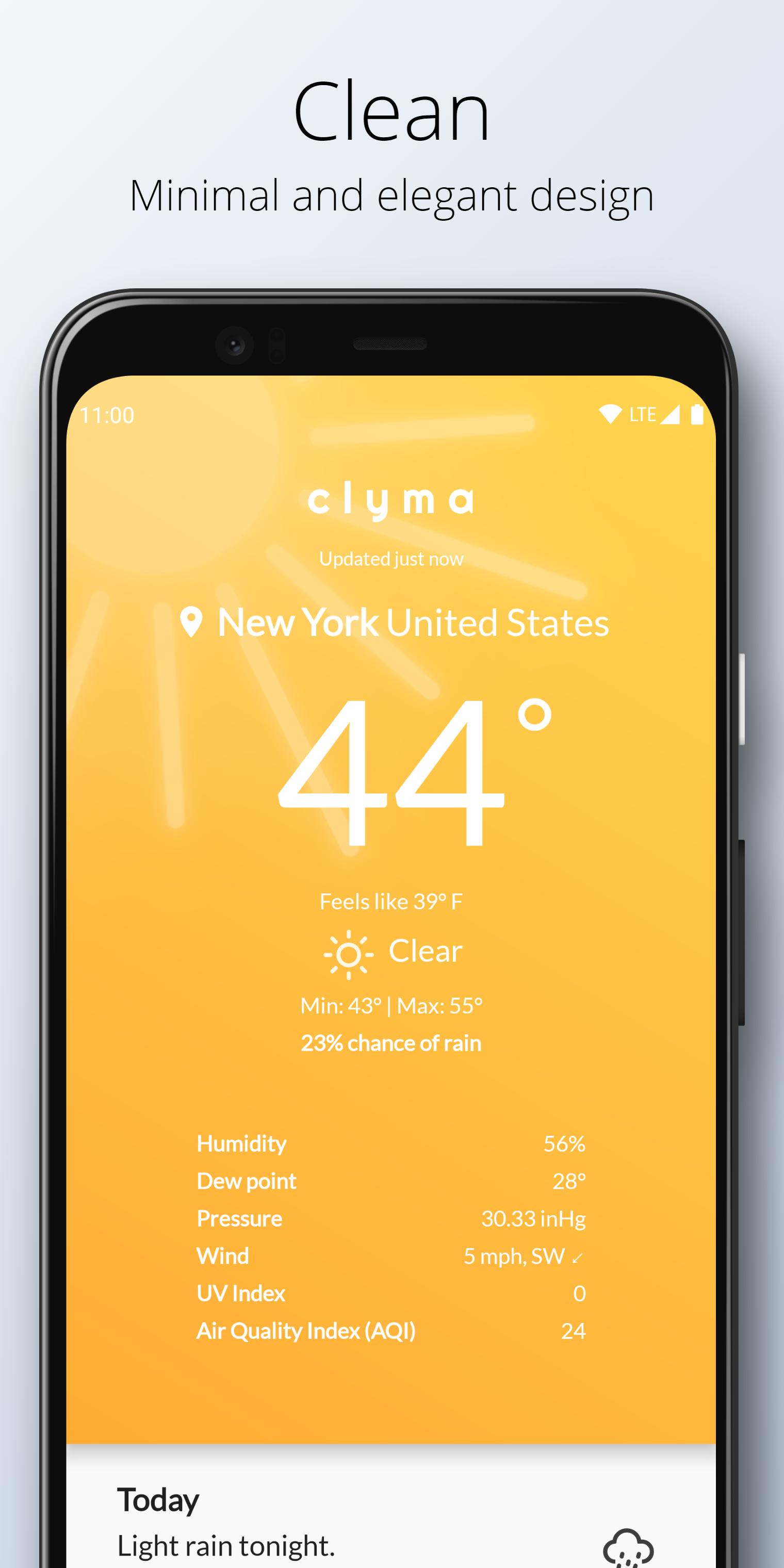
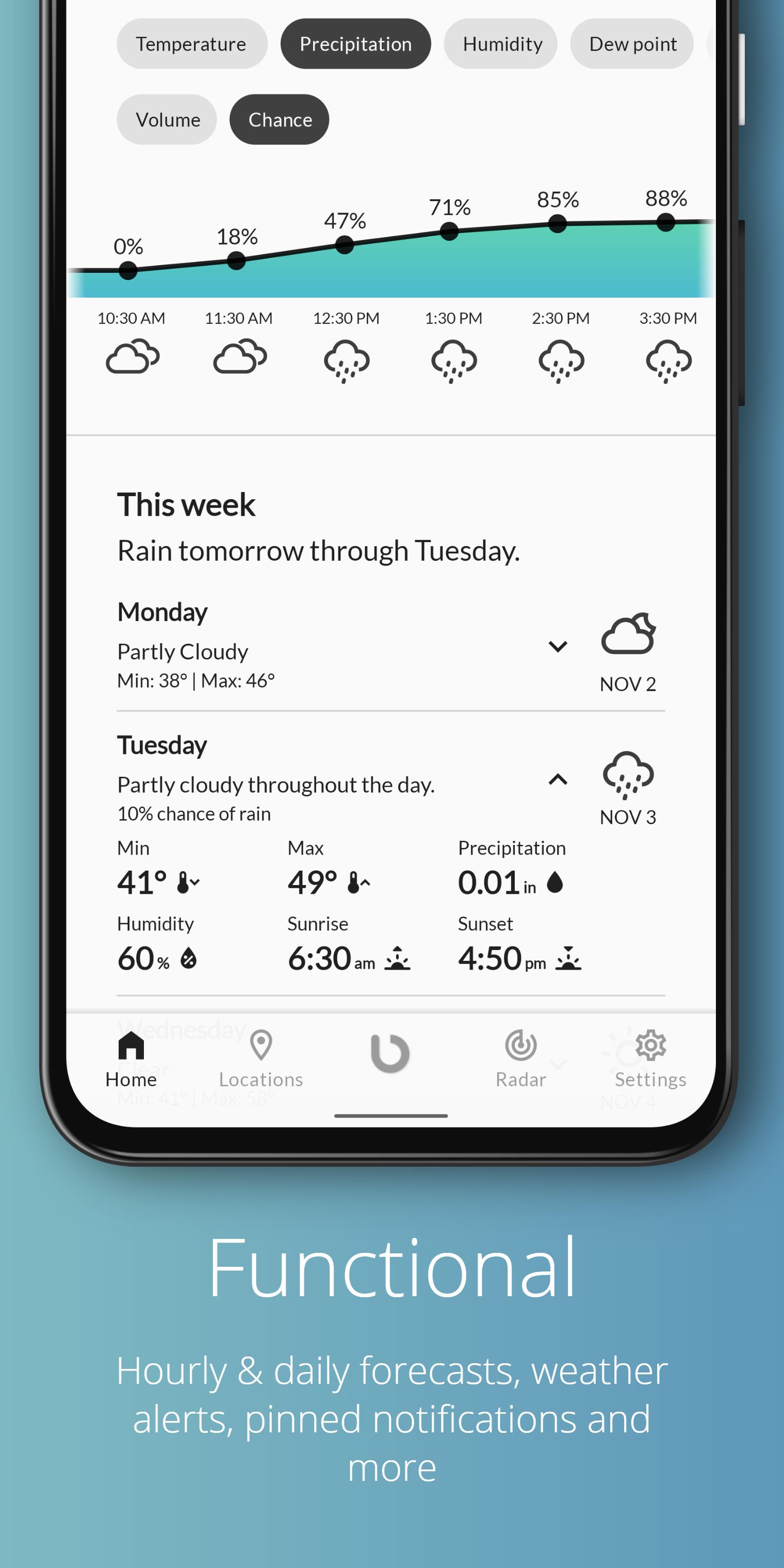
Clyma uses 3 separate weather providers to ensure you get the most accurate weather, every time. 🌡️ Get hour-by-hour weather and daily weather at a single glance, including chance of rain, humidity, Air Quality Index (AQI), wind speed/wind direction, dew point and UV Index, with an easy-to-use, clean and simple design, delightful animations and bold colours. ❄️ Get the latest weather pinned to your notification tray and status bar with Pinned Notifications! 📌 Choose from multiple themes, including support for dark theme and a full black theme for OLED screens. 🌙 View accurate and latest weather info on the go with Clyma's multiple convenient 5 customizable homescreen widgets to match your specific needs! 🌇
• 3 reputed weather providers 🌎
Get the most accurate weather information every time with data sourced from 3 separate, independent and reputed weather providers (Dark Sky, OpenWeatherMap, Weatherbit). No more inconsistency and checking dozens of different weather apps!
• Clean, simple and beautiful design 🏠
Bold colours and dynamic animations for every weather condition for a pleasant surprise every time you check the weather
• Weather radar 📡
Easily track weather patterns and activity with Clyma's weather radar*
• Pinned notification and auto-refresh 📌
Get the latest weather on your status bar and notification tray with Clyma's pinned notification feature and customizable auto-refresh interval
• 5 Customizable homescreen widgets 📱
Choose from 5 different homescreen widgets to get the latest accurate weather right on your homescreen, customized to your heart's liking
• Hourly forecast ⏰
Get weather info for the next 24 hours to be prepared for the whole day! Check hourly temperature, hourly pressure, hourly humidity, hourly precipitation, hourly UV Index and much more, with elegant charts colored in beautiful shades
• Daily forecast 📅
Daily weather forecast for the next 7 days so you can plan ahead for the whole week
• Weather alerts ⚠️
Get notified about unusual or severe weather activity**
• Multiple themes 🌈
Choose from multiple themes, including dark theme and black theme for OLED screens. Clyma also supports system-level dark theme on Android 10 and above.
Try Clyma Weather for free, today!
* Radar coverage might not be available in all locations
** Weather alerts are supported only in US, Canada, European Union member nations, and Israel
Preview
Tags
WeatherInformation
Developer
KDB
Latest Version
2.0.17
Last Updated
2022-02-03
Category
Weather
Available on
Google Play
Show More
How to play Clyma Weather: Simple, Multi-s with GameLoop on PC
1. Download GameLoop from the official website, then run the exe file to install GameLoop
2. Open GameLoop and search for “Clyma Weather: Simple, Multi-s” , find Clyma Weather: Simple, Multi-s in the search results and click “Install”
3. Enjoy playing Clyma Weather: Simple, Multi-s on GameLoop
Minimum requirements
OS
Windows 8.1 64-bit or Windows 10 64-bit
GPU
GTX 1050
CPU
i3-8300
Memory
8GB RAM
Storage
1GB available space
Recommended requirements
OS
Windows 8.1 64-bit or Windows 10 64-bit
GPU
GTX 1050
CPU
i3-9320
Memory
16GB RAM
Storage
1GB available space