Video Mirror Effect Editor PC
DENTEH TECH LTD
Download Video Mirror Effect Editor on PC With GameLoop Emulator
Video Mirror Effect Editor sa PC
Ang Video Mirror Effect Editor, na nagmumula sa developer na DENTEH TECH LTD, ay tumatakbo sa Android systerm sa nakaraan.
Ngayon, maaari mong laruin ang Video Mirror Effect Editor sa PC gamit ang GameLoop nang maayos.
I-download ito sa GameLoop library o mga resulta ng paghahanap. Hindi na tumitingin sa baterya o nakakadismaya na mga tawag sa maling oras.
I-enjoy lang ang Video Mirror Effect Editor PC sa malaking screen nang libre!
Video Mirror Effect Editor Panimula
Best video editor & video Mirror Effect Editor & video maker with music and video effects for TikTok. Video Editor Magic Effects - Video Show is the easiest video effects maker/video editing tool that you can make video of photos with slowmo, free music, magic touch, movie effects and gif stickers. Editing vlog video with effects to make photo music videos. Magic video maker helps you to get more fans on TikTok and to be a video Video Mirror Effect Editor.
Features:
Slow Motion Video:-
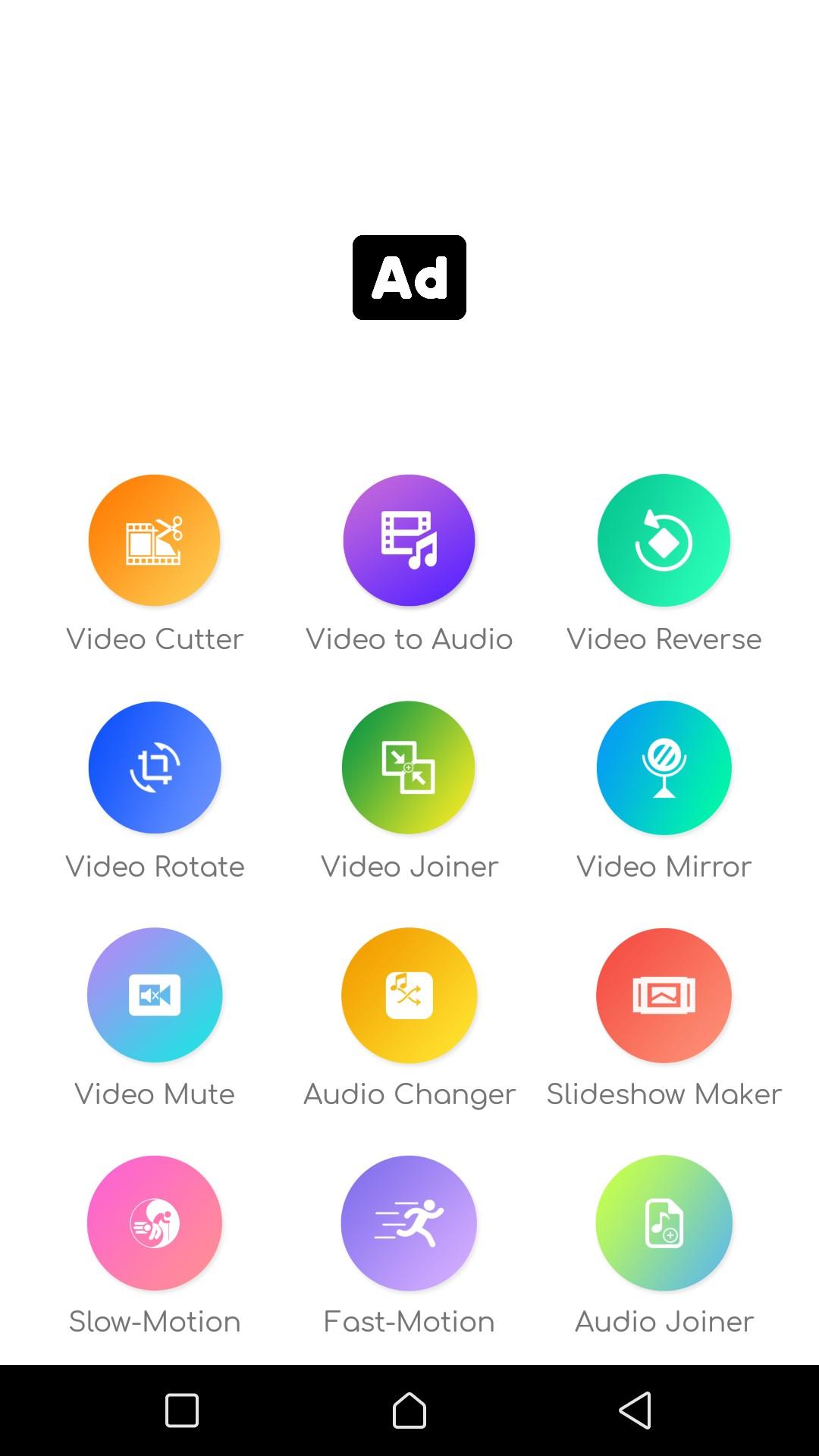
Using this Video Editor, You can easily convert any video into Slow motion video
Fast Motion Video:-
Using this Video Editor, You can also convert any video into Fast motion video
Rotate Video:-
This application is for Rotate a video in all angles 90 degrees, 180 degrees, 270 degrees
Flip Video:-
This application is for Flip any video horizontally or vertically
Video to Mp3:-
This application converts any video files to audio files. Using this Video Editor You can cut the favorite part of your Video song and save it as your Music File
Video to Photo:-
Using this Video Editor you can also convert image from video
Add Audio to Video:-
Using this Video Editor, you can add your favorite music to a video,
Reverse Video:-
This application is also used for creating a reverse video or backwards video
Trim Video:-
Using this Video Editor, you can easily cut your video from starting point to ending point.
Mute Video:-
Using this Video Editor, you can mute the volume of video completely.
Merge Video:-
This application is use to merge your favorite videos into a single video.
Merge Videos MP3:-
Using this Video Editor, you can easily merge your favorite videos mp3 into a single mp3 file.
Square Video:-
This application is use to create square size video with Color background. You can choose background color of the video. This app allows you to square your video without cropping and with cropping.
Resize Video:-
Using this application you can easily resize and trim a video.
This application is so easy to use.
Feature:
► Rotate Video, Flip Video, Slow motion, Fast motion Get Mp3, Add Audio,Trim& More
► Easily convert any video into Slow Motion video or Fast Motion Video
► Rotate a video in all angles 90,180 or 270 degrees
► Flip any video horizontally or vertically
► Easily extract audio from your video files
► Easily convert image from video
-You can apply effects on Image.
-You can also apply background colors on image
-You can rotate your Image
► Easily convert any video into Reverse video
► You can also Trim Video in this app
► You can also add your favorite music in video.
► Easily Resize a video.
► Easily create square size video with color background
► Easily create square size video without cropping
► Easily create square size video with cropping
► Easily remove audio from video.
► Easily merge your favorite videos into a single video
► Easily Add one or more parts from the same Videos
► Easily merge different resolution videos into a single video
► Select multiple videos and extract mp3 into single mp3 file
► You can play your videos
► You can play your Audios
► Share Video, Audio and Image
► Save & Delete
Easy to use and simple Video Editor.
► Select videos from your Gallery / Camera
► Select action(Like:- Rotation, Speed, Flip etc)
► Click on “Save” Button
► Wait for complete process
► Easily Share your Video With your Friends.
Thank You Enjoy.
Preview
Tags
Video-PlayersInformation
Developer
DENTEH TECH LTD
Latest Version
11.9
Last Updated
2021-01-04
Category
Video-players-editors
Available on
Google Play
Show More
How to play Video Mirror Effect Editor with GameLoop on PC
1. Download GameLoop from the official website, then run the exe file to install GameLoop
2. Open GameLoop and search for “Video Mirror Effect Editor” , find Video Mirror Effect Editor in the search results and click “Install”
3. Enjoy playing Video Mirror Effect Editor on GameLoop
Minimum requirements
OS
Windows 8.1 64-bit or Windows 10 64-bit
GPU
GTX 1050
CPU
i3-8300
Memory
8GB RAM
Storage
1GB available space
Recommended requirements
OS
Windows 8.1 64-bit or Windows 10 64-bit
GPU
GTX 1050
CPU
i3-9320
Memory
16GB RAM
Storage
1GB available space