
Video Cutter : Free Video Editor PC
Any VideoLab USA
Download Video Cutter : Free Video Editor on PC With GameLoop Emulator
Video Cutter : Free Video Editor sa PC
Ang Video Cutter : Free Video Editor, na nagmumula sa developer na Any VideoLab USA, ay tumatakbo sa Android systerm sa nakaraan.
Ngayon, maaari mong laruin ang Video Cutter : Free Video Editor sa PC gamit ang GameLoop nang maayos.
I-download ito sa GameLoop library o mga resulta ng paghahanap. Hindi na tumitingin sa baterya o nakakadismaya na mga tawag sa maling oras.
I-enjoy lang ang Video Cutter : Free Video Editor PC sa malaking screen nang libre!
Video Cutter : Free Video Editor Panimula
Video Cutter:Free Video Editor app to Cut all your videos very simply !
Video Cutter:Free Video Editor app cuts video, audio with simple steps and save file to your phone.
Video Cutter:Free Video Editor is simply selected video files or audio files from the list whatever you like to cut, just cutting that video/audio with start and end option given by you.
Cut any video with given time interval as you like.
Video Cutter:Free Video Editor app Features:
- Cut video with selected time intervals with same video.
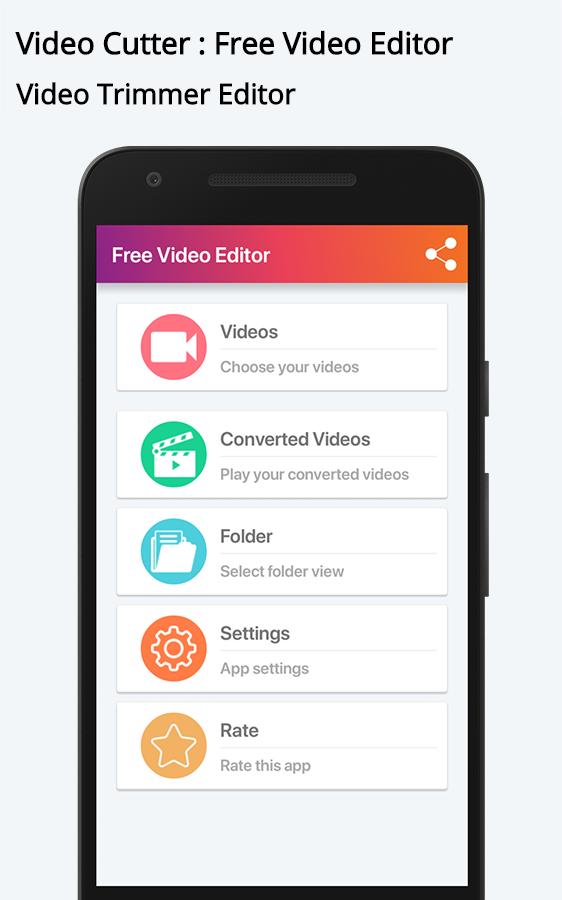
- Video Cutter app is very fast and easy to use with user friendly UI.
- Latest and Smooth Material Design.
- Supports many video formats to trim your video
- Save your video to sdcard folder in your phone.
- Supports all ARM(CPU) devices.
Why its more useful app for All the users :
=> Video Cutter is simple step to follows to cut audio file and video file.
=> Delete Functionality easily implemented in Video Audio Cutter.
=> You can easily share your Mp3 cutter file via social link.
Video Cutter:Free Video Editor is download in your phone and apply cutter functionality that you like to cut it...!
Preview
Information
Developer
Any VideoLab USA
Latest Version
106
Last Updated
2018-08-22
Category
Video-players-editors
Available on
Google Play
Show More
How to play Video Cutter : Free Video Editor with GameLoop on PC
1. Download GameLoop from the official website, then run the exe file to install GameLoop
2. Open GameLoop and search for “Video Cutter : Free Video Editor” , find Video Cutter : Free Video Editor in the search results and click “Install”
3. Enjoy playing Video Cutter : Free Video Editor on GameLoop
Minimum requirements
OS
Windows 8.1 64-bit or Windows 10 64-bit
GPU
GTX 1050
CPU
i3-8300
Memory
8GB RAM
Storage
1GB available space
Recommended requirements
OS
Windows 8.1 64-bit or Windows 10 64-bit
GPU
GTX 1050
CPU
i3-9320
Memory
16GB RAM
Storage
1GB available space