
HD Video Converter, Compressor PC
FutureWork Apps
Download HD Video Converter, Compressor on PC With GameLoop Emulator
HD Video Converter, Compressor sa PC
Ang HD Video Converter, Compressor, na nagmumula sa developer na FutureWork Apps, ay tumatakbo sa Android systerm sa nakaraan.
Ngayon, maaari mong laruin ang HD Video Converter, Compressor sa PC gamit ang GameLoop nang maayos.
I-download ito sa GameLoop library o mga resulta ng paghahanap. Hindi na tumitingin sa baterya o nakakadismaya na mga tawag sa maling oras.
I-enjoy lang ang HD Video Converter, Compressor PC sa malaking screen nang libre!
HD Video Converter, Compressor Panimula
Key Features:
• Convert to Any Format: MP4, AVI, MKV, MOV, and more.
• Fast Compression: Reduce video sizes with minimal quality loss.
• High-Quality Output: Preserve video clarity even after compression.
• Batch Processing: Convert or compress multiple videos at once.
• Customisable Settings: Choose resolution, bitrate, and codec for precise control.
• Easy to Use: Intuitive interface designed for both beginners and pros.
• Share Directly: Send compressed videos via social media or messaging apps instantly.
• No Watermark: Enjoy professional results without intrusive watermarks.
• Secure & Private: Your videos are processed locally on your device.
Why Choose Our Video Converter & Compressor?
• Save Storage: Free up space on your device by compressing large video files.
• Share Faster: Reduce upload times and data usage with smaller video files.
• Universal Compatibility: Convert videos to formats compatible with any device or platform.
• User-Friendly: Our simple yet powerful interface makes video conversion and compression a breeze.
Features of Video Compressor - Video Converter:
• HD Video Compressor: Compress large video files without losing quality.
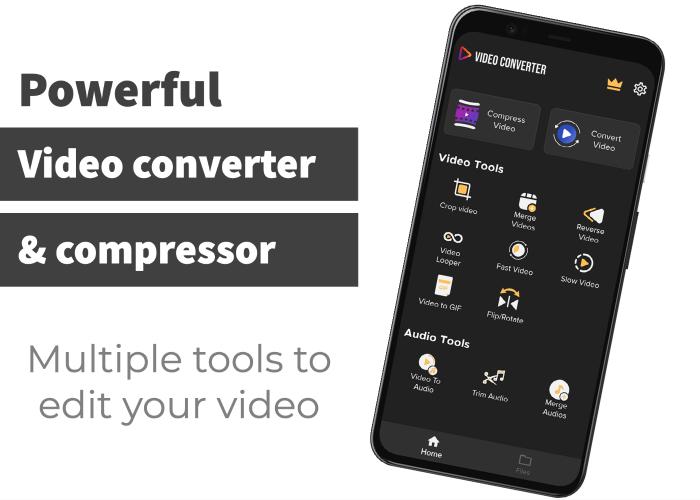
• Video to Audio Converter: Convert video to MP3 or other audio formats.
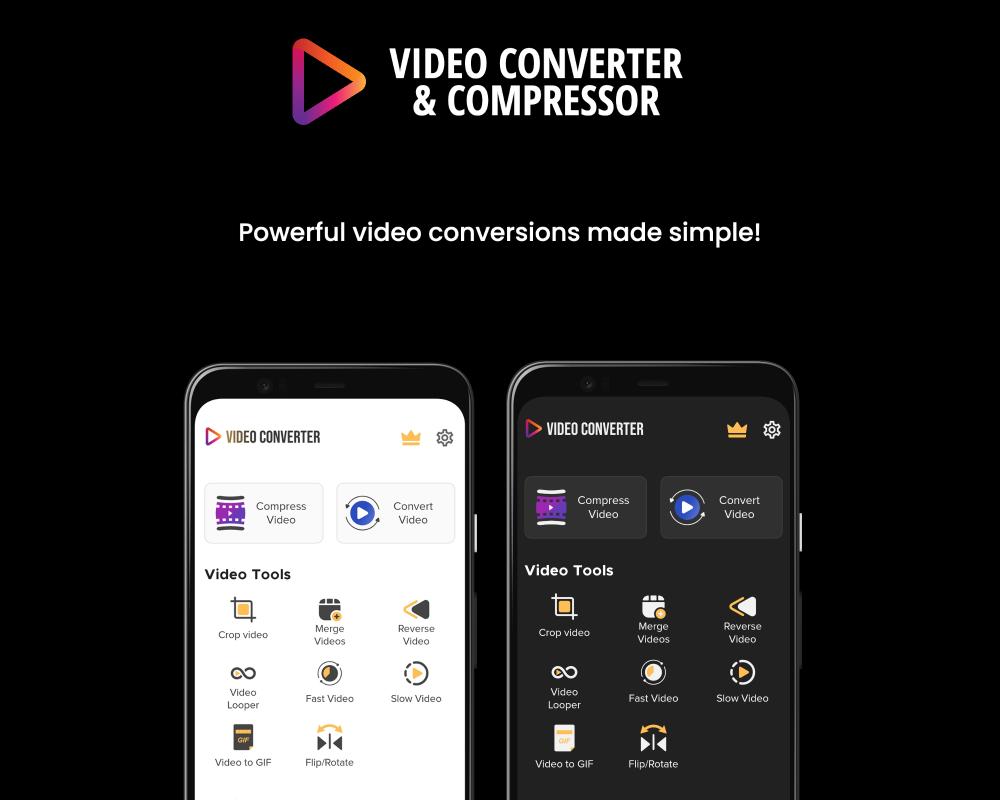
• Video Editing Tools: Trim, cut, merge, crop, and rotate videos with ease.
• Special Effects: Create time-lapse, slow-motion, reverse, and GIF videos.
• Audio Editing: Trim audio, merge audio files, and adjust audio speed and volume.
• Multiple Formats Supported: MP4, MP3, AVI, ASF, WMV, F4V, M4V, MOV, MPEG, MKV, 3GP, FLV, MTS, WEBM, M4A, WAV, WMA, FLAC, AAC, OGG.
• Multiple Codecs Supported: x264, x265, VP8, VP9, MPEG2, MPEG4, XVID, MP2, MP3, AAC, AC3, WMAV1, WMAV2, VORBIS.
Video Converter Highlights:
• Compress Video: Reduce file size without compromising quality.
• Trim Audio: Cut audio to your desired length.
• Merge Audio: Join multiple audio files into one.
• Create Time-Lapse Videos: Speed up videos for a dynamic effect.
• Slow Motion Videos: Add dramatic slow-motion effects.
• Crop Videos: Remove unwanted sections of your video.
• Join Videos: Merge multiple video clips seamlessly.
• Video to GIF Maker: Convert video clips into animated GIFs.
• Rotate and Flip: Adjust the orientation of your videos.
Download Now!
Experience super-fast video conversion and editing with our powerful app. It’s the ultimate tool for converting, compressing, and editing videos and audio files. Enjoy seamless functionality and high-quality results—download now and transform your video experience!
Preview
Tags
Video-PlayersInformation
Developer
FutureWork Apps
Latest Version
6.2
Last Updated
2025-05-20
Category
Video-players-editors
Available on
Google Play
Show More
How to play HD Video Converter, Compressor with GameLoop on PC
1. Download GameLoop from the official website, then run the exe file to install GameLoop
2. Open GameLoop and search for “HD Video Converter, Compressor” , find HD Video Converter, Compressor in the search results and click “Install”
3. Enjoy playing HD Video Converter, Compressor on GameLoop
Minimum requirements
OS
Windows 8.1 64-bit or Windows 10 64-bit
GPU
GTX 1050
CPU
i3-8300
Memory
8GB RAM
Storage
1GB available space
Recommended requirements
OS
Windows 8.1 64-bit or Windows 10 64-bit
GPU
GTX 1050
CPU
i3-9320
Memory
16GB RAM
Storage
1GB available space