
TikSaver: TT Video Downloader PC
Flying Labs
Download TikSaver: TT Video Downloader on PC With GameLoop Emulator
TikSaver: TT Video Downloader sa PC
Ang TikSaver: TT Video Downloader, na nagmumula sa developer na Flying Labs, ay tumatakbo sa Android systerm sa nakaraan.
Ngayon, maaari mong laruin ang TikSaver: TT Video Downloader sa PC gamit ang GameLoop nang maayos.
I-download ito sa GameLoop library o mga resulta ng paghahanap. Hindi na tumitingin sa baterya o nakakadismaya na mga tawag sa maling oras.
I-enjoy lang ang TikSaver: TT Video Downloader PC sa malaking screen nang libre!
TikSaver: TT Video Downloader Panimula
TikSaver - TT Video Downloader is the best downloader app what you need to save No Watermark TT Videos & Music to your device, with HD quality! And it’s 100% Safe and Free!
You can download a video or music to share with your friends when you find an funny videos, without watermark, no logo.
TikSaver - TT Video Downloader app can also download sound or music to MP3 File on your device.
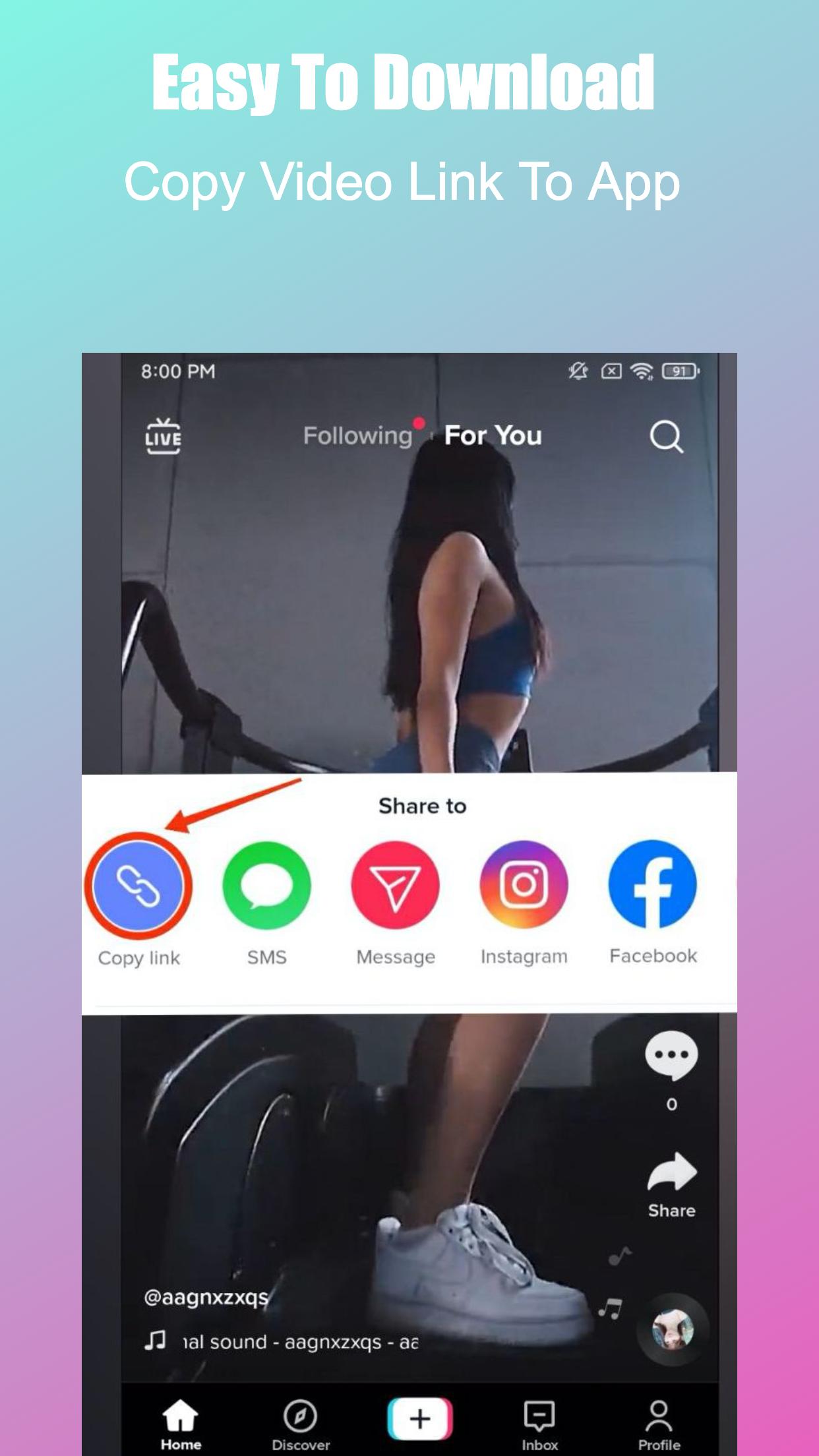
No login action needed, just copy or share the video link to app, then the download will auto start.
Enjoy saved videos offline anytime, anywhere, share or repost as you like.
You can achieve this with the best downloader app in just 2 simple steps.
How To Download?
1. Use Copy Link
👉Step 1: Click "Copy Link" of the TT video you want to save.
👉Step 2: Open TikSaver, download will auto start.
🎉Done! Enjoy your TT video no watermark or music offline.
2: Share Link
👉1. Click “Share” of the TT video you want to save.
👉2. Select TikSaver to open it, download will auto start.
🎉Done! Enjoy your TT video no watermark or music offline.
Best Features of TikSaver:
👉Support save TT videos no watermark free by both copy and share url.
👉Support save TT music to mp3 files.
👉Fast, Easy, and No login required, 100% safe.
👉Boost download speed.
👉Easy to manage saved videos, musics, photos on your device.
👉Watch offline videos and musics with built-in player.
👉Low memory usage, small size apk.
👉Free and unlimited download times.
🔥Thank you very much for using TikSaver - TT Video Downloader app, if it's helpful for you, please rate us Five Stars🌟🌟🌟🌟🌟.
Disclaimer:
* TikSaver - TT Video Downloader is not affiliated with TikTok.
* We do not own or host any of the videos. Intellectual property rights of the owners should be respected.
Preview

Tags
Video-PlayersInformation
Developer
Flying Labs
Latest Version
2.0.1
Last Updated
2022-11-02
Category
Video-players-editors
Available on
Google Play
Show More
How to play TikSaver: TT Video Downloader with GameLoop on PC
1. Download GameLoop from the official website, then run the exe file to install GameLoop
2. Open GameLoop and search for “TikSaver: TT Video Downloader” , find TikSaver: TT Video Downloader in the search results and click “Install”
3. Enjoy playing TikSaver: TT Video Downloader on GameLoop
Minimum requirements
OS
Windows 8.1 64-bit or Windows 10 64-bit
GPU
GTX 1050
CPU
i3-8300
Memory
8GB RAM
Storage
1GB available space
Recommended requirements
OS
Windows 8.1 64-bit or Windows 10 64-bit
GPU
GTX 1050
CPU
i3-9320
Memory
16GB RAM
Storage
1GB available space