
Tripomatic Planner & Maps PC
Sygic.
Download Tripomatic Planner & Maps on PC With GameLoop Emulator
Tripomatic Planner & Maps sa PC
Ang Tripomatic Planner & Maps, na nagmumula sa developer na Sygic., ay tumatakbo sa Android systerm sa nakaraan.
Ngayon, maaari mong laruin ang Tripomatic Planner & Maps sa PC gamit ang GameLoop nang maayos.
I-download ito sa GameLoop library o mga resulta ng paghahanap. Hindi na tumitingin sa baterya o nakakadismaya na mga tawag sa maling oras.
I-enjoy lang ang Tripomatic Planner & Maps PC sa malaking screen nang libre!
Tripomatic Planner & Maps Panimula
The new Tripomatic is here! Your trusted trip planner just got even better with improved features and AI travel planning.
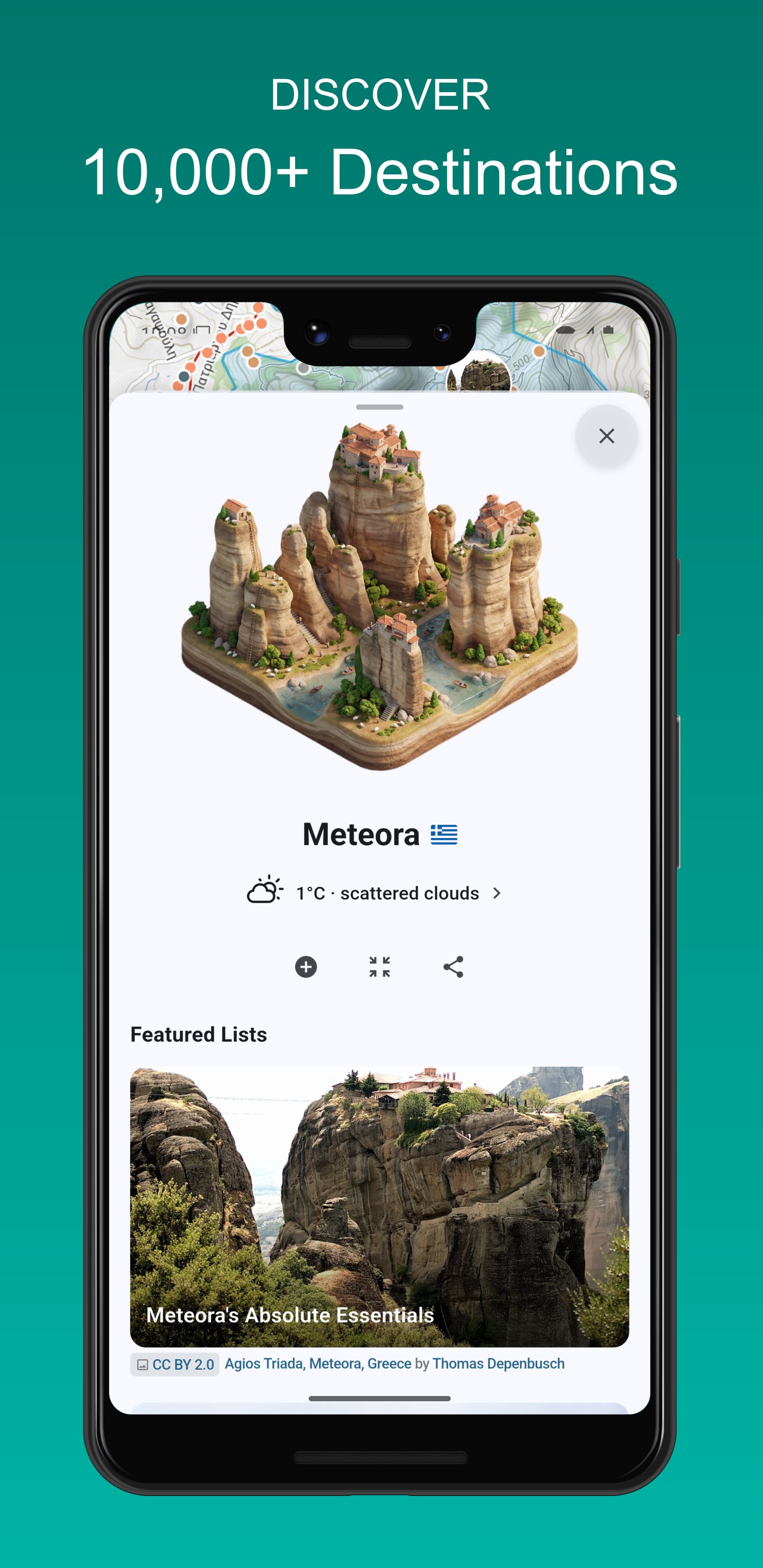
Discover exciting things to do wherever you go. Plan detailed trip itineraries with the Tripomatic (formerly Sygic Travel) itinerary planner. Navigate with helpful travel guides. The ultimate all-in-one planning app for every traveler.
AI TRIP PLANNER
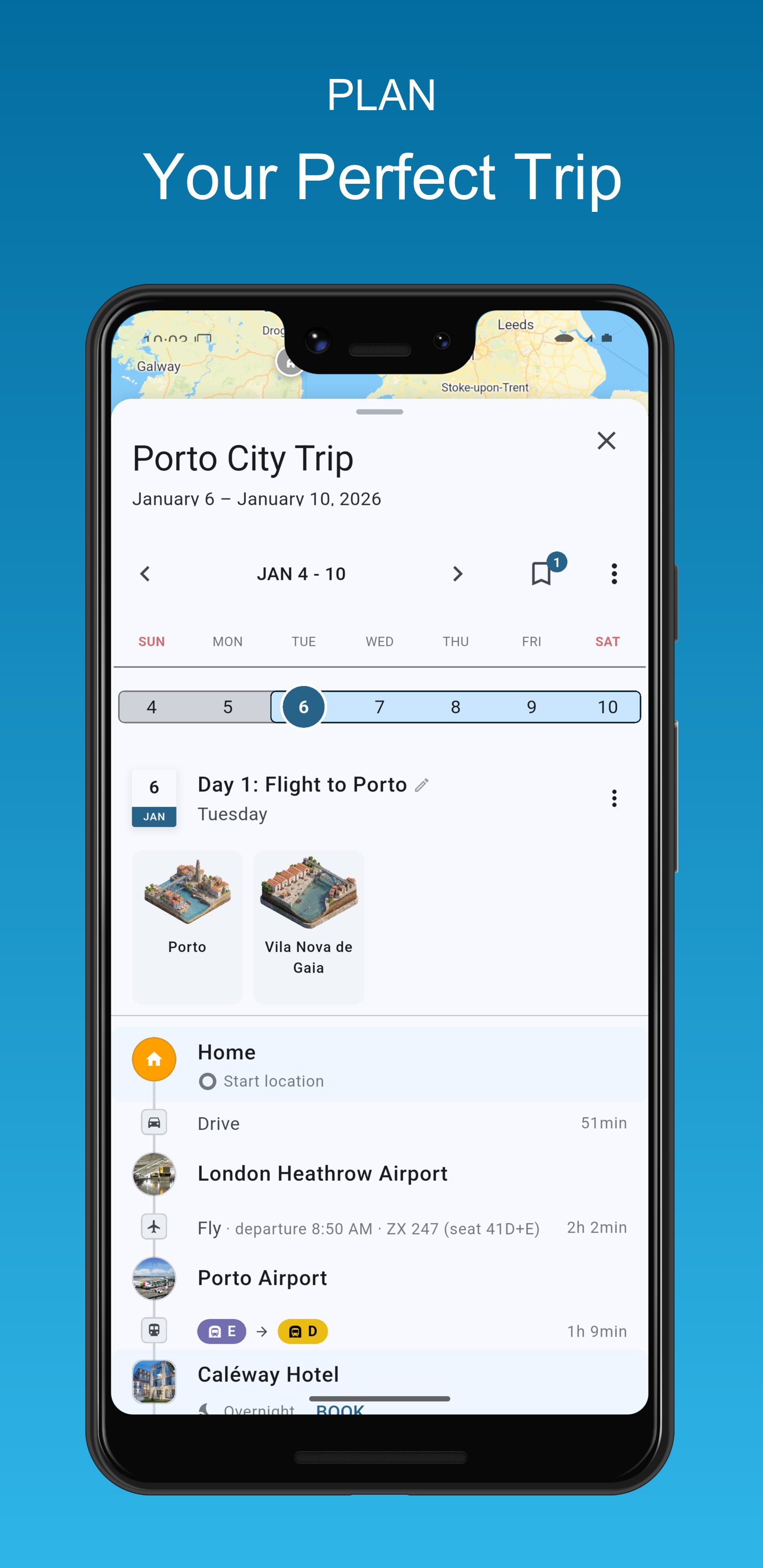
Create a detailed day-by-day itinerary for your trip with our easy-to-use trip planner. Get help from AI for even faster travel planning. View estimated travel times and walking distances to keep your plans realistic. Invite friends to collaborate on your trips. Track costs and add notes to keep everything at your fingertips.
OUTDOOR, WINTER, AND SATELLITE MAPS
Choose from multiple travel maps including outdoor maps, winter maps suitable for skiing, and satellite maps.
WORLDWIDE OFFLINE MAPS
Upgrade to Tripomatic Premium to use the app without an internet connection, including unlimited offline map downloads and walking navigation. Get offline maps for all destinations in your trip itinerary - from urban destinations like Athens, Tel Aviv, Vienna, and Tokyo to nature getaways in Scotland, Koh Lanta, Madeira, and Santorini.
50 MILLION PLACES
Whether you're on a sightseeing tour, a shopping trip, or a romantic weekend getaway, we’ve got you covered. Tripomatic covers well-known cities such as Singapore, Sydney, Dubai, Madrid, Jerusalem, Prague, Marrakech, Cairo, or Istanbul, as well as hidden gems all round the world.
TRAVEL GUIDES
Be your own tour guide. Collections such as 'Best Beaches' or 'Modern Architecture' make it easy to discover interesting places. Travel guides are available for thousands of cities including London, Paris, New York City, Rome, Barcelona, San Francisco, or Las Vegas.
USE ON ALL DEVICES
Your trips created on Tripomatic (previously Sygic Travel) will sync automatically between all your devices and the web planner available at https://maps.tripomatic.com
TRIPOMATIC PREMIUM
With Tripomatic Premium, you will unlock all Tripomatic features including AI travel planning on all devices signed in with the same account. Start with a free trial to explore all premium features.
Subscribe and pay through your Google Play account. After your free trial ends, payment will be charged to your Google Play account at confirmation of purchase. Your subscription will automatically renew unless canceled at least 24 hours before the end of the current period. Your account will be charged for renewal within 24 hours prior to the end of the current period. You may cancel your free trial at any time before it ends to avoid being charged. Manage subscriptions and turn off auto-renewal after purchase by going to the 'Manage Subscription' page in Tripomatic settings.
GET IN TOUCH WITH US
See more info at https://tripomatic.com
Check out our online travel maps at https://maps.tripomatic.com
Contact support at https://support.tripomatic.com
Preview
Tags
Travel-&Information
Developer
Sygic.
Latest Version
26.0.94
Last Updated
2026-02-13
Category
Travel-local
Available on
Google Play
Show More
How to play Tripomatic Planner & Maps with GameLoop on PC
1. Download GameLoop from the official website, then run the exe file to install GameLoop
2. Open GameLoop and search for “Tripomatic Planner & Maps” , find Tripomatic Planner & Maps in the search results and click “Install”
3. Enjoy playing Tripomatic Planner & Maps on GameLoop
Minimum requirements
OS
Windows 8.1 64-bit or Windows 10 64-bit
GPU
GTX 1050
CPU
i3-8300
Memory
8GB RAM
Storage
1GB available space
Recommended requirements
OS
Windows 8.1 64-bit or Windows 10 64-bit
GPU
GTX 1050
CPU
i3-9320
Memory
16GB RAM
Storage
1GB available space