
LUGO: App for Seamless Travels PC
Hugo Mobility Pte Ltd
Download LUGO: App for Seamless Travels on PC With GameLoop Emulator
LUGO: App for Seamless Travels sa PC
Ang LUGO: App for Seamless Travels, na nagmumula sa developer na Hugo Mobility Pte Ltd, ay tumatakbo sa Android systerm sa nakaraan.
Ngayon, maaari mong laruin ang LUGO: App for Seamless Travels sa PC gamit ang GameLoop nang maayos.
I-download ito sa GameLoop library o mga resulta ng paghahanap. Hindi na tumitingin sa baterya o nakakadismaya na mga tawag sa maling oras.
I-enjoy lang ang LUGO: App for Seamless Travels PC sa malaking screen nang libre!
LUGO: App for Seamless Travels Panimula
LUGO Transport and Mobility App
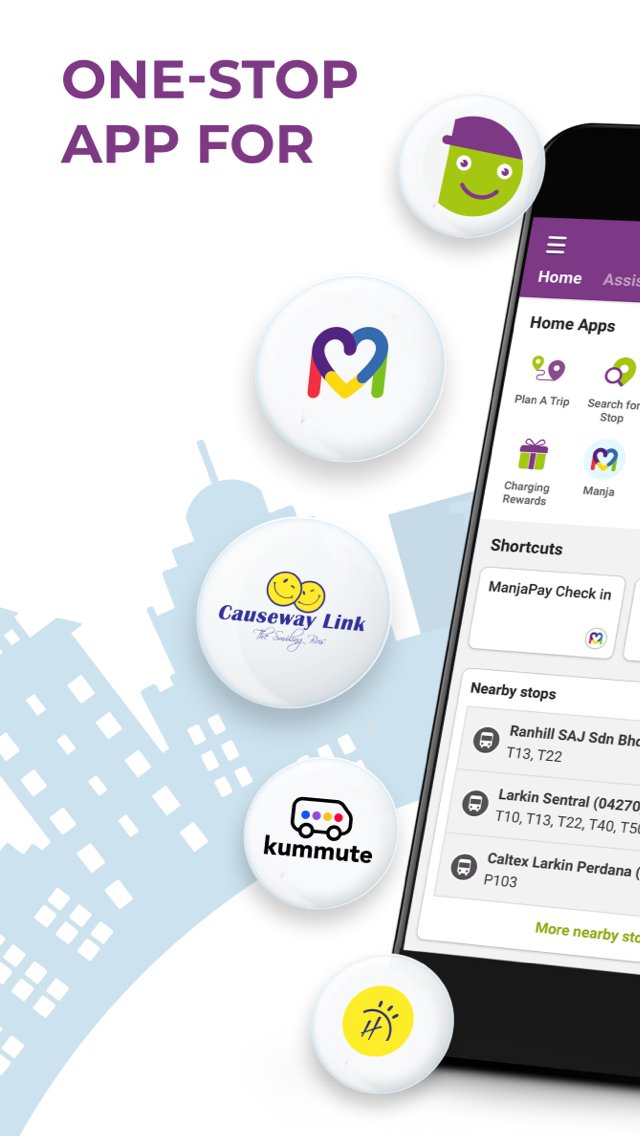
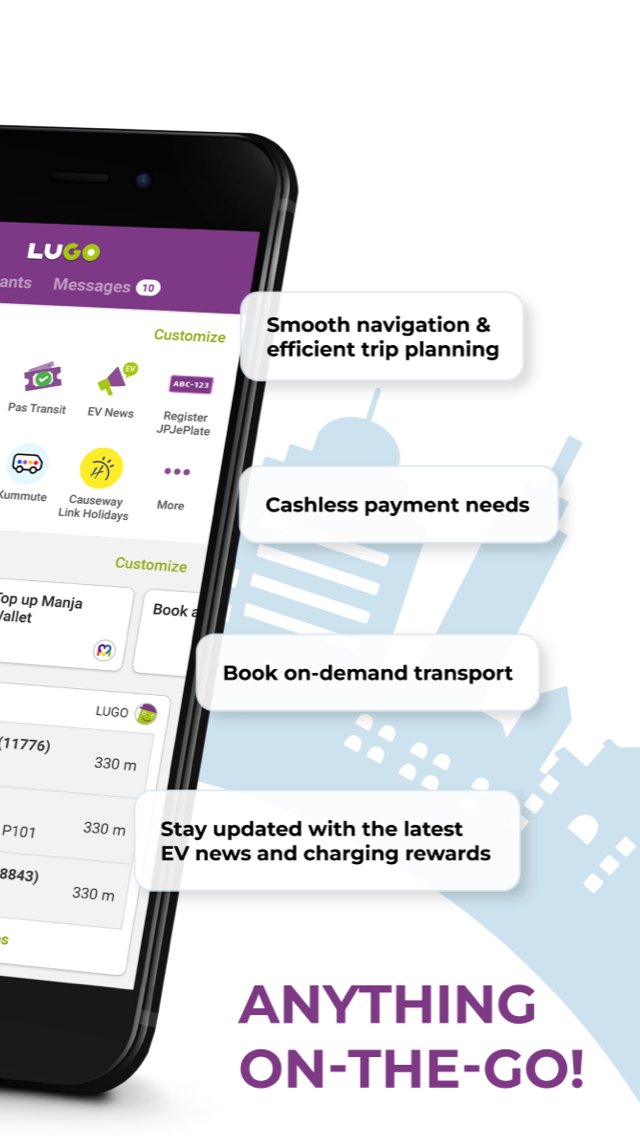
LUGO is a privately developed transport and mobility app that helps users with navigation, trip planning, schedule information, and selected public and private transport services. LUGO brings together supported mobility features to make travel planning and commuting more convenient.
Services Available on LUGO Now:
LUGO – A travel assistant that helps users plan journeys and view available transport options. Commuting from one place to another is made easier with multi-modal travel options for a smoother journey.
Manja – A simple and cashless way to pay for supported Causeway Link bus rides. Users can enable mobile payment to pay for supported bus fares without fumbling with coins.
EV Hub - Whether you’re gearing up to become an EV owner or looking to switch to a new electric car, LUGO is here to support your journey. Explore EV services designed to make your transition to electric smoother and more convenient.
Kummute – Your community ride. Kummute is a bus pooling service that works by combining your community's bookings. It then travels a route based on everyone’s pick-up and drop-off stops. With a booking, you get a guaranteed seat, affordable fares, and reliable service.
The assistant is currently supported in Singapore, Johor, and Kuala Lumpur.
Find Out More At:
https://lugo.com.my/
Connect with Us on Facebook:
https://www.fb.com/LUGOapp
Connect with Us on Twitter:
https://twitter.com/LUGOapp
Privacy Policy
Privacy policy can be found here: https://lugo.com.my/privacy-policy/
Government / Public Transport Information Disclaimer
LUGO is a privately developed application and is not affiliated with, endorsed by, authorized by, or operated by any government entity, including but not limited to the Government of Singapore, Land Transport Authority (LTA), Ministry of Transport (MOT), Road Transport Department Malaysia (JPJ), or other public transport authorities.
Transport, vehicle, EV, route, stop, schedule, fare, holiday, and public service information shown in the app is obtained only from the sources listed below, and may be processed through LUGO’s own transport platform before being displayed. No other sources are used.
Sources Used:
https://www.lta.gov.sg – Land Transport Authority of Singapore (LTA)
https://datamall.lta.gov.sg – LTA DataMall
https://www.mot.gov.sg – Ministry of Transport, Singapore (MOT)
https://www.jpj.gov.my – Road Transport Department Malaysia (JPJ)
https://bas.my – myBAS / Agensi Pengangkutan Awam Darat (APAD), Malaysia
https://www.causewaylink.com.my – Causeway Link (Handal Indah Sdn Bhd)
Users should refer to the official sources above for the latest and most authoritative government, public transport, vehicle, route, schedule, fare, holiday, and service information.
Preview
Tags
Travel-&Information
Developer
Hugo Mobility Pte Ltd
Latest Version
1.7.3
Last Updated
2026-08-11
Category
Travel-local
Available on
Google Play
Show More
How to play LUGO: App for Seamless Travels with GameLoop on PC
1. Download GameLoop from the official website, then run the exe file to install GameLoop
2. Open GameLoop and search for “LUGO: App for Seamless Travels” , find LUGO: App for Seamless Travels in the search results and click “Install”
3. Enjoy playing LUGO: App for Seamless Travels on GameLoop
Minimum requirements
OS
Windows 8.1 64-bit or Windows 10 64-bit
GPU
GTX 1050
CPU
i3-8300
Memory
8GB RAM
Storage
1GB available space
Recommended requirements
OS
Windows 8.1 64-bit or Windows 10 64-bit
GPU
GTX 1050
CPU
i3-9320
Memory
16GB RAM
Storage
1GB available space