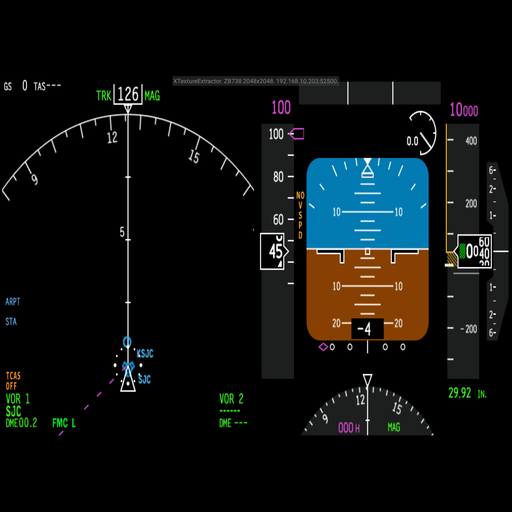
XTextureExtractor PC
Wayne Piekarski
Download XTextureExtractor on PC With GameLoop Emulator
XTextureExtractor sa PC
Ang XTextureExtractor, na nagmumula sa developer na Wayne Piekarski, ay tumatakbo sa Android systerm sa nakaraan.
Ngayon, maaari mong laruin ang XTextureExtractor sa PC gamit ang GameLoop nang maayos.
I-download ito sa GameLoop library o mga resulta ng paghahanap. Hindi na tumitingin sa baterya o nakakadismaya na mga tawag sa maling oras.
I-enjoy lang ang XTextureExtractor PC sa malaking screen nang libre!
XTextureExtractor Panimula
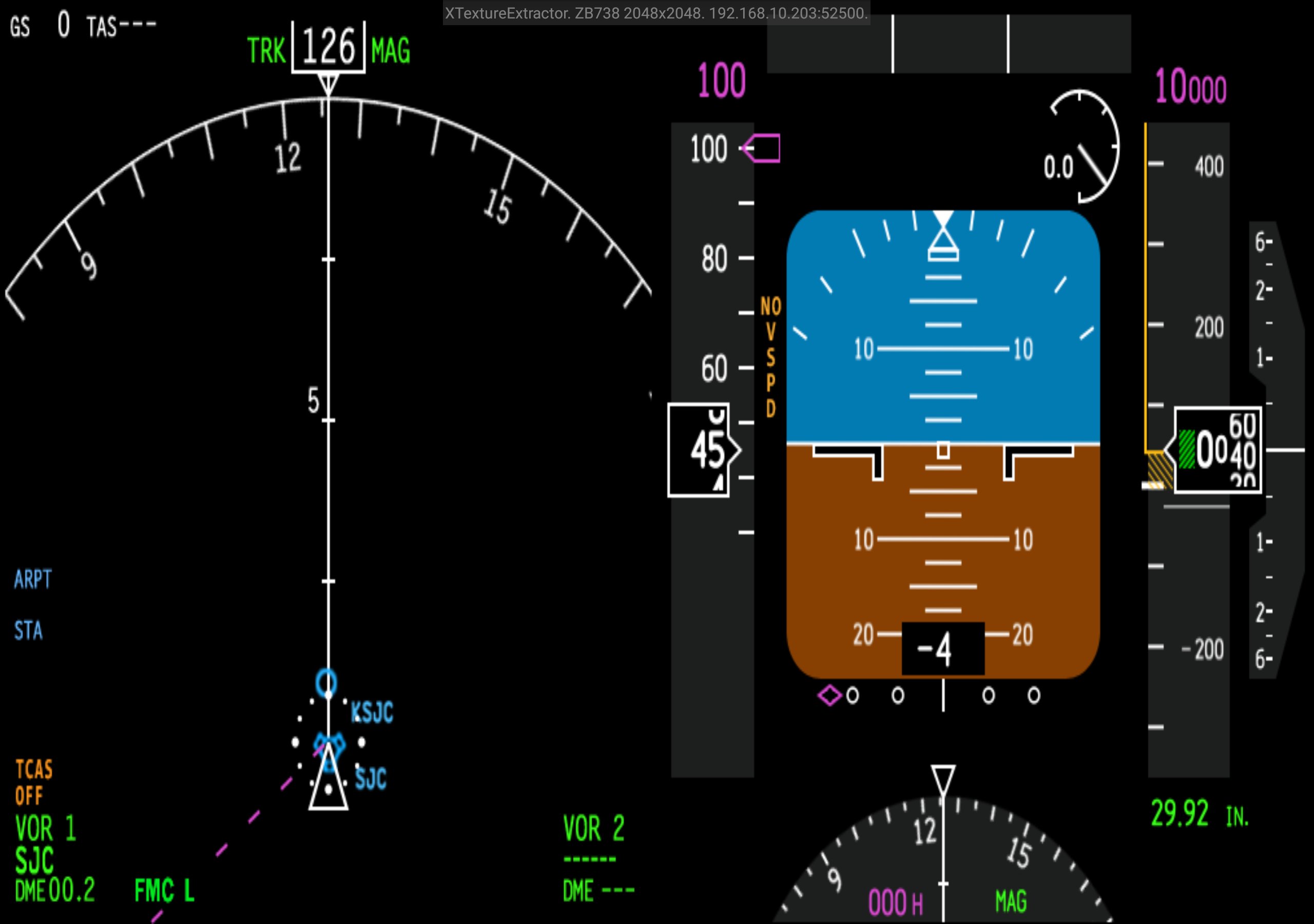
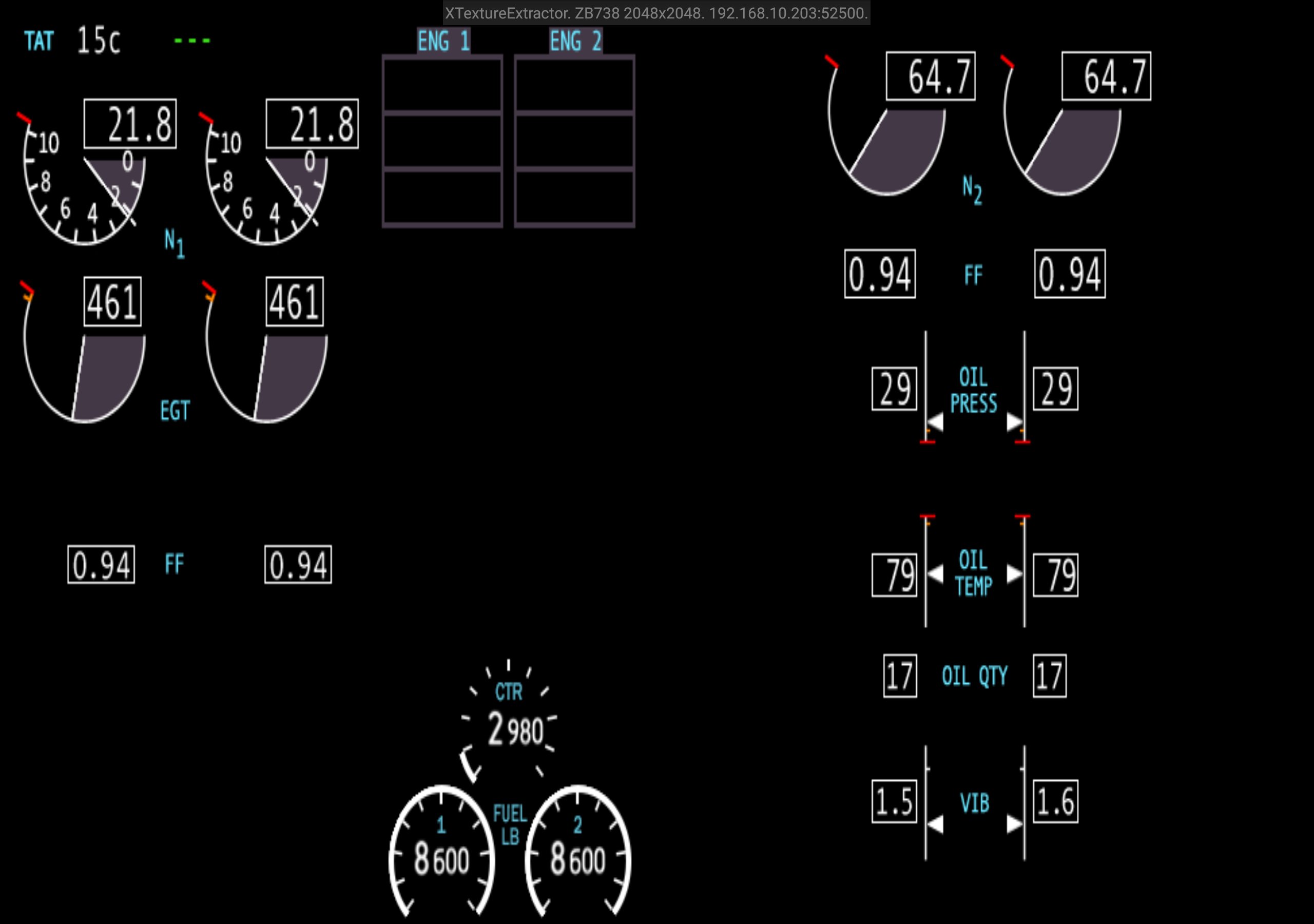
XTextureExtractor extracts the textures for the HSI, ND, EICAS, and CDU displays, and renders them in separate windows that you can place anywhere within X-Plane, on external unused monitors, and on Android devices.
YOU MUST INSTALL THE LATEST 0.4 PLUGIN, THE NETWORK PROTOCOL HAS CHANGED FROM 0.3.
Tap on the window displays to cycle through all the available textures. You can arrange the phone in portrait or landscape mode.
Requirements:
- X-Plane 11
- Download XTextureExtractor plugin from http://waynepiekarski.net/XTextureExtractor and unzip into the Resources/Plugins directory
- Supported aircraft in X-Plane 11
- Open TCP port 52500 in Windows firewall for XTextureExtractor
- Multicast support on your network for auto-detection
If multi-cast is not working, you can tap on the connection text to configure a manual X-Plane hostname or IP address.
Most X-Plane 11 aircraft only allow you to view these displays within the virtual cockpit. These displays can also be quite small and hard to read. However, if you have a home cockpit set up with multiple monitors, it would be ideal to see each of these displays shown full screen and without having to move the view around to see it clearly. Some aircraft support a pop-up CDU, but rarely any of the other displays. There are external apps that can provide some of these displays, but they reimplement everything from scratch and will never be an exact match for your aircraft.
XTextureExtractor analyzes all the OpenGL textures and works out where these displays are rendered to. This same texture is then rendered into separate windows that you can move around and place wherever you want. They can be rendered as windows within X-Plane, or popped out and moved around within Windows itself. You can drag popped-out windows to external monitors and arrange them however you like.
X-Plane 11 doesn't natively support this functionality via the SDK, so the plugin uses OpenGL calls to try and guess the correct texture id. The coordinates of all the displays are hard coded for each supported aircraft. It has only been tested with an NVidia GTX 1080 and Windows 10, and the texture finding algorithm may not work on other video cards.
Supported aircraft are the standard X-Plane 737, Zibo 738, Flight Factor 757, Flight Factor 767, and the Felis Tu-154.
You must extract the plugin ZIP file and copy the Plugin-XTextureExtractor-x64-Release directory into your X-Plane 11\Resources\plugins directory.
XTextureExtractor is open source, licensed under the GNU Public License v3, and available from https://github.com/waynepiekarski/XTextureExtractor
This plugin is very experimental and may have bugs. I look forward to your feedback on this plugin, and hope you all find it useful for your home flight simulator systems.
Preview
Tags
ToolsInformation
Developer
Wayne Piekarski
Latest Version
1.0
Last Updated
2022-10-04
Category
Tools
Available on
Google Play
Show More
How to play XTextureExtractor with GameLoop on PC
1. Download GameLoop from the official website, then run the exe file to install GameLoop
2. Open GameLoop and search for “XTextureExtractor” , find XTextureExtractor in the search results and click “Install”
3. Enjoy playing XTextureExtractor on GameLoop
Minimum requirements
OS
Windows 8.1 64-bit or Windows 10 64-bit
GPU
GTX 1050
CPU
i3-8300
Memory
8GB RAM
Storage
1GB available space
Recommended requirements
OS
Windows 8.1 64-bit or Windows 10 64-bit
GPU
GTX 1050
CPU
i3-9320
Memory
16GB RAM
Storage
1GB available space