WiFi Signal & Distance Meter PC
Mobilia Apps
Download WiFi Signal & Distance Meter on PC With GameLoop Emulator
WiFi Signal & Distance Meter sa PC
Ang WiFi Signal & Distance Meter, na nagmumula sa developer na Mobilia Apps, ay tumatakbo sa Android systerm sa nakaraan.
Ngayon, maaari mong laruin ang WiFi Signal & Distance Meter sa PC gamit ang GameLoop nang maayos.
I-download ito sa GameLoop library o mga resulta ng paghahanap. Hindi na tumitingin sa baterya o nakakadismaya na mga tawag sa maling oras.
I-enjoy lang ang WiFi Signal & Distance Meter PC sa malaking screen nang libre!
WiFi Signal & Distance Meter Panimula
Turn your phone into a powerful WiFi analyzer! WiFi Signal & Distance Meter measures the distance to your router, tracks signal strength over time, and helps you optimize your wireless network for the best performance.
Whether you're troubleshooting dead zones, choosing the best WiFi channel, or finding the ideal router placement — this all-in-one WiFi toolkit has you covered.
KEY FEATURES:
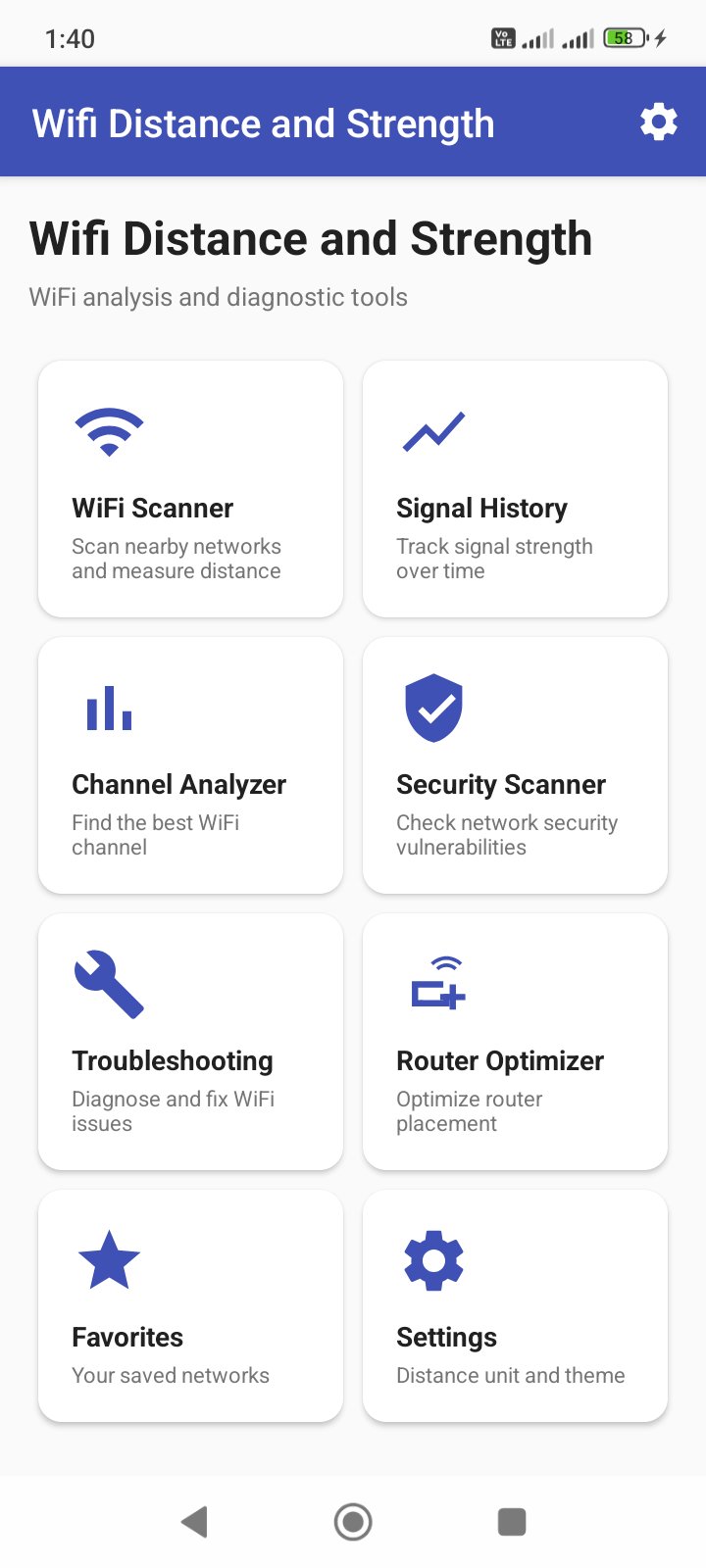
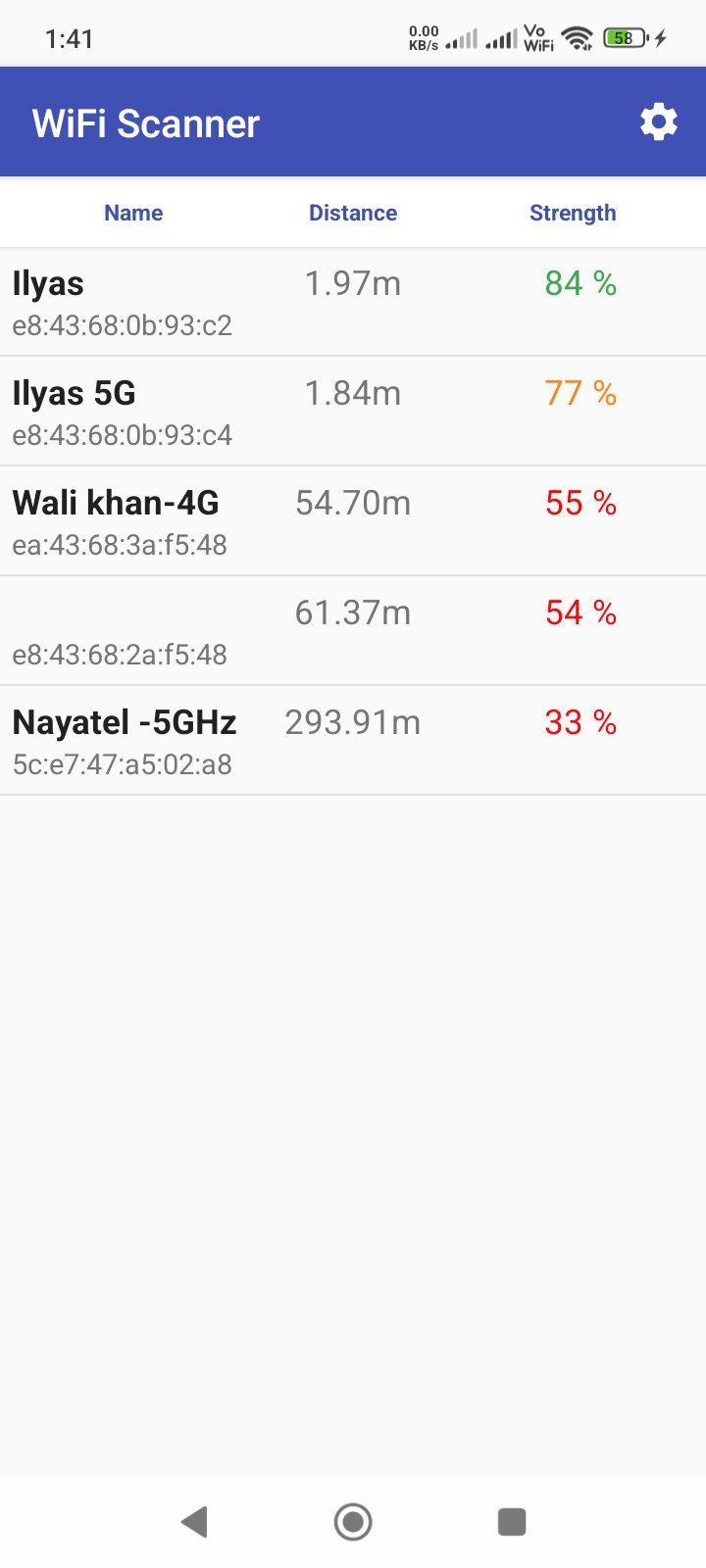
• WiFi Scanner — Scan all nearby networks and measure the estimated distance to each router in meters or feet
• Signal History — Track signal strength and distance changes over time with interactive charts
• Channel Analyzer — Visualize 2.4 GHz and 5 GHz channel congestion to find the least crowded channel for your router
• Security Scanner — Audit nearby networks for security vulnerabilities (WPA3, WPA2, WEP, Open) with actionable recommendations
• Troubleshooting Assistant — Run diagnostics to detect and resolve common WiFi issues automatically
• Router Optimizer — Analyze coverage patterns in all directions and get placement recommendations for optimal performance
• Favorite Networks — Save and organize your most-used networks with custom nicknames and notes
• CSV Export — Export your scan history for detailed analysis (Premium)
WHY CHOOSE WIFI SIGNAL & DISTANCE METER?
• All-in-one WiFi toolkit — scanner, analyzer, and optimizer in a single app
• Beautiful charts — visualize signal data with clear, interactive graphs
• Works offline — all analysis runs locally on your device, no internet required
• Dark mode support — easy on your eyes in any lighting
• Lightweight — fast performance with minimal battery drain
• Privacy focused — no data leaves your device
PERFECT FOR:
• Home users looking to improve WiFi coverage and speed
• IT professionals and network technicians diagnosing WiFi issues
• Anyone setting up a new router and choosing the best placement
• Students and researchers analyzing wireless networks
• Travelers checking WiFi security at hotels and cafes
DISTANCE MEASUREMENT:
Uses signal strength (RSSI) and frequency data to estimate the distance between your device and each access point. Choose between meters and feet in settings.
Download now and take control of your WiFi network!
Preview
Tags
ToolsInformation
Developer
Mobilia Apps
Latest Version
2.1
Last Updated
2026-09-11
Category
Tools
Available on
Google Play
Show More
How to play WiFi Signal & Distance Meter with GameLoop on PC
1. Download GameLoop from the official website, then run the exe file to install GameLoop
2. Open GameLoop and search for “WiFi Signal & Distance Meter” , find WiFi Signal & Distance Meter in the search results and click “Install”
3. Enjoy playing WiFi Signal & Distance Meter on GameLoop
Minimum requirements
OS
Windows 8.1 64-bit or Windows 10 64-bit
GPU
GTX 1050
CPU
i3-8300
Memory
8GB RAM
Storage
1GB available space
Recommended requirements
OS
Windows 8.1 64-bit or Windows 10 64-bit
GPU
GTX 1050
CPU
i3-9320
Memory
16GB RAM
Storage
1GB available space