![USB OTG Helper [root]](https://static.gameloop.com/img/35aa7aa673e5e89b41c7e242fe7c3bdf.png?imageMogr2/thumbnail/172.8x172.8/format/webp)
USB OTG Helper [root] PC
Ray Of Light
Download USB OTG Helper [root] on PC With GameLoop Emulator
USB OTG Helper [root] sa PC
Ang USB OTG Helper [root], na nagmumula sa developer na Ray Of Light, ay tumatakbo sa Android systerm sa nakaraan.
Ngayon, maaari mong laruin ang USB OTG Helper [root] sa PC gamit ang GameLoop nang maayos.
I-download ito sa GameLoop library o mga resulta ng paghahanap. Hindi na tumitingin sa baterya o nakakadismaya na mga tawag sa maling oras.
I-enjoy lang ang USB OTG Helper [root] PC sa malaking screen nang libre!
USB OTG Helper [root] Panimula
▌ IMPORTANT - Please read the entire description before giving feedback.
IF IT DOES NOT WORK ON YOUR DEVICE, PLEASE DO NOT RATE
It is not supposed to work on every device. If it does not work, please report (with log) here -> http://goo.gl/h6JTN
☆ See list of confirmed working devices: http://usbotghelper.wordpress.com/confirmed-devices/
▌ IMPORTANT - ROOTED devices ONLY!!
What is rooting? Read here -> http://en.wikipedia.org/wiki/Android_rooting
▌ "USB On-The-Go, often abbreviated USB OTG, is a specification that allows USB devices such as digital audio players or mobile phones to act as a host, allowing other USB devices like a USB flash drive, mouse, or keyboard to be attached to them." - Wikipedia
▌Features [ Open Menu -> Settings to enable or disable. ]:
-------------------------------------------------------------------------------------
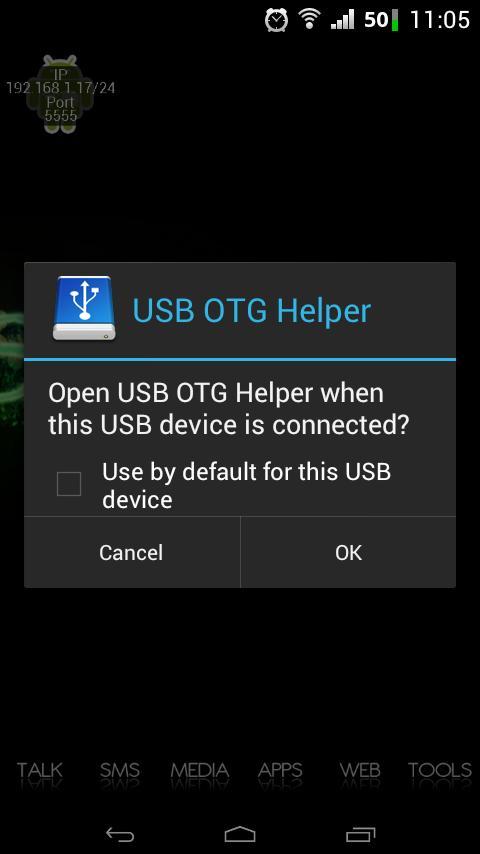
• Automatically start app on device connect [ See FAQ below ]
• Automatic mount [ Donate version ] [ See FAQ ]
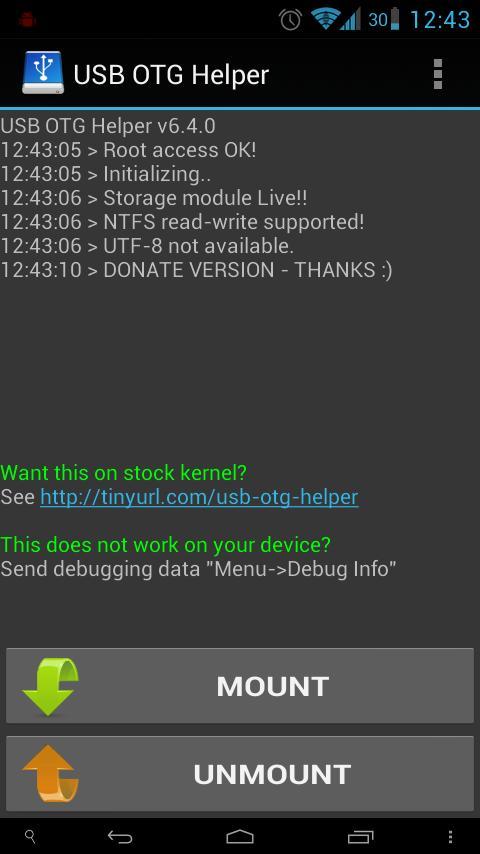
• Mount and Unmount drive with a single click
• Full NTFS support! (FAT, Ext2/3/4 also if kernel supports)
• exFAT support! [ See FAQ to enable ]
• Notification when drives mounted!
• Load modules required automatically (from /system/lib/modules)
• Option to enable utf-8 mode (if kernel support)
• Automatically open the mounted drive [ Donate version ] [ See FAQ ]
• Media scanner triggered on mount [Active media scan in Donate version]
• One click debugging [ Donate version ] [ See FAQ below ]
• No Ads!
▌What phones are supported?
---------------------------------------------
☆ Confirmed: http://usbotghelper.wordpress.com/confirmed-devices/
Any phone in which kernel supports USB Mass storage (stock OR custom kernels OR with appropriate kernel modules)
If it works on your device, or you know of kernels or modules please give the details here -> http://goo.gl/h4xGl
☆ List of modules and kernels can be found here -> http://goo.gl/NXVEL
Please note that this app is an "Helper" app.. it will not magically make your kernel support USB Mass storage!
▌What are the requirements?
-------------------------------------------
• root (su binary)
• supporting kernel / kernel modules
• USB OTG cable ( or direct card reader, see this kickstarter project and support them -> http://goo.gl/LPPrB )
▌WARNING
-------------------
☆ I will not be held responsible for any damage to your device. Do not use for a long time, u may risk burning the device chip/motherboard due to the voltage supply in host mode.
▌FAQ
----------
See -> http://usbotghelper.wordpress.com/faq/
▌Trouble-shooting!:
---------------------------
If still not working, send me debugging data (one-click for donate version)
If still something does not work, mail me. I cannot reply to feedback!
▌Contact
--------------
email : shardulseth {at} aol .com
website : http://usbotghelper.wordpress.com
xda : http://tinyurl.com/otg-xda
▌Translation credits
-----------------------------
[ Translate to your language -> http://tinyurl.com/otg-translate ]
Greek - Nianios Romanos
Russian - Igor Nedoboy
Ukranian - Alexandr Tobolin (Toz1k)
Hungarian (Magyar) - Varga Zsigmond (Sigismund)
Italian - walpis
German - Patrick Oberdorf
SEO: usbotg, usb , otg, mass storage, mount, drive, NTFS, ntfs-3g, usb host, stickmount, shardul,
Preview
Information
Developer
Ray Of Light
Latest Version
6.6.1
Last Updated
2014-02-28
Category
Tools
Available on
Google Play
Show More
How to play USB OTG Helper [root] with GameLoop on PC
1. Download GameLoop from the official website, then run the exe file to install GameLoop
2. Open GameLoop and search for “USB OTG Helper [root]” , find USB OTG Helper [root] in the search results and click “Install”
3. Enjoy playing USB OTG Helper [root] on GameLoop
Minimum requirements
OS
Windows 8.1 64-bit or Windows 10 64-bit
GPU
GTX 1050
CPU
i3-8300
Memory
8GB RAM
Storage
1GB available space
Recommended requirements
OS
Windows 8.1 64-bit or Windows 10 64-bit
GPU
GTX 1050
CPU
i3-9320
Memory
16GB RAM
Storage
1GB available space