
Authenticator App PC
Epic Apps Studio
Download Authenticator App on PC With GameLoop Emulator
Authenticator App sa PC
Ang Authenticator App, na nagmumula sa developer na Epic Apps Studio, ay tumatakbo sa Android systerm sa nakaraan.
Ngayon, maaari mong laruin ang Authenticator App sa PC gamit ang GameLoop nang maayos.
I-download ito sa GameLoop library o mga resulta ng paghahanap. Hindi na tumitingin sa baterya o nakakadismaya na mga tawag sa maling oras.
I-enjoy lang ang Authenticator App PC sa malaking screen nang libre!
Authenticator App Panimula
🔐 2FA Authenticator - Strengthen Your Online Security with Two-Factor Authentication (2FA)
Secure your digital life with Two Factor Authentication - 2FA Authenticator, an extra layer of protection, the trusted solution for two-factor authentication (2FA) and multi-factor authentication (MFA). OTP Generator generates time-based one-time passwords (TOTP) and protects your online accounts from unauthorized access with just one app.
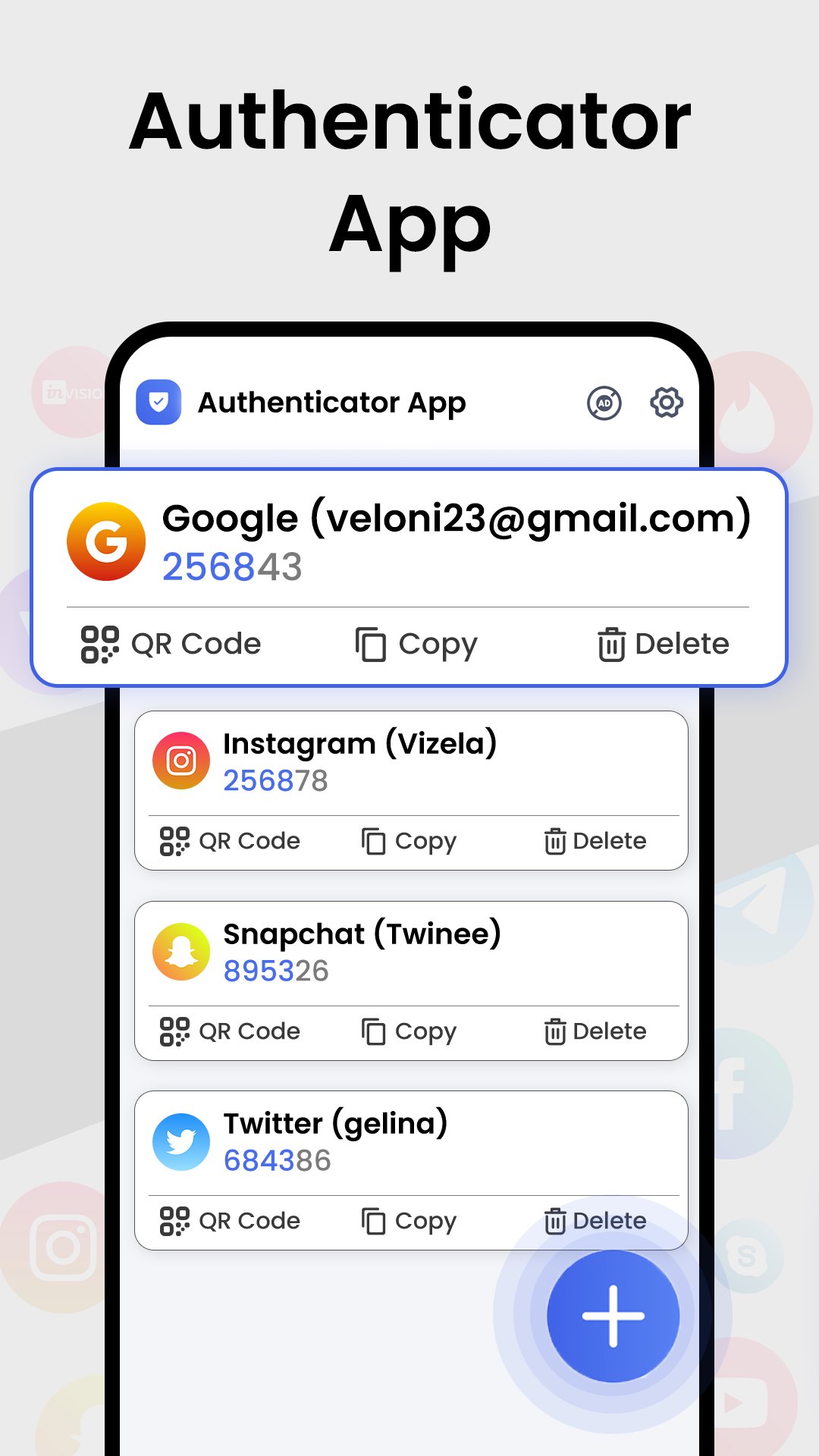
MFA Authenticator employs a cutting-edge security method called Time-Based One-Time Password (TOTP) to generate unique codes. These codes change every 30 seconds, ensuring that even if someone intercepts one code, they cannot use it to gain access. This two step authentication or two step verification significantly reduces the risk of unauthorized access, even if your password is compromised.
Take control of your online security like never before with the 2FA Authenticator app. Combining robust 2 factor authentication or multi-factor authentication with essential features. It's your all-in-one solution for staying steps ahead of threats.
Whether you're securing social media, financial accounts, or developer platforms, 2FA Authenticator provides fast, simple, and effective security.
✅ Key Features of 2FA Authenticator:
🔒 Two-Factor & Multi-Factor Authentication
Protect your accounts with 6-digit TOTP codes that offer robust defense against unauthorized logins with 2FA passkey authentication.
📸 Easy Setup Options
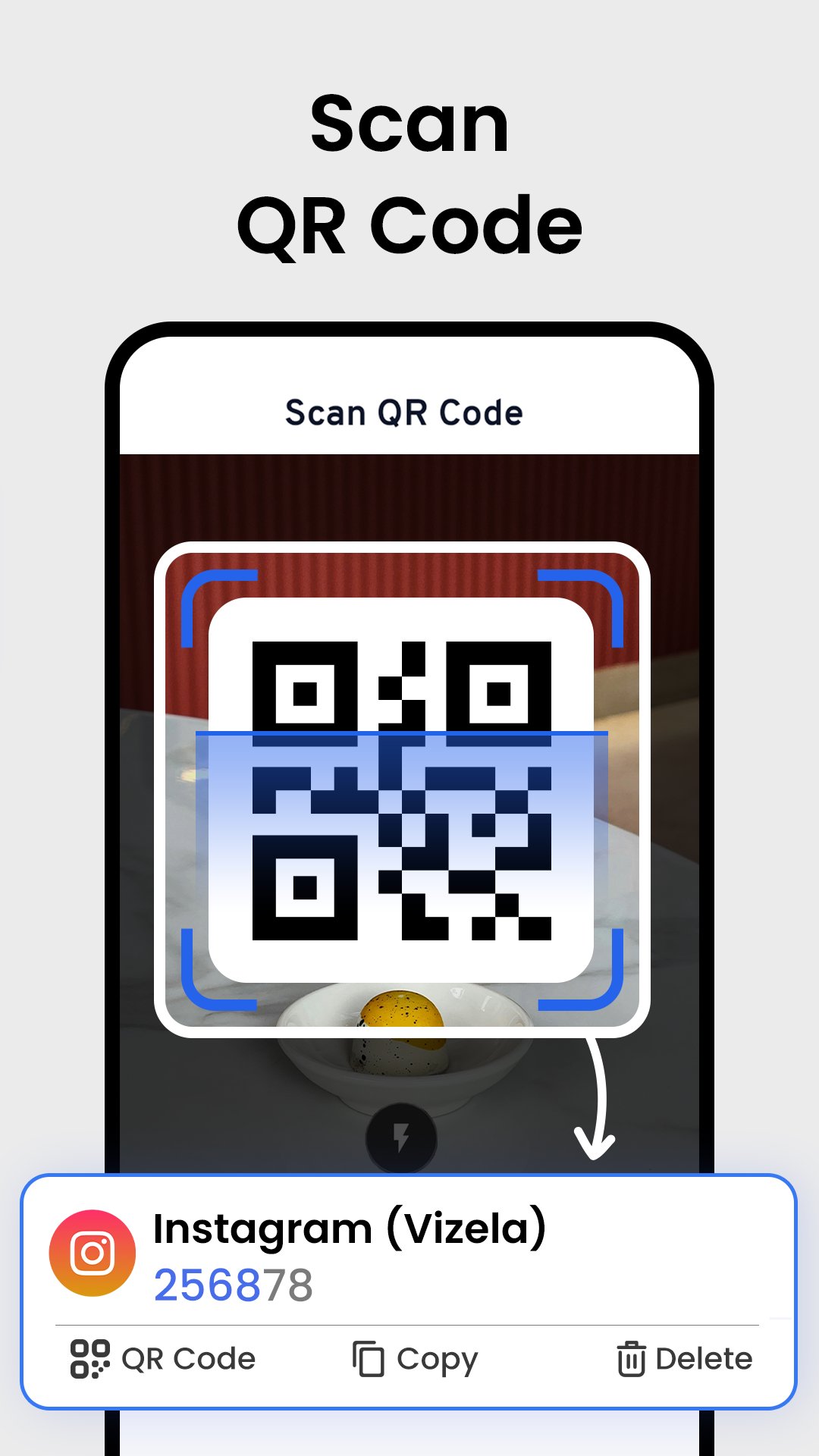
Add MFA accounts quickly by scanning QR codes, entering keys manually, or uploading QR images from your gallery.
🔄 Backup Import & Export
Easily transfer your 2FA codes to another device without the risk of losing access.
👆 PIN & Fingerprint Lock
Add a security layer to the 2FA Authenticator app itself using PIN or biometric authentication for fast and safe access.
🌍 Global Language Support
Use the 2 Factor Authenticator app in your preferred language—perfect for users across the world.
🧭 Clean & Intuitive UI
User-friendly design with easy navigation and clear steps to set up your 2FA codes.
⁜ 2 Factor Authentication is compatible with all major services:
• Google, Facebook, Instagram, Discord, Twitter, TikTok, LinkedIn
• Amazon, Dropbox, GitHub, Microsoft, Outlook, OneDrive
• Coinbase, Binance, Crypto.com, Tesla, Steam, Epic Games
• And many more platforms that support TOTP-based 2FA/MFA.
⁜ Applicable across industries including:
Finance, Cryptocurrency, Gaming, eCommerce, IT, Cloud Services, Banking, and Social Media.
⁜ Why Choose 2FA Authenticator?
• Strong 2FA/MFA Protection
• Quick Setup & Code Generation
• Secure Device Access via Biometrics
• Works with All TOTP-Supported Platforms
• Trusted by Users Worldwide
• Authenticator to Enable Passkey & Two-Factor Authentication (2FA), OTP
• Our app is a great alternative to google authenticator and microsoft authenticator.
Need assistance or have feedback? Reach out at: epicstudio2017@gmail.com
Join thousands securing their accounts with 2FA Authenticator app – 2 Factor Authentication code passkey.
👉 Download the Authenticator app for Android now and stay one step ahead of digital cyber threats.
Preview
Tags
ToolsInformation
Developer
Epic Apps Studio
Latest Version
4.5
Last Updated
2026-11-06
Category
Tools
Available on
Google Play
Show More
How to play Authenticator App with GameLoop on PC
1. Download GameLoop from the official website, then run the exe file to install GameLoop
2. Open GameLoop and search for “Authenticator App” , find Authenticator App in the search results and click “Install”
3. Enjoy playing Authenticator App on GameLoop
Minimum requirements
OS
Windows 8.1 64-bit or Windows 10 64-bit
GPU
GTX 1050
CPU
i3-8300
Memory
8GB RAM
Storage
1GB available space
Recommended requirements
OS
Windows 8.1 64-bit or Windows 10 64-bit
GPU
GTX 1050
CPU
i3-9320
Memory
16GB RAM
Storage
1GB available space