Touch Screen and Video lock (o PC
Simple Screen Lock Apps
Download Touch Screen and Video lock (o on PC With GameLoop Emulator
Touch Screen and Video lock (o sa PC
Ang Touch Screen and Video lock (o, na nagmumula sa developer na Simple Screen Lock Apps, ay tumatakbo sa Android systerm sa nakaraan.
Ngayon, maaari mong laruin ang Touch Screen and Video lock (o sa PC gamit ang GameLoop nang maayos.
I-download ito sa GameLoop library o mga resulta ng paghahanap. Hindi na tumitingin sa baterya o nakakadismaya na mga tawag sa maling oras.
I-enjoy lang ang Touch Screen and Video lock (o PC sa malaking screen nang libre!
Touch Screen and Video lock (o Panimula
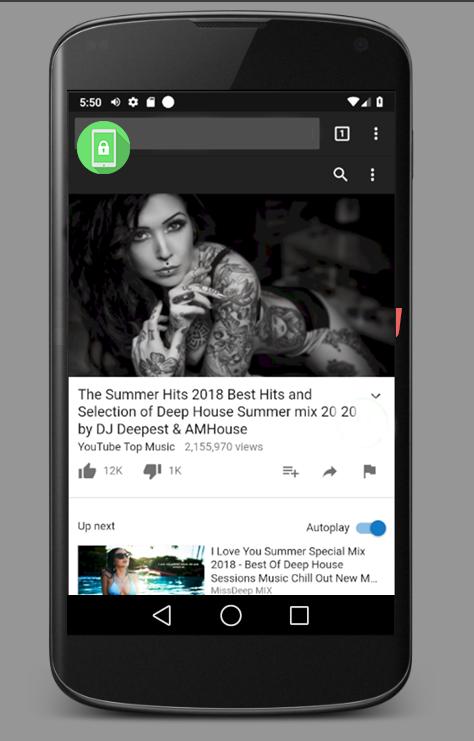
Lock the touch screen during video playback and Let your kids always focus on Video or Photo.
Easy and simple app which helps you to watch videos and music without touching your screen!
Features:
• Call Protect - Prevent accidental hang up calls by face touching. Also prevent pocket answering and dialing calls
• prevent pocket answering or ignoring calls
• lock the screen display
• prevent face touching during calls
• lock virtual or physical keys including home page keys, return keys, volume keys and most recently used app keys
• keeps screen on
• unlock screen by tapping overlayed icon
• wide variety of devices supported.
• hidden or show the unlock screen
Uses:
★ Safe and stable calls preventing accidental disconnects.
★ QR Code's strongest assistant tool: whether you're boarding a plane or taking the subway, it takes only a second to scan your electronic ticket.
★ A good help for cooking. The app keeps the screen on so you can read the recipe
★ Take great underwater video. The app prevents interference from water touching the screen
★ No interruption to your navigation: you can open a map and put it in your pocket
★ You won't have to worry about your screen going to sleep automatically when you're copying texts or displaying content on your phone
★ A marvelous gadget screen freezer for mobile games: no more accidental stopping or exiting due to the touching of screens and buttons
★ Isolated lock-up of physical or virtual keys: whether you're looking through your photo album or playing a game, you can retain easy control
★ Enjoy a one-handed cinema: you can walk about while watching your favorite TV series without being interrupted
★ It takes one second to transform into a drawing board: a good tool to help you develop your drawing skills
★ Turn your MV into a pocket music player anytime
★ Drive with a locked screen and make your driving safer
★ Lock the screen and use your mobile phone as a marquee or fluorescent stick in a music concert
Preview

Tags
ToolsInformation
Developer
Simple Screen Lock Apps
Latest Version
5.5.1
Last Updated
2020-02-19
Category
Tools
Available on
Google Play
Show More
How to play Touch Screen and Video lock (o with GameLoop on PC
1. Download GameLoop from the official website, then run the exe file to install GameLoop
2. Open GameLoop and search for “Touch Screen and Video lock (o” , find Touch Screen and Video lock (o in the search results and click “Install”
3. Enjoy playing Touch Screen and Video lock (o on GameLoop
Minimum requirements
OS
Windows 8.1 64-bit or Windows 10 64-bit
GPU
GTX 1050
CPU
i3-8300
Memory
8GB RAM
Storage
1GB available space
Recommended requirements
OS
Windows 8.1 64-bit or Windows 10 64-bit
GPU
GTX 1050
CPU
i3-9320
Memory
16GB RAM
Storage
1GB available space