SURFboard Central PC
ARRIS Enterprises, Inc.
Download SURFboard Central on PC With GameLoop Emulator
SURFboard Central sa PC
Ang SURFboard Central, na nagmumula sa developer na ARRIS Enterprises, Inc., ay tumatakbo sa Android systerm sa nakaraan.
Ngayon, maaari mong laruin ang SURFboard Central sa PC gamit ang GameLoop nang maayos.
I-download ito sa GameLoop library o mga resulta ng paghahanap. Hindi na tumitingin sa baterya o nakakadismaya na mga tawag sa maling oras.
I-enjoy lang ang SURFboard Central PC sa malaking screen nang libre!
SURFboard Central Panimula
Thank you for purchasing a SURFboard product! Simply download this application, select the device model, and follow the on-screen instructions to setup your device.
This single (Central) mobile application will support all our current SURFboard devices.
Cable Modems:
- Models: S33, S34, SB6141, SB6121, SB6183, SB6190, SB8200, SBV3202, SBV2402, T25.
- Step-by-step install guide includes help for device activation by your Cable Internet Service Provider.
- Access to device information, help, and technical support.
- Quick launch the device Web Application for device configuration and management.
Cable Modems with Wi-Fi:
- Models: G18, G20, G34, G36, G54, SBG10, SBG6950, SBG7400, SBG7580, SBG7600, SBG8300
- Step-by-step install guide includes help for device activation by your Cable Internet Service Provider.
- Access to device information, help, and technical support.
- Use the device Web Application OR the mobile app for device configuration and management.
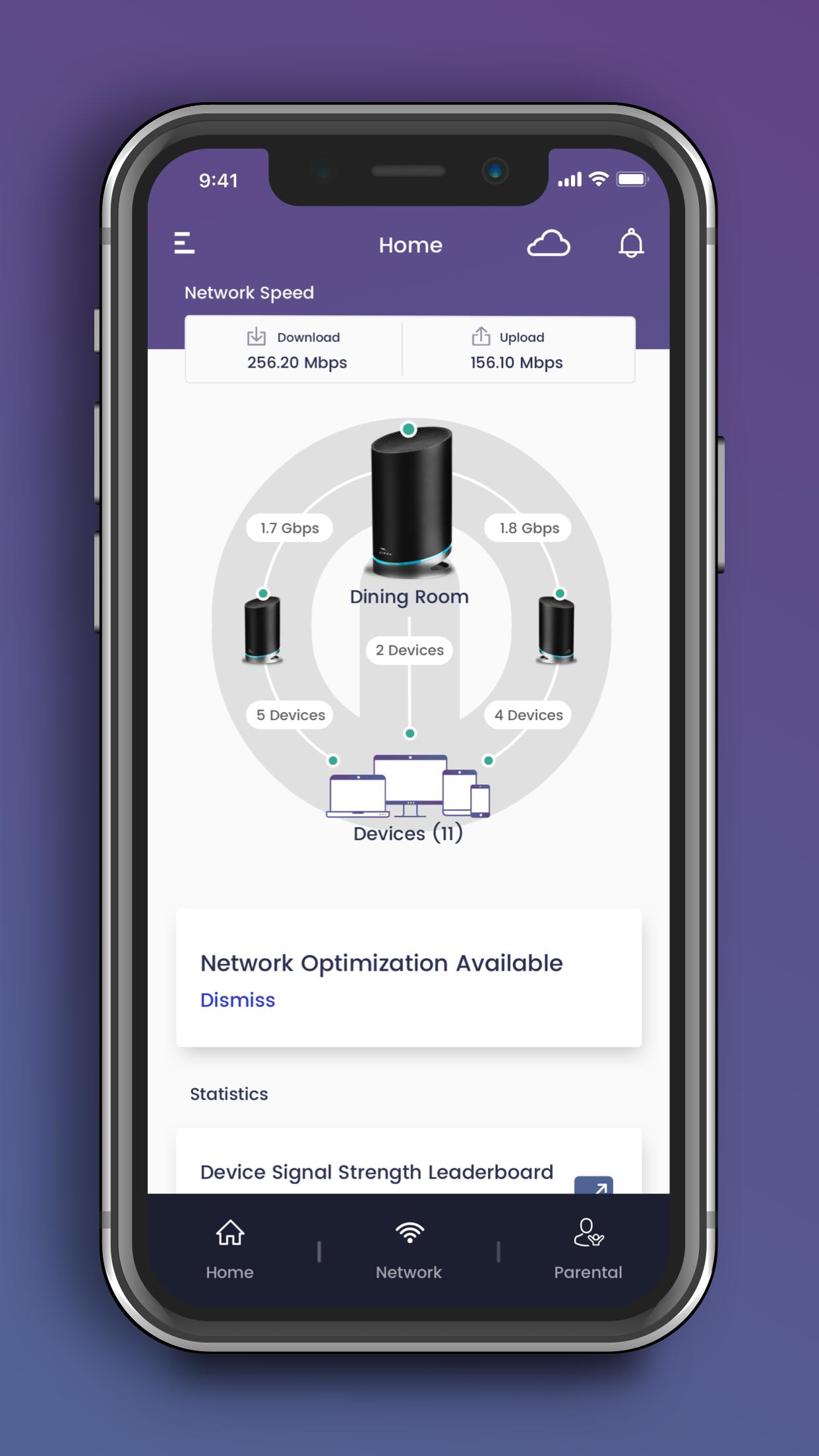
- Easy to use Wi-Fi management functions.
mAX Wi-Fi Mesh Routers:
- Models: W11, W121, W122, W21, W30, W31, W61, WC4S, WC4T
- Step-by-step install guide includes help for optimal mesh node placement in your home for performance and coverage.
- Easy to use Wi-Fi management and enhanced mAX features*.
Wi-Fi Gaming and Extenders:
- Models: W6B, W6U
- Step-by-step install guide.
- Access to device information, help, and technical support.
- Quick launch the device Web Application for device configuration and management.
--- Easy to use Wi-Fi management functions ---
- Manage your Wi-Fi network when you are at home or away.
- Setup a private and secure home Wi-Fi network.
- Setup a separate Guest network for visitors.
- View client devices connected to your network.
- Add friendly names for each client device.
- Check your mobile device real-time Wi-Fi speed.
- Create profiles for your kids to manage their screen time, allowing schedule or manual Internet pause.
--- Enhanced mAX features ---
- Get notified when selected device leave or join your home network.
- Enhance your parental controls with "screen" time rewards.
- Network Health monitoring with recommendations for optimization.
For additional help, please visit the SURFboard User Community at https://community.surfboard.com/
For device technical details and support, please visit SURFboard Support at https://www.surfboard.com/support/resources/
* Not all enhanced mAX features are available on W61, WC4S, and WC4T
Preview
Tags
ToolsInformation
Developer
ARRIS Enterprises, Inc.
Latest Version
4.3.4
Last Updated
2024-09-23
Category
Tools
Available on
Google Play
Show More
How to play SURFboard Central with GameLoop on PC
1. Download GameLoop from the official website, then run the exe file to install GameLoop
2. Open GameLoop and search for “SURFboard Central” , find SURFboard Central in the search results and click “Install”
3. Enjoy playing SURFboard Central on GameLoop
Minimum requirements
OS
Windows 8.1 64-bit or Windows 10 64-bit
GPU
GTX 1050
CPU
i3-8300
Memory
8GB RAM
Storage
1GB available space
Recommended requirements
OS
Windows 8.1 64-bit or Windows 10 64-bit
GPU
GTX 1050
CPU
i3-9320
Memory
16GB RAM
Storage
1GB available space