
Status Tracker for USCIS Case PC
Aries Software Studio
Download Status Tracker for USCIS Case on PC With GameLoop Emulator
Status Tracker for USCIS Case sa PC
Ang Status Tracker for USCIS Case, na nagmumula sa developer na Aries Software Studio, ay tumatakbo sa Android systerm sa nakaraan.
Ngayon, maaari mong laruin ang Status Tracker for USCIS Case sa PC gamit ang GameLoop nang maayos.
I-download ito sa GameLoop library o mga resulta ng paghahanap. Hindi na tumitingin sa baterya o nakakadismaya na mga tawag sa maling oras.
I-enjoy lang ang Status Tracker for USCIS Case PC sa malaking screen nang libre!
Status Tracker for USCIS Case Panimula
Did you have the experience to wait for your case? Some cases take a long time to get approved. Even if you check your case status from USCIS everyday, you still cannot know how long time it will be taken.
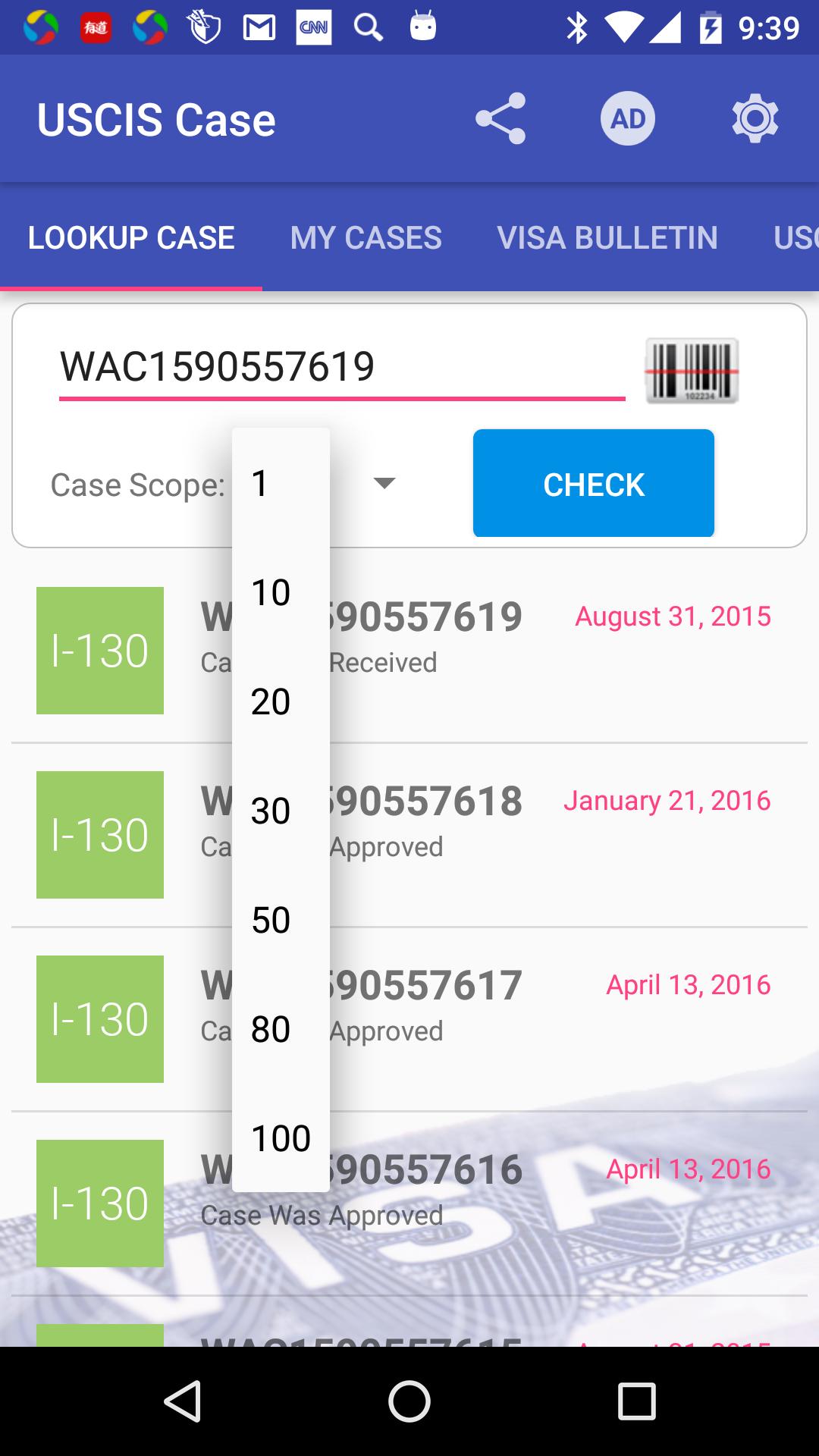
This app can help you to check your USCIS case status automatically. You don't need to go to the website of USCIS everyday to check the case status. This USCIS case status tracker App helps you to monitor the similar case near your case. To see if people near your case has been approved.
Through the similar cases status history, you can easy estimate the processing time of your case.
This app also provides the visa bulletin. You can easy to find how many days you need to wait for the approval.
The Major functions:
1. Case look up. The batch queries the cases in front of your case.
2. Case following.
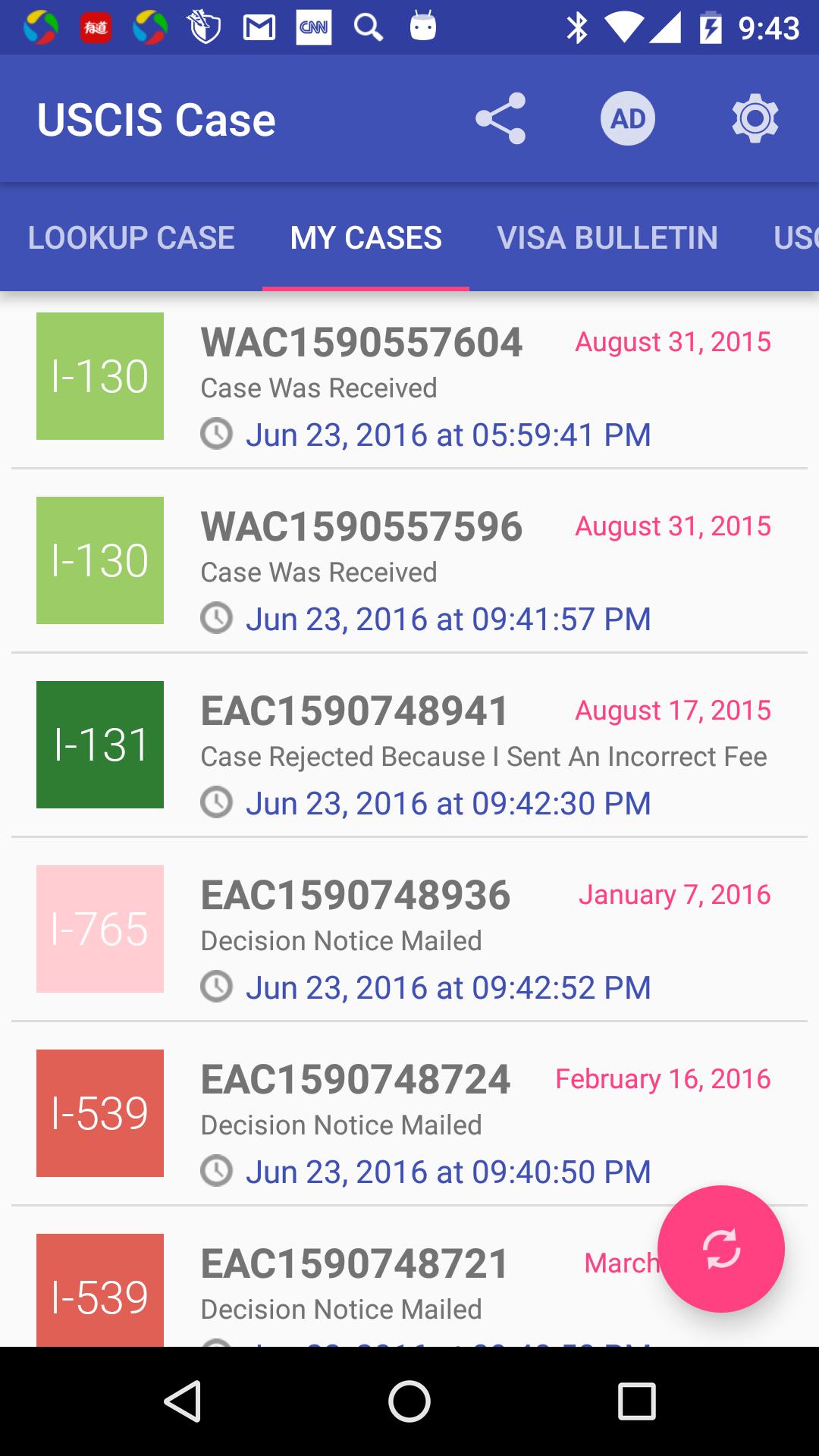
3. Auto refresh of all the cases status, refresh case status 4 times a day. Also you can refresh your case list manually.
4. Notification when case status change.
5. Case status history. Estimate the handling time through case status history.
6. Barcode scan or type your case number.
7. Especially to check I-797, H1B case, I-130, I-140, I-485, Green Card case history. Work for all USCIS cases.
8. Monitor USCIS visa bulletin updates. Easy to know how many days your case should go.
Disclaimer:
This product is not affiliated with USCIS. We develop this tool to help you to check your case. The app just send the query to USCIS official website to get the results.
We do not claim the accuracy of information and this information can not be used in any legal case.
We have the right to change this disclaimer at any time.
Don't do a batch queries(over 50 numbers) too much. The USCIS website will block the IP address for a couple days if users do the high frequently batch queries.
We take no responsibility or liability for using this app.
Preview
Tags
ToolsInformation
Developer
Aries Software Studio
Latest Version
1.8.2
Last Updated
2018-06-18
Category
Tools
Available on
Google Play
Show More
How to play Status Tracker for USCIS Case with GameLoop on PC
1. Download GameLoop from the official website, then run the exe file to install GameLoop
2. Open GameLoop and search for “Status Tracker for USCIS Case” , find Status Tracker for USCIS Case in the search results and click “Install”
3. Enjoy playing Status Tracker for USCIS Case on GameLoop
Minimum requirements
OS
Windows 8.1 64-bit or Windows 10 64-bit
GPU
GTX 1050
CPU
i3-8300
Memory
8GB RAM
Storage
1GB available space
Recommended requirements
OS
Windows 8.1 64-bit or Windows 10 64-bit
GPU
GTX 1050
CPU
i3-9320
Memory
16GB RAM
Storage
1GB available space