SoftKey - Home Back Button PC
Vimal CVS
Download SoftKey - Home Back Button on PC With GameLoop Emulator
SoftKey - Home Back Button sa PC
Ang SoftKey - Home Back Button, na nagmumula sa developer na Vimal CVS, ay tumatakbo sa Android systerm sa nakaraan.
Ngayon, maaari mong laruin ang SoftKey - Home Back Button sa PC gamit ang GameLoop nang maayos.
I-download ito sa GameLoop library o mga resulta ng paghahanap. Hindi na tumitingin sa baterya o nakakadismaya na mga tawag sa maling oras.
I-enjoy lang ang SoftKey - Home Back Button PC sa malaking screen nang libre!
SoftKey - Home Back Button Panimula
SoftKey - Home Back Recent Button for Android applications can replace a failed and broken Home Back Button for those who have trouble using buttons or the navigation bar panel is not working properly.
This application can also replace the on-screen navigation bar and Gesture navigation and add more functions such as long pressing a button to perform some action.
This app provides several features and designs colors to make an awesome Home Back Button bar.
SoftKey - Home Back Recent Button is easy to swipe up and down the Gesture navigation bar as assistive touch.
⭐⭐⭐SoftKey - Home Back Recent Button Key Features:⭐⭐⭐
• Auto-hide navigation bar
• Easy to wipe up/down to show/hide the navigation bar
• Functions: Home, Back, Recent
• Ability to Set vibrate on touch
• Options to lock the navigation bar
• Ability to change the navigation bar with background and button color
• Ability to set navigation bar size with height
• 2 Themes Available
• 3-Button Navigation
• Gesture Navigation
• Back action
• Home action
• Recent actions
• Long press action for back, home, and recent buttons
📲3 Button navigation:
Go back, Home and switch apps with buttons at the bottom of your Screen.
🛠️Gesture navigation sensitivity:
To go Home, swipe up from the bot- tom of the screen. To switch apps, swipe up from the bottom, hold, then release. To go back, swipe from either the left or right edge.
How to use?
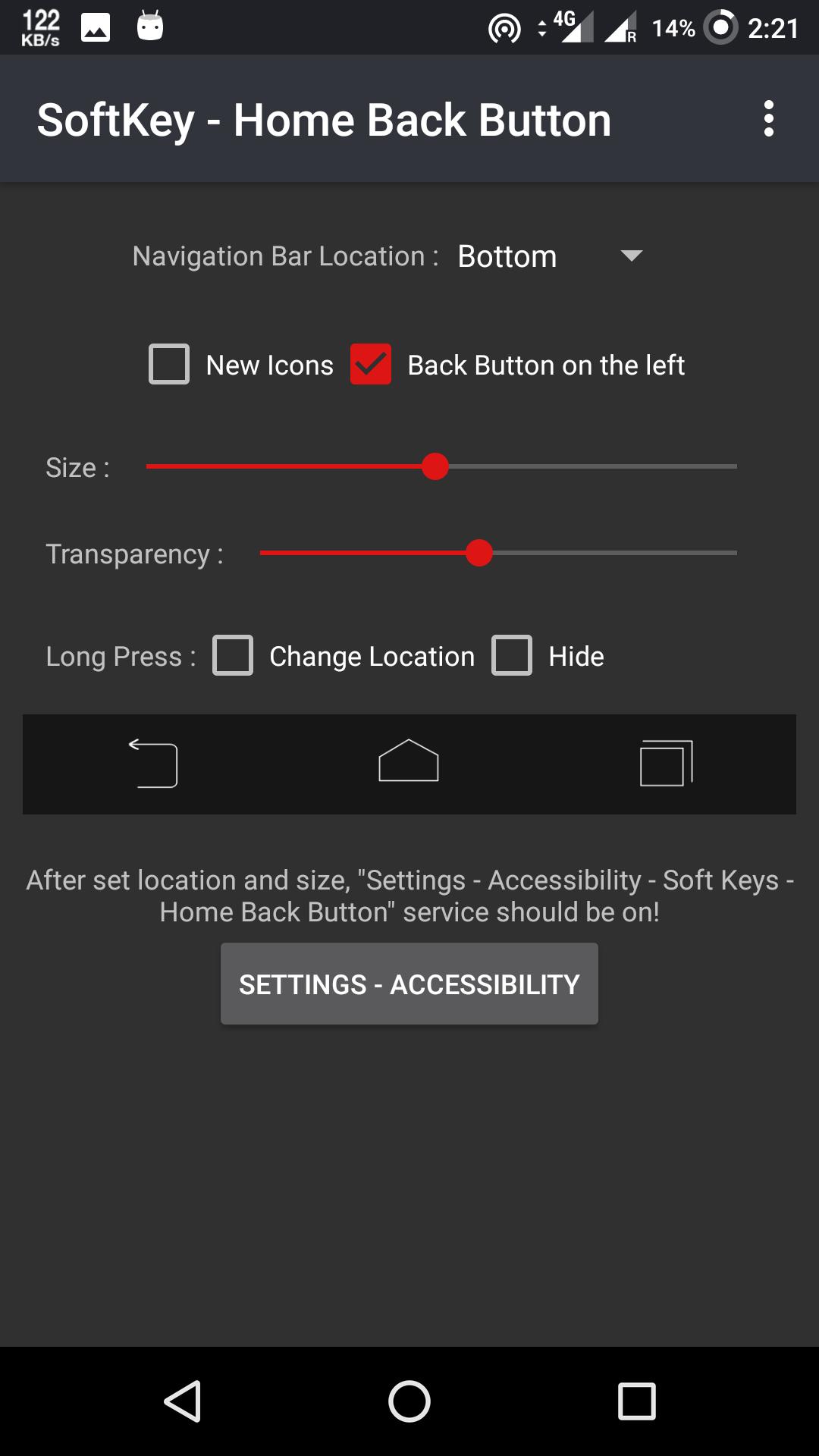
• Open the app, and enable permissions if asked.
• Set location, size...
• Click the "Settings-Accessibility" button.
• Find "SoftKey - Back Home Button" and enable it.
Please email your request to Gmail at vimalcvs29@gmail.com if you have any questions or recommendations concerning the SoftKey - Home Back Button. We're always here to answer your inquiries and provide the most practical solutions.
Thank you for taking the time to use the SoftKey - Home Back Button app. If you're happy with our application, don't forget to leave a reasonable rate. Thank you!
Preview
Tags
ToolsInformation
Developer
Vimal CVS
Latest Version
11.1
Last Updated
2020-01-15
Category
Tools
Available on
Google Play
Show More
How to play SoftKey - Home Back Button with GameLoop on PC
1. Download GameLoop from the official website, then run the exe file to install GameLoop
2. Open GameLoop and search for “SoftKey - Home Back Button” , find SoftKey - Home Back Button in the search results and click “Install”
3. Enjoy playing SoftKey - Home Back Button on GameLoop
Minimum requirements
OS
Windows 8.1 64-bit or Windows 10 64-bit
GPU
GTX 1050
CPU
i3-8300
Memory
8GB RAM
Storage
1GB available space
Recommended requirements
OS
Windows 8.1 64-bit or Windows 10 64-bit
GPU
GTX 1050
CPU
i3-9320
Memory
16GB RAM
Storage
1GB available space